
Programmatic SEO for product catalogs is a structured approach that combines reusable templates, entity-driven data models, and automation to generate scalable landing pages. It can expand search coverage when each page serves a distinct user need and includes useful, verifiable information. Page volume alone does not create rankings, and near-duplicate or low-value pages can be excluded from Search.
Update note — September 1, 2026: This guide was refreshed against current Google guidance on scaled content, ecommerce URL architecture, product structured data, and indexing APIs. Unsupported performance percentages and fixed ranking or indexing promises were removed or qualified, and new contextual links were added to Keytomic platform, feature, integration, and related resources.
Keytomic's programmatic SEO workflow supports repeatable research, template planning, content assistance, publishing, and monitoring. The outcome depends on data quality, page usefulness, technical implementation, and QA; structured data and unique attributes can improve machine understanding but do not guarantee traffic or rankings.
Google's current scaled content guidance warns against generating many unoriginal pages primarily to manipulate rankings. Use programmatic templates only when each page adds distinct value for a real user.
Template design fundamentals
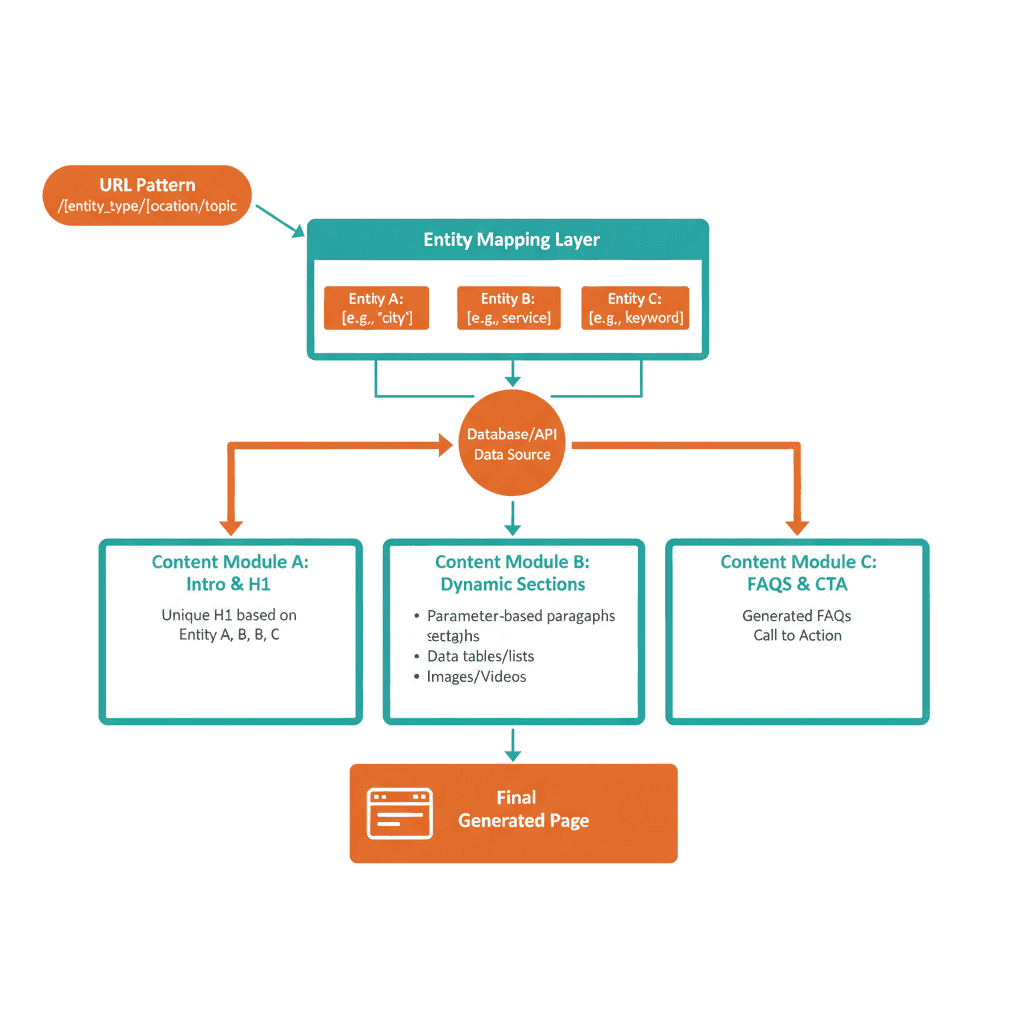
Every programmatic SEO template requires three core layers: URL structure, entity mapping, and content modules. The URL follows a predictable pattern that people and systems can understand, such as /product/{category}/{sku}/ or /catalog/{location}/{service}/. Consistency improves maintainability and helps discovery, but there is no guaranteed indexing-speed benefit from a particular path hierarchy.
The rules for product category SEO help decide which catalog templates should be indexable.
Entity mapping defines which database fields populate each template placeholder. Product catalogs typically pull SKU name, price, availability, images, specifications, and customer reviews. Each page should provide accurate, useful information that is materially distinct for its product or variant. Google does not publish a minimum number of unique fields that guarantees rankings; use completeness and user usefulness as the quality test.
Content modules are reusable sections that appear across all pages but pull different data. A typical template includes:
Hero section with product image and CTAs
Specifications table with dynamically populated attributes
Pricing block that updates in real-time
Related products carousel based on category taxonomy
FAQ section tailored to product type
Modular design allows rapid updates. If you change the specifications table structure, the update can propagate across pages that use the module, provided the publishing pipeline and source data are reliable. Start with a representative sample, compare render output before and after changes, and keep a rollback path rather than assuming a particular catalog size or update time will produce the same result for every site.
Build your URL structure to mirror search intent. Users searching "blue running shoes size 10" may expect a readable path like /shoes/running/blue-size-10/ rather than /product?id=12345. A clear, consistent URL helps users and crawlers understand page relationships, but the URL alone does not create relevance or guarantee rankings.
Product structured data can help Google understand price, availability, reviews, shipping, and variants, and may make eligible pages capable of appearing with product rich results. Rich-result display and higher click-through rates are not guaranteed. Keep structured data synchronized with the visible page and validate it after template changes.
URL architecture for scale
URL design affects discoverability, maintenance, and how clearly a catalog's hierarchy is communicated. Keep important product and category pages reachable through useful internal links, use stable canonical URLs, and include indexable URLs in your XML sitemap. There is no universal click-depth rule that guarantees indexing; prioritize a logical structure and an easy path for users.
Implement breadcrumb navigation that mirrors URL structure. Breadcrumbs help users move through the catalog and can clarify relationships between category and product pages. During planning, define variables like {category}, {subcategory}, and {sku}, then keep those URLs consistent across internal links, sitemaps, and canonicals as recommended in Google's ecommerce URL guidance.
Avoid uncontrolled dynamic parameters that create near-infinite combinations. URLs ending with ?sort=price or ?filter=color may be useful for users but should not automatically become indexable landing pages. Decide which facets deserve crawlable, canonical URLs; control low-value combinations with canonicalization, internal-link rules, or noindex where appropriate; and verify the resulting signals rather than relying on URL rewriting alone.
Test URL patterns with small batches. Launch a representative sample, monitor rendering and discovery in Google Search Console, and inspect a few URLs manually before expanding the template. Check that canonical tags, internal links, sitemap entries, structured data, and source values are correct; do not treat early indexing or ranking as a guaranteed validation result.
Entity taxonomy and data mapping
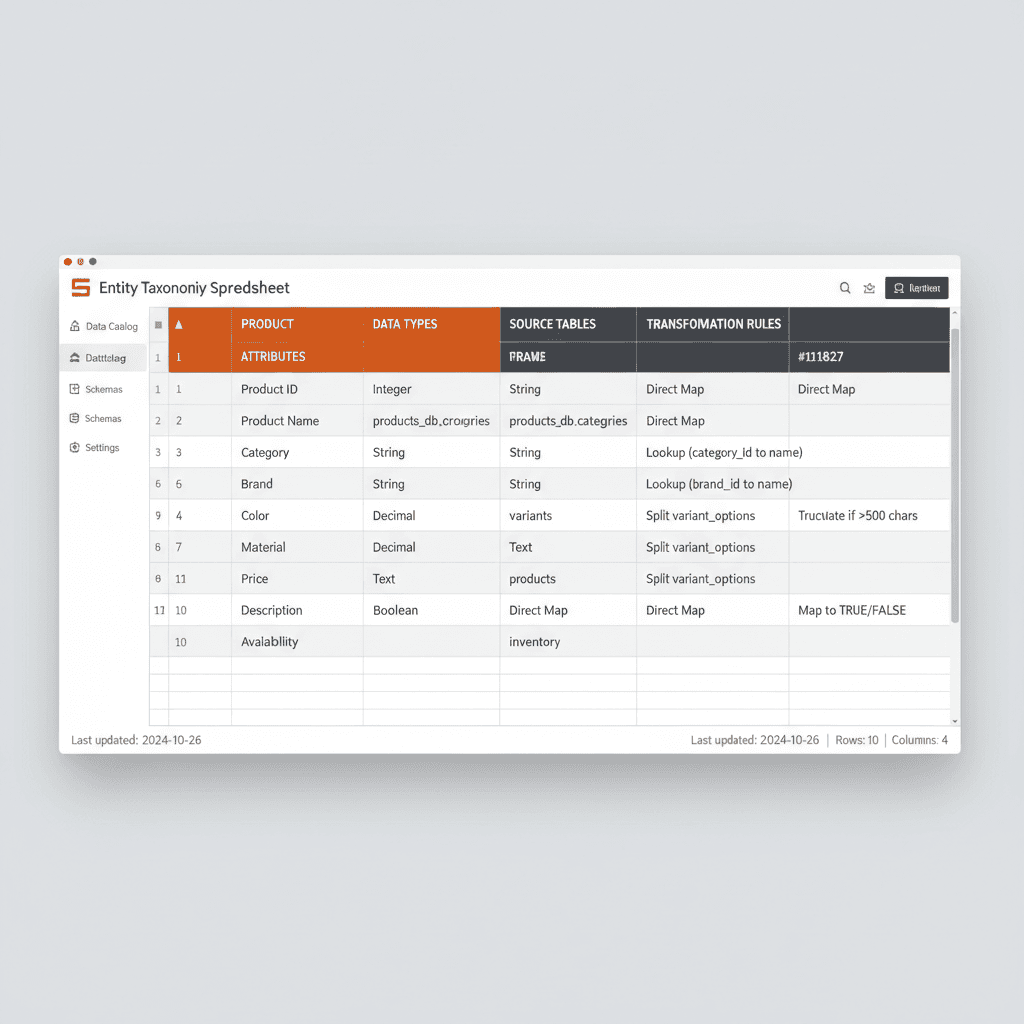
Data quality dictates template performance. Programmatic SEO fails when source data contains errors, missing fields, or inconsistent formatting. Audit your product database before mapping entities. Fields like product title, description, and specifications should follow uniform standards.
Create a master spreadsheet that defines every entity and its source. Columns include entity name, data type, source table, transformation rules, and fallback values. For example, if product_color is missing, the template might default to "Standard" rather than displaying empty text.
Use conditional logic to handle sparse data. If a product lacks reviews, hide the reviews module instead of showing an empty or misleading block. Conditional modules keep pages focused, but their effect on bounce rate should be measured against your own baseline and segmented by device, template, and traffic source.
Normalize entity values to prevent fragmentation. A product color field might contain "Blue", "blue", "BLUE", or "Navy Blue" in raw data. Standardize these values to a controlled vocabulary that ensures consistent filtering and categorization.
Data enrichment adds competitive differentiation. Beyond manufacturer specs, include accurate, useful attributes such as use cases, compatibility lists, care instructions, or comparison tables. First-party demonstrations, expert guidance, and clearly sourced information can make a catalog more helpful than pages that repeat supplier copy verbatim. Measure engagement and conversion changes on your own site.
Content generation pattern
AI-powered content generation can help draft product descriptions, feature summaries, and FAQ answers, but it should be grounded in approved source data and reviewed before publication. Automation is useful for consistency and scale; it does not replace product expertise, fact checking, or the need for each page to provide original value.
Brief mapping connects each template section to a content generation task. The hero section might require a 60-word introductory paragraph that includes the primary keyword, product name, and a benefit statement. The specifications section pulls directly from structured data without AI involvement. The FAQ section uses AI to generate five common questions based on product type.
Keytomic's AI-assisted content workflow can use approved entities, brand rules, and template instructions to help draft page content. Teams should measure the workflow with operational metrics such as approved pages, editor time per page, error rate, and publishing latency instead of relying on a universal time-saved claim.
Image generation follows similar logic: use approved product assets or clearly labeled supplemental visuals, and keep prompts and metadata tied to real product attributes. Generated images should not invent product features, certifications, or variants. Review licensing, brand fit, accessibility, and visual accuracy before publication.
AI drafting and brief workflows
Content briefs define inputs and constraints for AI models. Each brief includes target keyword, word count, tone, required entities, and structural rules. For product descriptions, the brief might specify: "Write a 150-word description for {product_name} that mentions {key_feature_1}, {key_feature_2}, and {use_case}. Use a professional tone. Include the keyword '{primary_keyword}' in the first sentence."
Template briefs can reduce unsupported AI output when prompts reference authoritative database fields and explicitly prohibit invention. Validate every generated claim against the source record, route uncertain or conflicting fields to review, and keep a traceable record of the data used to create each page.
Iterate on AI output by analyzing performance. Track pages with high bounce rates or low time-on-page. Extract the AI-generated content and refine the brief to address quality gaps. This feedback loop improves output quality over time.
Use AI for useful variation, not superficial rewording of supplier copy. Generate drafts from genuinely different product facts, applications, comparisons, or customer questions, then edit for accuracy and clarity. A changed sentence structure is not enough to make a thin or near-duplicate page valuable.
Human review gates protect quality before publication. Flag pages with missing or conflicting source fields, unsupported claims, broken links, incomplete specifications, or content that fails the intended user need. Use clear pass/fail checks and escalation rules; confidence scores and readability grades should support review, not replace it.
Image and media automation
Visual content drives conversions on product pages. Automated image pipelines fetch product photos from CDNs, resize them for web performance, and apply alt text based on product attributes. Alt text templates follow the pattern: "{product_name} – {color} {category} with {key_feature}."
Generate lifestyle images or contextual backgrounds using AI. Prompts describe the product in a scene: "Professional photo of {product_name} on a minimalist desk, natural lighting, brand colors #FF6A00 and #2DD4BF as accent elements, 16:9 aspect ratio." These images supplement manufacturer photos and differentiate your catalog.
Video embeds boost engagement. For catalogs with hundreds of SKUs, create template-driven video scripts that explain features, demonstrate usage, or compare variants. Tools like Synthesia generate videos from text scripts, enabling video at scale without production crews.
Lazy loading and modern responsive formats can improve media performance when implemented correctly. Serve appropriately sized WebP or AVIF assets, reserve width and height to reduce layout shift, provide descriptive alt text, and lazy-load below-the-fold images where appropriate. There is no universal 100KB limit or automatic ranking penalty for an image above that size; optimize against real page experience and Core Web Vitals.
Indexing and monitoring
Indexing is a quality and discovery challenge for programmatic SEO. Publishing 1,000 pages does not mean Google will crawl or index all of them. Strengthen internal linking, canonical signals, XML sitemaps, server reliability, and page usefulness, then monitor which URLs are discovered, crawled, indexed, and earning impressions. Remove, consolidate, or improve pages that do not justify their place in the catalog.
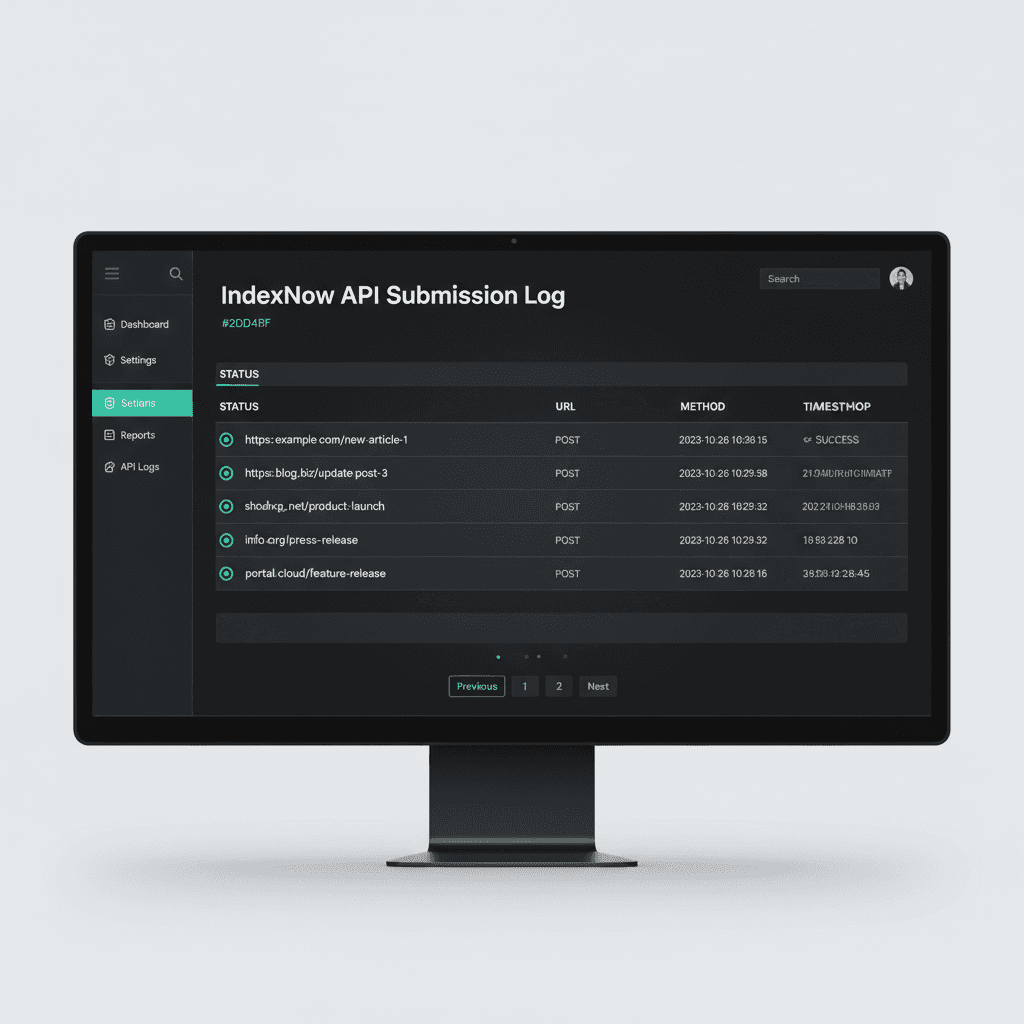
IndexNow can notify participating search engines when a URL is added, updated, or deleted. A successful notification confirms receipt of the request, not that a page was crawled, indexed, or ranked. Use it as one part of a broader discovery workflow and follow the participating engine's requirements.
Google Search Console's API can retrieve URL Inspection and search-performance data for diagnostics and reporting; it is not a general-purpose bulk indexing submission endpoint for product pages. Google's Indexing API is limited to eligible JobPosting and livestream pages, so product catalogs should rely on crawlable URLs, internal links, XML sitemaps, and quality diagnostics.
Monitoring tracks discovery, indexing status, impressions, clicks, conversions, and template-level errors. Combine Search Console diagnostics with Keytomic's Google Search Console integration and, where useful, Google Analytics data. Set alerts from your own baselines and investigate patterns by template, category, device, and source instead of assuming a universal traffic threshold.
IndexNow implementation steps
Generate your IndexNow API key using a random hex generator: openssl rand -hex 16. This produces a 32-character key like 4262631fe57245bd9bd1cef01d1c3fa4. Save this key securely in environment variables.
Create a text file named {your-api-key}.txt containing only the key string. Upload this file to your website's root directory. Verify accessibility by visiting https://yourdomain.com/{your-api-key}.txt in a browser.
Submit URLs by sending a POST request to https://api.indexnow.org/indexnow with a JSON payload:
Automate submissions by hooking into your CMS publish event. When a product page publishes or updates, trigger an IndexNow POST request. WordPress plugins like Rank Math and IndexNow handle this automatically. For custom stacks, write a webhook that calls the API.
Verify submissions in Bing Webmaster Tools and review the resulting crawl and index signals over time. An HTTP success response confirms that a notification was received; it does not promise an indexing window or search visibility. Record the URL, change type, notification result, crawl status, and eventual impressions so the workflow can be evaluated with real evidence.
Validation and crawl monitoring
Crawl validation ensures templates render correctly. Use Screaming Frog or Sitebulb to audit 100% of generated pages. Check for missing titles, duplicate meta descriptions, broken images, and schema errors. Export audit results and prioritize fixes by issue severity.
Google Search Console's Page indexing report reveals URLs that are indexed, excluded, or affected by issues such as "Crawled – currently not indexed" and "Discovered – currently not indexed." Investigate patterns: if many pages in a category face the same issue, the template, data quality, internal linking, or page value may have a structural flaw.
Log file analysis shows actual Googlebot behavior. Parse server logs to identify crawl frequency, bot types, and response codes. If Googlebot crawls pages but doesn't index them, content quality or internal linking may need improvement.
Set up uptime monitoring for key template endpoints. Services like UptimeRobot ping pages every 5 minutes and alert teams if response codes indicate downtime. Programmatic sites with 10,000+ pages must ensure infrastructure scales to handle crawl load without timeouts.
Operational playbook
Operational rigor prevents programmatic disasters. QA gates catch errors before they reach production. Rollback procedures restore functionality when issues slip through. Documentation standardizes processes so teams execute consistently.
QA workflows begin with staging environments. Deploy templates to staging, generate test pages using production data, and run automated tests. Tests verify that placeholders populate correctly, links resolve, and pages pass Core Web Vitals thresholds.
Manual spot checks complement automation. Review 5-10 randomly selected pages per category. Validate that content reads naturally, images load, and CTAs function. Human review catches edge cases that automated tests miss.
Version control tracks template changes. Use Git to manage template files. Tag releases with semantic versioning (v1.0.0, v1.1.0) so teams can identify which version introduced a bug. Rollback to previous versions by checking out earlier commits.
Incident response plans define escalation paths. If indexation drops by 20%, who investigates? If page speed degrades, who fixes it? Document responsibilities and communication channels to minimize resolution time.
QA gates and testing procedures
Define acceptance criteria before deploying templates. Criteria can include: all required fields populate, no placeholder text appears, canonical URLs are accurate, images are responsive and accessible, structured data matches visible content, links resolve, and pages meet your Core Web Vitals and accessibility targets. Use thresholds appropriate to the site and validate them in representative templates rather than applying arbitrary universal cutoffs.
Automated testing frameworks like Playwright or Selenium run these checks. Scripts navigate to test URLs, assert that elements exist, measure load times, and screenshot results. Configure CI/CD pipelines to block deployments if tests fail.
A/B test template variations with a predefined primary outcome, test duration, sample-size method, and guardrail metrics. The required sample depends on baseline conversion rate, minimum detectable effect, traffic quality, and statistical design; 1,000 visitors per variant is not a universal significance threshold.
Content audits identify pages that need improvement after launch. Compare product pages with your own category and device baselines, then investigate weak impressions, engagement, conversions, rendering, and data completeness together. Avoid treating a single bounce-rate or time-on-page cutoff as a universal definition of low quality.
Rollback and error handling
Rollback procedures restore previous template versions within minutes. Maintain at least three historical versions in production. If a deployment introduces errors, revert by switching the active template file to the prior version.
Database backups protect against data corruption. Schedule automated backups before every bulk update. Store backups off-site for disaster recovery. Test restoration procedures quarterly to ensure backups actually work.
Error logs surface issues in real-time. Log every template render, noting which entities failed to load, which API calls timed out, and which pages returned 500 errors. Aggregate logs in tools like Datadog or Splunk for centralized monitoring.
Gradual rollouts limit blast radius. Deploy new templates to 5% of pages first. Monitor metrics for 48 hours. If performance remains stable, increase to 25%, then 50%, then 100%. This staged approach prevents site-wide failures.
Why Keytomic stands out
Disclosure: Keytomic publishes this guide and offers SEO automation tools. Product descriptions and workflow claims in this section are first-party statements, not independently verified benchmarks. Product pages were checked on September 1, 2026; confirm current availability and plan limits before purchase.
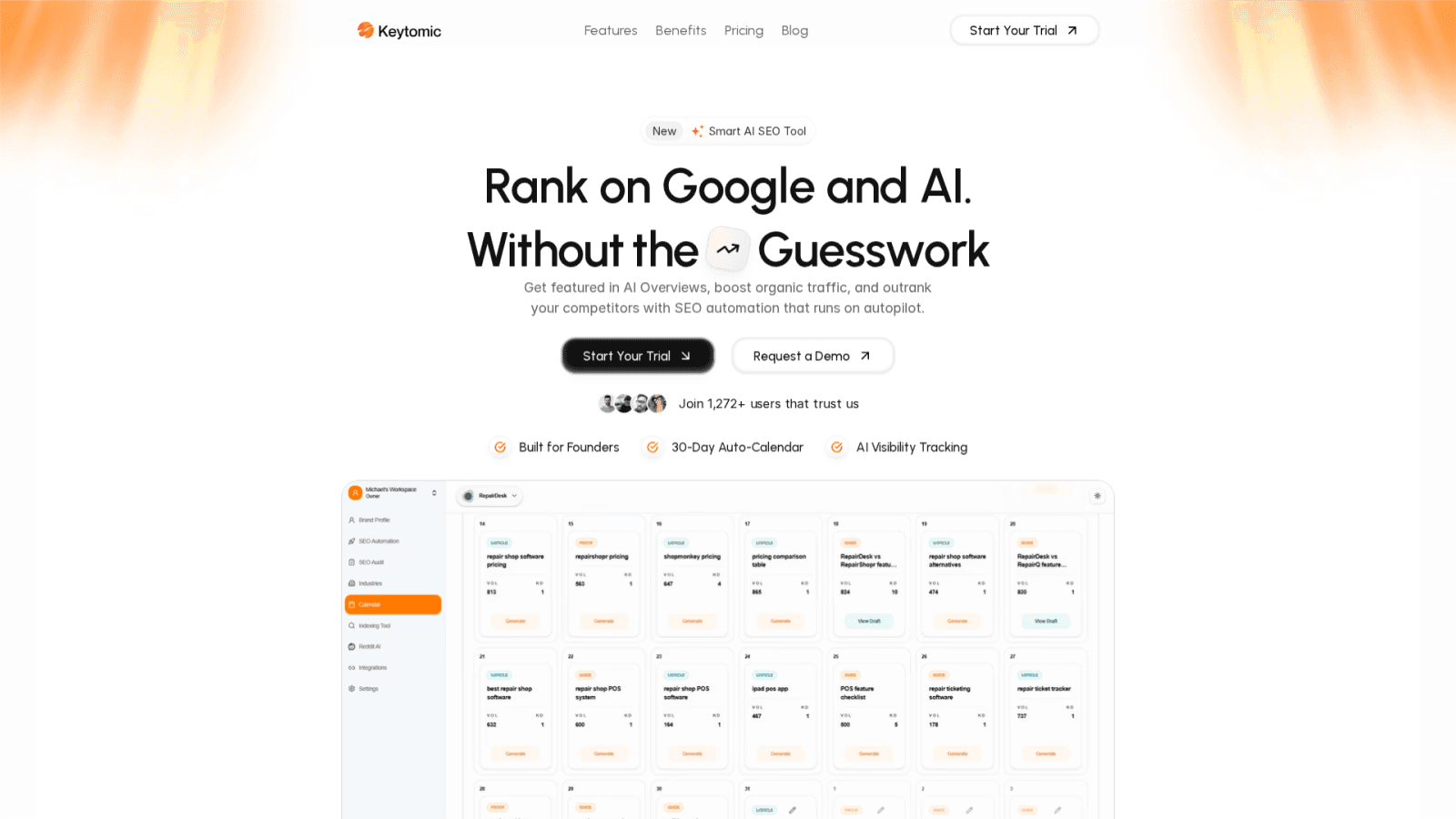
Keytomic brings research, content assistance, publishing, and monitoring into one SEO workflow. The platform can reduce tool switching and repetitive operations, but results depend on the catalog, integrations, approvals, and implementation. Treat the workflow as an operating system for repeatable work, not a guarantee of rankings or indexing.
The platform's keyword clustering can help identify and organize long-tail opportunities across a product catalog. Use the SEO topical map generator and AI keyword research workflow to connect queries to real products, categories, and user needs; review clusters before turning them into pages.
Keytomic's AI visibility workflow can help teams structure useful, citable information for AI search experiences and monitor brand or topic mentions. No platform can guarantee placement in Google, ChatGPT, Perplexity, or Gemini; measure visibility alongside Search Console impressions, analytics, and qualified conversions.
Direct publishing can reduce integration friction when the destination is configured and the content has passed review. Keytomic supports workflows for WordPress, Shopify, and integrations such as Webflow and Framer. Confirm current connector capabilities and plan limits, and measure operational impact on your own publishing process.
Keytomic can support multi-engine notification and Search Console-connected monitoring through its multi-search-engine indexing feature and Google Search Console integration. Notifications and diagnostics do not guarantee immediate crawling, indexing, or rankings. Use them with strong internal linking, sitemaps, canonical signals, and ongoing quality review.
FAQs
For adjacent workflows, see the programmatic SEO tools guide and the IndexNow setup guide.
There is no universal minimum dataset size for programmatic SEO. Use templates when you have distinct search demand, reliable source data, and a meaningful page experience for each target entity. A smaller catalog can still benefit when the pages solve a clear user problem; a large catalog may need consolidation or noindex rules when variants add little value.
Avoid near-duplicate pages by making every indexable URL accurate and materially useful for its intended query. Include the details users need, keep visible content and structured data aligned, use canonical URLs deliberately, and consolidate or noindex low-value combinations. Google does not publish a fixed five-field rule that guarantees a page will be treated as unique.
Can programmatic SEO work for B2B product catalogs?
Yes. B2B catalogs with technical specifications, compatibility matrices, and application guides scale well with programmatic templates.
There is no reliable universal timeline for programmatic pages to rank. Track discovery, crawling, indexing, impressions, clicks, and conversions over time, and compare cohorts by template and query intent. Competitive demand, site history, internal links, page quality, and technical health all affect the result.
Common programmatic SEO workflows can connect data sources, CMSs, search diagnostics, and content tools. Keytomic provides integrations for WordPress, Shopify, Webflow, and Google Search Console; verify current connector behavior, authentication requirements, and plan limits before implementation.