Table of Contents
Share Article
Google Just Updated Crawl Limits To 2mb From 15mb; Why It Matters & What To Do About It
Google Just Updated Crawl Limits To 2mb From 15mb; Why It Matters & What To Do About It
Google Just Updated Crawl Limits To 2mb From 15mb; Why It Matters & What To Do About It

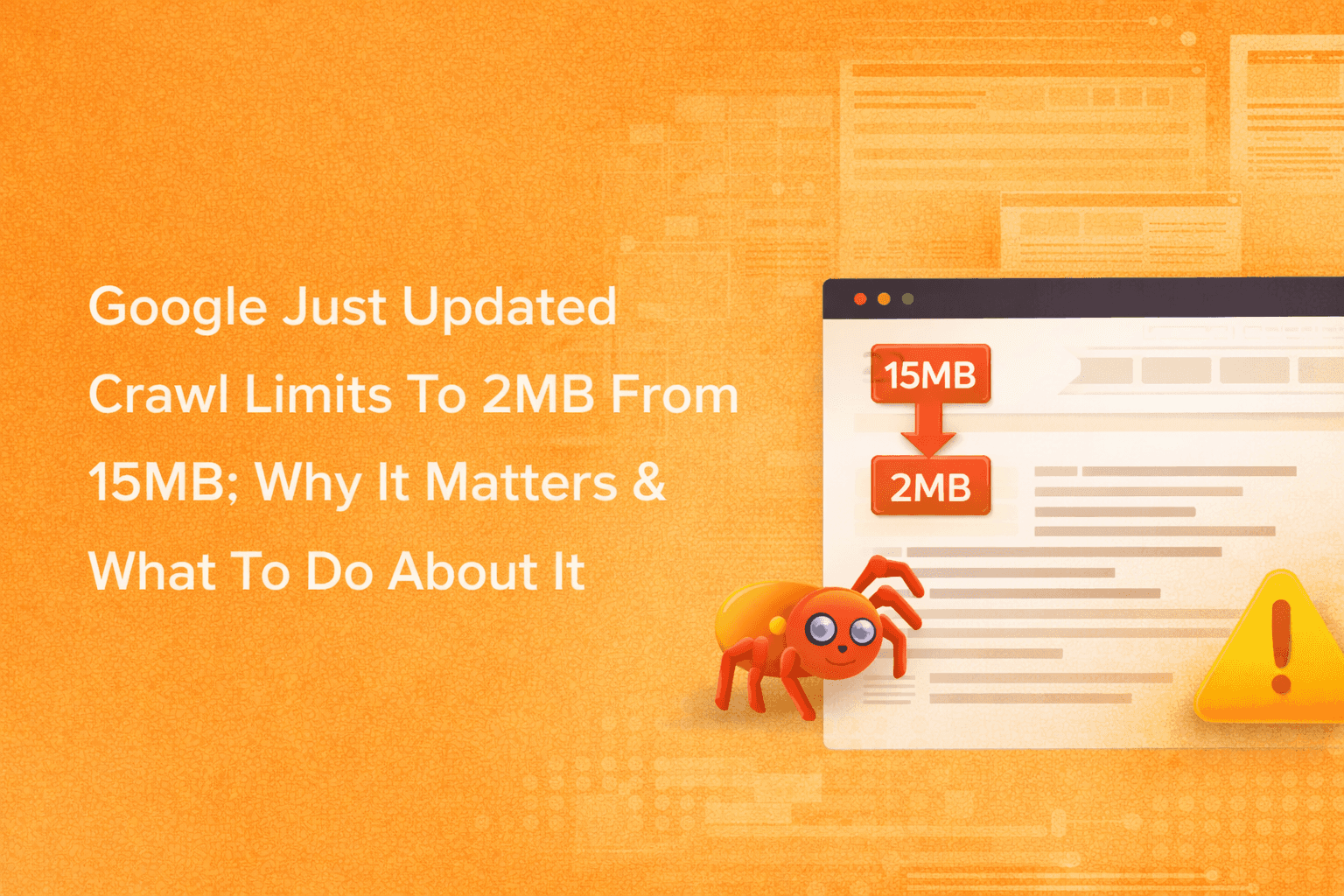
Google clarified Googlebot's file size limits: 2MB for HTML files and 64MB for PDFs. Learn what changed, why it matters, and how to check if your site is affected.
Google Just Updated Crawl Limits To 2mb From 15mb; Why It Matters & What To Do About It
Google recently reorganized its crawler documentation to clarify that Googlebot crawls only the first 2MB of HTML files for Google Search, down from the previously documented 15MB general limit. PDFs get a more generous 64MB threshold.
This isn't a sudden policy change but rather a documentation clarification that separates general crawler limits from Google Search-specific thresholds. The 15MB limit still applies to Google's broader crawling infrastructure, while the 2MB cap specifically affects how Googlebot processes HTML content for search indexing.
If you're managing content-heavy sites or publishing long-form technical documentation, you're probably wondering if this affects your rankings. The short answer: probably not. According to the HTTP Archive Web Almanac, the median HTML file weighs around 30KB.
That means you'd need pages roughly 67 times larger than average to hit the new threshold. But here's the thing: if you're running a site with bloated code, inline scripts embedded directly in HTML, or massive data objects, this update gives you a clear target to optimize for.
Let's break down what changed, who's actually affected, and what you can do to make sure Google sees all your important content.
What Actually Changed in Google's Documentation
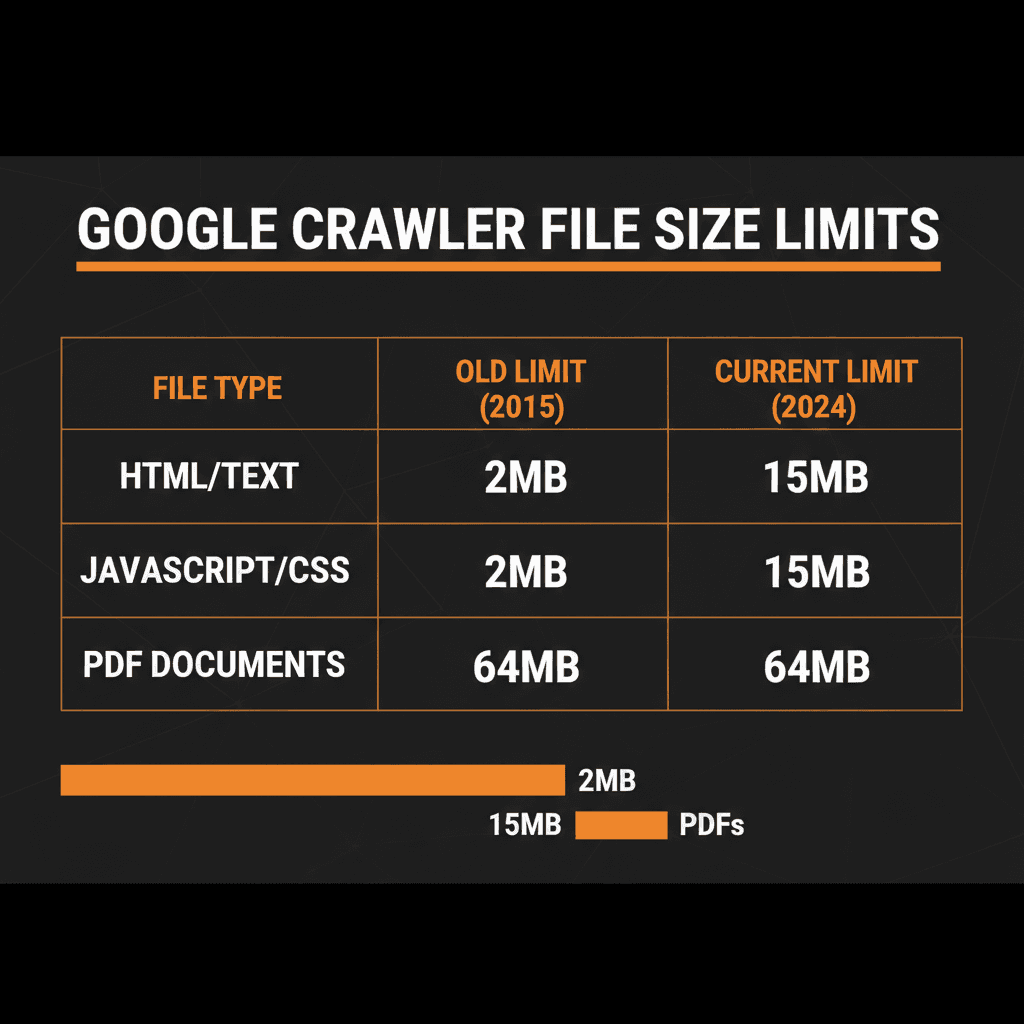
Google didn't suddenly slash its crawl limits. What happened is a reorganization of how these limits are documented. Previously, all file size information lived on the Googlebot help page, which created confusion about which limits applied to which crawlers.
Now Google separates these into two categories:
General Crawler Infrastructure: 15MB Default
This applies to all of Google's crawlers and fetchers across products like Search, Shopping, News, Gemini, and AdSense. Think of this as the baseline maximum file size Google's infrastructure will attempt to retrieve and process.
Googlebot for Search: 2MB for HTML, 64MB for PDFs
When Googlebot specifically crawls content for Google Search indexing, it processes:
First 2MB of HTML and text-based files: Anything beyond this limit gets truncated
First 64MB of PDF files: More generous to accommodate technical documentation and reports
Each resource fetched separately: CSS, JavaScript, and images referenced in your HTML are each subject to the same 2MB limit
According to Google's official documentation, once the cutoff is reached, Googlebot stops the fetch and sends only the downloaded portion for indexing consideration. The limit applies to uncompressed data, which matters when you're measuring file sizes.
John Mueller clarified on Bluesky that "2MB of HTML is quite a bit" and noted that it's extremely rare for sites to run into issues. He added that the limits haven't recently changed; Google just wanted to document them in more detail.
Is the recent Google update silently cutting off your content? Check if your page exceeds 2MB now.
The 15MB vs 2MB Confusion: Fetching vs Indexing
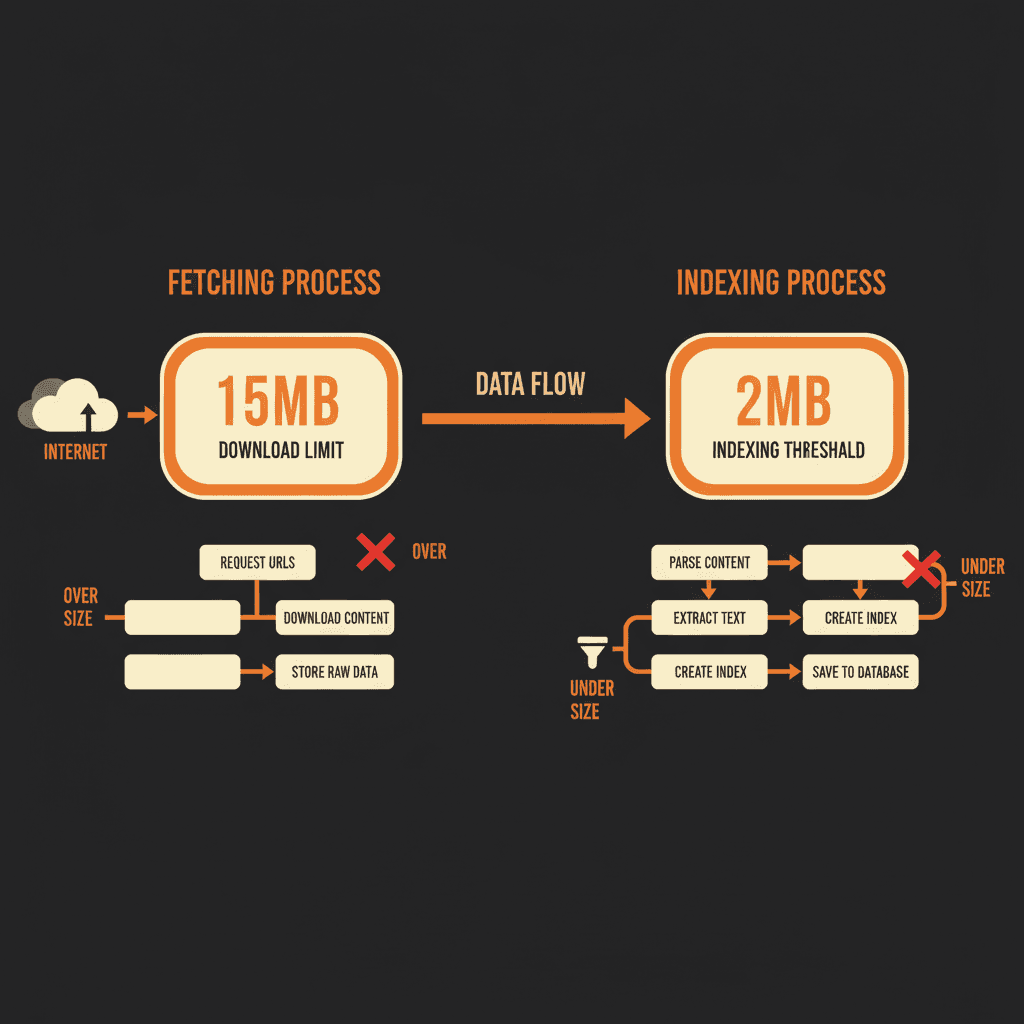
Here's where people get confused. There's a difference between Google fetching a file and Google indexing that file.
Fetching is the act of downloading the file from your server. The 15MB limit applies here for the general crawling infrastructure. Googlebot can download up to 15MB.
Indexing is the process of analyzing and storing that content for search results. For Google Search specifically, Googlebot processes only the first 2MB of HTML files for indexing.
Think of it this way: Google's infrastructure can grab larger files, but when it comes to actually reading and indexing HTML content for search rankings, the relevant threshold is 2MB.
The Search Engine Journal coverage confirmed this is a documentation clarification, not a behavioral change. Google described this as separating default limits that apply to all crawlers from Googlebot-specific details.
Should You Actually Worry About This?
Let's look at the math because numbers calm people down.
2MB of text equals roughly 2 million characters. That's about 400 pages of a standard novel. Ask yourself: does your homepage contain an entire book's worth of HTML?
For 99% of websites, this changes nothing. According to industry data, the median mobile homepage HTML file is around 22KB (0.022MB). To hit the 2MB ceiling, you'd need to be roughly 90 times larger than the average page.
You really have to try to create a page that large.
Who Should Pay Attention
There are specific scenarios where this matters:
E-commerce sites with massive product catalogs embedded as inline JSON
Single-page applications (SPAs) that load entire JavaScript frameworks inline
Financial portals embedding large rate tables or calculators directly in HTML
Long-form content hubs that concatenate dozens of articles into one infinite scroll page
Poorly optimized WordPress sites with bloated themes and inline CSS
If you're in one of these categories, keep reading.
How to Check If Your Site Is Affected
Here's how to measure your HTML file size and see if you're approaching the limit.
Method 1: Chrome Developer Tools
Open the page you want to check
Right-click and select "Inspect" or press F12
Click the "Network" tab
Reload the page
Find the first request (usually your HTML document)
Look at the "Size" column
Important: The network tab often shows the transfer size (compressed via GZIP or Brotli). Google applies the limit to the uncompressed version. Look for the "Content Download" or uncompressed size.
Method 2: View Page Source
Right-click on any page and select "View Page Source." The browser typically shows the file size in the status bar or page info. In Chrome, you can check document size in the Elements panel.
Method 3: Screaming Frog SEO Spider
Screaming Frog has a column for HTML size. Crawl your site and filter by pages approaching 1MB or higher. If you see anything over 1.5MB, you're in the danger zone and should optimize.
Method 4: Google Search Console
Use the URL Inspection tool to see which parts of your page Google renders and indexes. This won't show exact file sizes but will reveal if content is missing from Google's index.
Method 5: Keytomic FREE Google Page Crawl Analyzer
For the most accurate and visual assessment, use our specialized tool to see exactly how Googlebot interacts with your HTML. Unlike standard browser tools, this analyzer calculates the raw uncompressed weight and provides a Visual Crawl Map to identify exactly where the 2MB threshold ends.
Run a free scan with the Googlebot Page Size Checker →
What Causes Bloated HTML Files
Most HTML bloat comes from poor development practices rather than actual content.
Inline JavaScript and CSS
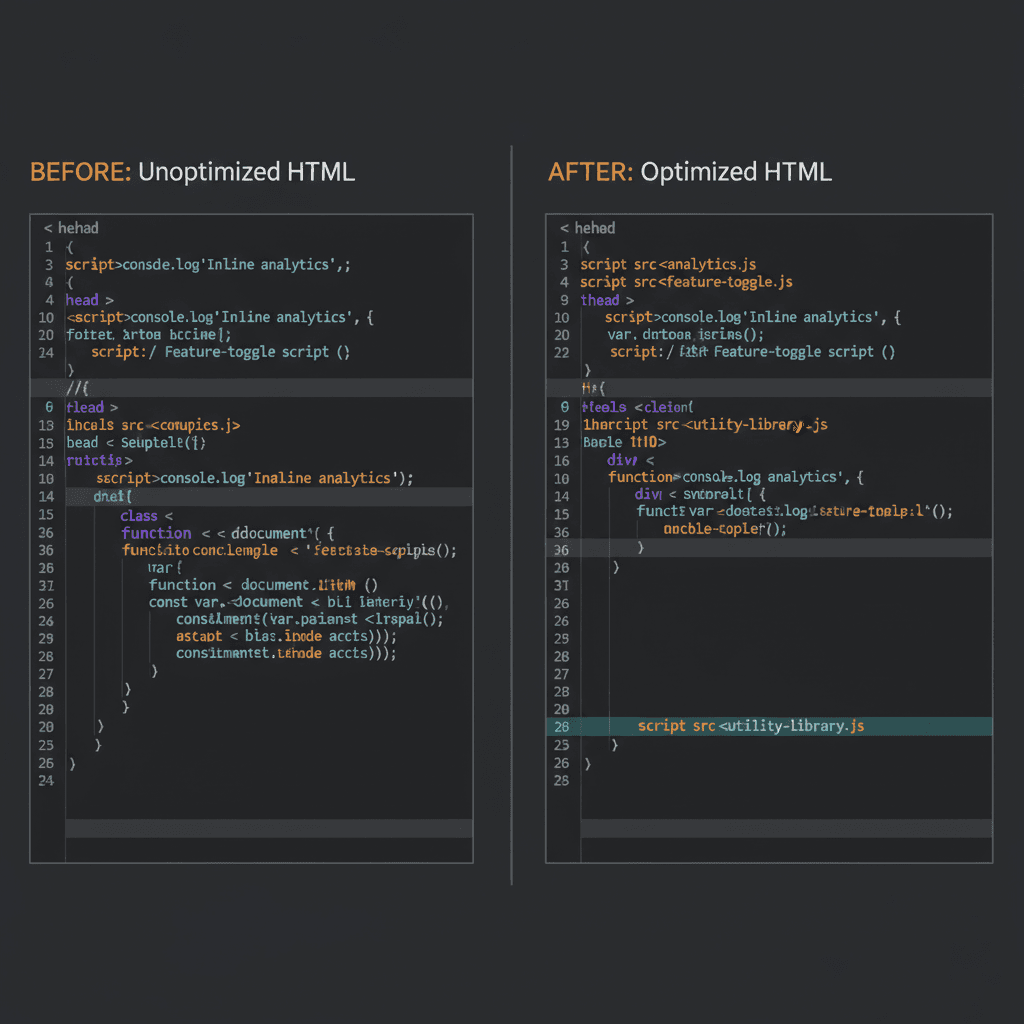
When developers embed entire JavaScript libraries or stylesheets directly in the HTML instead of linking to external files, file sizes explode. Each inline script adds to the HTML size.
Fix: Move scripts and styles to external files. They'll be fetched separately, each with its own 2MB allowance.
Embedded Data Objects
Some sites embed large JSON objects directly in the HTML for client-side rendering. E-commerce sites are notorious for this, loading entire product catalogs as inline data.
Fix: Use API calls to load data asynchronously after the initial page load.
Excessive Inline SVGs
SVG graphics embedded directly in HTML can balloon file sizes, especially if you're using multiple complex icons.
Fix: Reference SVG files externally or use sprite sheets.
Unminified Code
Whitespace, comments, and unnecessary characters add up. While minification is standard practice, many sites still serve unminified HTML in production.
Fix: Use build tools like Webpack, Gulp, or Vite to minify HTML automatically.
The JavaScript Problem: Rendering and Crawl Limits
Modern web development relies heavily on JavaScript, but search engines have a complicated relationship with it.
When Google crawls a page, it often grabs the initial HTML first. If your content only appears after JavaScript execution, you're creating additional work for Googlebot and potentially missing the window for complete indexing.
Each JavaScript file referenced in your HTML is fetched separately and bound by the same 2MB limit. If you're loading massive framework bundles inline, you're consuming crawl budget and potentially exceeding limits.
According to the 2025 Web Almanac, most large language model (LLM) crawlers don't render JavaScript either. They consume raw HTML. If your important content only appears after JavaScript execution, you're invisible not just to Googlebot, but to AI-powered assistants as well.
Implications for SEO automation: This is one reason why Keytomic emphasizes structured, semantic HTML in its content generation workflows. AI search engines prioritize easily parsable content, and keeping your HTML lean ensures maximum visibility across both traditional search and generative AI platforms.
PDF Files: The 64MB Exception
PDFs get special treatment with a 64MB crawl limit, significantly more generous than HTML's 2MB threshold.
Why? PDFs serve different purposes. Where HTML provides the structural layer for web applications, PDFs typically deliver complete documents for download, printing, or detailed reference. Technical documentation, academic papers, product catalogs, and whitepapers all fit this category.
Google's Web Rendering Service handles PDFs differently than HTML resources, extracting text content and metadata without requiring JavaScript execution. This architectural difference justifies maintaining separate file size thresholds.
When to Use PDFs for SEO
If you're publishing:
Research reports exceeding 1MB of HTML
Comprehensive guides that would create bloated web pages
Technical specifications with extensive data tables
Annual reports or compliance documentation
Consider offering PDF versions to ensure Google indexes the complete content. Just make sure your PDFs stay under 64MB.
How to Optimize Pages Approaching the Limit
If your audit reveals pages flirting with the 2MB threshold, here's your action plan.
1. Break Long Pages into Logical Sections
Instead of one monolithic 5,000-word page, create a pillar page that links to detailed subsections. This improves crawlability, user experience, and internal linking structure.
Example: A comprehensive guide to SEO automation could be split into:
Main pillar page (overview and navigation)
Keyword research automation (separate page)
Content generation workflows (separate page)
Auto-indexing strategies (separate page)
Performance tracking (separate page)
Each page stays lean while building topical authority through strategic internal linking.
2. Externalize Scripts and Styles
Move inline CSS and JavaScript to external files. Modern browsers cache these resources efficiently, improving both page load speed and crawlability.
<!-- Instead of this -->
<style>
  /* 500KB of inline CSS */
</style>

<!-- Do this -->
<link rel="stylesheet" href="styles.css">
<!-- Instead of this -->
<style>
  /* 500KB of inline CSS */
</style>

<!-- Do this -->
<link rel="stylesheet" href="styles.css">
3. Lazy Load Content Below the Fold
Use lazy loading for images, videos, and secondary content that appears lower on the page. This reduces initial HTML size while preserving user experience.
4. Implement Code Splitting
For JavaScript-heavy sites, use code splitting to break large bundles into smaller chunks that load on demand.
Tools like Webpack, Rollup, and Vite make this straightforward:
// Load modules only when needed
import(/* webpackChunkName: "analytics" */ './analytics.js')
  .then(module => module.init());
// Load modules only when needed
import(/* webpackChunkName: "analytics" */ './analytics.js')
  .then(module => module.init());
5. Compress and Minify Everything
While Google applies limits to uncompressed data, smaller compressed files reduce server load and improve page speed. Use GZIP or Brotli compression, and minify HTML, CSS, and JavaScript.
6. Audit Data URIs
Data URIs embed images directly in HTML as base64-encoded strings. While convenient for small icons, they significantly inflate HTML size.
According to Google's documentation, data URIs contribute to HTML file size. Reference images externally whenever possible.
How SEO Automation Tools Like Keytomic Can Help
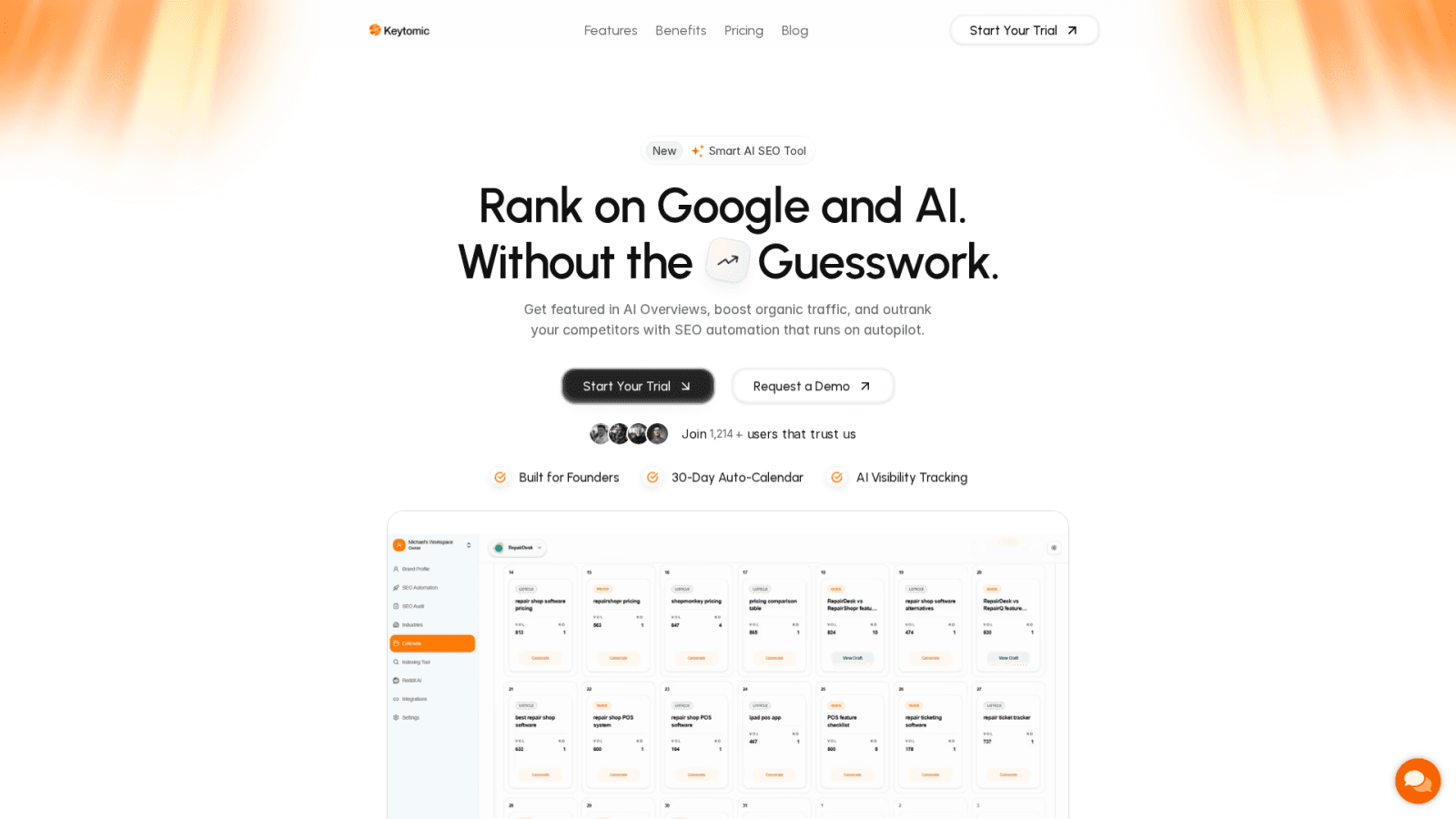
This is where platforms like Keytomic become valuable. Instead of manually auditing hundreds or thousands of pages, automated SEO health audits can identify problematic pages in minutes.
Keytomic's SEO Health Audit for Crawl Limit Compliance
Keytomic's SEO Health Audit tool can scan your entire site and flag pages exceeding or approaching the 2MB threshold. The platform provides:
Automated file size detection: Identifies HTML files above configurable thresholds
Prioritized recommendations: Ranks issues by impact so you fix critical problems first
Integration with content workflows: Ensures new content stays within optimal size ranges
Crawl budget analysis: Monitors how Googlebot interacts with your site
For agencies managing multiple client sites, this level of automation is essential. You can't manually check every page across dozens of domains, but you can set up monitoring that alerts you when pages cross into the danger zone.
Visit Keytomic's SEO Health Audit to see how automated technical monitoring fits into your workflow.
Crawl Budget Implications
The file size limit connects to a broader concept: crawl budget.
Crawl budget is the number of URLs Googlebot can and wants to crawl from your site, determined by:
Crawl capacity limit: How fast your server can respond without being overwhelmed
Crawl demand: How important and fresh Google thinks your content is
Large HTML files consume more crawl budget because they take longer to fetch and process. If you're running a site with 10,000+ pages, bloated HTML means Googlebot spends more time on fewer pages.
According to Google's crawl budget documentation, low-value URLs (thin content, duplicate pages, faceted navigation) drain crawl budget from valuable pages. The same principle applies to oversized files.
Optimizing Crawl Budget for Large Sites
Eliminate low-value pages: Noindex or delete thin content that doesn't serve users
Fix redirect chains: Long redirect chains waste crawl budget
Update your XML sitemap: Prioritize important pages and remove URLs you don't want crawled
Monitor crawl stats in Search Console: Track how Googlebot interacts with your site over time
Improve server response time: Faster servers get crawled more efficiently
For content-heavy sites producing dozens of articles per week, managing crawl budget becomes critical. This is another area where automation helps: Keytomic's auto-indexing feature submits new URLs directly to Google via the Indexing API, ensuring fresh content gets crawled quickly without waiting for Googlebot to discover it organically.
Common Myths and Misconceptions
Myth 1: "This Is a New Limit Google Just Introduced"
Reality: These limits have existed for years. Google only recently reorganized how they're documented. John Mueller confirmed on Bluesky that the 15MB limit was first documented in 2022, and even then it wasn't new.
Myth 2: "Images and Videos Count Toward the Limit"
Reality: Resources referenced via URLs (images, videos, external CSS/JS) are fetched separately. Each has its own 2MB limit. Only content embedded directly in the HTML (like data URIs or inline scripts) counts toward the HTML file size.
Myth 3: "If My Page Is Over 2MB, It Won't Rank"
Reality: Google will index the first 2MB. If your critical content appears within that range, you're fine. The issue arises when important text, schema markup, or internal links appear after the cutoff.
Myth 4: "I Need to Panic and Rebuild My Site"
Reality: Run an audit first. If your median HTML file is under 500KB, you're nowhere near the limit. Focus on optimizing outliers, not rebuilding your entire infrastructure.
Future-Proofing for AI Search and GEO
Generative Engine Optimization (GEO) is the practice of optimizing content for AI-powered search engines like ChatGPT, Perplexity, and Google's AI Overviews.
Most AI crawlers don't render JavaScript. They consume raw HTML and structured data. If your content strategy relies on client-side rendering with massive JavaScript bundles, you're invisible to these emerging platforms.
The 2MB HTML limit aligns with broader best practices for AI visibility:
Structured, semantic HTML: Clear hierarchy, proper headings, schema markup
Fast-loading, lean pages: Minimal JavaScript, externalized resources
Content in the initial HTML: No reliance on JavaScript to render critical text
Keytomic's content automation platform is built with this in mind, generating SEO-optimized content that prioritizes both traditional search and AI engine visibility. Learn more about GEO optimization strategies and how to adapt your content workflow for the future of search.
Action Items: What to Do Right Now
If you're managing SEO for content-heavy sites, here's your checklist:
Run a site-wide HTML size audit: Use Screaming Frog or similar tools to identify pages over 1MB
Check Google Search Console: Look for indexing issues or pages flagged as "Crawled - currently not indexed"
Externalize inline scripts and styles: Move CSS and JavaScript to separate files
Break up long-form content: Split monolithic pages into logical subsections with strong internal linking
Implement lazy loading: Defer loading of below-the-fold content
Monitor crawl stats: Track how Googlebot interacts with your site and watch for crawl budget issues
Set up automated monitoring: Use tools like Keytomic to flag oversized pages before they become a problem
For most sites, this won't require major changes. But if you're publishing technical documentation, managing large e-commerce catalogs, or running content-heavy platforms, this update gives you a clear optimization target.
Why Technical SEO Automation Matters More Than Ever
Managing technical SEO at scale is increasingly complex. Between Core Web Vitals, structured data, crawl budget optimization, and now file size limits, manual audits don't scale.
This is why platforms like Keytomic focus on end-to-end automation. From keyword research and content generation to technical audits and auto-indexing, the goal is to remove manual bottlenecks while maintaining quality standards.
Keytomic's SEO Health Audit tool specifically helps teams:
Identify pages exceeding crawl limits
Monitor technical issues across multiple domains
Prioritize fixes by potential impact
Track improvements over time
For agencies managing 10+ client sites, this level of automation is the difference between reactive firefighting and proactive optimization.
Frequently Asked Questions
What is Google's new crawl limit for HTML files?
Googlebot crawls the first 2MB of HTML files for Google Search indexing, down from the previously documented 15MB general limit.
Do images count toward the 2MB limit?
No. Images referenced via URL are fetched separately. Only content embedded directly in HTML (like inline scripts or data URIs) counts.
How do I check my HTML file size?
Use Chrome DevTools Network tab, Screaming Frog SEO Spider, or Google Search Console's URL Inspection tool.
Will this hurt my rankings?
Only if important content appears after the 2MB cutoff. Most sites are nowhere near this limit.
What's the difference between the 15MB and 2MB limits?
The 15MB limit applies to Google's general crawling infrastructure. The 2MB limit is specific to Googlebot's indexing of HTML content for Google Search.
How can SEO automation tools help with this?
Platforms like Keytomic offer automated SEO health audits that flag pages exceeding file size thresholds, saving time on manual technical checks.
Google Just Updated Crawl Limits To 2mb From 15mb; Why It Matters & What To Do About It
Google recently reorganized its crawler documentation to clarify that Googlebot crawls only the first 2MB of HTML files for Google Search, down from the previously documented 15MB general limit. PDFs get a more generous 64MB threshold.
This isn't a sudden policy change but rather a documentation clarification that separates general crawler limits from Google Search-specific thresholds. The 15MB limit still applies to Google's broader crawling infrastructure, while the 2MB cap specifically affects how Googlebot processes HTML content for search indexing.
If you're managing content-heavy sites or publishing long-form technical documentation, you're probably wondering if this affects your rankings. The short answer: probably not. According to the HTTP Archive Web Almanac, the median HTML file weighs around 30KB.
That means you'd need pages roughly 67 times larger than average to hit the new threshold. But here's the thing: if you're running a site with bloated code, inline scripts embedded directly in HTML, or massive data objects, this update gives you a clear target to optimize for.
Let's break down what changed, who's actually affected, and what you can do to make sure Google sees all your important content.
What Actually Changed in Google's Documentation
Google didn't suddenly slash its crawl limits. What happened is a reorganization of how these limits are documented. Previously, all file size information lived on the Googlebot help page, which created confusion about which limits applied to which crawlers.
Now Google separates these into two categories:
General Crawler Infrastructure: 15MB Default
This applies to all of Google's crawlers and fetchers across products like Search, Shopping, News, Gemini, and AdSense. Think of this as the baseline maximum file size Google's infrastructure will attempt to retrieve and process.
Googlebot for Search: 2MB for HTML, 64MB for PDFs
When Googlebot specifically crawls content for Google Search indexing, it processes:
First 2MB of HTML and text-based files: Anything beyond this limit gets truncated
First 64MB of PDF files: More generous to accommodate technical documentation and reports
Each resource fetched separately: CSS, JavaScript, and images referenced in your HTML are each subject to the same 2MB limit
According to Google's official documentation, once the cutoff is reached, Googlebot stops the fetch and sends only the downloaded portion for indexing consideration. The limit applies to uncompressed data, which matters when you're measuring file sizes.
John Mueller clarified on Bluesky that "2MB of HTML is quite a bit" and noted that it's extremely rare for sites to run into issues. He added that the limits haven't recently changed; Google just wanted to document them in more detail.
Is the recent Google update silently cutting off your content? Check if your page exceeds 2MB now.
The 15MB vs 2MB Confusion: Fetching vs Indexing
Here's where people get confused. There's a difference between Google fetching a file and Google indexing that file.
Fetching is the act of downloading the file from your server. The 15MB limit applies here for the general crawling infrastructure. Googlebot can download up to 15MB.
Indexing is the process of analyzing and storing that content for search results. For Google Search specifically, Googlebot processes only the first 2MB of HTML files for indexing.
Think of it this way: Google's infrastructure can grab larger files, but when it comes to actually reading and indexing HTML content for search rankings, the relevant threshold is 2MB.
The Search Engine Journal coverage confirmed this is a documentation clarification, not a behavioral change. Google described this as separating default limits that apply to all crawlers from Googlebot-specific details.
Should You Actually Worry About This?
Let's look at the math because numbers calm people down.
2MB of text equals roughly 2 million characters. That's about 400 pages of a standard novel. Ask yourself: does your homepage contain an entire book's worth of HTML?
For 99% of websites, this changes nothing. According to industry data, the median mobile homepage HTML file is around 22KB (0.022MB). To hit the 2MB ceiling, you'd need to be roughly 90 times larger than the average page.
You really have to try to create a page that large.
Who Should Pay Attention
There are specific scenarios where this matters:
E-commerce sites with massive product catalogs embedded as inline JSON
Single-page applications (SPAs) that load entire JavaScript frameworks inline
Financial portals embedding large rate tables or calculators directly in HTML
Long-form content hubs that concatenate dozens of articles into one infinite scroll page
Poorly optimized WordPress sites with bloated themes and inline CSS
If you're in one of these categories, keep reading.
How to Check If Your Site Is Affected
Here's how to measure your HTML file size and see if you're approaching the limit.
Method 1: Chrome Developer Tools
Open the page you want to check
Right-click and select "Inspect" or press F12
Click the "Network" tab
Reload the page
Find the first request (usually your HTML document)
Look at the "Size" column
Important: The network tab often shows the transfer size (compressed via GZIP or Brotli). Google applies the limit to the uncompressed version. Look for the "Content Download" or uncompressed size.
Method 2: View Page Source
Right-click on any page and select "View Page Source." The browser typically shows the file size in the status bar or page info. In Chrome, you can check document size in the Elements panel.
Method 3: Screaming Frog SEO Spider
Screaming Frog has a column for HTML size. Crawl your site and filter by pages approaching 1MB or higher. If you see anything over 1.5MB, you're in the danger zone and should optimize.
Method 4: Google Search Console
Use the URL Inspection tool to see which parts of your page Google renders and indexes. This won't show exact file sizes but will reveal if content is missing from Google's index.
Method 5: Keytomic FREE Google Page Crawl Analyzer
For the most accurate and visual assessment, use our specialized tool to see exactly how Googlebot interacts with your HTML. Unlike standard browser tools, this analyzer calculates the raw uncompressed weight and provides a Visual Crawl Map to identify exactly where the 2MB threshold ends.
Run a free scan with the Googlebot Page Size Checker →
What Causes Bloated HTML Files
Most HTML bloat comes from poor development practices rather than actual content.
Inline JavaScript and CSS
When developers embed entire JavaScript libraries or stylesheets directly in the HTML instead of linking to external files, file sizes explode. Each inline script adds to the HTML size.
Fix: Move scripts and styles to external files. They'll be fetched separately, each with its own 2MB allowance.
Embedded Data Objects
Some sites embed large JSON objects directly in the HTML for client-side rendering. E-commerce sites are notorious for this, loading entire product catalogs as inline data.
Fix: Use API calls to load data asynchronously after the initial page load.
Excessive Inline SVGs
SVG graphics embedded directly in HTML can balloon file sizes, especially if you're using multiple complex icons.
Fix: Reference SVG files externally or use sprite sheets.
Unminified Code
Whitespace, comments, and unnecessary characters add up. While minification is standard practice, many sites still serve unminified HTML in production.
Fix: Use build tools like Webpack, Gulp, or Vite to minify HTML automatically.
The JavaScript Problem: Rendering and Crawl Limits
Modern web development relies heavily on JavaScript, but search engines have a complicated relationship with it.
When Google crawls a page, it often grabs the initial HTML first. If your content only appears after JavaScript execution, you're creating additional work for Googlebot and potentially missing the window for complete indexing.
Each JavaScript file referenced in your HTML is fetched separately and bound by the same 2MB limit. If you're loading massive framework bundles inline, you're consuming crawl budget and potentially exceeding limits.
According to the 2025 Web Almanac, most large language model (LLM) crawlers don't render JavaScript either. They consume raw HTML. If your important content only appears after JavaScript execution, you're invisible not just to Googlebot, but to AI-powered assistants as well.
Implications for SEO automation: This is one reason why Keytomic emphasizes structured, semantic HTML in its content generation workflows. AI search engines prioritize easily parsable content, and keeping your HTML lean ensures maximum visibility across both traditional search and generative AI platforms.
PDF Files: The 64MB Exception
PDFs get special treatment with a 64MB crawl limit, significantly more generous than HTML's 2MB threshold.
Why? PDFs serve different purposes. Where HTML provides the structural layer for web applications, PDFs typically deliver complete documents for download, printing, or detailed reference. Technical documentation, academic papers, product catalogs, and whitepapers all fit this category.
Google's Web Rendering Service handles PDFs differently than HTML resources, extracting text content and metadata without requiring JavaScript execution. This architectural difference justifies maintaining separate file size thresholds.
When to Use PDFs for SEO
If you're publishing:
Research reports exceeding 1MB of HTML
Comprehensive guides that would create bloated web pages
Technical specifications with extensive data tables
Annual reports or compliance documentation
Consider offering PDF versions to ensure Google indexes the complete content. Just make sure your PDFs stay under 64MB.
How to Optimize Pages Approaching the Limit
If your audit reveals pages flirting with the 2MB threshold, here's your action plan.
1. Break Long Pages into Logical Sections
Instead of one monolithic 5,000-word page, create a pillar page that links to detailed subsections. This improves crawlability, user experience, and internal linking structure.
Example: A comprehensive guide to SEO automation could be split into:
Main pillar page (overview and navigation)
Keyword research automation (separate page)
Content generation workflows (separate page)
Auto-indexing strategies (separate page)
Performance tracking (separate page)
Each page stays lean while building topical authority through strategic internal linking.
2. Externalize Scripts and Styles
Move inline CSS and JavaScript to external files. Modern browsers cache these resources efficiently, improving both page load speed and crawlability.
<!-- Instead of this -->
<style>
  /* 500KB of inline CSS */
</style>

<!-- Do this -->
<link rel="stylesheet" href="styles.css">
3. Lazy Load Content Below the Fold
Use lazy loading for images, videos, and secondary content that appears lower on the page. This reduces initial HTML size while preserving user experience.
4. Implement Code Splitting
For JavaScript-heavy sites, use code splitting to break large bundles into smaller chunks that load on demand.
Tools like Webpack, Rollup, and Vite make this straightforward:
// Load modules only when needed
import(/* webpackChunkName: "analytics" */ './analytics.js')
  .then(module => module.init());
5. Compress and Minify Everything
While Google applies limits to uncompressed data, smaller compressed files reduce server load and improve page speed. Use GZIP or Brotli compression, and minify HTML, CSS, and JavaScript.
6. Audit Data URIs
Data URIs embed images directly in HTML as base64-encoded strings. While convenient for small icons, they significantly inflate HTML size.
According to Google's documentation, data URIs contribute to HTML file size. Reference images externally whenever possible.
How SEO Automation Tools Like Keytomic Can Help
This is where platforms like Keytomic become valuable. Instead of manually auditing hundreds or thousands of pages, automated SEO health audits can identify problematic pages in minutes.
Keytomic's SEO Health Audit for Crawl Limit Compliance
Keytomic's SEO Health Audit tool can scan your entire site and flag pages exceeding or approaching the 2MB threshold. The platform provides:
Automated file size detection: Identifies HTML files above configurable thresholds
Prioritized recommendations: Ranks issues by impact so you fix critical problems first
Integration with content workflows: Ensures new content stays within optimal size ranges
Crawl budget analysis: Monitors how Googlebot interacts with your site
For agencies managing multiple client sites, this level of automation is essential. You can't manually check every page across dozens of domains, but you can set up monitoring that alerts you when pages cross into the danger zone.
Visit Keytomic's SEO Health Audit to see how automated technical monitoring fits into your workflow.
Crawl Budget Implications
The file size limit connects to a broader concept: crawl budget.
Crawl budget is the number of URLs Googlebot can and wants to crawl from your site, determined by:
Crawl capacity limit: How fast your server can respond without being overwhelmed
Crawl demand: How important and fresh Google thinks your content is
Large HTML files consume more crawl budget because they take longer to fetch and process. If you're running a site with 10,000+ pages, bloated HTML means Googlebot spends more time on fewer pages.
According to Google's crawl budget documentation, low-value URLs (thin content, duplicate pages, faceted navigation) drain crawl budget from valuable pages. The same principle applies to oversized files.
Optimizing Crawl Budget for Large Sites
Eliminate low-value pages: Noindex or delete thin content that doesn't serve users
Fix redirect chains: Long redirect chains waste crawl budget
Update your XML sitemap: Prioritize important pages and remove URLs you don't want crawled
Monitor crawl stats in Search Console: Track how Googlebot interacts with your site over time
Improve server response time: Faster servers get crawled more efficiently
For content-heavy sites producing dozens of articles per week, managing crawl budget becomes critical. This is another area where automation helps: Keytomic's auto-indexing feature submits new URLs directly to Google via the Indexing API, ensuring fresh content gets crawled quickly without waiting for Googlebot to discover it organically.
Common Myths and Misconceptions
Myth 1: "This Is a New Limit Google Just Introduced"
Reality: These limits have existed for years. Google only recently reorganized how they're documented. John Mueller confirmed on Bluesky that the 15MB limit was first documented in 2022, and even then it wasn't new.
Myth 2: "Images and Videos Count Toward the Limit"
Reality: Resources referenced via URLs (images, videos, external CSS/JS) are fetched separately. Each has its own 2MB limit. Only content embedded directly in the HTML (like data URIs or inline scripts) counts toward the HTML file size.
Myth 3: "If My Page Is Over 2MB, It Won't Rank"
Reality: Google will index the first 2MB. If your critical content appears within that range, you're fine. The issue arises when important text, schema markup, or internal links appear after the cutoff.
Myth 4: "I Need to Panic and Rebuild My Site"
Reality: Run an audit first. If your median HTML file is under 500KB, you're nowhere near the limit. Focus on optimizing outliers, not rebuilding your entire infrastructure.
Future-Proofing for AI Search and GEO
Generative Engine Optimization (GEO) is the practice of optimizing content for AI-powered search engines like ChatGPT, Perplexity, and Google's AI Overviews.
Most AI crawlers don't render JavaScript. They consume raw HTML and structured data. If your content strategy relies on client-side rendering with massive JavaScript bundles, you're invisible to these emerging platforms.
The 2MB HTML limit aligns with broader best practices for AI visibility:
Structured, semantic HTML: Clear hierarchy, proper headings, schema markup
Fast-loading, lean pages: Minimal JavaScript, externalized resources
Content in the initial HTML: No reliance on JavaScript to render critical text
Keytomic's content automation platform is built with this in mind, generating SEO-optimized content that prioritizes both traditional search and AI engine visibility. Learn more about GEO optimization strategies and how to adapt your content workflow for the future of search.
Action Items: What to Do Right Now
If you're managing SEO for content-heavy sites, here's your checklist:
Run a site-wide HTML size audit: Use Screaming Frog or similar tools to identify pages over 1MB
Check Google Search Console: Look for indexing issues or pages flagged as "Crawled - currently not indexed"
Externalize inline scripts and styles: Move CSS and JavaScript to separate files
Break up long-form content: Split monolithic pages into logical subsections with strong internal linking
Implement lazy loading: Defer loading of below-the-fold content
Monitor crawl stats: Track how Googlebot interacts with your site and watch for crawl budget issues
Set up automated monitoring: Use tools like Keytomic to flag oversized pages before they become a problem
For most sites, this won't require major changes. But if you're publishing technical documentation, managing large e-commerce catalogs, or running content-heavy platforms, this update gives you a clear optimization target.
Why Technical SEO Automation Matters More Than Ever
Managing technical SEO at scale is increasingly complex. Between Core Web Vitals, structured data, crawl budget optimization, and now file size limits, manual audits don't scale.
This is why platforms like Keytomic focus on end-to-end automation. From keyword research and content generation to technical audits and auto-indexing, the goal is to remove manual bottlenecks while maintaining quality standards.
Keytomic's SEO Health Audit tool specifically helps teams:
Identify pages exceeding crawl limits
Monitor technical issues across multiple domains
Prioritize fixes by potential impact
Track improvements over time
For agencies managing 10+ client sites, this level of automation is the difference between reactive firefighting and proactive optimization.
Frequently Asked Questions
What is Google's new crawl limit for HTML files?
Googlebot crawls the first 2MB of HTML files for Google Search indexing, down from the previously documented 15MB general limit.
Do images count toward the 2MB limit?
No. Images referenced via URL are fetched separately. Only content embedded directly in HTML (like inline scripts or data URIs) counts.
How do I check my HTML file size?
Use Chrome DevTools Network tab, Screaming Frog SEO Spider, or Google Search Console's URL Inspection tool.
Will this hurt my rankings?
Only if important content appears after the 2MB cutoff. Most sites are nowhere near this limit.
What's the difference between the 15MB and 2MB limits?
The 15MB limit applies to Google's general crawling infrastructure. The 2MB limit is specific to Googlebot's indexing of HTML content for Google Search.
How can SEO automation tools help with this?
Platforms like Keytomic offer automated SEO health audits that flag pages exceeding file size thresholds, saving time on manual technical checks.
FREE AI Visibility Audit

Is Your Brand Visible in AI Searches?
Free AI Visibility Audit → See where you appear (and where competitors appear).
Read More From Our Blog...

Multilingual SEO Best Practices In 2026

12 Best AI Tools for Ecommerce SEO and AI Visibility in 2026

Ecommerce Category Page SEO: Best Practices for 2026

Start Getting Cited By Google
and AI Searches on Auto-Pilot


AI SEO agents research keywords, write & publish ranking content, track AI citations, and grow your brand visibility — while you focus on the business.


Trusted by 300+ users

4.5
Start Getting Cited By Google
and AI Searches on Auto-Pilot
Automate your SEO to rank faster, and showing up in AI search, without the guesswork.
Trusted by 300+ users
4.5
Start Getting Cited By Google
and AI Searches on Auto-Pilot
AI SEO agents research keywords, write & publish ranking content, track AI citations, and grow your brand visibility — while you focus on the business.
Trusted by 300+ users