 Technical SEO - Crawl Control
FREE Robots.txt Generator
Build a valid robots.txt file with CMS presets, per-bot rules, and live preview. Block AI crawlers, SEO tools, and set custom directives, no coding needed.
 CMS Presets · Per-Bot Control · AI Crawler Blocking · Live Preview
Where to place this file
Upload to your website root at https://yoursite.com/robots.txt. Then test in Google Search Console › URL Inspection.
How It Works
Configure Bots
Select which bots to allow or block. Block AI crawlers, SEO scrapers, or specific search engines while keeping Googlebot and Bingbot fully open.
Add Custom Rules
Use the custom rules builder to disallow specific paths like /admin/, /cart, or /private/. Choose per-bot rules or apply them globally with User-agent: *.
Copy and Deploy
Your robots.txt updates live as you configure. Copy or download the file and upload it to your site root. Always validate in Google Search Console after deploying.
Free AI Visibility Audit
Is your website visible in LLMs and AI searches?
ChatGPT
Claude
Perplexity
Gemini
Grok
No sign up. No card details.
Robots.txt Generator for SEO and Crawl Control
A robots.txt file helps you tell search engine crawlers which parts of your website they can access and which paths they should avoid. Sitting at the root of your domain, it acts as the first set of instructions bots check before exploring your pages. For SEO, a well-optimized robots.txt file is one of the simplest ways to guide Googlebot, Bingbot, and other crawlers toward the parts of your site that matter most.
However, it is important to note that robots.txt is primarily for crawl control, not for hiding pages from search results. If a page must stay out of Google's index, you should use a noindex tag or proper access controls instead.
A good robots.txt setup helps reduce wasted crawl budget on low-value areas like admin paths, cart pages, internal search results, filter combinations, staging sections, or duplicate URLs. Because search engines do not spend unlimited crawl resources on a single website, controlling noisy sections ensures that your new content, product pages, and core landing pages are prioritized.
What a robots.txt file actually does
The robots.txt file works through simple directives. The main one is User-agent, which defines which specific crawler the rule applies to. From there, you use Disallow to block crawling for a specific path, or Allow to permit it. Many sites also include a Sitemap directive so crawlers can quickly locate your XML sitemap and discover important URLs faster.
While Google supports this framework, keep in mind that not every crawler interprets syntax the exact same way, and rogue bots may ignore your robots.txt altogether. This is especially relevant today as site owners look to manage AI crawlers, scrapers, SEO bots, or aggressive harvesting tools.
A modern robots.txt file is no longer just about Googlebot and Bingbot. Websites now need to define rules for AI crawlers like GPTBot, ClaudeBot, Google-Extended, and PerplexityBot, as well as SEO crawlers such as AhrefsBot or SemrushBot. The Keytomic generator is built for this modern landscape, offering per-bot controls and a live preview to give you total command over who crawls your site.
Best practices for robots.txt in 2026
The most important best practice is to avoid using robots.txt as a blunt instrument. Blocking the wrong folder can quietly cut off valuable pages from being crawled. A common mistake is disallowing assets, CSS, or script folders without checking what else depends on them to render properly. Another frequent error is assuming robots.txt removes URLs from Google's index. Google explicitly states that a blocked page can still appear in search results if other pages link to it. For reliable deindexing, always use a noindex directive.
Placement is also critical. Your file must be named robots.txt and uploaded to the root directory of the exact host it controls (e.g., https://yoursite.com/robots.txt). A file placed in a subfolder will not work. Rules only apply to that specific protocol, host, and port - meaning subdomains require their own robots.txt files.
Finally, be careful with unsupported directives. Google has stated that rules like noindex, nofollow, and crawl-delay within a robots.txt file are unsupported by Googlebot. If your server is under stress, rely on server-side controls or Google's supported crawl management tools rather than robots.txt alone.
Robots.txt vs sitemap
A sitemap and a robots.txt file work together, but they serve entirely different purposes. Your sitemap helps search engines discover the URLs you want crawled and understand your site's structure. Your robots.txt file tells crawlers where they should not go. A healthy technical SEO setup requires both, which is why our generator allows you to easily append your sitemap URL directly into your final file.
How to use this robots.txt generator
Using a generator is the safest way to build your file quickly without risking syntax errors.
Enter your Sitemap URL: Help bots find your most important pages.
Configure Bot Access: Choose which crawlers to allow or block. For most websites, major search engines should be left open, while you may choose to block specific AI or SEO bots.
Add Custom Rules: Add Allow or Disallow rules for sensitive paths like /admin/, /cart/, /checkout/, /private/, or staging folders.
Copy & Deploy: Copy the generated file and upload it to your root domain.
Google recommends testing changes after deployment in Google Search Console so you can catch accidental blocking before it impacts your crawl coverage. For teams looking to eliminate one-off tools, Keytomic connects technical SEO fixes with content publishing, indexing, and broader search visibility workflows.



Hear From the Teams that Trust Keytomic
Real results from founders, marketers, and agencies using Keytomic to rank faster and spend less.

Ahmed Awan
Head of Content
Our content plan writes itself and aligns over our exact needs. We approve once a week, and the rest runs. It’s the first AI SEO tool that feels trustworthy. RECOMMENDED!!!
Mar 02, 2026

Sarah Gonzales
Digital Growth VP
For small teams, Keytomic feels like hiring a full-time SEO operator at the cost of lunch-out weekly. Highly recommended for scalability in content and research teams.
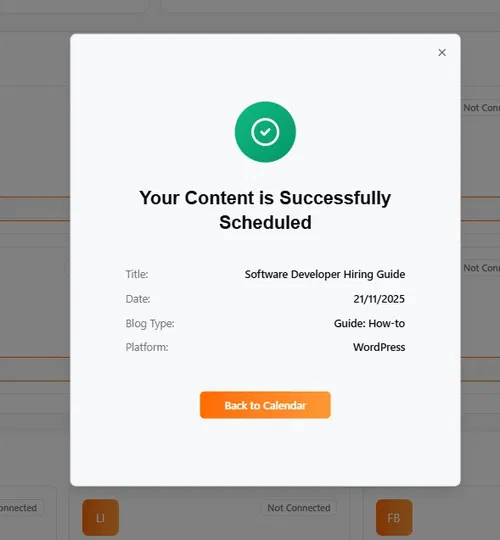
Nov 5, 2025

Hannah Greene
CMO
We tried a few ‘autonomous’ AI SEO tools. This is the only one we kept. Minimal inputs, reliable publishing, and verifiable wins in both AI answers and search.
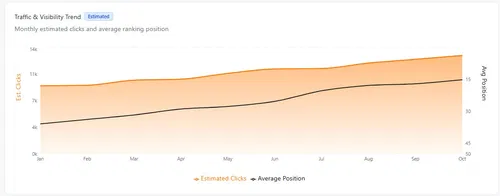
Nov 20, 2025

Ksenia Ivanova
Content Director
We tested Keytomic in the beta stage for 90 days and our mid-tail keywords climbed 30 places. It’s not perfect, but for automated content roll-out it gets the job done. Best of luck for the launch.”=
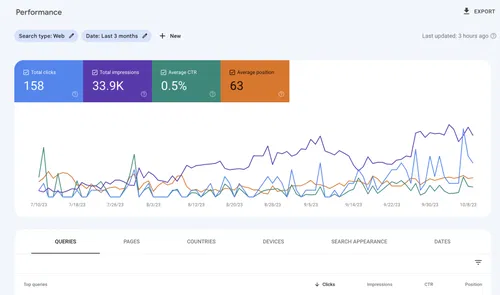
Jan 02, 2026

Dennis Kane
Head of Content
Before using Keytomic, tracking SEO metrics was a nightmare. Now, we have real-time insights and have increased our rankings by 35%!
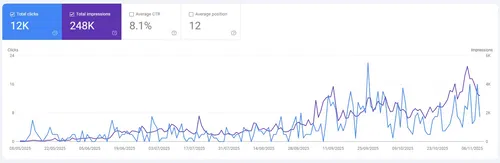
Jan 23, 2026

Santino Rivers
Manager
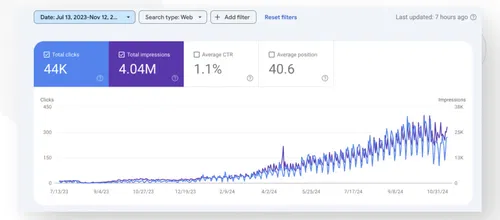
With this SaaS, we’ve seen a 3x increase in organic lead generation and a 50% drop in our bounce rate. It’s an essential tool for any business looking to stay visible!
Nov 2, 2025

Aisha Zafar
Founder & CMO
If you’re looking for a full hands-off On-page SEO growth machine, Keytomic gets you 80% there. You’ll still need some final checks to polish the last 20% in terms of dates and schedule approval, but the volume boost is real.
Nov 15, 2025

Miguel Santos
Head of Organic Growth
We used to spend half my week wrangling writers, keyword research, strategies, and whatnot. Now with Keytomic, it's clicks-to-publish in under an hour. Our content pipeline is always full and we require little oversight. My only regret is not starting earlier.
Feb 17, 2026

Zavier Miles
Digital Marketing
The best decision we made for our marketing team! From keyword research to strategy and content creation, Keytomic has everything we need to grow.
Dec 26, 2025

Linda Miller
Marketing Strategist
Thanks to this Keytomic, our SEO content and AI overviews campaigns are fully automated and more effective than ever. CTR has also increased by 60%!
Nov 20, 2025

Dane Cook
Head of Growth
Keytomic is the first AI SEO tool that actually delivers what they promise. We’ve been using it for past 2 months, our traffic’s up, the content’s spot on and their AI automation never disappoints.
Nov 8, 2025