The best AI SEO tool for content automation depends on the work your team cannot get finished. If you need a topic to become an approved, published and measured page without six exports, shortlist Keytomic, Frase and Semrush Content Toolkit. If publishing already works and the drafts need stronger coverage, buy Surfer or Clearscope instead. If your content process depends on proprietary data and unusual approvals, look at AirOps.
I am Salam Qadir, Product & Growth Lead at Keytomic. I have worked in SEO and organic growth for seven years across more than 50 SaaS, technology and service brands. Our team has evaluated more than 30 tools across content, technical SEO, on-page SEO and AI visibility in the past year. Keytomic is in this article, and I work on it. That is a conflict of interest, so the comparison includes the work Keytomic does not do as well as specialist tools, plus direct links to the sources behind each plan claim.
Key takeaways
For an end-to-end content pipeline: trial Keytomic and Frase on the same real article. Both connect planning with publishing, but their plan limits and editorial controls differ.
For a WordPress team already paying for Semrush: test Content Toolkit before adding another writer. Its $60 annual-billing price includes five SEO boosts, so check what your actual monthly output needs.
For better drafts rather than more drafts: Surfer and Clearscope specialize in optimization. Their scores help with coverage; they do not prove originality or accuracy.
For custom enterprise processes: AirOps is the most configurable choice here. The benefit arrives after your team designs the workflow and its review gates.
For a 30-article month: compare accepted, published pages and human editing time. A draft credit, a document, an SEO boost and a live URL are different units.
The shortlist: ten tools, ten jobs
Keytomic — best for connected SEO planning, content creation, CMS publishing and visibility measurement.
Frase — best direct alternative for editorial research through multi-CMS publishing.
Semrush Content Toolkit — best for WordPress content teams that already rely on Semrush data.
AirOps — best for custom content workflows across multiple systems.
Writesonic — best for combining AI-search monitoring with content production.
Surfer — best for consistent SERP-based optimization of existing drafts.
Clearscope — best for editorial optimization and keeping a mature library current.
MarketMuse — best for choosing what a large site should create or refresh.
Jasper — best for brand-controlled production across marketing channels.
Ahrefs AI Content Helper — best for competitive context during writing, with little publishing automation.
The list is ordered by the content-workflow job, not by a universal quality score. I would still buy Ahrefs for competitor research before I bought many tools placed above it for that job.
All ten compared
Tool | What it is best at | Where the handoff remains | Public starting price | Entry-plan unit to check |
|---|---|---|---|---|
Keytomic | Research through CMS publishing and measurement | Human approval and editing | 30 blog credits; one site; up to three seats | |
Frase | Editorial research through publishing | Human review; volume cap | 10 articles on Starter; 40 on $103 Professional | |
Semrush Content Toolkit | Semrush-backed briefs, drafts and WordPress publishing | Other CMSs; deeper suite tools | Five SEO boosts | |
AirOps | Custom workflows and governance | Setup and ongoing workflow ownership | Tasks and integration scope | |
Writesonic | SEO and AI-search monitoring together | Verify the precise CMS path | 15 AI articles; 50 prompts | |
Surfer | Draft optimization | Strategy, fact-checking, publication | Plan-specific document and integration limits | |
Clearscope | Optimization and content maintenance | Production and CMS | 50 tracked queries and 50 pages | |
MarketMuse | Site-wide topic decisions | Brief-to-production handoff | 10 queries/month on Free | |
Jasper | Brand-governed marketing output | SEO data and publishing | Seats and Business-only controls | |
Ahrefs AI Content Helper | Intent and topical research while writing | CMS publishing and workflow execution | 50 documents, not published articles |
How I evaluated the tools and the evidence
I used a six-stage content loop: opportunity → brief → draft → optimize → publish → learn. At each stage I asked what the product does itself, what it sends to another system, and what still requires a person. I also checked plan allowances, supported destinations, the review gate, and whether performance data can inform the next page. This is an editorial buying framework, not a controlled experiment proving that one tool causes higher rankings.
Three kinds of evidence appear below. Vendor documentation supports current features and pricing. G2 or Trustpilot reviews show what users report, with sample size and product scope stated; a review of the overall suite does not prove a newly released content feature works well.
My recommendation explains where I would put a tool in a real workflow. I do not present a public marketing screenshot as a logged-in test or invent a timed result for a tool where I have no record of one. The screenshots show current public product, feature and pricing pages; prices and ratings were checked on October 4, 2026.
For this topic, the most expensive mistake is mixing the units. Ahrefs sells Content Helper documents. Semrush includes five SEO boosts. Keytomic counts blog credits. Frase counts articles. None of these units alone tells you how many useful pages your editors will approve and keep live.
1. Keytomic — best for getting content from plan to live page
Category: Connected SEO and content automation. Best for: founders, lean marketing teams and agencies whose bottleneck is publishing. Starting price: Pro $99/month, billed monthly, for one site, up to three seats and 30 blog credits. User reviews: G2 shows 4.9/5 from four reviews; Trustpilot shows 4.3/5 from eight. These are encouraging but small samples.
I work on Keytomic, so I can describe the intended sequence directly: find search demand, organize it into a topical plan, generate and edit the article, add images and links, approve it, publish it to a connected CMS, then check search and AI visibility. Its value is the connection between those steps, rather than claiming its AI writer is magically better than every specialist editor. The platform also offers technical audits, AI visibility tracking, image creation and discovery workflows, so it can be a small team's broader SEO workspace rather than another isolated content tab.
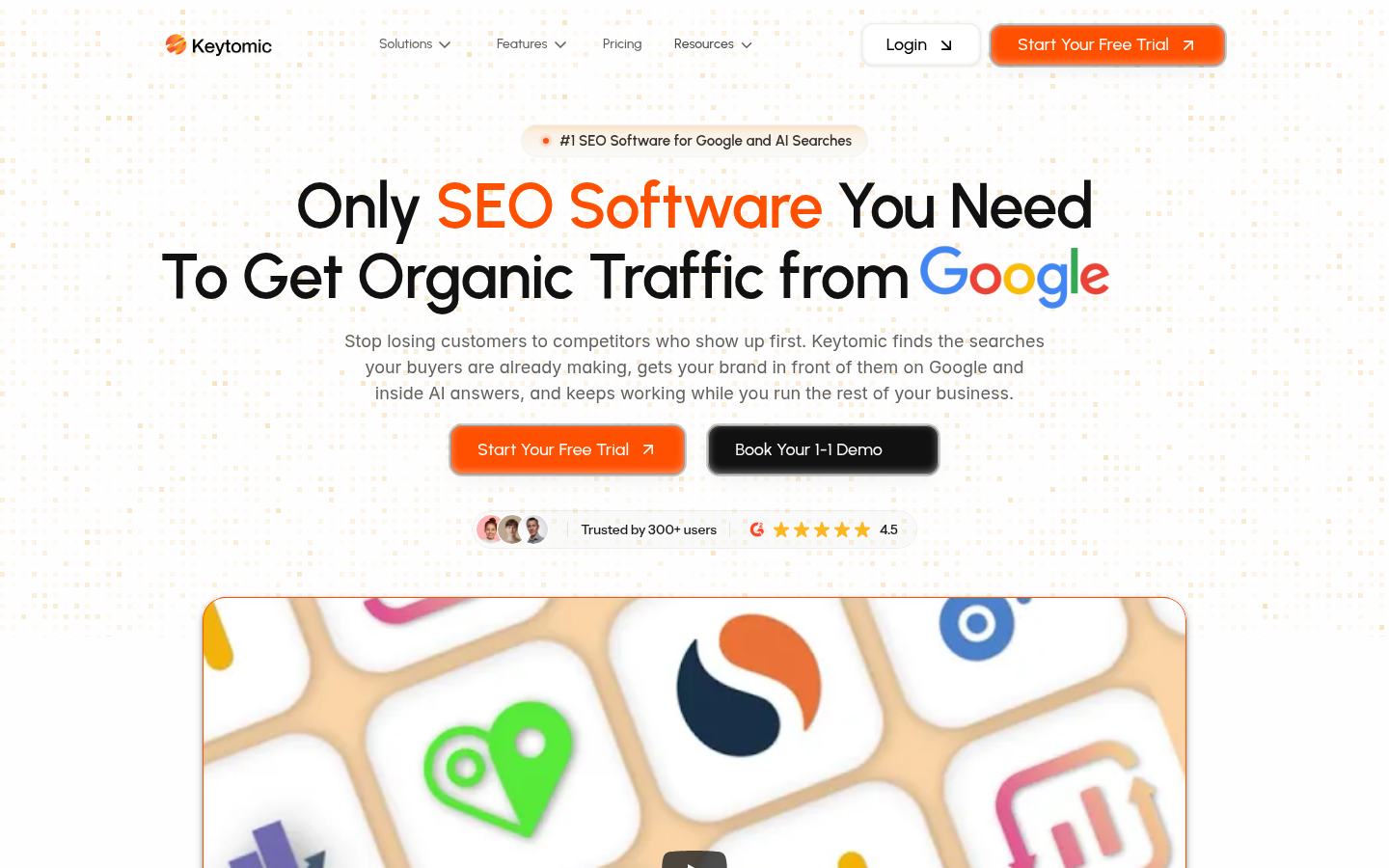
Keytomic positions the product around the connected SEO workflow.
What it does well
Keyword research and topical maps give each proposed page a clearer reason to exist than a one-keyword prompt.
The AI blog writer and image studio keep copy and visuals in the same production flow. Editors still need to verify claims and image details.
CMS publishing supports WordPress, Shopify, Webflow, Framer and other destinations, avoiding the rebuild that happens when a finished Google Doc is pasted into a CMS.
Technical audits and AI visibility tracking extend the workflow beyond writing. The indexing feature supports discovery and status monitoring; it cannot guarantee Google indexing, and Google's Indexing API is not a general submission route for ordinary blog posts.
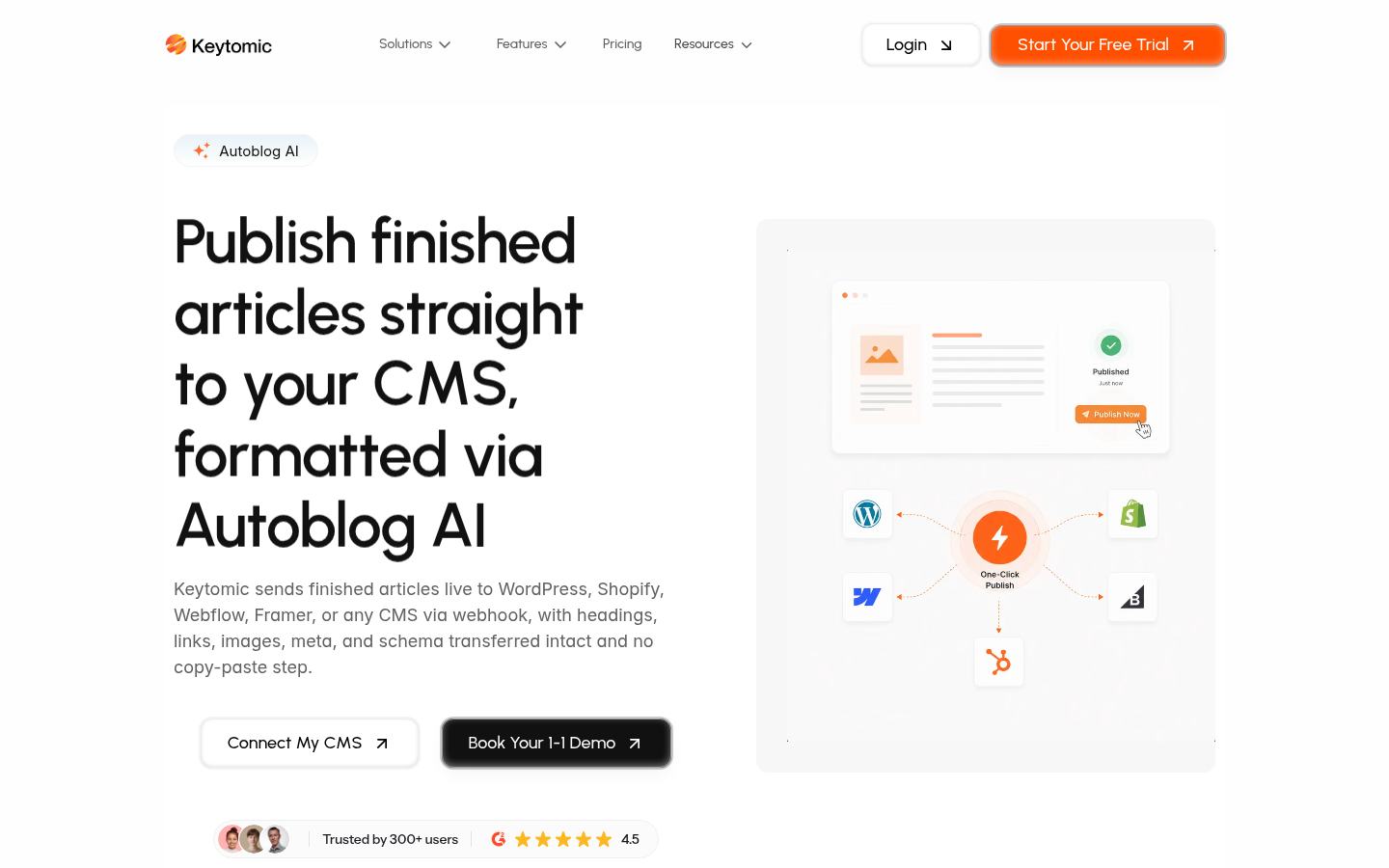
The publishing feature page shows the intended handoff from an approved article to a connected CMS.
Pros, limits and the purchase decision
Pros: the research-to-publication chain is connected; the published plan includes AI visibility and technical-audit features; $99 is billed monthly rather than presented as a monthly equivalent of an annual contract; multiple CMS destinations make it more useful when a team runs several platforms.
Cons: 30 blog credits and one site are real ceilings on Pro; it is younger and has far fewer third-party reviews than established suites; it is not my first choice for deep backlink intelligence or enterprise crawling; an automated draft can still be inaccurate or generic if its inputs and review are weak.
The clearest G2 feedback is about easy setup, a structured content plan, editable drafts and image options. One verified current user describes getting consistent on-brand content for a one-person business. Trustpilot reviewers likewise emphasize the connected planning-to-publishing process. I would not turn four G2 reviews into a claim that all customer segments get the same result.
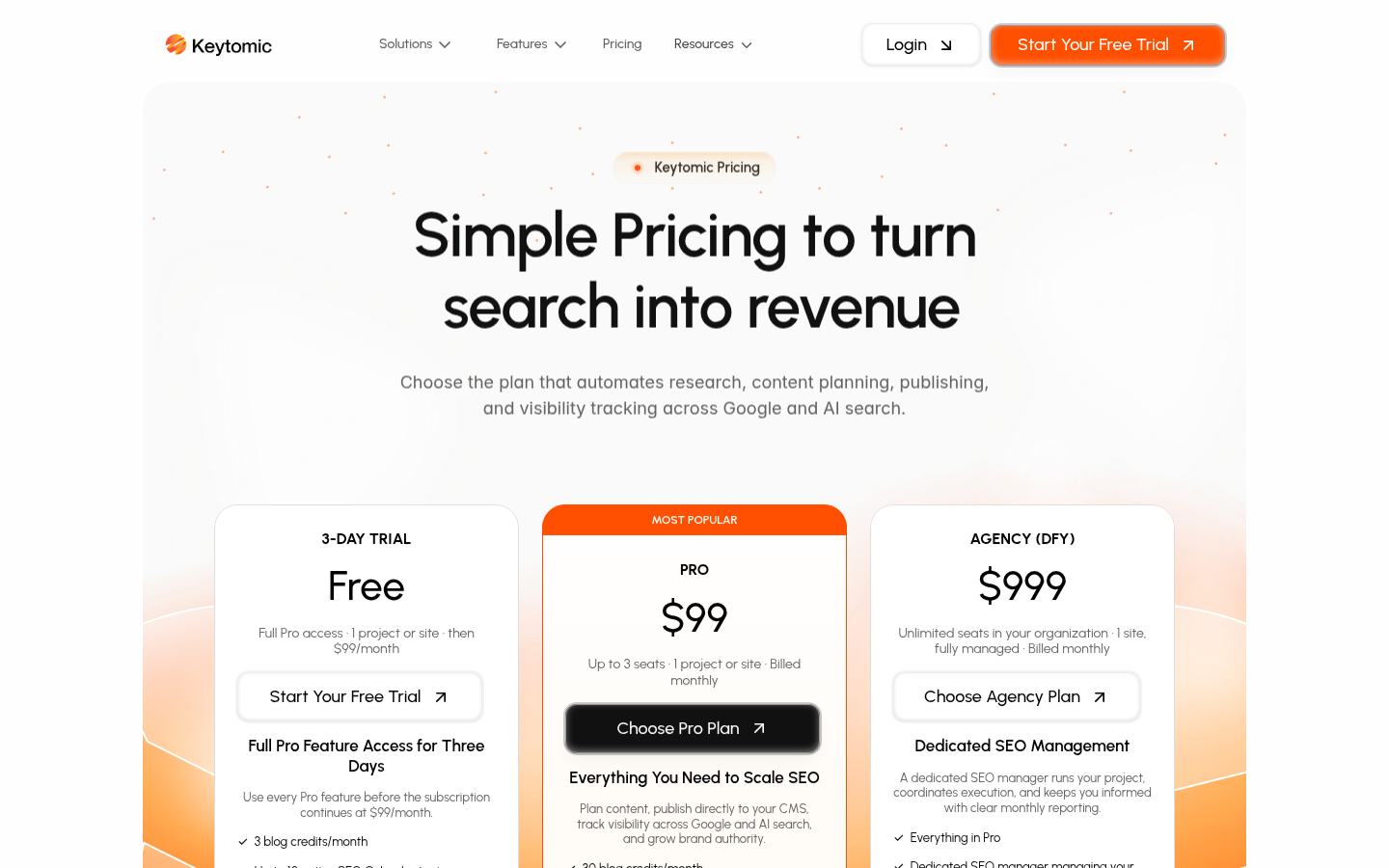
Keytomic's plan page shows the current credit, site and seat limits.
My call: choose Keytomic when the missing capability is shipping SEO content and learning from it. A founder can start with the founder workflow; a larger editorial group should test its approval path against its own standards. If your writers already publish on time and only need stronger content scoring, I would trial Clearscope or Surfer first.
2. Frase — best direct alternative for editorial teams
Category: SEO/GEO content operating system. Best for: teams that want research, editing and publishing in one workspace. Starting price: Starter $39/month on annual billing, with 10 articles and one seat; Professional is $103/month annually for 40 articles. User reviews: G2 shows 4.8/5 from 311 reviews.
Frase is no longer just a content-brief tool. Its current plan includes SEO and GEO scoring, article creation, monitoring and publishing to WordPress, Webflow, Sanity and Wix, or to FraseCMS. That makes it the closest comparison to Keytomic for a team evaluating the full content path. Its historical strength is the research and editorial side of the process, while the newer publishing and AI-visibility features deserve a fresh trial rather than an assumption based on older Frase reviews.
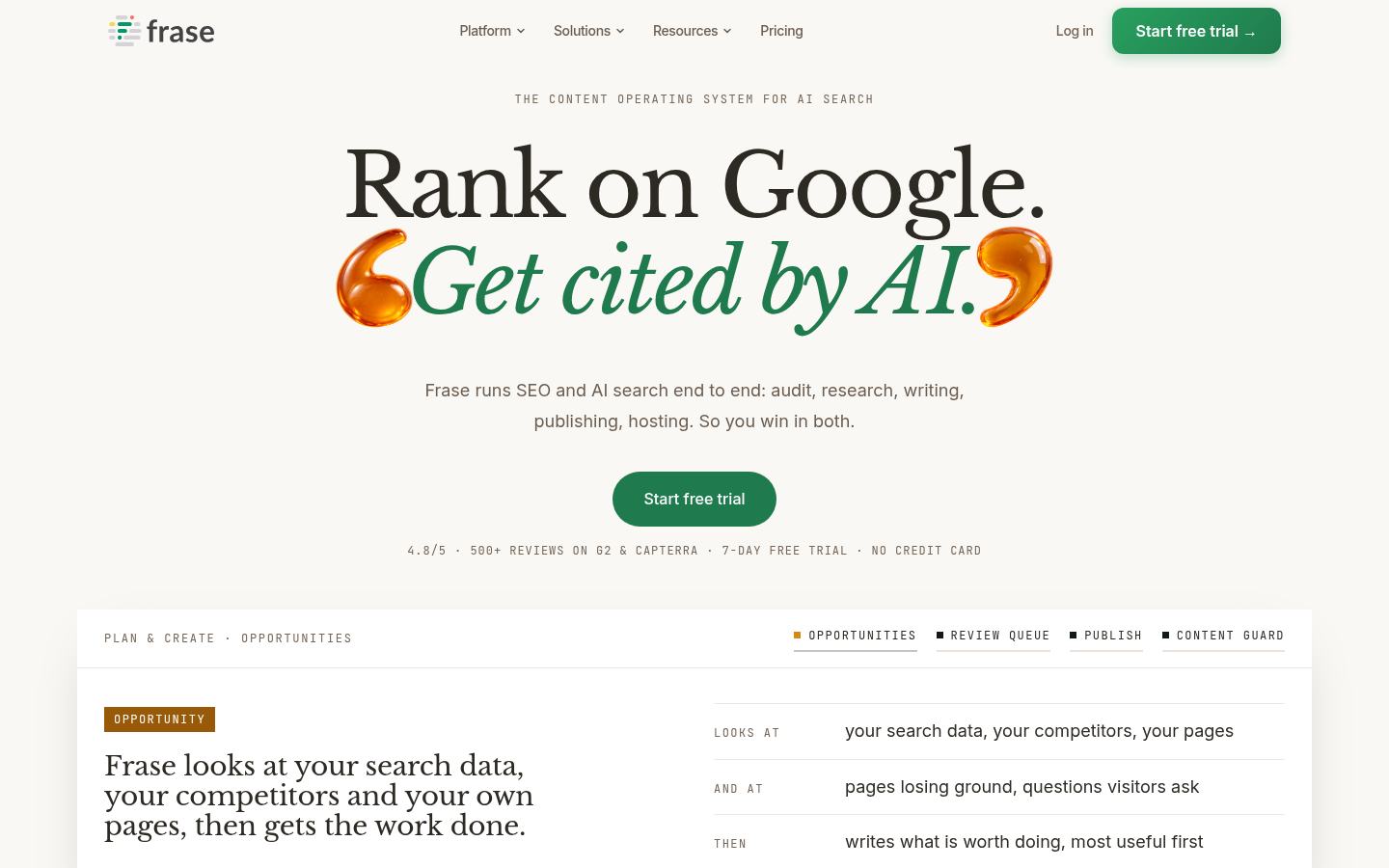
Frase homepage, showing its current product positioning.
Where I would use it
I would put Frase in a content team that already has an editor but loses context as the work moves from SERP research into a brief, a draft and the CMS. For a real comparison, I would give Frase and Keytomic the same technical topic, source documents and CMS destination. The useful output is not the prettier draft. It is the published preview plus a list of corrections the editor made before approval.
Features that matter
SERP and topic research feed the brief, which reduces the risk of drafting from a bare keyword.
SEO and GEO checks sit in the editor, so a writer can respond to coverage gaps before publication.
Direct CMS publishing removes the last copy-paste stage for supported destinations.
Content Guard and AI visibility on the pricing page extend the product into page maintenance and AI-search feedback.
Pros: wide editorial coverage, several publishing destinations, a low-cost entry for a single site and a larger independent review base than most younger content platforms. Cons: the $39 plan stops at 10 articles; higher output moves a team to Professional; review scores for the older product should not be used as proof of the newest autonomous publishing behavior; there is no reason to buy it for backlink or deep technical crawling.
The recurring G2 sentiment favors content research and easy briefing. A recent reviewer praises the suggestions and monitoring but flags dashboard clarity. I would test that exact point: can the editor tell what needs action without hunting across views?
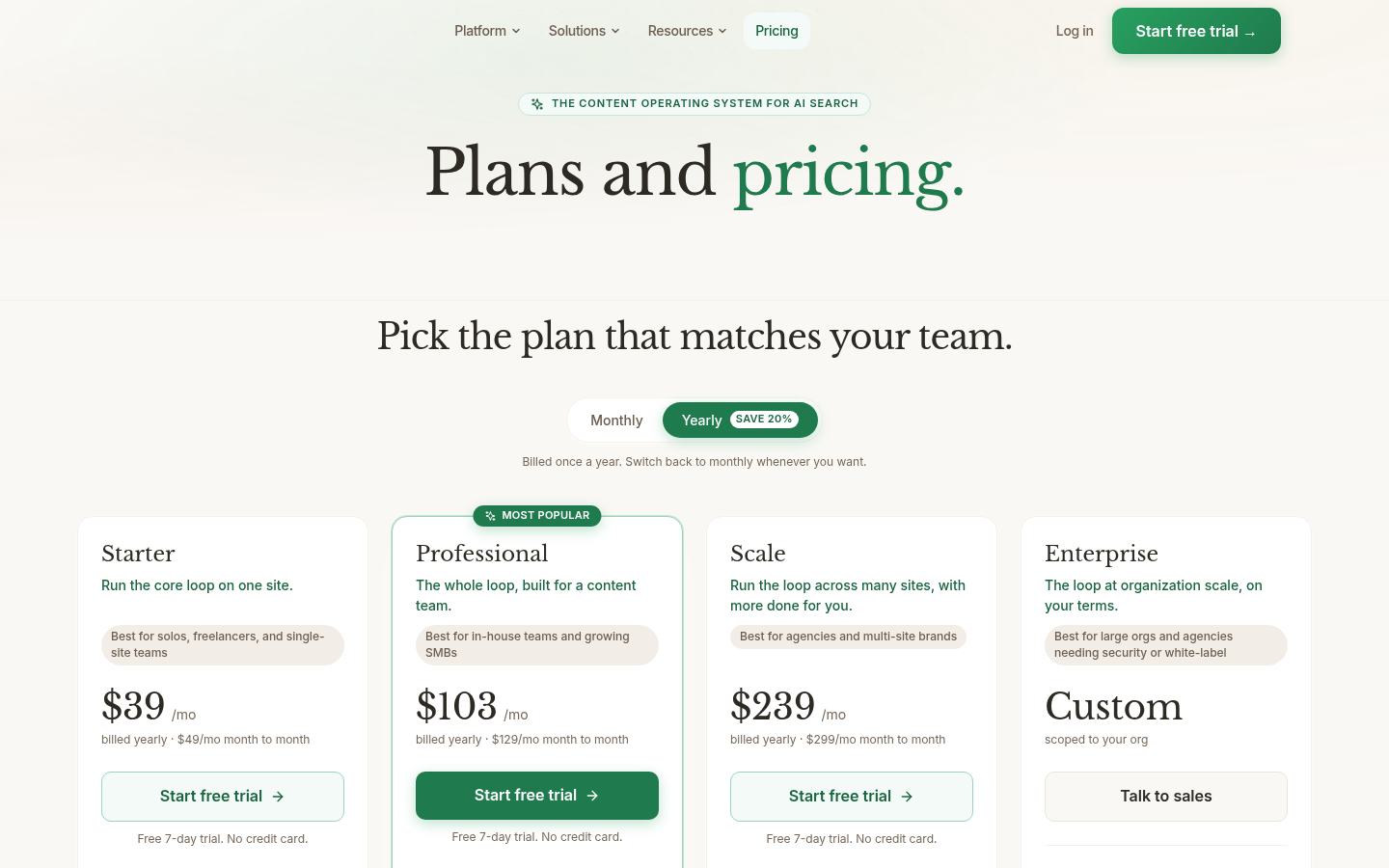
Frase's public pricing grid makes the 10-article and 40-article buying decision visible.
My call: Frase belongs on the same short list as Keytomic for a research-to-publish workflow. If your volume is above ten articles a month, compare the Professional tier against Keytomic Pro rather than comparing the entry prices.
3. Semrush Content Toolkit — best for WordPress teams using Semrush data
Category: Content production within the Semrush ecosystem. Best for: a WordPress team that already trusts Semrush for topic decisions. Starting price: $60/month with annual billing. User reviews: the broader Semrush product is 4.5/5 from more than 3,300 G2 reviews; that score is not specific to Content Toolkit.
The Content Toolkit connects topic ideas, briefs, article generation, optimization, brand voice and WordPress publishing. At $60, it looks like a bargain beside full SEO suites. The missing line in many comparisons is that the base subscription includes five SEO-boosted articles per month. Semrush lists extra boosts separately. A team writing 30 articles must decide how many require that treatment before it knows its actual monthly price.

The public Content Toolkit page shows its topic, brief, writing and optimization modules.
Where I would use it
If a team already uses Semrush to choose targets and publishes only to WordPress, I would test this before adding another content subscription. The interesting comparison is whether the Toolkit preserves the original Semrush research in the brief and how much formatting survives the WordPress push. I would not assume that paying $60 also buys Semrush's full backlink, audit or AI-visibility suites.
Features, pros and cons
Topic Finder and the SEO Brief Generator carry search data into the editorial instructions.
The AI Article Generator and Content Optimizer support production and revision within the same environment.
WordPress publishing shortens the path from approved draft to live URL.
Brand voice settings can reduce basic style cleanup, but an editor still has to supply firsthand evidence and verify facts.
Pros: strong research context; a straightforward WordPress destination; a clear entry price; useful if your organization already knows Semrush. Cons: its most differentiated boosted articles have a five-per-month base allowance; multi-CMS teams need another publishing route; the broader Semrush suite costs more; a large feature surface can overwhelm a small content team.
G2's Semrush review summary repeatedly praises breadth and keyword research, while price, add-ons and learning curve are common complaints. Those reviews cover Semrush overall. I would not use them as a review of this narrower $60 content product.

Semrush lists the Content Toolkit base plan and its SEO-boost allowance separately from the full suite.
My call: strongest fit when your content team uses WordPress and already works from Semrush data. If you run WordPress alongside other CMSs, test the publishing path before treating it as a unified solution.
4. AirOps — best for building your own content system
Category: Configurable content and AI-search workflows. Best for: enterprises with proprietary data, complex approvals and multiple publishing systems. Starting price: Solo starts free; paid use depends on task volume and scope. User reviews: G2 shows 4.7/5 from 134 reviews.
AirOps is the tool I would choose when the workflow itself is the product. A large team may need to pull data from an internal warehouse, identify hundreds of pages with declining demand, enrich briefs with product facts, require a legal review, update those pages and report what moved. A fixed AI writer is not enough. AirOps gives that team the machinery to build and run a repeatable process with data, knowledge bases, agents and CMS integrations.
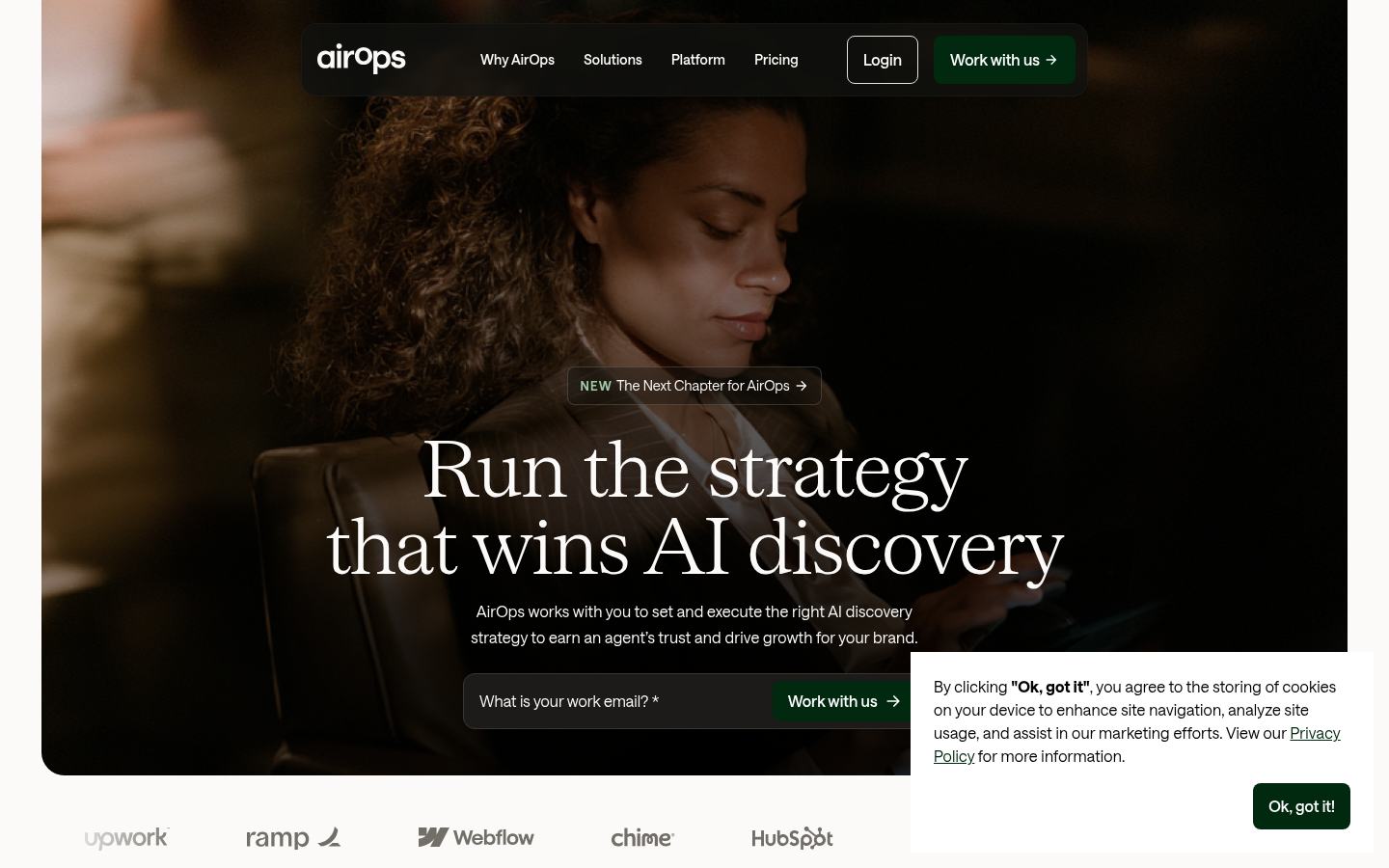
AirOps presents itself as a platform for turning AI-search insights into content work.
Where I would use it
I would begin with a narrow refresh process, not an attempt to automate a whole editorial department in week one. For example: collect ten pages that lost non-brand clicks, attach Search Console data and approved product facts, propose revisions, route them to an editor, then publish only the accepted changes. That pilot reveals whether the team's data and review rules are actually clean enough for automation.
Features and trade-offs
Brand kits and knowledge bases let workflows reference approved context instead of starting from a generic prompt.
CMS and SEO integrations connect existing systems rather than requiring a new writing destination.
The platform's task model makes usage measurable, but a workflow with many steps can consume more tasks than its simple output suggests.
Human-in-the-loop review gives an enterprise team a way to enforce policy before publication.
Pros: unusually flexible; suited to proprietary processes and large refresh programs; supports human review; useful when the same workflow repeats across many pages. Cons: someone must design, test and maintain the workflow; cost is harder to forecast than a fixed article allowance; small teams can spend more time configuring than publishing; a powerful pipeline can scale mistakes just as efficiently as good work.
A recent verified G2 reviewer values its move from ad-hoc prompts to structured workflows; another praises consistent voice but explicitly says initial setup takes time. That combination is more useful than a generic star rating: the learning curve is the price of the flexibility.

The AirOps platform connects AI-search measurement to workflows. Its linked pricing page uses a task-based model.
My call: buy AirOps if a content operations owner can define a workflow and keep it healthy. If your team simply needs eight good articles published next month, start with a more opinionated product.
5. Writesonic — best when content and AI visibility share an owner
Category: AI-search visibility plus content production. Best for: marketing teams managing both search content and AI-answer visibility. Starting price: Starter $79/month with annual billing, including 15 AI articles, 50 tracked prompts and one project. User reviews: the Writesonic product has a 4.7/5 G2 rating across more than 2,100 reviews.
Writesonic has evolved beyond its old AI-writer category. Starter combines AI articles, AI-search visibility across ChatGPT, Gemini and Google AI Overviews, site audits and a limited set of agentic runs. That is attractive when the same team asks two connected questions: what should we publish, and how do AI systems describe us after we publish it?

Writesonic's homepage reflects its broader AI-search positioning.
Where I would use it
I would start with a prompt set that actually reflects buyers, not fifty generic category questions. Then I would choose one visibility gap, create or refresh the relevant page, and see whether the product can carry that change through review and publication. I would inspect the cited URLs, not merely a visibility score. A mention without context can flatter a weak content program.
Features and trade-offs
Prompt tracking and AI-answer monitoring put content work beside measurement.
AI article production and site audits give the team actions to test after it spots a gap.
The Starter article allowance is 15, so a 30-article program is comparing a higher tier rather than the headline price.
Agentic workflow access on the entry tier is limited; check how many runs a real campaign would require.
Pros: SEO and AI-search signals in one environment; clear starter allowances; a larger review base than most new GEO products; useful for teams reporting on both Google and AI discovery. Cons: breadth can hide shallow workflows; pricing rises with output and prompt needs; AI drafts still require substantial fact and voice checks; the exact route to your CMS should be tested rather than inferred from a feature list.
G2's review themes favor fast, versatile drafts and ease of use. Negative themes include costs as usage scales, credit limits and occasional factual or generic output. Much of that review history comes from Writesonic's earlier writing product, so it is weaker evidence for the newest visibility features.
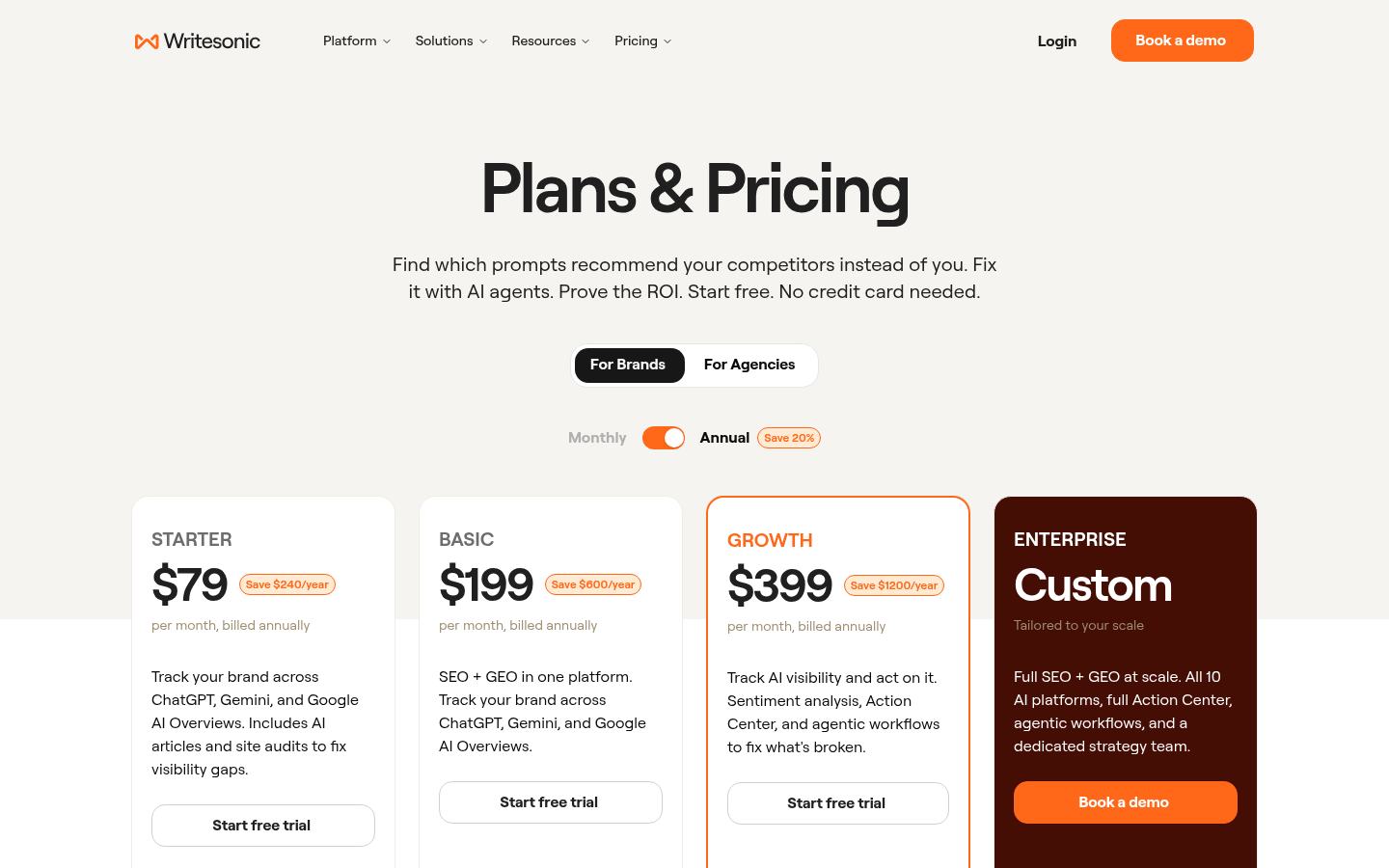
The entry plan includes 15 AI articles; that allowance is the real comparison point for a content team.
My call: shortlist it when content creation and AI visibility have become one team's job. If all you need is the best editorial score, test Surfer or Clearscope before buying a broader platform.
6. Surfer — best for consistent draft optimization
Category: Content optimization. Best for: writers and editors who already produce and publish regularly. Starting price: Discovery from $49/month with annual billing; check the plan before assuming a specific integration or credit allowance. User reviews: G2 lists 4.8/5 across 546 Surfer reviews.
Surfer is useful because it gives an editorial team a shared way to check topical coverage. The Content Editor compares a draft with relevant pages, then points to terms, sections and structure that may be missing. It can shorten the research an editor does before each review. It cannot tell whether an anecdote is true, whether a claim is new, or whether a page serves the customer's decision better than its competitors.

Surfer's public homepage. The useful test happens inside the editor on one of your own drafts.
Where I would use it
I would take a page that already has a clear point of view but underperforms on its target query. Surfer can help identify missed subtopics. I would accept recommendations that fill a reader's question and reject terms that make a sentence sound as though it was written for a scoring meter. A score moving from 70 to 90 is an output of the tool, not evidence that the revised article is 20 points more useful.
Features and trade-offs
Content Editor provides shared coverage guidance across writers.
SERP research and audits help a team decide which draft needs work.
AI drafting and AI-search tracking extend the product beyond its classic optimizer role, but plan limits differ.
WordPress integration can reduce handoff on eligible plans; verify it in the exact tier you are buying.
Pros: a clear editorial use case; approachable guidance for multi-writer teams; a substantial public review base; integrates into existing workflows. Cons: a high score can reward imitation of the current SERP; it does not replace original research or fact-checking; pricing and add-ons need a full-plan comparison; a team without a functioning publishing process still has a bottleneck after optimization.
Recent G2 reviewers praise practical Content Editor recommendations and ease of use. In the pros-and-cons review summary, cost and pressure toward unnatural keyword use also appear. I would use that criticism as an editorial rule: recommendations can be rejected when they weaken the article.

Surfer's plan page. Check document, AI and integration allowances at the tier you intend to use.
My call: excellent as an optimization layer for an existing team. A founder with an empty blog and no editor has a different problem.
7. Clearscope — best for editorial quality control and decay
Category: Content optimization and monitoring. Best for: sites with a substantial library that needs updating, not merely more drafts. Starting price: Essentials $129/month, with 50 tracked queries and 50 pages; Business is $399/month. User reviews: G2 lists 4.9/5 from 92 reviews.
Clearscope is deliberately narrower than the full-workflow tools. I would pay for it when I need consistent editorial optimization and a way to notice important pages slipping. On a mature site, improving one proven article may beat publishing five new articles aimed at nearly identical demand. That is why content decay belongs in a buying comparison about automation: the work is finding the right page to improve before the loss becomes obvious in a monthly report.

Clearscope emphasizes content quality and maintaining visibility on its public homepage.
Where I would use it
I would connect the pages already responsible for non-brand demand, choose a small refresh queue, and have writers use the report as a coverage check. Then I would compare the edited page against its former version: what new example, clearer answer or stronger source did we add? If all that changed was the number of recommended terms, I would not count the refresh as information gain.
Features and trade-offs
Tracked pages and queries help an established team monitor existing content.
Content reports give writers a shared view of topical coverage.
A straightforward editor is easier to adopt than a sprawling SEO suite.
The platform deliberately leaves deep research, technical audits and publishing to other systems.
Pros: focused editorial job; monitoring is relevant to a mature library; simple enough for writers; strong user satisfaction on a meaningful review sample. Cons: expensive for a new site with little to maintain; per-report and tracked-page limits matter at scale; no complete research-to-CMS pipeline; an optimization grade can still reward sameness if used as a writing target.
A verified G2 reviewer praises the clean interface and relevant recommendations. That supports the case for adoption by writers, not a guarantee of ranking gains. I would also check whether your editors use the recommendations after the first month; unused guidance is an expensive subscription.
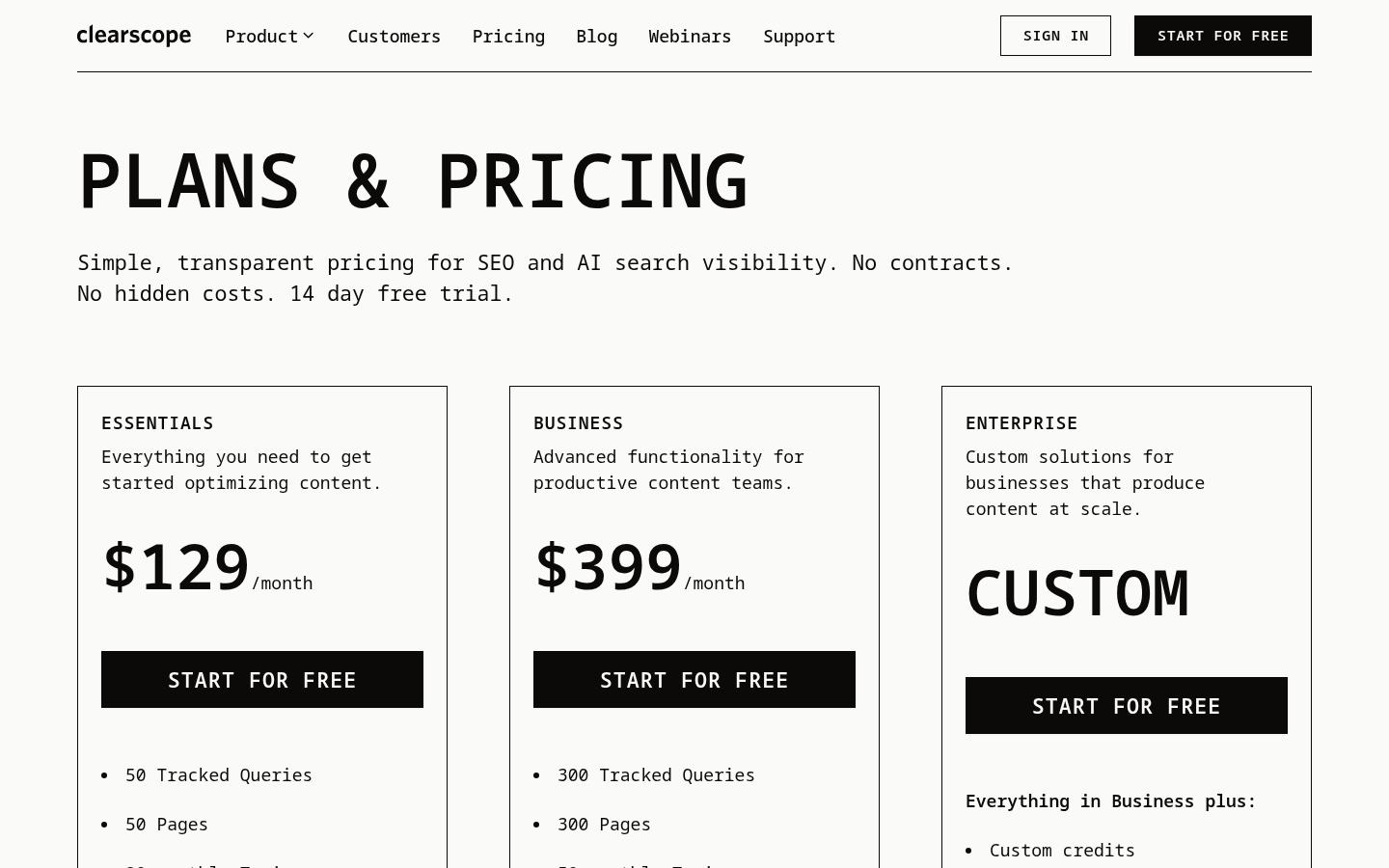
Clearscope's public pricing grid makes the tracked-query and page limits worth reviewing.
My call: choose Clearscope when a valuable archive is quietly declining. A new site whose problem is simply getting its first twenty pages live should spend elsewhere.
8. MarketMuse — best for deciding what deserves a page
Category: Site-wide content intelligence. Best for: publishers with enough existing pages that prioritization is harder than writing. Starting price: Free tier with ten queries a month; paid Optimize, Research and Strategy tiers are demo-led. User reviews: G2 reports about 4.6/5 across 216 reviews.
MarketMuse is a strategy purchase. It looks at what the site already covers, how topics relate and which pages have room to improve. The useful difference from a generic keyword difficulty number is the attempt to evaluate an opportunity against your site's existing content. A large site may have authority on one topic and none on another even when both phrases show the same difficulty score in a keyword tool.
MarketMuse's homepage shows its emphasis on choosing and optimizing topics.
Where I would use it
I would use MarketMuse at the start of a quarterly planning cycle for a site with hundreds or thousands of URLs. The decision I want is not “which 100 keywords could we target?” It is “which existing page should we improve, which gap deserves a new page, and which idea would split the intent of a page we already have?” That last question prevents a content calendar from becoming an index-bloat calendar.
Features and trade-offs
Inventory and tracked topics help a large team see existing coverage rather than planning one keyword at a time.
Personalized difficulty and topic modeling support prioritization against the site's own content.
Briefs turn research into instructions for writers, but the editorial and publishing handoff remains.
The free tier allows exploration, though ten queries will not operate a large content program.
Pros: distinct strength in site-wide planning; helps teams choose refreshes over unnecessary new pages; useful when generic keyword difficulty hides site-specific opportunity. Cons: does not solve a publishing backlog; paid pricing requires a sales conversation; the output can become another queue that no one executes; teams with small sites may spend more effort interpreting the model than they gain.
The G2 review themes praise personalized content strategy and topic discovery, while price and learning curve surface as complaints. Some individual themes are based on very few mentions, so I would treat them as questions for a demo rather than a statistically reliable verdict.

MarketMuse offers a limited free tier; paid inventory and brief capacity vary by tier.
My call: choose MarketMuse when planning is genuinely the hardest job. If the team already knows the next twenty pages but cannot publish them, solve production first.
9. Jasper — best for brand control across marketing channels
Category: AI marketing production and governance. Best for: departments producing SEO, email, campaign and landing-page copy with a shared brand standard. Starting price: Pro $59 per seat per month with annual billing; Business adds custom controls. User reviews: G2 shows 4.7/5 from 1,317 reviews.
Almost every product here can generate a draft. Jasper's stronger reason to exist is the controlled production environment around the draft: brand voice, knowledge assets, audiences, agents and team-level governance. That matters when a content marketer, paid-media specialist and lifecycle team all need to write about the same product without three conflicting descriptions.

Jasper's public homepage focuses on marketing operations rather than SEO alone.
Where I would use it
I would use Jasper as the shared AI layer for a marketing department, with approved product facts and examples loaded before the team begins drafting. I would then still use an SEO research product to decide what the blog should target and a CMS process to review and publish the final page. If non-brand organic growth is the only KPI, Jasper is rarely the first software purchase I would make.
Features and trade-offs
Brand voices and knowledge assets help teams apply consistent messaging.
Multi-format production fits blog posts, campaigns, landing pages and email.
Enterprise controls support a larger organization's review and access requirements.
Keyword, backlink, crawl and content-performance questions still need specialist systems.
Pros: mature marketing governance; useful across channels rather than just articles; strong review history; more practical for a multi-team department than many one-purpose AI writers. Cons: per-seat cost compounds; SEO research is not its main strength; a brand voice setting does not verify factual claims; publication and measurement remain separate jobs in many stacks.
Recent G2 user feedback values persona-specific messaging and fast production, while some reviewers want better integration with their surrounding systems. I would ask an actual user on your team to recreate one campaign in Jasper before paying for seats across the whole department.
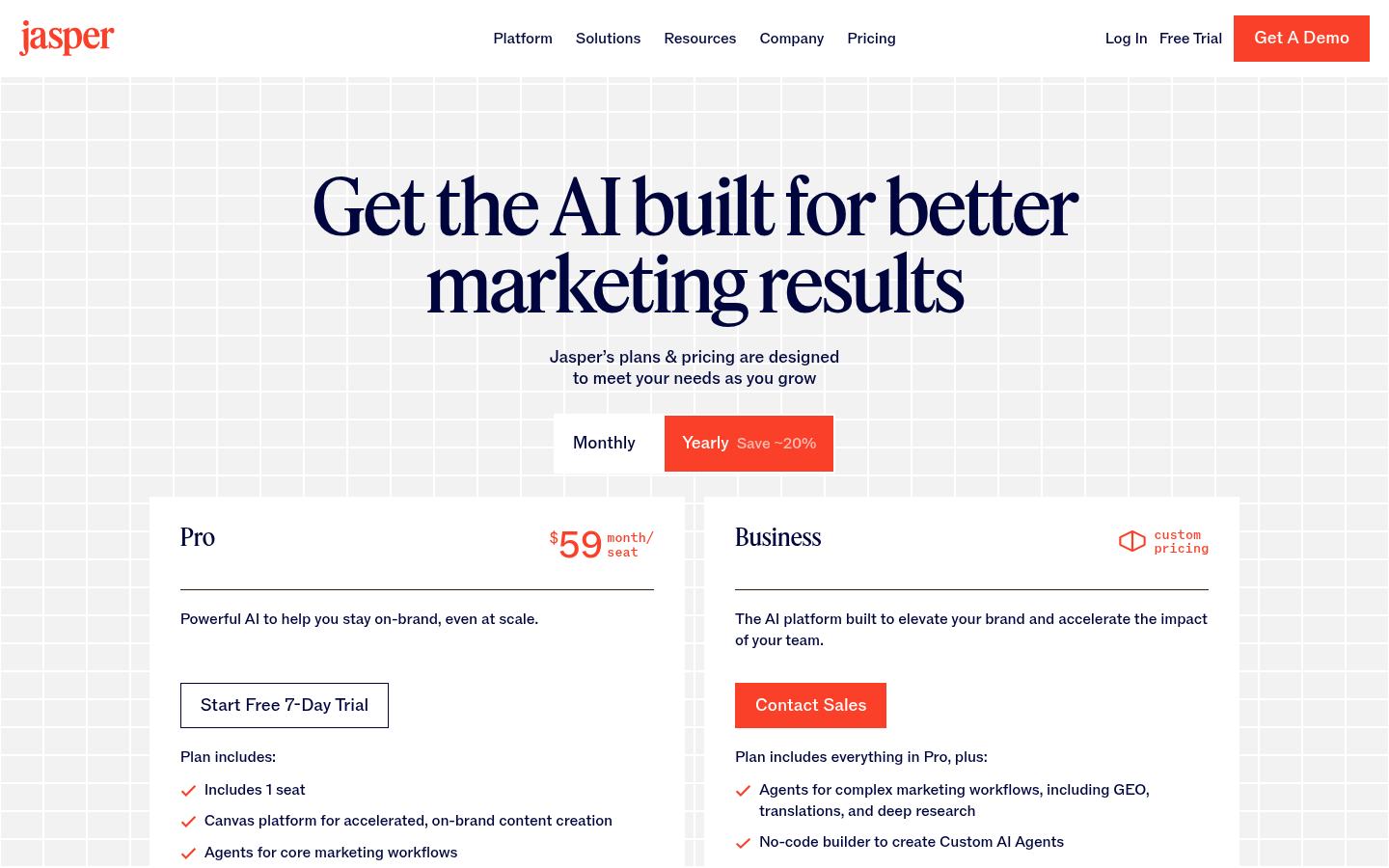
Jasper's Pro price is per seat, so compare the cost for the full team rather than one writer.
My call: choose it when SEO is one channel inside a larger marketing production system. Skip it as a substitute for keyword intelligence, technical SEO or an end-to-end CMS pipeline.
10. Ahrefs AI Content Helper — best research brain, weakest publishing path
Category: Search-intent and topical guidance while writing. Best for: SEO specialists who value strong competitive context and already have writers and publishing covered. Starting price: AI Content Helper $99/month for 50 documents; one document a month is available free. User reviews: the broader Ahrefs suite is 4.5/5 from 717 G2 reviews, which does not isolate Content Helper.
Ahrefs proves why a low execution score should not be confused with low product quality. I would trust its competitor and backlink research in a serious SEO program. AI Content Helper brings intent and topical gaps into the writing process, but it does not eliminate the human path from draft to approved, formatted and published page. A 50-document allowance is not a promise of 50 articles worth publishing.
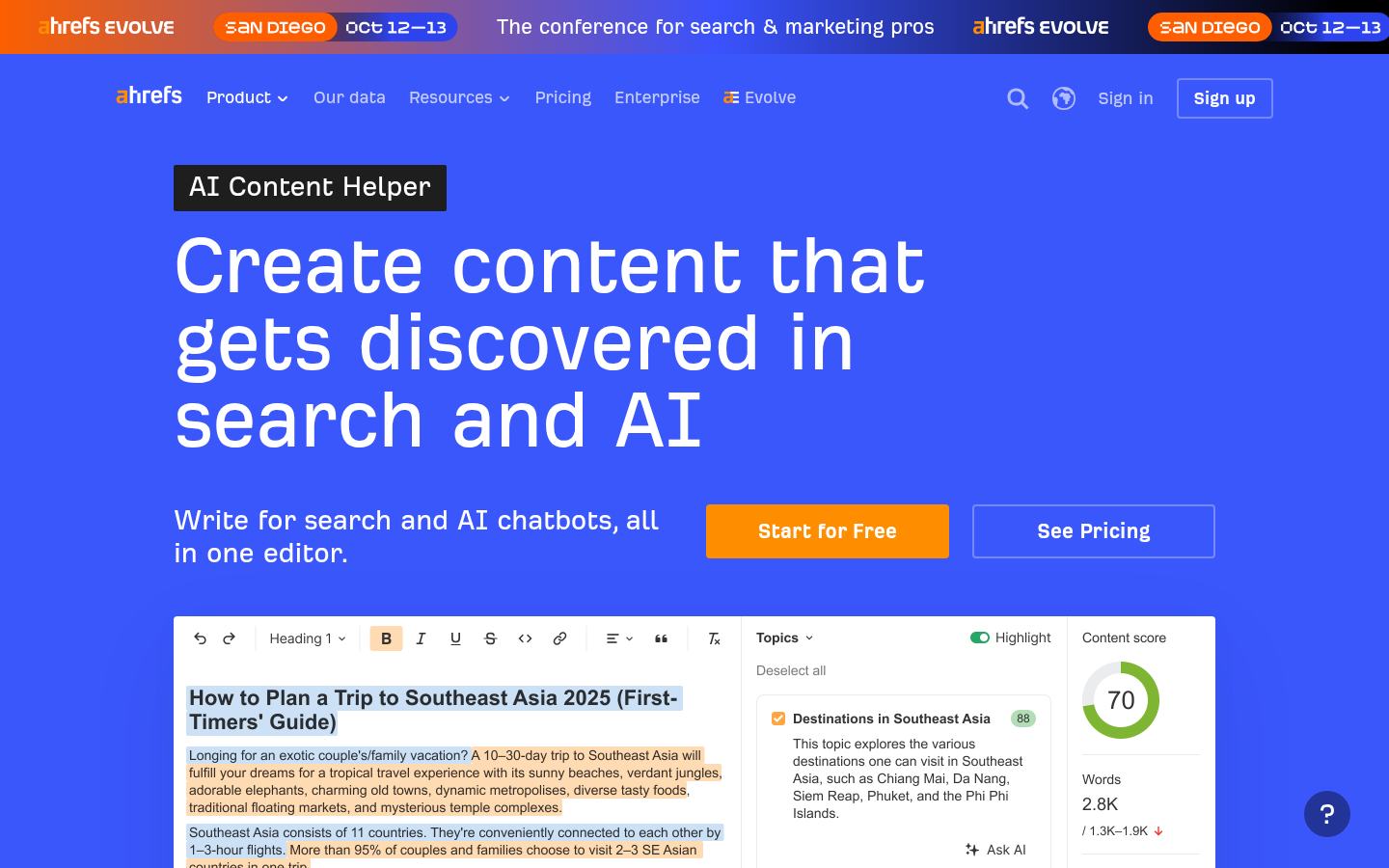
Ahrefs' Content Helper page shows the research and writing job it is designed to support.
Where I would use it
I would open Ahrefs before a brief is finalized to challenge a weak target keyword, understand who currently wins the query and inspect what a credible article must cover. Inside Content Helper, I would use topical suggestions to find missing questions. Then I would deliberately add what competing pages cannot supply: first-party examples, current prices, honest limitations or a method readers can reproduce. Merely matching their headings would produce a better imitation, not a better answer.
Features and trade-offs
Ahrefs' search data and competitive analysis are strong inputs for a content decision.
Content Helper evaluates search intent, competing pages and topical gaps in the editor.
The $99 plan permits 50 documents; those are research or writing units, not published pages.
CMS publishing and operational approval still sit with the team or another product.
Pros: trustworthy competitive context; clear job for an SEO specialist; useful even when the team writes manually; the free one-document trial is enough to inspect the interface. Cons: little workflow execution; the full Ahrefs suite is a separate, larger cost; content scores cannot establish originality; it can make a research-heavy team even better at planning while the publishing queue stays still.
Recent G2 reviews of Ahrefs praise keyword research, competitor visibility and backlink analysis. The review base supports Ahrefs as an SEO suite, not a claim that AI Content Helper alone delivers an autonomous content program.

Ahrefs' main suite pricing is a separate decision from the AI Content Helper subscription.
My call: keep Ahrefs when competitive information is the bottleneck. If the team already knows what to write and cannot ship it, more data is not the answer.
The information-gain test: where does the article improve on what already ranks?
An optimizer can tell you which topics other pages cover. That is the start of editing, not the finish. For this kind of comparison, I look for one thing in each section that a vendor's own landing page does not answer: a volume limit at the price shown, an implementation cost, a reviewer complaint, a reason to choose a cheaper rival, or a buying scenario where the tool is the wrong fit.
Here are three questions I would put in every vendor demo:
What survives when I leave? A live page in my CMS is an asset I can keep. A dashboard score or hosted draft may not be. Ask how to export the underlying work and whether any site changes depend on a continuing subscription.
What breaks on an awkward topic? Give the tool a niche technical product with an ambiguous term and a source it must not misread. Count confident mistakes and time to repair them.
What is the real monthly unit? Articles, documents, boosted articles, prompts, tasks and seats are not interchangeable. Build the price around the volume you will actually accept and publish.
That framework is also useful when you read other “best AI SEO tools” posts. A long feature list is easy to compile. The expensive details are usually the ones omitted from the summary table.
What a 30-article month really costs
At 30 planned articles per month, Keytomic Pro has 30 blog credits at $99/month for one site. Frase Starter covers only ten; Professional covers 40 at $103/month with annual billing. Writesonic Starter covers 15, so that team needs a higher tier. Semrush Content Toolkit includes five SEO boosts, which cannot be compared directly with any of those article allowances. Ahrefs' 50 Content Helper documents have a different role entirely.
The fairest calculation is subscription + human research + editing + fact-checking + image work + publishing repairs, divided by accepted live pages. If a plan generates 30 drafts but only ten meet your standard, the subscription cost per accepted page is three times the naive “price divided by 30” figure. That arithmetic is an illustration, not a claim about any vendor's rejection rate. Measure your own.
For a small team, the more important number may be the handoff tax: how many times a person moves the brief, draft, links, images or metadata between systems. A sequence like Ahrefs → spreadsheet → Google Docs → AI writer → optimizer → WordPress → reporting dashboard has six system transitions. I would time those transitions on one actual article before guessing whether an integrated platform will pay for itself.
What I would choose by team and website
Solo founder with no content team. Prioritize a connected workflow and a clear approval point. Compare Keytomic with Frase on one real article, then use Search Console to see what Google discovers. The founder workflow is relevant when production rather than data is the limiting factor.
In-house SaaS marketing team. If research is solid but work stalls in Docs, test a publishing platform. If the library is mature and losing traffic, trial Clearscope or MarketMuse first. The SaaS SEO use case and marketing-team workflow show how content, technical checks and AI visibility can connect, but your own baseline should decide the purchase.
Agency running several clients. Account isolation, approvals, seats and reporting matter more than the cheapest article credit. Check the one-site restriction on Keytomic Pro, the multi-site tiers in Frase and the implementation effort of AirOps. The agency workflow and SEO tools built for agencies cover that separate buying problem.
Ecommerce operator. Product data, collections and CMS structure change the brief. A generic blog writer may create a disconnected buying guide. If you publish to Shopify, inspect the Shopify workflow and the ecommerce SEO use case, then compare tools against your actual catalog. The ecommerce-specific AI tools guide changes the weighting for this reason.
Multi-CMS team. Do not treat “WordPress integration” as a universal publishing answer. Test your Webflow, Framer or Shopify destination with the final article's headings, links, images and metadata. A tool that produces a great draft but breaks your template creates another handoff.
A trial protocol that exposes the real bottleneck
Use the same real topic and input documents with two finalists. First record the manual baseline: who chooses the topic, who writes the brief, who edits, who moves the page into the CMS and who checks it after publication. Then run the two products against that exact sequence.
Step | Save this evidence | Why it matters |
|---|---|---|
Opportunity | Target query, competing URLs and why the page should exist | Prevents a fast tool from producing the wrong page |
Brief | Sources, angle, intended reader and unsupported claims | Shows whether research survives the handoff |
Draft and edit | Raw draft, accepted edits, rejected statements and editor minutes | Measures useful output, not generated words |
Images and links | Source rights, alt text, internal targets and outbound citations | Exposes publishing details most demos hide |
CMS preview | The actual destination URL, formatting and manual repairs | Tests whether the tool completes the job |
Learning | Search Console and AI-visibility observations after publication | Shows whether feedback changes the next content decision |
Run a second article on an awkward, specialized topic. Generic “best CRM software” prompts make most AI writers look fluent. The edge case shows whether the product flags uncertainty or produces confident nonsense. A free broken-link checker and article-schema generator can help with the final QA, but neither substitutes for checking the facts yourself.
Can AI content automation help with Google and AI search?
It can make good work more repeatable. It cannot guarantee rankings or citations. Google's guidance on generative AI content focuses on usefulness and warns about scaled pages produced to manipulate search. A human editor remains responsible for accuracy, originality and whether the page answers a real question.
For AI search, write claims a reader can verify, make the answer clear in context, identify the author and keep the page accessible to crawlers. Measure cited URLs and surrounding answers, not just a mention count. Google states that no special AI schema is required for its generative search features. Structured data can support ordinary search features when it matches the page, but it is not a citation switch.
Before buying an AI visibility add-on, try a small prompt baseline with a free visibility check. If AI discovery is the main problem rather than content production, see the AI visibility tools comparison and the GEO guide. For broader SEO work beyond content, use the SEO automation software guide.
Frequently asked questions
What is the best AI SEO tool for content automation?
For a connected research-to-publishing workflow, shortlist Keytomic, Frase and Semrush Content Toolkit. Keytomic and Frase support multiple CMS destinations; Semrush Content Toolkit is particularly relevant to WordPress teams. Test the same article in your own CMS before choosing.
Which AI SEO tool is best for content optimization only?
Surfer and Clearscope are the clearest specialist choices here. They help editors check coverage and maintain existing pages. Neither should be judged as a replacement for strategy, fact-checking and the full publishing process.
Can AI-generated content rank on Google?
Yes. The drafting method alone does not determine ranking. A useful, accurate and original page can perform regardless of whether AI assisted its production; scaled low-value content created to manipulate search can violate Google's policies. Editorial review still matters.
Can an AI SEO tool guarantee ChatGPT citations or Google AI Overview placement?
No. Software can help with research, crawlability, page quality and measurement, but it does not control an AI system's source selection. Compare cited pages with yours to understand what evidence or answer they provide that yours lacks.
Should a small team buy one platform or several specialists?
Buy the smallest stack that removes a measured constraint. A specialist stack works when people can manage the handoffs and need deep functionality. An integrated platform makes more sense when work stalls between research, approval and publishing.
How do I measure the ROI of AI content automation?
Record human minutes per accepted live page, manual transfers between systems, editing and fact-checking effort, publishing volume, conversions and search outcomes. Compare those with the former process. More generated drafts do not establish ROI if the accepted pages fail to help readers or the business.
The best tool is the one that completes the work your team repeatedly fails to finish, while leaving the consequential judgment with the people accountable for the page.