Framer Integration with Keytomic
Framer Integration with Keytomic
Publish content into a Framer collection using the Framer Server API.
Framer Integration with Keytomic
Publish content into a Framer collection using the Framer Server API. Use the official Keytomic plugin for the smoothest experience.
How to connect Framer
01. Install the Keytomic plugin in Framer
Open the Framer Marketplace and install the official Keytomic plugin. → Open Keytomic Plugin on Framer Marketplace
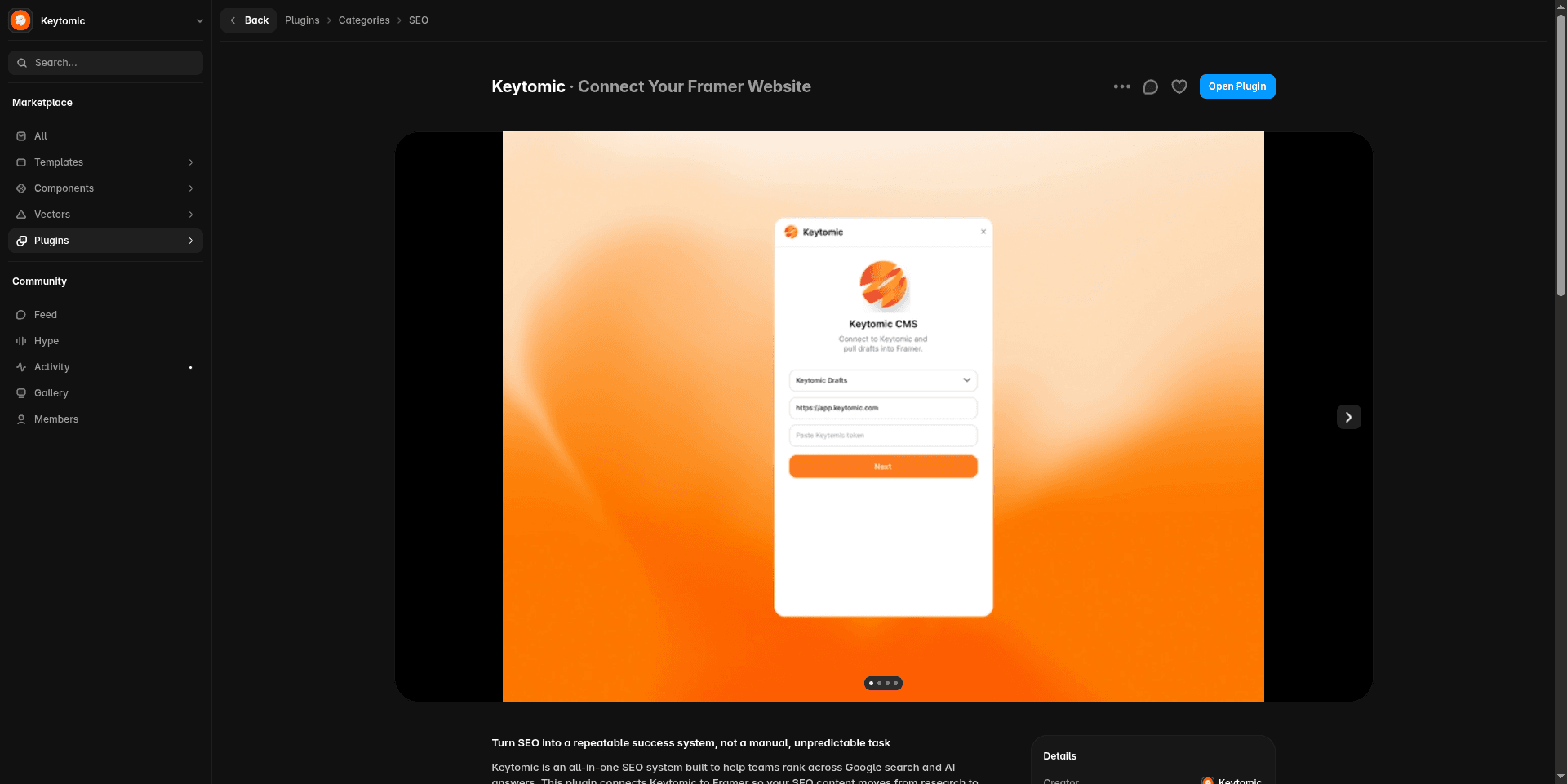
02. Open the Framer integration in Keytomic
Go to Integrations in the left sidebar and select Framer.
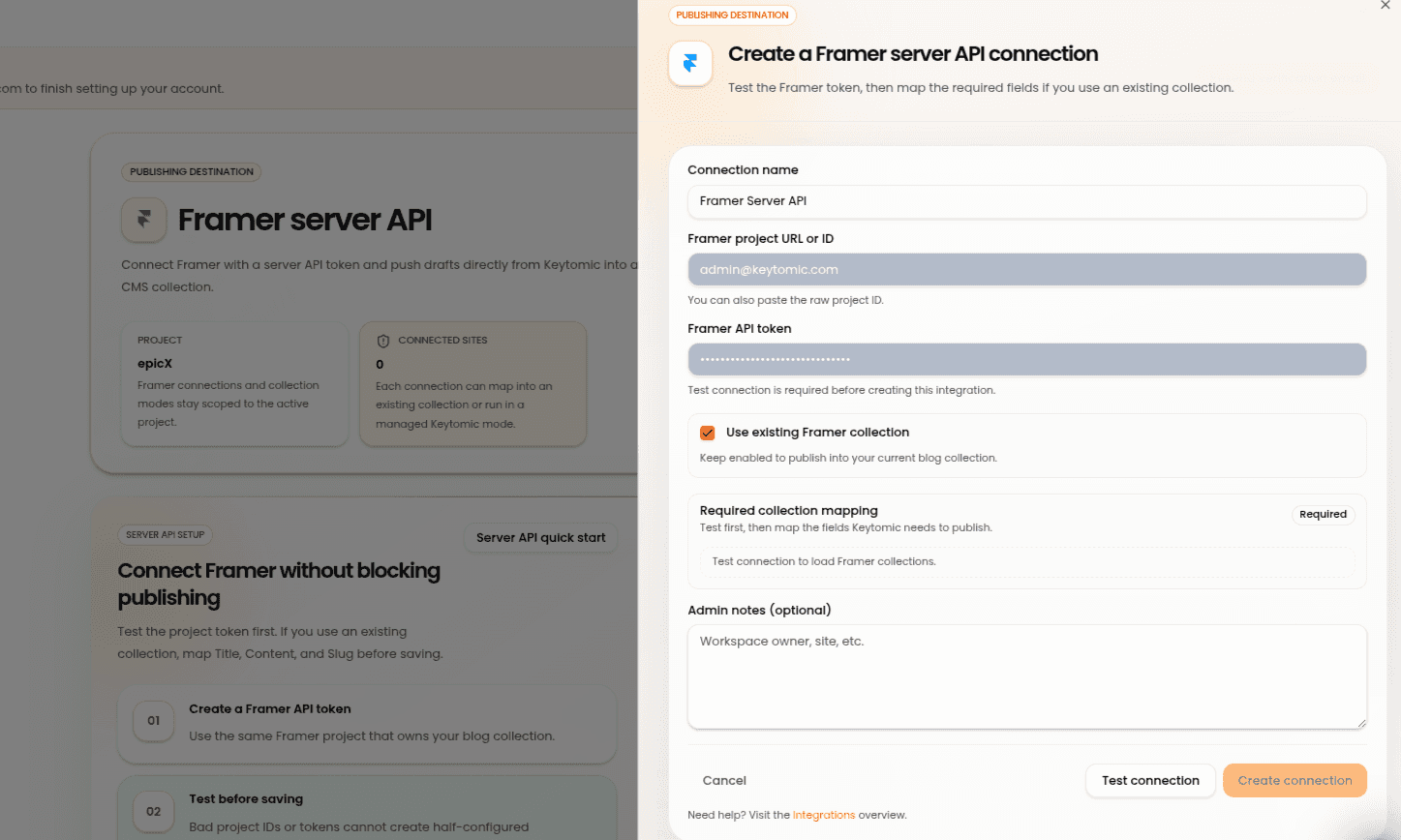
03. Start the connection
Click Connect Framer (or Integrate my Framer). Follow the on-screen authorization steps.
04. Select your Framer project and collection
Choose the Framer project and the CMS collection you want Keytomic to publish into.
05. Map your fields
Map Keytomic content fields to the matching fields in your Framer collection.
06. Connection complete
The status will show as Connected. You can now publish SEO-ready content directly into your Framer CMS while preserving formatting and media.
Framer Integration with Keytomic
Publish content into a Framer collection using the Framer Server API. Use the official Keytomic plugin for the smoothest experience.
How to connect Framer
01. Install the Keytomic plugin in Framer
Open the Framer Marketplace and install the official Keytomic plugin. → Open Keytomic Plugin on Framer Marketplace
02. Open the Framer integration in Keytomic
Go to Integrations in the left sidebar and select Framer.
03. Start the connection
Click Connect Framer (or Integrate my Framer). Follow the on-screen authorization steps.
04. Select your Framer project and collection
Choose the Framer project and the CMS collection you want Keytomic to publish into.
05. Map your fields
Map Keytomic content fields to the matching fields in your Framer collection.
06. Connection complete
The status will show as Connected. You can now publish SEO-ready content directly into your Framer CMS while preserving formatting and media.
More Integrations
More Integrations
Explore other tools that connect with Keytomic to track performance and publish content.
Explore other tools that connect with Keytomic to track performance and publish content.
WordPress Integration with Keytomic
Publish drafts directly to WordPress through the Keytomic plugin.
Webflow Integration with Keytomic
Publish content into your selected Webflow CMS collection.
Contentful Integration with Keytomic
Publish Keytomic content into Contentful entries.
Go High Level Integration with Keytomic
Publish SEO content into a selected Go High Level blog.
Notion Integration with Keytomic
Send Keytomic drafts into Notion as child pages under a shared parent page.
Shopify Integration with Keytomic
Connect your Shopify store using a custom app setup.
WordPress Integration with Keytomic
Publish drafts directly to WordPress through the Keytomic plugin.
Webflow Integration with Keytomic
Publish content into your selected Webflow CMS collection.
Contentful Integration with Keytomic
Publish Keytomic content into Contentful entries.
Go High Level Integration with Keytomic
Publish SEO content into a selected Go High Level blog.
Notion Integration with Keytomic
Send Keytomic drafts into Notion as child pages under a shared parent page.
Shopify Integration with Keytomic
Connect your Shopify store using a custom app setup.

Start Getting Cited By Google
and AI Searches on Auto-Pilot


AI SEO agents research keywords, write & publish ranking content, track AI citations, and grow your brand visibility — while you focus on the business.


Trusted by 300+ users

4.5
Start Getting Cited By Google
and AI Searches on Auto-Pilot
Automate your SEO to rank faster, and showing up in AI search, without the guesswork.
Trusted by 300+ users
4.5
Start Getting Cited By Google
and AI Searches on Auto-Pilot
AI SEO agents research keywords, write & publish ranking content, track AI citations, and grow your brand visibility — while you focus on the business.
Trusted by 300+ users