
The SEO MCP that puts your Claude and Cursor to work
Do your SEO from the assistant you already use. Mine your Search Console data, audit your whole site and find what to fix, all without leaving the chat.
Copy
Works with

Claude

ChatGPT

Cursor

Claude Code

Codex

Gemini CLI

Windsurf
Claude

Keytomic
What are my low-hanging fruit keywords?
Using Keytomic · quick wins
2.4s
Connecting to Search Console
Reading 28 days of queries
Ranking keywords by clicks at stake
4 keywords are sitting just off page 1. Moving them up could add about +940 clicks a month.
Keywords
4
Clicks / mo
+940
Avg. position
11.7
Extra clicks per month on page 1
est.
best crm for startups
+410
crm pipeline template
+240
how to track leads
+170
small business crm free
+120
Keyword
Pos.
Next step
best crm for startups
9.4
Refresh page
crm pipeline template
11.2
New article
how to track leads
12.8
New article
Example conversation with sample data.
Reply to Claude…
Add it to your assistant in about a minute
It’s one URL. Paste it in, sign in with your Keytomic account, and you’re set. No API keys and nothing to install.
Using another app? Any assistant that supports remote MCP servers can use the same URL.
Dig into your SEO data just by asking
Search Console insight and a full technical audit, right inside your chat. Ask a question, watch it work, get the answer.
From your Search Console data
Claude
Keytomic
Find my quick-win keywords
quick wins
Keyword · position
best crm for startups
9.4
crm pipeline template
11.2
how to track leads
12.8
lead scoring model
14.1
Ask anything…
Quick wins
Find keywords close to page 1
Queries ranking 5–20 with real impressions, with the page and the fix for each.
ChatGPT
Keytomic
Which pages are losing traffic?
traffic decay
Clicks lost
−1,840

/blog/crm-guide
−42%
/compare/crm-tools
−31%
Ask anything…
Decay
Catch pages losing traffic
Compare any two periods and see which pages dropped, by how much, and why.
Claude
Keytomic
Where am I losing clicks to low CTR?
CTR gaps
Actual CTR vs expected for the position
/features/crm
1.1%
/blog/lead-scoring
1.9%
/pricing
2.4%
Actual
Expected
Ask anything…
CTR gaps
Fix titles that don’t earn clicks
Spot pages with high impressions and low CTR against what you’d expect.
ChatGPT
Keytomic
Do two pages compete for one keyword?
cannibalization
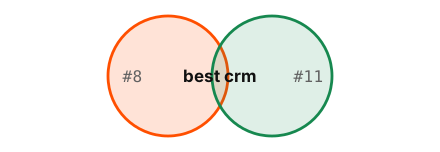
/crm-guide ↔ /best-crm-tools
Merge
/crm-pricing ↔ /pricing
Review
Ask anything…
Cannibalization
Find pages competing with each other
See which pages fight over one query, which should win and what to do with the other.
Claude
Keytomic
What did I gain or lose this month?
rank movement
best crm for startups
#14 → #9
crm pipeline template
new · #18
sales funnel stages
#22 → #12
crm pricing comparison
#4 → #9
Ask anything…
Movement
See what you gained and lost
Every keyword that moved up, down, appeared or vanished since last month.
ChatGPT
Keytomic
Compare mobile vs desktop by country
segments
Clicks · last 28 days
Mobile
6.1k
Desktop
3.6k
US 42%
UK 18%
IN 11%
DE 6%
Ask anything…
Segments
Slice by device, country and page
Compare mobile and desktop, top countries and page groups in one question.
From a full technical audit
Claude
Keytomic
Crawl my site and list every issue
site crawl
Crawled URLs
1,284
404 errors
12
Redirect chains
27
Missing titles
41
Duplicate H1s
18
Ask anything…
Crawl
Crawl your whole site
Broken links, redirect chains, missing titles and meta, duplicate H1s and status codes, in one prioritised list.
ChatGPT
Keytomic
Why aren’t my pages indexed?
index coverage
Indexed
82%
Crawled, not indexed
64
Noindex tag
9
Blocked by robots.txt
5
Ask anything…
Indexing
See why pages aren’t indexed
Noindex tags, robots.txt blocks, canonical conflicts and crawled-not-indexed pages, grouped by cause.
Claude
Keytomic
Check Core Web Vitals on key pages
performance
LCP
2.1s
INP
310ms
CLS
0.04
Fix first: compress hero image
−1.2s
Ask anything…
Performance
Check Core Web Vitals
LCP, INP and CLS for your key pages, plus the heaviest images and scripts holding them back.
ChatGPT
Keytomic
Find broken links and orphan pages
link map

Broken links
6
Orphan pages
9
Ask anything…
Links
Map links and orphan pages
Broken internal and external links, orphan pages, click depth and what to link where.
Claude
Keytomic
Check canonicals, schema and sitemap
markup checks
Canonicals
OK
hreflang
OK
Structured data
3 errors
robots.txt
OK
XML sitemap
1,204 URLs
Ask anything…
Markup
Validate canonicals, schema and sitemaps
Canonicals, hreflang, structured data, robots.txt and XML sitemaps, checked for errors.
ChatGPT
Keytomic
Find duplicate and thin pages
content checks
Similarity · word count
/tag/crm ≈ /category/crm
96%
/page-2 ≈ /page
88%
/blog/crm-tips
142 w
/careers
96 w
Ask anything…
Duplicates
Find duplicate and thin pages
Near-duplicate content, thin pages and repeated titles or meta descriptions across the site.
Everything your assistant can do for you
Once connected, ask for any of this whenever you need it. No extra SEO tool to log into, just ask.
Search Console
Search Console intelligence
Quick wins
Queries in 5–15 with real impressions is the fastest path to page 1.
Top queries and pages
Clicks, impressions, CTR and average position.
Keyword cannibalization
Where two of your URLs compete for the same query.
Decaying pages
Traffic drops, ranked by the clicks you’re losing.
Indexing
Indexing and sitemaps
URL inspection
Live Google index status for any URL on your site.
Sitemap health
Your sitemaps in Search Console, with their status and errors.
Submit a sitemap
Send a new or updated sitemap to Google when you ask.
Sync sitemaps
Submit every sitemap Keytomic found on your site in one step.
Technical audit
Technical audit
Health score
Core Web Vitals and page-speed signals.
Crawler files
robots.txt, sitemap and llms.txt checks.
On-page issues
Schema, canonicals, H1s, meta tags and broken links.
Prioritised fix list
Written for you, highest impact first.
Your real numbers, not a generic SEO database
Many SEO MCPs wrap a keyword-data API or need you to host them yourself. Keytomic connects your assistant to your own Search Console and site audits through one URL.
Feature
Recommended
Keytomic MCP
Your own data
Data-API MCPs
Keyword databases
Open-source MCPs
Self-hosted
Your own Search Console data
Live clicks, impressions and positions
Built in
Not included
Varies
Sitemap submit and sync
Write actions in Search Console, on request
Built in
Not included
Varies
Quick wins, cannibalization and decay
Answers ranked by clicks at stake
Built in
DIY from raw data
Varies
Full technical audit
Crawl, indexing, Core Web Vitals, schema, llms.txt
Built in
Partial
Varies
Setup
What it takes to connect
One URL + Keytomic sign-in
API keys and credits
Self-host and keys
A general look at common approaches. Details vary by project.
Copy, paste, run on your data
Twelve prompts that work the moment you’re connected. Each reads your live data and hands back a clear set of actions for this week.
01 · Quick-win finder
Page-2 keywords to page 1
Surfaces the queries Google already half-trusts. The fastest wins on your site.
Prompt
Copy
Read my Search Console for the last 28 days. List queries ranked 5–20 with 200+ impressions, sorted by position × impressions. For each: the ranking URL, current CTR, and the single on-page change to make.
Suggested cadence: Weekly
02 · Decaying-page rescue
Catch traffic loss before it compounds
Ranks pages by the clicks they’ve lost against the previous period and names the likely cause.
Prompt
Copy
Compare my last 28 days in Search Console with the 28 days before. Rank pages by clicks lost, and for the top 10 tell me the likely cause and the one fix to recover the traffic.
Suggested cadence: Every two weeks
03 · CTR fixer
Turn impressions into clicks
Finds pages people see in search but don’t click, and rewrites what they see.
Prompt
Copy
Find pages with 1,000+ impressions and a CTR under 2% in the last 28 days. For the top five, suggest a better title tag and meta description, and explain why each should earn more clicks.
Suggested cadence: Monthly
04 · Cannibalization check
Stop your own URLs from competing
Spots queries where two of your pages split the ranking, then picks the winner.
Prompt
Copy
Find queries where two or more of my URLs rank in Search Console. For each, tell me which URL should win and whether to merge, redirect or differentiate the other.
Suggested cadence: Monthly
05 · Rank movement
See what moved this month
Every keyword that climbed, dropped, appeared or vanished, with the page behind it.
Prompt
Copy
Compare this month with last month in Search Console. List keywords that gained or lost 3+ positions, new keywords, and keywords that disappeared, with the ranking page for each.
Suggested cadence: Monthly
06 · Segment breakdown
Find where mobile falls behind
Splits performance by device and country so you know where to focus.
Prompt
Copy
Break down my last 28 days by device and country. Where does mobile underperform desktop on CTR or position, and which pages cause most of the gap?
Suggested cadence: Monthly
07 · Full site crawl
Every issue, ranked by impact
A desktop-crawler-style audit, returned as a prioritised fix list.
Prompt
Copy
Crawl my whole site and list every issue by severity: 4xx and 5xx pages, redirect chains, missing or duplicate titles and meta descriptions, duplicate H1s and thin pages. Put the highest-impact fixes first.
Suggested cadence: After every release
08 · Internal link map
Rescue orphan and buried pages
Finds pages nothing links to and pages buried too deep to matter.
Prompt
Copy
Find orphan pages and pages more than four clicks from the homepage. For each, suggest two existing pages that should link to it and the anchor text to use.
Suggested cadence: Monthly
09 · Markup validator
Canonicals, schema and sitemaps
Checks the files and tags search engines read before they read your content.
Prompt
Copy
Check my canonicals, hreflang, structured data, robots.txt and XML sitemap for errors. List each problem with the affected URLs and the exact fix.
Suggested cadence: Monthly
10 · Index coverage
Why pages aren’t indexed
Groups non-indexed pages by cause so you fix the pattern, not each URL.
Prompt
Copy
Which of my pages aren’t indexed, and why? Group them by reason (noindex, canonical, robots.txt, crawled not indexed) and tell me what to fix first.
Suggested cadence: Every two weeks
11 · Core Web Vitals
Speed up the pages that earn
Checks LCP, INP and CLS on the pages that bring in your traffic.
Prompt
Copy
Check Core Web Vitals (LCP, INP and CLS) for my top 20 pages by clicks. Flag anything outside the good range and tell me which single fix would help each page most.
Suggested cadence: Monthly
12 · Heavy-asset finder
What’s slowing your slowest pages
Names the images and scripts that add the most weight.
Prompt
Copy
For my 10 slowest pages, list the images and scripts that add the most weight or block rendering, and how much each fix would save.
Suggested cadence: Monthly
Simple and safe to connect
Connect once with your Keytomic account. Your assistant can only see what your account can already open.
One sign-in, no API keys
Paste the URL, sign in with Keytomic, approve. That’s the whole setup.
Your access, nothing more
It works only with the projects and data your account can already open.
Every site on your account
Switch between projects just by asking. Each keeps its own data and audits.
Disconnect any time
Remove the connector from your assistant whenever you like.
Your assistant
Claude
ChatGPT
Cursor
Sign in
MCP server
Keytomic
app.keytomic.com/mcp
Reads
Reads from
Search Console
Sitemaps
Site crawl
The best SEO MCP server for working on your own data
Most SEO MCP servers stop at a keyword database or a raw data dump, and leave the analysis to you. Keytomic’s SEO MCP server reads your live Search Console data, crawls your whole site, and hands your assistant a ranked list of what to fix.
01
Your own live data, not estimates
Answers come from your real Search Console numbers: the clicks, impressions and positions your site actually gets, not a third-party guess.
02
A full site crawl, from one prompt
Status codes, redirects, canonicals, schema, Core Web Vitals, orphan pages and indexing issues. The checks you’d run in a desktop crawler, inside your chat.
03
Answers ranked by impact
Quick wins, decaying pages and fixes come sorted by the clicks at stake, so every prompt ends with what to do first, not another export.
04
Every site, one connection
The MCP connects to your Keytomic account, so agencies and freelancers can work across every client project from a single connector.
05
Works in every MCP client
Claude, ChatGPT, Cursor, Claude Code, Codex, Gemini CLI and Windsurf all use the same server URL. No API key, nothing to install or host.
06
Your account, your permissions
Sign in with Keytomic and approve the connection. Your assistant only sees the sites your account can open, and you can disconnect it any time.
Your Most Common Questions, Answered
What is the Keytomic MCP?
It’s a connector that lets assistants like Claude, ChatGPT and Cursor work with your Keytomic projects. You ask in plain language, and your assistant uses Keytomic to dig into your Search Console data and audit your site.
What is MCP?
MCP (Model Context Protocol) is an open standard that lets AI assistants connect to outside tools and data. Keytomic runs an MCP server, so any assistant that supports MCP can use it.
Which assistants can I use?
Claude, ChatGPT, Cursor, Claude Code, Codex, Gemini CLI and Windsurf, plus any other app that supports remote MCP servers. They all use the same URL.
Do I need an API key?
No. Paste the URL into your assistant, sign in with your Keytomic account and approve the connection.
Do I need a Keytomic account?
Yes. The MCP works with your Keytomic projects, so sign up for the free trial first and add your site.
Does it cost extra?
No, it’s included in paid Keytomic plans.
Can it change my Search Console data?
It reads your data and can’t change your rankings, settings or site. The only change it can make is to submit or sync your sitemaps in Search Console, and only when you ask it to.
What can I ask it?
Anything about your Search Console data, like quick-win keywords, traffic drops, CTR gaps and keyword overlap, plus technical questions like crawl errors, indexing problems, Core Web Vitals, broken links and markup issues.
Can I use it with more than one site?
Yes. It can reach every project on your account, each with its own Search Console data and audits.
Can my teammates use it?
Yes. Each teammate connects with their own Keytomic sign-in, and their assistant sees only the projects their account can open.
Get Started
Start Doing SEO from Your AI Agent
Start a free trial, add your site, then paste this URL into your assistant.
https://app.keytomic.com/mcp
Copy
Paste it into
Claude
ChatGPT
Cursor
Claude Code
Codex
Gemini CLI