Content decay is the gradual loss of a page’s organic visibility, clicks, rankings, or usefulness. The four common causes are outdated information, changed search intent, stronger competing content, and technical or internal SEO problems. Start in Google Search Console (GSC) by comparing clicks, impressions, click-through rate (CTR), and average position across a meaningful date range, then check indexing before rewriting anything.
I’ve doing SEO and creating content for over 5 years and this is one of the most faced issues by content and SEO teams.
Most content teams spend almost all their time publishing new articles while older pages quietly lose clicks and conversions in the background. A traffic decline does not automatically mean the article needs more words or a new publish date. The first task is identifying what actually changed.
I’ll try to keep it as simple as possible and add actionable advice so you can actually follow it.
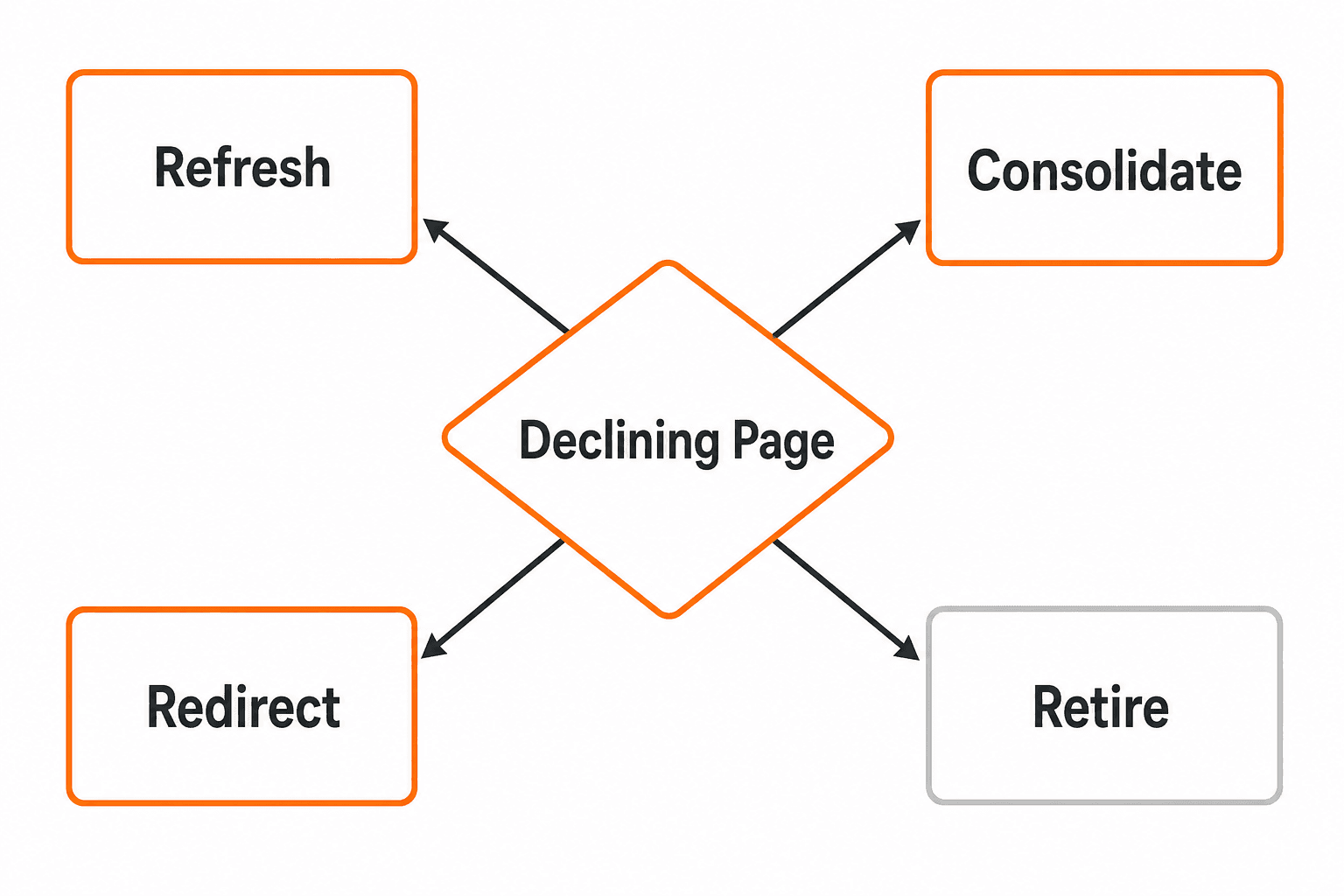
This guide uses a four-part diagnostic framework and ends with a clear decision path for refreshing, consolidating, redirecting, or retiring a page. By the time you reach the checklist, you will know which action applies to each declining URL.
What Content Decay Means and Why It Happens
Content decay is a practical SEO label for a gradual decline in a page’s organic visibility, clicks, rankings, or usefulness over time. It is not an official Google classification, and page age alone does not prove it. A two-year-old article that still answers the dominant intent can outperform a six-month-old article that no longer does.
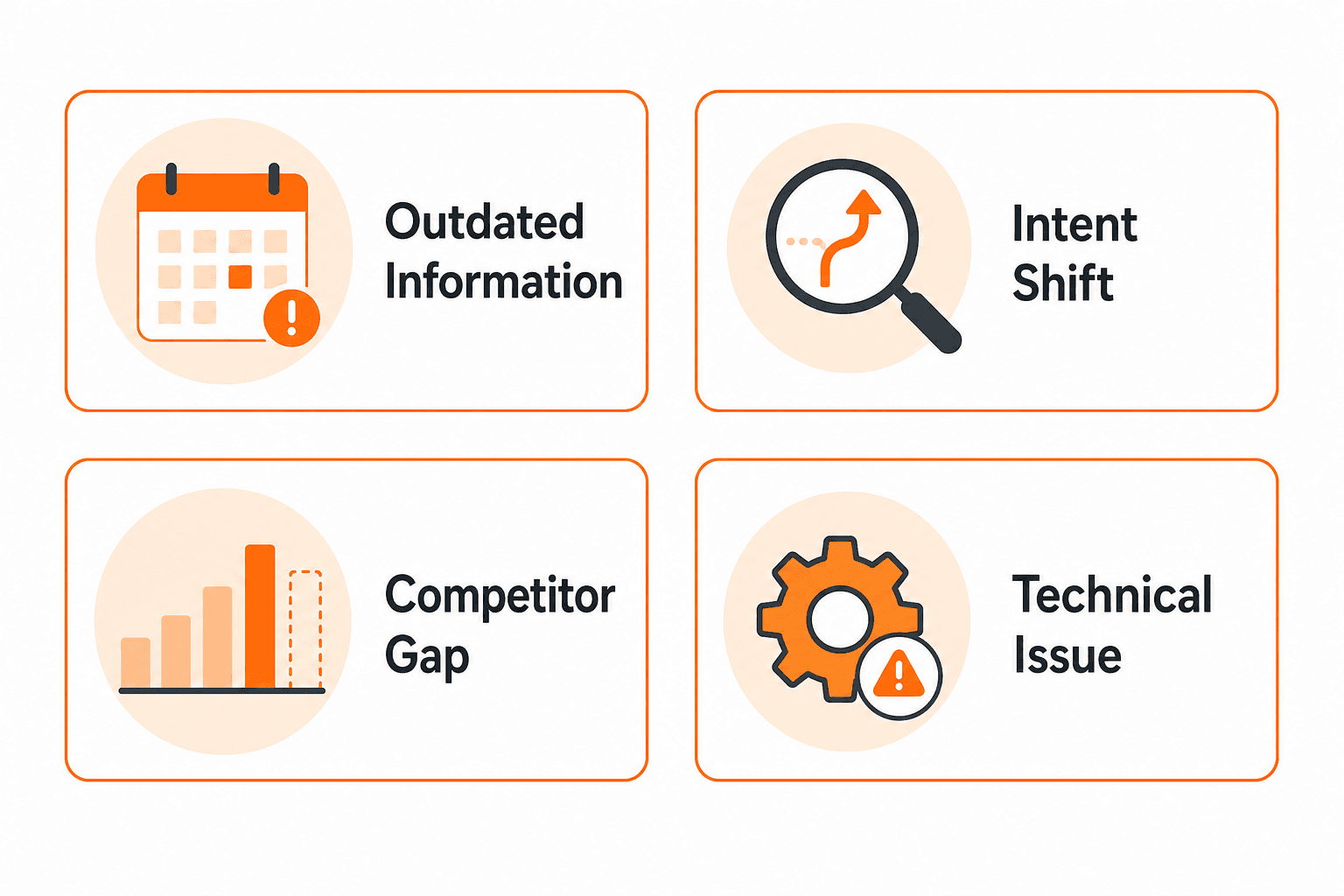
As Search Engine Land explains in their content decay guide, a drop in traffic can happen when existing content no longer fulfills search intent because it is outdated, irrelevant, or losing to more competitive pages. Ahrefs similarly notes that rankings slip, competitors improve, and search intent shifts in ways that are easy to miss until significant damage is done.
How content decay differs from a sudden ranking drop
Scenario | Pattern | How to test it | Likely action |
|---|---|---|---|
Content decay | Gradual decline across weeks or months | Compare GSC clicks and position over 90-day periods | Diagnose cause, then refresh, consolidate, or redirect |
Technical issue | Sudden drop, often site-wide or URL-specific | Check URL Inspection in GSC; look for indexing errors | Fix technical issue before editing content |
Seasonal demand | Cyclical decline at predictable intervals | Compare year-over-year in GSC; check Google Trends | Wait or plan seasonal refresh |
Tracking problem | Inconsistent data across tools | Cross-reference GSC, Google Analytics 4 (GA4), and server logs | Fix tracking before drawing conclusions |
The signals marketers should monitor
Track these in Google Search Console Performance reports: clicks, impressions, CTR, and average position. Also review the query mix (which queries are gaining or losing), conversions from GA4 organic landing page data, indexing status in the Page Indexing report, internal link count pointing to the page, and notable changes in the competitive SERP landscape.
Type 1: Outdated or Expired Information
Old statistics, product screenshots, regulatory details, pricing examples, and time-specific recommendations reduce a page’s usefulness even when the structure and writing remain solid. A reader who lands on an article citing 2022 data in 2026 will reasonably question whether the advice still applies. AI systems that index content for citation purposes also use recency signals when selecting sources.
The fix is not to update the publish date. Google’s people-first content guidance explicitly warns against changing dates without substantive content changes, noting that cosmetic date updates do not improve helpfulness.
What to update during a content refresh
Build a fact inventory before editing. For each time-sensitive claim, record the original source, the checked date, and whether the information has changed.
Statistics and data: Replace with the most current primary source, checked in the current month and year.
Product details and screenshots: Verify features, pricing references, and UI screenshots against the live product page before publishing.
Regulatory and legal references: Confirm current status with the official authority or regulator.
Examples and case studies: Swap outdated examples for current ones or clearly label historical ones.
External links: Check each linked source for accuracy, accessibility, and relevance.
Metadata: Update the title tag and meta description only if the on-page content has materially improved.
FAQs and structured data: Confirm FAQ answers still reflect current information before keeping schema markup.
Calls to action: Verify that linked product pages, offers, or tools are still live and accurate.
Type 2: Search Intent Has Changed
The same keyword can attract a very different dominant page format or audience need over time. A term like “LLM” shifted from meaning a law degree to primarily meaning large language models between 2020 and 2024. An article written for the old intent can lose relevance without a single word on the page changing.
Before rewriting, compare what your article currently promises against what the live SERP delivers. Look at the dominant page type (guide, list, tool comparison, definition), the repeated subtopics across ranking pages, the assumed audience sophistication, and the primary answer format.
How to tell whether the page answers the wrong question
Signal | Old page promise | Current SERP expectation | Required change |
|---|---|---|---|
Page type mismatch | Definition article | Step-by-step guide | Restructure as a how-to with numbered steps |
Subtopic gap | General overview | Comparison with decision criteria | Add comparison table and recommendation logic |
Audience mismatch | Beginner introduction | Intermediate practitioner guide | Increase depth, remove elementary explanations |
Answer format | Long prose | Quick-answer block followed by detail | Add direct answer at the top, reorder sections |
Record the query, the date you checked the SERP, the dominant result formats you observed, and the recurring subtopics before concluding that intent has shifted. A single SERP check is not enough to confirm a permanent change.
Type 3: Competitors Have Created Better Content
Competing pages may win by covering the current decision need more completely, not simply by writing more words. A shorter, better-structured page that answers the dominant question clearly and supports reader decisions with specific examples can outperform a longer article that stays at surface level.
When reviewing competitors, compare: answer clarity at the top of the page, the evidence or data used to support claims, the presence of practical examples, the page experience (load time, readability, mobile layout), freshness of sources, and the depth of internal linking to supporting pages.
What a meaningful content gap looks like
Distinguish between gaps that affect reader decisions and superficial keyword gaps. A decision-support gap means your page does not give the reader enough information to take a confident next step. A keyword gap alone does not require a major rewrite.
Before adding content, map competitor coverage against what your existing page covers and what you could add that is genuinely original, such as a diagnostic worksheet, a decision matrix, or a comparison built from direct SERP observation. Do not characterize competing pages as weak or inaccurate without specific evidence. The goal is to identify what the current reader needs that your page does not provide.
Type 4: Technical and Internal SEO Problems
A page should not be labeled as content decay until indexing, crawlability, canonicalization, redirects, internal links, and analytics tracking have been checked. Technical defects can produce the same declining traffic and visibility patterns as genuine content problems, and editing the page will not fix a crawling or indexing issue.
Common technical causes include: a noindex directive added by mistake, a redirect chain that loses signal, a canonical tag pointing to an unintended URL, broken internal or external links, keyword cannibalization where two pages target the same query and split authority, and weak internal linking that leaves a page undiscoverable.
Google’s documentation on blocking indexing explains that noindex prevents a page from appearing in Search when processed. It is not a canonical selection tool. Google’s canonical consolidation guidance recommends using redirects, rel canonical, and sitemaps as canonicalization signals rather than noindex.
Technical checks to complete before rewriting
Open the URL Inspection Tool in GSC. Confirm the page is indexed and not blocked by noindex or robots.txt.
Check the Page Indexing report for exclusions across similar URLs.
Inspect the canonical tag. Confirm it points to the intended URL.
Check for redirect chains. Each step in a chain can dilute link equity.
Run a broken link check on the page. Both internal and external broken links affect trust and crawlability.
Review internal links pointing to the page. Google’s internal link guidance states that links should be crawlable and use descriptive anchor text.
Check for cannibalization by searching GSC for queries where two of your pages appear and compete for the same position.
Verify that GA4 tracking is firing correctly on the page so traffic data is accurate.
How Do You Diagnose Content Decay Before Rewriting a Page?
Use this dependency-ordered workflow. Completing each step before moving to the next prevents acting on a misdiagnosis.

Set the date range. In GSC Performance, compare the last 90 days against the prior 90-day period. For slow decay, use a 12-month versus prior 12-month comparison.
Compare clicks, impressions, CTR, and average position. Falling impressions with falling clicks often indicates reduced visibility, not just a CTR problem. Stable impressions with falling CTR can indicate a title or SERP presentation issue.
Review the query mix. Which queries lost clicks? Are those queries still relevant to the page’s topic? If the page is losing queries it was never built for, that context matters.
Rule out seasonality. Compare the same period in the prior year. Use Google Trends for the primary keyword to check whether demand itself has changed.
Check indexing and technical status. Use URL Inspection and the Page Indexing report before editing anything.
Compare current SERP intent. Search the target keyword and review the top five results. Note the dominant page type, repeated subtopics, and expected depth.
Review competitor coverage. Identify what the ranking pages offer that your page does not, based on direct observation.
Assess backlinks, internal links, conversions, and update cost. High-backlink pages with strong conversion history are worth more effort. Low-value pages with no backlinks may be better consolidated or retired.
The evidence collection worksheet
Field | What to record |
|---|---|
URL | The exact page URL |
Target topic | Primary keyword and search intent |
Declining metrics | Clicks, impressions, CTR, position |
Date range reviewed | Start and end dates for the comparison |
Affected queries | Top queries losing clicks |
Current position range | Average position in GSC |
Conversions | Organic goal completions from GA4 |
Backlinks | Approximate count and quality |
Internal links | Pages linking to this URL |
Index status | Indexed, excluded, or blocked |
Suspected cause | Outdated info, intent shift, competitor gap, technical issue |
Confidence level | High, medium, or low based on evidence |
Recommended action | Refresh, rewrite, consolidate, redirect, or retire |
How to Fix Content Decay Step by Step
A targeted refresh may help when the page remains relevant and the underlying cause is addressable. Focus on changes that improve usefulness, accuracy, and intent alignment. Avoid cosmetic changes: updating a publish date without substantive edits, adding keywords to sections that already cover the topic, or adding word count without adding decision value.
What to change first
Preserve the URL. If the page has backlinks and conversion history, keep the URL unless the topic has fundamentally changed.
Record baseline metrics. Screenshot GSC clicks, impressions, and position before editing so you have a clean before-and-after comparison.
Validate facts and sources. Check every statistic, product detail, price reference, and regulatory claim against its original authoritative source.
Rebuild the answer around current intent. Compare the page against today’s SERP and restructure the opening, heading order, and answer depth to match what the current reader expects.
Add original decision support. If ranking pages already cover the basics, add a diagnostic worksheet, a comparison table, a decision matrix, or a framework that competitors have not provided.
Repair technical and internal-link issues. Fix broken links, add descriptive internal links from relevant related pages, and resolve any canonical or redirect issues identified in the technical check.
Review metadata and structured data. Update the title tag and meta description only if the content has materially improved. Confirm FAQ schema reflects the updated answers.
Request recrawl and set a measurement checkpoint. After publishing, use the URL Inspection Tool in GSC to request recrawling and set a 30-day and 60-day review date to measure whether clicks and impressions respond.
Should You Refresh, Consolidate, Redirect, or Retire a Decaying Page?
Not every declining page is a refresh candidate. The right action depends on what the page is worth, what problem it solves, and whether a better path forward exists.
Action | When to use it | Evidence needed | Confidence check |
|---|---|---|---|
Refresh | Topic and URL remain relevant; content is the main problem | Confirmed intent match, addressable gaps, some backlink value | Do you have enough source evidence to make factual improvements? |
Rewrite | Core structure or audience need has materially changed | Clear intent shift from SERP review, existing page structure misaligned | Is the new approach confirmed by multiple SERP observations? |
Consolidate | Two or more pages overlap and one can serve the combined intent | Query overlap in GSC, topical similarity, neither page performing strongly | Is one URL clearly stronger for backlinks and conversions? |
Redirect | Page no longer serves a useful purpose and a closely relevant replacement exists | A confirmed destination URL that is genuinely relevant | Is the destination closely relevant, or are you redirecting for convenience? |
Retire (remove) | No audience value, no backlinks, no replacement needed | Confirmed minimal traffic, no conversions, low backlink count | Is this decision reversible if circumstances change? |
As Search Engine Land’s content decay framework notes, fixing content decay is not one-size-fits-all. Understanding why a page underperforms determines the best corrective action.
When a redirect is the wrong choice
Do not redirect a declining page to a loosely related URL simply to consolidate signal. Google’s consolidation guidance requires that a redirect destination be genuinely relevant to the original page’s topic. Redirecting to an unrelated page can harm the destination URL and remove a ranking signal without replacing it. Always confirm the replacement URL closely serves the same audience need before implementing the redirect.
How Keytomic Helps Monitor and Prevent Content Decay
Keytomic is the publisher’s SEO automation software platform. The operational gap for most lean teams is not knowing that a page is declining; it is having a repeatable system to catch it early, assign ownership, and move from detection to action without assembling five separate tools.
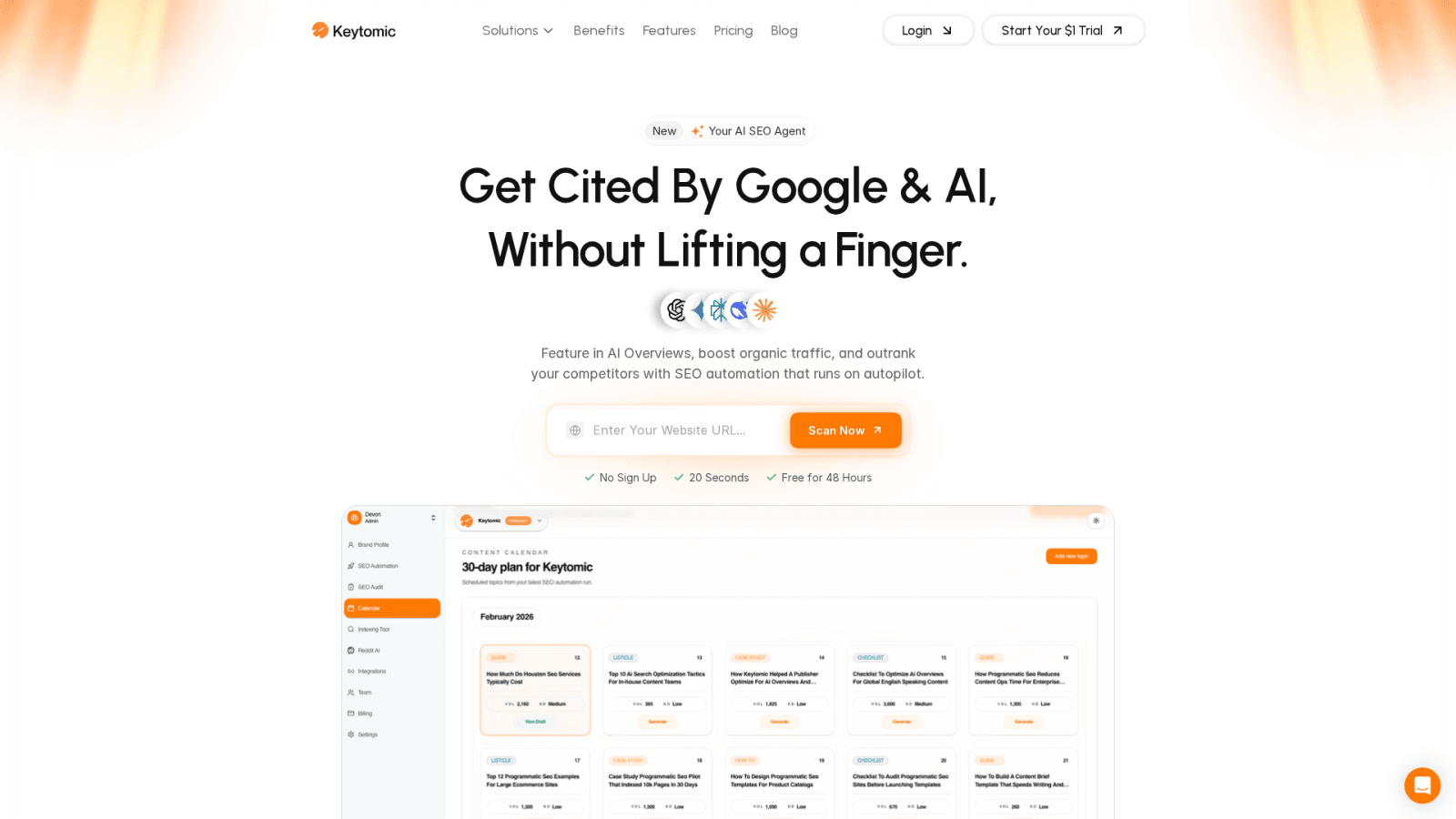
Keytomic supports that workflow across several confirmed capabilities (feature availability checked July 2026):
Maintenance need | Workflow support | Human decision still required |
|---|---|---|
Monitoring clicks, impressions, CTR, and position | GSC and analytics data accessible within the platform | Interpreting cause: technical, intent, or content gap |
Identifying technical issues | Technical audit capabilities | Implementing fixes and validating canonical, redirect, and noindex decisions |
Planning content updates | Topic calendar and content planning workflow | Choosing whether to refresh, consolidate, redirect, or retire |
Publishing and indexing | Direct publishing and indexing status visibility | Editorial review and source verification before publishing |
AI search visibility | AI search monitoring across ChatGPT, Perplexity, Google AI Overviews, and Gemini | Judgment on which content changes improve citation likelihood |
When Keytomic is not the right fit
Automation does not replace editorial judgment, source verification, or technical implementation review for complex sites. Teams managing sites with significant technical debt, multi-region canonicalization decisions, or content that requires specialist fact-checking will still need qualified human review at each decision point. Keytomic can organize and surface the signals; the decisions themselves remain with the team.
Content Decay Recovery Checklist
Diagnosis
Compare GSC clicks, impressions, CTR, and position across a 90-day or 12-month period
Rule out seasonality with a year-over-year comparison and Google Trends
Confirm tracking is accurate in GA4 before drawing conclusions
Check indexing status and canonicalization in URL Inspection and Page Indexing reports
Identify cannibalization by reviewing query overlap in GSC
Content and intent
Compare the page against current SERP dominant intent and subtopics
Validate all time-sensitive facts against original authoritative sources
Identify competitor coverage gaps based on direct SERP observation
Confirm the page adds original decision support that competitors do not offer
Technical
Fix broken internal and external links
Add or improve crawlable internal links with descriptive anchor text
Resolve any noindex, redirect chain, or canonical mismatch issues
Measurement
Record baseline metrics before editing
Request recrawl after publishing
Set 30-day and 60-day review checkpoints
Document confidence level (high, medium, low) before making irreversible changes such as redirects or page removal
Frequently Asked Questions About Content Decay
What is content decay? Content decay is the gradual decline in a page’s organic visibility, clicks, rankings, or usefulness over time. It is a practical SEO diagnostic term, not an official Google classification.
What causes content decay? The four main causes are outdated or expired information, changed search intent, stronger competing content, and technical or internal SEO problems. Each cause requires a different fix.
How can I find decaying content in Google Search Console? Filter the Performance report by page and compare clicks, impressions, CTR, and average position across two comparable date periods. Pages showing consistent declines across all four metrics are candidates for further review.
Does old content always need to be updated? No. First confirm that the topic remains relevant and that the decline is not caused by a technical issue, seasonal demand change, or tracking error. Age alone does not require an update.
How often should content be refreshed? There is no universal schedule. Review timing should depend on how quickly the facts, intent, product details, market conditions, or regulations change for that specific topic.
Should I refresh or rewrite a declining page? A refresh fits when the URL and core intent remain valid and specific gaps are addressable. A rewrite is better when the page structure, audience need, or dominant intent has materially changed.
When should I consolidate two pages? Consolidate when two pages overlap substantially in topic and query coverage, and one stronger URL can satisfy the combined intent without losing a distinct query need.
When should I redirect an outdated page? Redirect only when the original page no longer serves a useful purpose and a closely relevant replacement exists. Do not redirect to an unrelated page. Confirm the destination is genuinely relevant before implementing.
Can technical SEO problems look like content decay? Yes. A noindex directive, redirect chain, canonical mismatch, broken links, or tracking misconfiguration can all produce declining traffic patterns. Check indexing and technical status before rewriting the page.
Can SEO automation help prevent content decay? Automation can support monitoring, workflow organization, publishing, indexing visibility, and reporting. Human review is still needed for intent judgment, source verification, editorial decisions, and technical validation.
What Should You Do Next With a Declining Page?
The decision path is straightforward when you follow the evidence. First, verify the cause by comparing performance data, query relevance, indexing status, and current SERP intent. Second, choose the least risky effective action: refresh when the topic remains valid, consolidate when pages overlap, redirect only to a closely relevant destination, or retire when no useful purpose remains. Third, measure the result by recording the edit, requesting recrawl where appropriate, and reviewing the page at defined checkpoints.
For lean teams that need a centralized place to surface declining pages, track indexing status, plan content updates, and monitor AI search visibility across ChatGPT, Perplexity, Google AI Overviews, and Gemini, the Keytomic SEO automation platform brings those workflows into one system.
If your team is managing a backlog of declining content and wants to see how automated monitoring and workflow coordination works in practice, book a Keytomic demo and see how the maintenance workflow fits your setup.