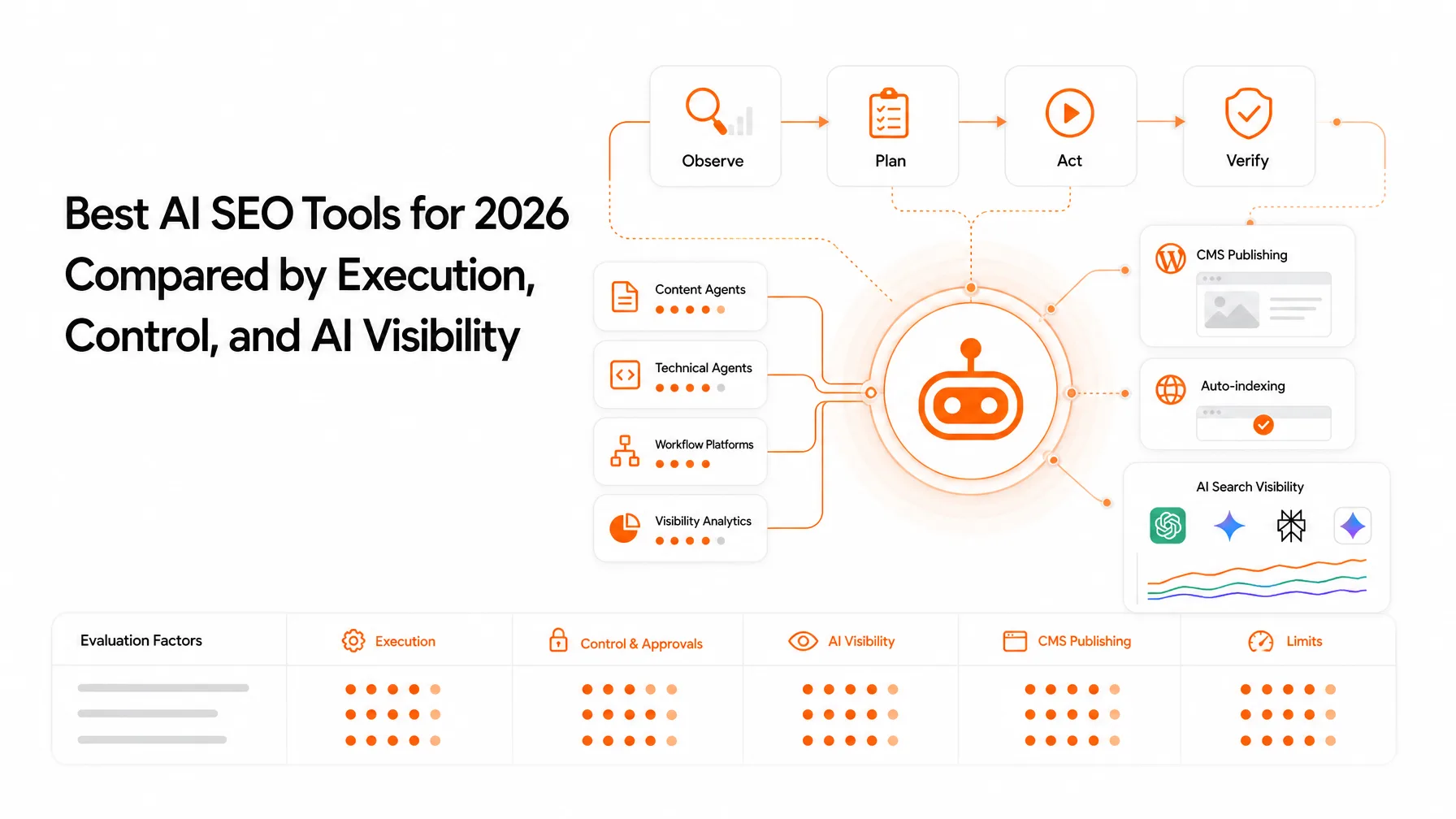
To build an SEO AI agent, start with one repeatable SEO workflow, connect verified search and website data, define the agent's tools and permissions, and add validation before any publishing action.
A practical first version moves from a seed keyword and Google Search Console data to keyword clusters, SERP analysis, a content brief, and an approved CMS draft. It automates bounded work and shows its evidence instead of inventing metrics.
You've got keyword exports in one tab, Search Console data in another, SERP notes in a doc, and a CMS waiting on a draft that still needs fact-checking. That scattered workflow is exactly where an SEO AI agent earns its place. It's also where most first attempts go wrong.
The hard part isn't getting a large language model (LLM) to write. It's deciding what the agent can inspect, what it can change, what evidence it must show, and where a person signs off. I'd treat those four decisions as the real product and the prompt as a detail.
This guide is published by Keytomic, and it walks from a narrow use case to the data layer, tools, a sample agent spec, guardrails, publishing, and measurement. It ends with the four ways to actually build one, with Keytomic included as one example.
What an SEO AI Agent Does and How It Differs from an AI Writer
An SEO AI agent is a tool-using AI workflow that plans and carries out bounded SEO tasks with connected data and defined permissions. A writing tool produces text. An agent inspects data, picks the next step, acts, and checks what happened. If you want the broader concept first, see our explainer on what agentic SEO is.
The agent loop: understand, plan, act, observe
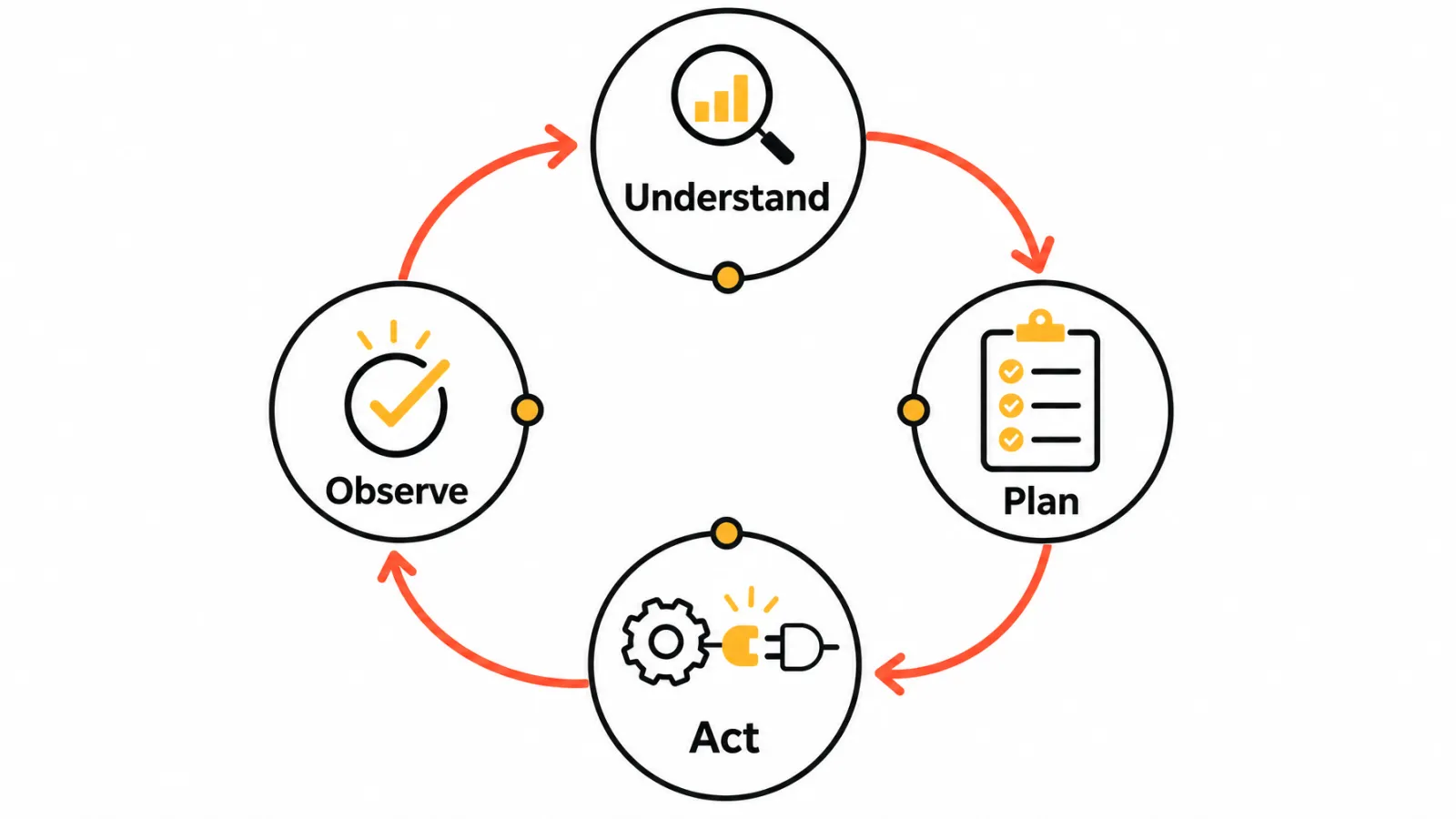
Google Cloud's agent architecture documentation describes agents as applications that take input, reason with tools, keep context, and take actions. In SEO terms, the loop is simple: understand the goal, plan the steps, act with a tool (a Search Console query, say), then observe the result and adjust.
A one-shot prompt stops after the first answer. Here's the thing most people miss: autonomy isn't a product label, it's a permission design choice you control.
SEO agent vs chatbot, AI writer, and traditional SEO platform
Dimension | Chatbot or AI writer | SEO AI agent | Traditional SEO platform |
|---|---|---|---|
Primary function | Answers prompts and drafts text | Runs multi-step SEO tasks | Reports data and offers fixed tools |
Data access | Whatever you paste in | Connected sources through tools | Its own datasets and dashboards |
Action capability | None, or copy and paste | Calls tools within permissions | Preset actions inside the product |
Review requirement | Edit the output | Approve evidence and actions | Interpret the reports |
Not every product marketed as an agent has the same autonomy, so check what it can actually do before you compare.
The Core Components of an SEO AI Agent
Think of four layers. Each one ties to an SEO decision, has a failure risk, and needs a permission rule.
Model and instruction layer
The LLM gets a role, a task objective, constraints, an output format, and escalation rules. Without them it fills gaps with plausible guesses. Permission: recommend only.
SEO data and grounding layer
Search Console, analytics, keyword databases, SERP results, sitemaps, and approved first-party documents give the agent facts to cite. Stale or unverified inputs produce confident but wrong advice. Permission: read-only.
Tools, orchestration, and runtime
API calls, crawl functions, CMS actions, scheduling, retries, and logs turn reasoning into work. Increasingly, those tools arrive through the Model Context Protocol (MCP), an open standard that lets an AI assistant discover and call outside tools and data. A tool with no permission scope can change things nobody reviewed. Permission: scoped per tool and logged.
Memory, validation, and human approval
Brand context, past decisions, source provenance, and duplicate checks keep outputs consistent. Human-in-the-loop review means a person approves defined steps before they take effect. Skip these and the agent repeats mistakes or cannibalizes pages you already have.
How Do You Build an SEO AI Agent That Uses Real Search Data?
I'd follow these six steps in order. It's an editorial sequence based on narrow-first thinking, not a universal standard.
Step 1: Choose one repeatable SEO use case
Pick keyword clustering, content opportunity triage, brief creation, internal link suggestions, or reporting. An AI agent for keyword research is a sensible start, and it's the example used in the spec below. Require one input, one output, and one success metric.
Step 2: Document the human process before automating it
Write down sources, filters, exceptions, judgment calls, and stop conditions. If your team can't agree on how the task works today, the agent will automate the disagreement. The document you write here becomes the agent's instructions almost word for word.
Step 3: Connect verified sources and define permissions
Start read-only. Search Console API access depends on account permissions, as described in Google's Search Console API documentation, so add write access only after validation. If you'd rather not build the connector yourself, an MCP server that exposes your own Search Console data gives the agent the same read access through one connection.
Step 4: Design the tool calls and output contract
Define the input schema, output schema, citation fields, review status, error handling, and escalation path. Keep each tool small. Google Cloud's guidance on tool bloat recommends fewer than five parameters per tool and fixed options (enums) instead of free text, because an overloaded model picks the wrong tool more often and costs more to run.
Step 5: Test against a fixed evaluation set
Use representative keywords, known pages, known errors, and human scoring criteria. Test each tool call on its own before you chain them, so a bad final output points you to the step that broke. Rerun the set after every prompt or tool change so you can see what actually moved.
Step 6: Add a human approval gate before publishing
The first version should stop before any external action. Let an editor approve drafts, then widen permissions on purpose.
Example: An Agent Spec for Keyword Research to Brief
Here's what Steps 2 to 4 look like written down. It's an illustrative spec, not a standard, for an AI agent for keyword research that ends in a content brief. Paste something like it into whatever system you build on, then adapt the tools to the data you actually have connected.
Notice what the spec does: every output carries evidence URLs, the action field uses fixed options, existing pages are checked before anything new is proposed, and the review status defaults to "needs review". Those four choices prevent most of the failures covered later.
What Should an SEO AI Agent Automate First?
My rule: automate low-ambiguity, reversible tasks first. An AI keyword research workflow that discovers and clusters terms fits well, because every cluster can be checked and undone.
Strong first candidates
Keyword clustering and Search Console query grouping
Technical issue classification
Internal link candidate discovery
Content brief assembly
Scheduled reporting
Good jobs to run on a schedule
Once a workflow is reliable, put it on a timer and send results to a review queue rather than straight into your CMS:
Daily: flag pages whose clicks or impressions moved sharply against the previous period.
Weekly: list queries sitting in positions 5 to 20 with real impressions (your quick wins).
Monthly: list decaying pages and suspected keyword cannibalization for a person to review.
Tasks that need more judgment
Final topic selection and brand positioning
Sensitive, medical, or legal claims
Competitor characterization
Publishing decisions
The SEO agent workflow from keyword to published page
The sequence runs: discover, qualify, analyze the SERP, map the topic, draft the brief, generate or edit, validate, approve, publish, monitor. Validation and approval sit between generation and publishing, not after it.
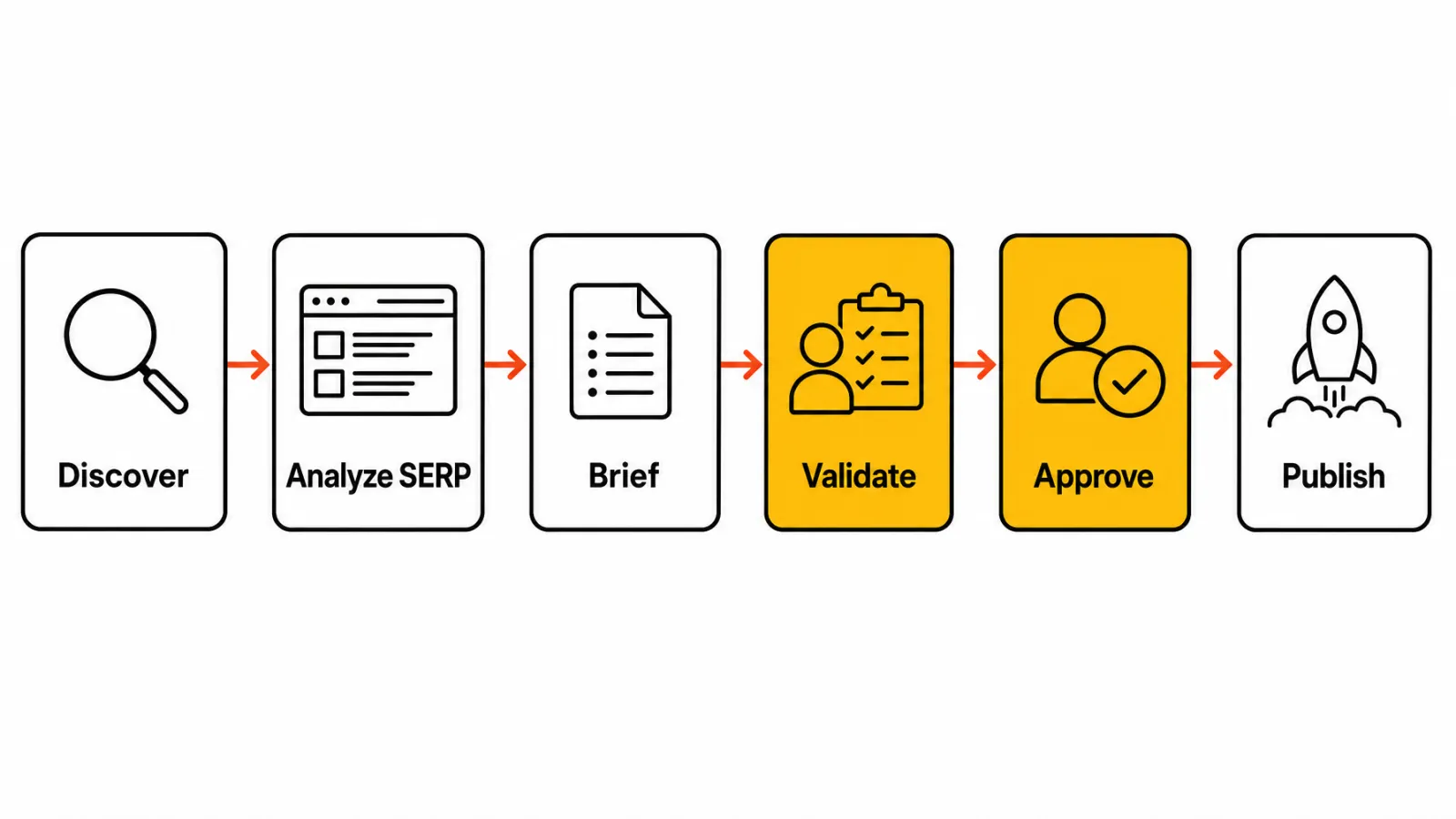
The brief is the handoff point. It's where the agent's research turns into instructions a writer, human or AI, can follow, and where missing subtopics should be caught before drafting starts.
Designing the SEO Agent Workflow from Research to Monitoring
Research and prioritization
The agent reads site context, existing pages, Search Console queries, competitors, and search intent, then ranks opportunities by business value. A SEO topical map workflow turns keyword clusters into connected topics and priorities. A topical map is simply a structured plan of related topics around one subject.
Content production and publishing
This stage covers brief generation, source collection, drafting, internal links, schema review, CMS staging, and approval. Stage first and go live second.
Measurement and feedback
Indexing, impressions, clicks, CTR, ranking movement, AI search visibility signals, and qualified conversions flow back into the next round of prioritization. Google's generative AI search guidance says foundational SEO still applies, so monitor visibility instead of expecting guaranteed citations.
Data Sources and Integrations to Consider
Not every platform has an official integration, so confirm each one in vendor documentation. Terms and permissions vary by provider.
Source | Purpose | Access | Freshness | Risk |
|---|---|---|---|---|
Google Search Console | Queries, clicks, impressions, URL inspection | Official API or an MCP server, with account permission | Typically 2-3 days behind | Row caps |
Analytics platform | Engagement and conversions | Vendor API or export | Varies by setup | Attribution gaps |
Sitemap and crawl data | Page inventory, technical issues | Your own crawl | As fresh as the last crawl | Stale snapshots |
Keyword database | Volume and difficulty | Provider API or MCP, terms vary | Provider schedule | Estimates |
SERP data | Intent and competitors | Provider terms vary | Changes constantly | Personalization |
CMS API | Drafts and publishing | Vendor documentation | Live | Unreviewed changes |
First-party search and website data
The Search Console interface exports 1,000 rows, while the API exposes up to 50,000 rows per day per site per search type, according to Google's performance data deep dive. The Search Console API guidance notes data is typically available after 2-3 days, so don't judge yesterday's page. Keytomic's Google Search Console integration is one way to keep that data connected without maintaining your own API client.
External SEO and search data
Keyword databases, SERP data, backlink data, and competitor pages add context first-party data can't. Several keyword data providers now offer MCP servers, which makes them easy to plug into an assistant. Before you automate against any of them, check what the provider's terms allow and how usage is metered.
Publishing and monitoring systems
CMS APIs, indexing submission workflows, analytics dashboards, and AI visibility observation tools close the loop. Each one needs its own permission scope and audit log.
Human Review, Accuracy, and SEO Guardrails
Fact and source validation
Every material claim needs a source, an owner, or an explicit uncertainty label. Google's guidance on generative AI content says AI can help with research and structure, and it stresses accuracy and fact-checking.
Content quality and spam controls
Block unsupported claims, copied text, keyword stuffing, duplicate pages, content cannibalization, and stale facts. Mass-producing low-value pages can run into Google's scaled content abuse policy. Google's people-first content guidance emphasizes originality, accuracy, and appropriate expertise.
Approval levels and escalation rules
Here's the permission model I'd use. It's a recommendation, not an industry standard.
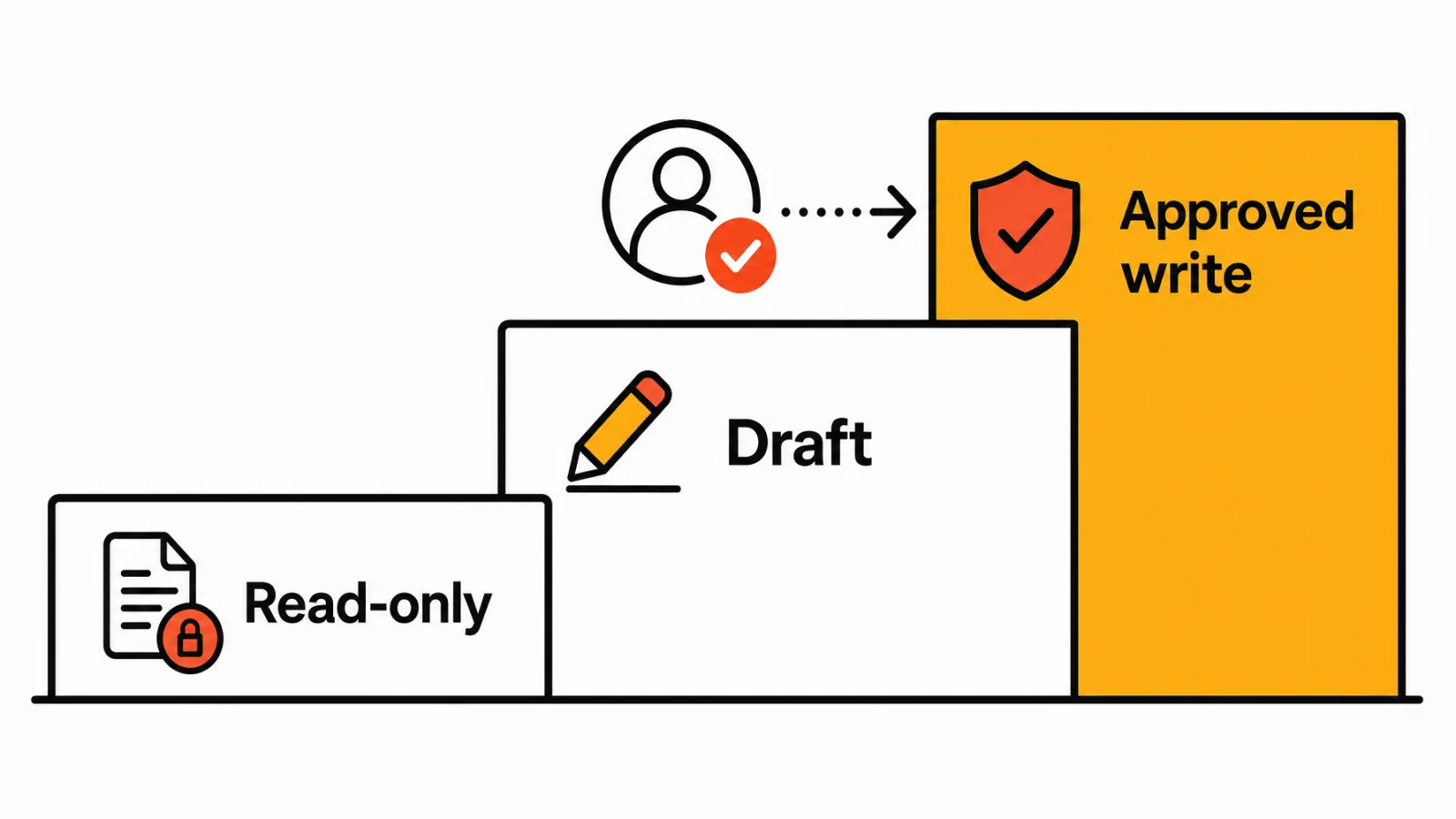
Read-only: inspect data and report, no changes.
Draft or recommend: produce briefs and drafts with evidence and a review status.
Approved write: publish or edit only after a named person approves.
Sensitive topics and regulated claims should always escalate to a qualified human.
Four Ways to Build an SEO AI Agent
The decision is usually about which layer you want to own: your business logic and data, or the model infrastructure and workflow plumbing.
Route | What it looks like | Best for | What you maintain |
|---|---|---|---|
AI assistant plus MCP | Claude, ChatGPT, or another assistant connected to MCP servers for your SEO data | Fast pilots, analysts, small teams | Instructions, prompts, which servers you trust |
Workflow builder | n8n, Zapier, or Make running scheduled steps with an LLM in the middle | Repeatable, scheduled jobs | Workflows, API keys, error handling |
Custom code | An agent framework such as Google's Agent Development Kit, with your own tools | Proprietary data and logic | Everything: code, hosting, monitoring |
SEO automation platform | One product covering research, content, publishing, and monitoring | Teams that want the outcome, not the plumbing | Configuration and approvals |
AI assistant plus MCP
This is the fastest route to a working pilot. You write the instructions from Step 2, connect one or two read-only MCP servers, and run the agent in a chat. Our guide to MCP for SEO covers which workflows suit this route and what to keep read-only.
Workflow builder
This suits jobs with a fixed path that should run on a schedule, like the daily and weekly checks above. We walk through seven of these in our guide to n8n and Zapier SEO automation workflows.
Custom code
This fits when you own unique data and workflows, have engineering capacity, and can commit to long-term maintenance. You get full control, and you also own every failure.
SEO automation platform
This fits when you want one connected workflow for research, content, publishing, audits, and monitoring without owning every infrastructure layer. If you're weighing this against hiring help, see our comparison of an AI SEO agent vs an SEO agency, and the scored roundup of the best AI SEO agents.
How Keytomic Approaches SEO Automation
Disclosure: Keytomic publishes this article, and its platform appears as one example of the platform approach, not a ranked recommendation.
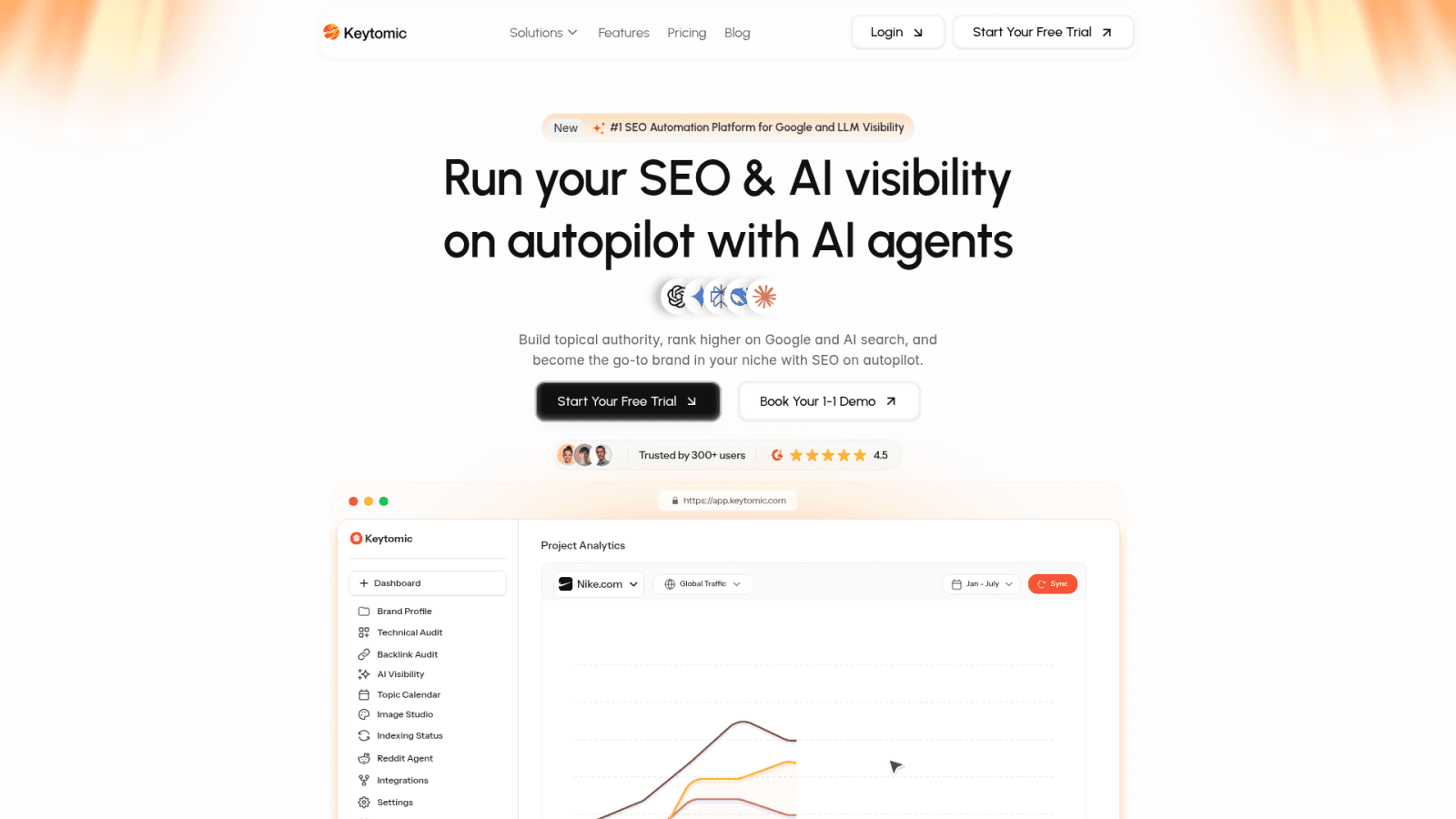
From SEO opportunity to approved execution
Keytomic's site describes AI SEO automation across keyword research, topical planning, content creation, technical audits, CMS publishing, indexing workflows, and visibility tracking across Google and AI search. The pattern it shows has three steps: submit your website, review and approve the plan, then publish to your website.
The approval step is the point. Keytomic automates research and planning, but strategic topic selection and brand voice still need your judgment.
Keytomic MCP as the data layer for your own agent
If you're taking the assistant-plus-MCP route, the Keytomic MCP server can serve as the read-first data layer. Per its product page, it connects Claude, ChatGPT, Cursor, Claude Code, Codex, Gemini CLI, Windsurf, or any assistant that supports remote MCP servers to your own Search Console data and site audits through one URL and a Keytomic sign-in, with no API keys. It surfaces quick wins, decaying pages, cannibalization, index status, and a prioritized technical fix list.
It doesn't change your website's content, settings, or code. That makes it a good fit for the read-only and recommend levels of the permission model above, which is exactly where a first agent should live. It's included in paid plans.
Where Keytomic fits in a custom-agent decision
It suits teams that want a connected SEO workflow instead of building every data connector, publishing step, and monitoring layer. It doesn't replace all custom development or all SEO judgment.
Marketing teams can see how this works in Keytomic's AI SEO workflow for marketing teams.
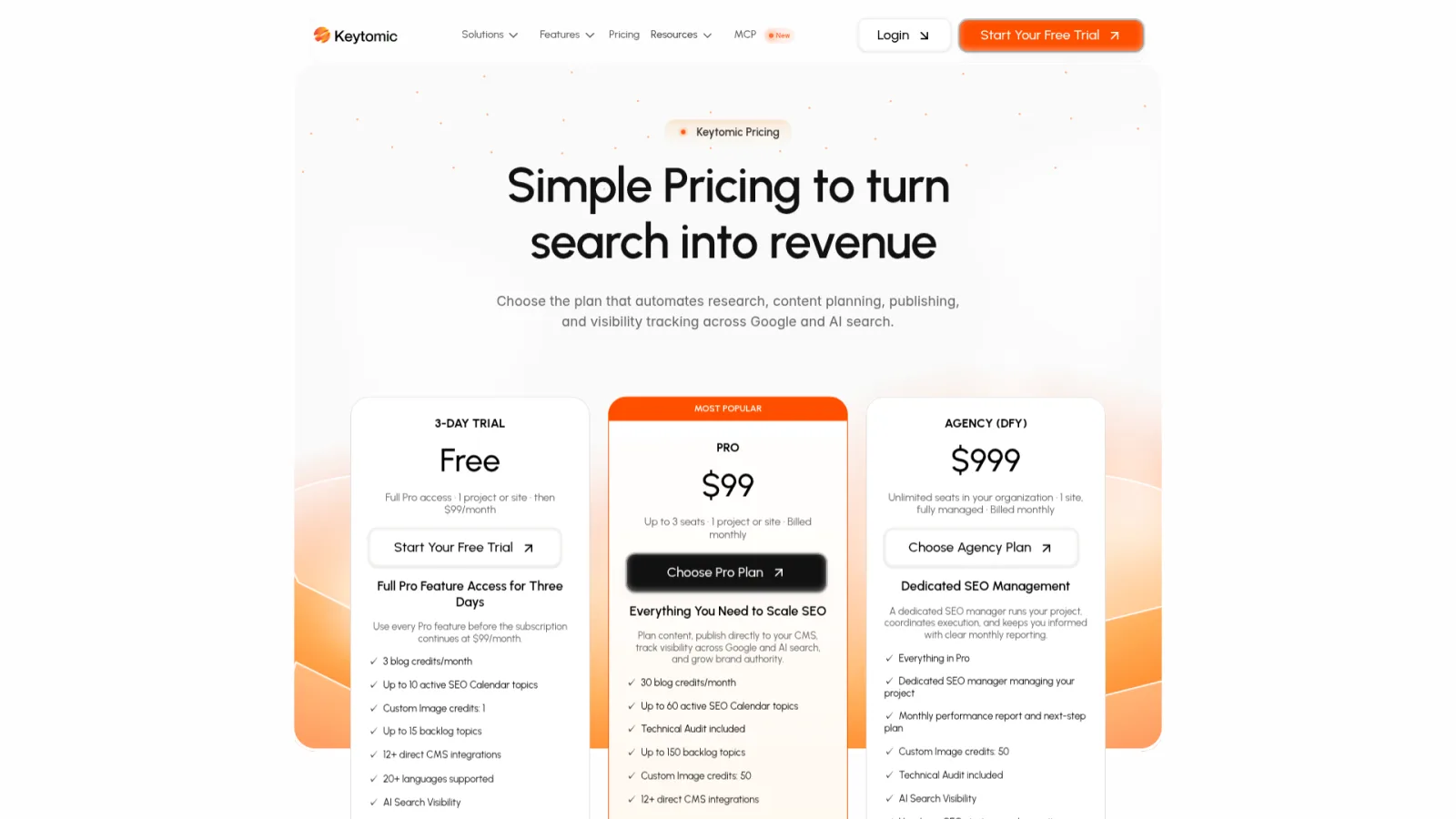
As checked in October 2026, the pricing page shows a 3-day trial and a Pro plan at $99 per month. Confirm the live Keytomic pricing and trial details before you decide.
When Keytomic is not the right fit
Keytomic may not be the right fit for teams that need a fully custom agent with proprietary actions, bespoke infrastructure, or undocumented integrations. A hybrid, with a platform for the core workflow and a custom build for proprietary tasks, can be a reasonable middle path.
Common Mistakes When Building an SEO AI Agent
Starting too broad
An SEO employee is a wish, not a spec. Fix it with one workflow, one input, one output, and a process your team has actually documented and agreed on.
Using unverified or stale inputs
An agent can't tell a six-month-old export from fresh data. Add provenance and freshness fields to every input.
Overloading the agent with tools
Twenty connected tools feel powerful and make the agent worse at choosing. Give each agent only the tools its one workflow needs, and split bigger jobs across specialized agents.
Giving write access too early
Start read-only and add approval gates before any CMS action.
Measuring output volume instead of usefulness
Pages published is a vanity count. Track editor acceptance and qualified outcomes instead.
How to Measure SEO AI Agent Performance
Rankings, clicks, AI citations, qualified conversions, and revenue are separate layers. Set a baseline and a fixed review window before judging results, because one published page proves very little. Rankings and citations are signals, not guaranteed outcomes.
Operational metrics
Track research time, review time, workflow completion rate, tool failure rate, and the share of tasks escalated to a person.
SEO and visibility metrics
Track indexing status, impressions, clicks, CTR, average position, query match, cannibalization, and AI search visibility where it's measurable.
Quality and business metrics
Track factual error rate, editor acceptance rate, qualified organic conversions, assisted conversions, and revenue attribution where your analytics setup supports it.
Frequently Asked Questions About Building an SEO AI Agent
What is an SEO AI agent?
A tool-using AI workflow that plans and executes bounded SEO tasks using connected data and defined permissions.
How is an SEO AI agent different from an AI writing tool?
An agent uses tools and moves through multiple steps, while a writing tool mainly produces or edits text.
Can an SEO AI agent use Google Search Console data?
Yes, through the Search Console API, an official integration, or an MCP server that exposes your Search Console data, with the required account access.
Do I need MCP to build an SEO AI agent?
You can call APIs directly or use a workflow builder. MCP is the quickest way to give an AI assistant access to tools and data without writing your own connectors, which makes it a good route for a first pilot.
Can an SEO AI agent publish content automatically?
It can through a CMS connection, but publishing should follow validation and approval rules suited to your site.
Do you need coding skills to build one?
Not for the assistant-plus-MCP or workflow-builder routes. Custom integrations, permissions, monitoring, and maintenance usually need technical ownership.
How do you prevent hallucinations in an SEO AI agent?
Ground outputs in verified sources, require evidence fields, validate claims, and route uncertain or sensitive outputs to human review.
Should you build or buy an SEO AI agent?
Build when proprietary logic justifies ongoing maintenance. Use a platform when connected SEO execution matters more than owning infrastructure.
Does AI-generated content automatically rank?
Google evaluates usefulness, quality, and relevance rather than giving AI-generated content a special advantage.
Can an SEO AI agent guarantee AI citations or rankings?
Tools can monitor visibility and support better workflows, but no vendor should guarantee rankings or AI citations.
Three Questions to Answer Before You Build
Is the workflow repeatable enough to automate?
Can your team provide verified data, clear permissions, and a human review owner?
Does building the infrastructure create a strategic advantage, or would a connected platform remove more operational work?
If the first two answers are yes, an SEO AI agent is worth piloting on one narrow workflow. Start with the spec above, connect one read-only data source, and compare its output with a report you already trust. If the third answer is no, look at how the Keytomic SEO automation platform handles research, content, publishing, and visibility tracking, and start the trial if it fits.