An SEO audit template for agencies should cover client context, crawlability, indexability, technical SEO, on-page SEO, content, internal links, backlinks, search visibility, and reporting. Each finding should record the affected URL, evidence, impact, recommendation, owner, status, and priority. Treat it as a repeatable starting point, then adapt scope and recommendations to each client's site, goals, and implementation limits.
Agency audits get repetitive fast: a new client site, a different reviewer, and a report that lists more warnings than decisions.
A crawler export shows what's flagged. It doesn't tell you what matters, who owns the fix, what evidence backs it up, or how to explain it to a client.
Here's what I recommend instead: an SEO audit template with a prioritization model, report fields, and a careful route to automation with the Keytomic SEO automation platform.
What should an SEO audit template for an agency include?
A good SEO audit template is a repeatable operating framework, not a fixed diagnosis. It standardizes what you collect, check, and record, so two reviewers reach comparable findings on different sites. Google's SEO Starter Guide frames SEO as helping search engines understand content and helping people find and evaluate pages, which is a useful anchor for scoping.
The difference between an audit checklist and an audit report
The checklist guides your investigation. The report explains verified findings and the decisions a client needs to make. I recommend keeping them as two separate layers.
| Audit checklist | Client report |
|---|---|---|
Purpose | Guides investigation | Explains verified findings and decisions |
Audience | Internal SEO team | Client stakeholders |
Detail level | Every check, pass or fail | Material findings only |
Key fields | Check, evidence, status | Priority, impact, owner, decision requested |
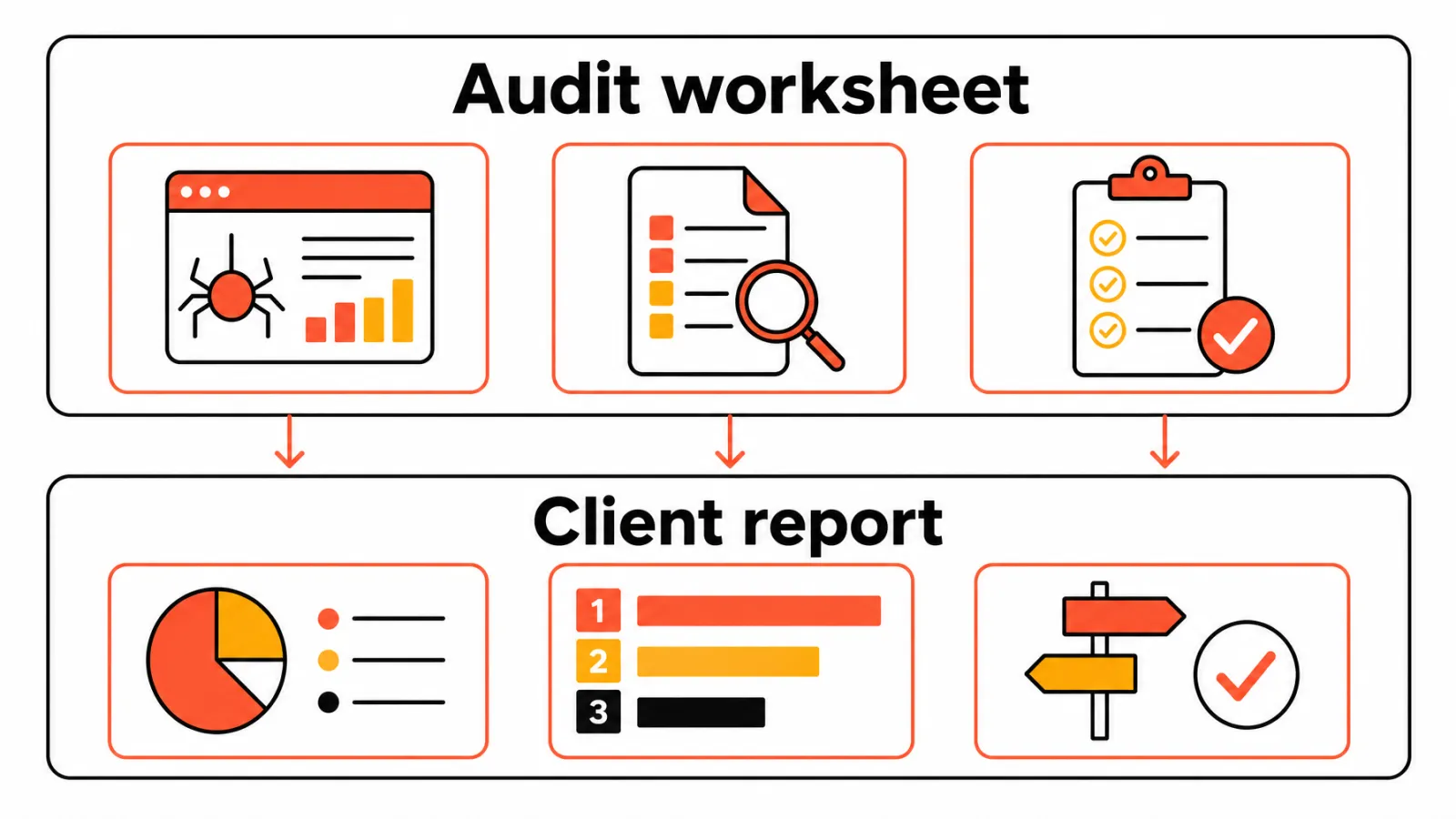
The fields that make findings actionable
Every finding should carry the same core fields, whatever the category:
Affected URL or template
Evidence, such as a crawl export, Search Console view, or screenshot
Business impact and SEO risk
Recommendation, owner, and status
A verification step that confirms the fix
Why the same framework still needs client-specific scope
Reuse the structure, not the conclusions. A 40-page service site and a large ecommerce catalog share fields but not checks.
Recent migrations, release cycles, and client constraints also change what deserves attention first.
Client and website information to collect before the audit
Your SEO audit template needs an intake step, or the audit drifts into generic advice. Treat these fields as process recommendations, not platform requirements.
Business goals, services, locations, and priority conversions
Primary business goal and priority services
Target markets and physical locations, if any
Conversion actions that matter to the client
Website, CMS, analytics, Search Console, and access details
Access to Google Search Console (GSC) matters most, because Google's Search Console documentation covers the Performance, indexing, and sitemap data you'll pull.
CMS, hosting, and who can publish changes
Google Analytics 4 (GA4) access and conversion setup
GSC property access and submitted sitemaps
Competitors, target markets, templates, and recent changes
Main organic competitors
Key page templates, such as service, category, and article pages
What changed recently? Migrations, redesigns, and major releases
What can't be changed this quarter? Add this one, and you'll avoid impractical recommendations
Technical SEO audit checklist for agencies
Define each check in one sentence, then capture the evidence. A detected issue isn't the same as a business-impact conclusion, so never call a page blocked or non-indexable without a reproducible signal.
Crawlability, indexability, robots.txt, and XML sitemaps
Check that important URLs can be crawled and indexed, that robots.txt doesn't block anything it shouldn't, and that the XML sitemap lists only canonical, indexable URLs. Evidence to capture: the URL Inspection result, the GSC indexing report, and a crawl export.
Canonicals, redirects, status codes, and site architecture
Look for canonical conflicts, redirect chains, unexpected status codes, and priority pages buried deep in the structure. Evidence to capture: crawl data with the status code and the full redirect path.
Core Web Vitals, mobile usability, rendering, and page experience
According to Google's Core Web Vitals documentation, the current metrics are LCP, INP, and CLS, with good thresholds of 2.5 seconds or less, 200 milliseconds or less, and 0.1 or less. Don't promise ranking gains for passing them.
Capture PageSpeed Insights or field data, mobile checks, and rendered-HTML comparisons for JavaScript-heavy templates.
Structured data, metadata, broken links, and orphaned pages
Validate schema markup against Google's structured data guidance, which says markup helps Google understand a page but doesn't guarantee a rich result. Then check missing or duplicate metadata, broken internal links, and orphaned pages.
Here's the step most checklists skip: add a verification step to every finding, such as a re-crawl or a fresh URL inspection after the fix. A strong SEO audit template makes closure criteria explicit.
On-page SEO, content, and topical authority review
Page checks only make sense when they're tied to the searcher's task. Google Search Essentials is the baseline for people-first content, links, and spam policies.
Titles, headings, intent alignment, and internal links
Title tags and headings that match the page's purpose
A Search Engine Results Page (SERP) review to confirm intent alignment
Internal links with descriptive anchors pointing to priority pages
Image alt text and structured data that reflect visible content
Thin, duplicate, outdated, and cannibalized content
Cannibalization means multiple pages compete for overlapping intent. Don't call it from similar wording alone; require GSC query and page data plus a SERP check first.
Then record a decision for each page: keep, improve, merge, redirect, or remove, with a reason and the evidence behind it. Illustrative example: two near-identical service guides share the same queries in GSC, so you flag a merge candidate for review.
Content gaps, topical coverage, and refresh opportunities
Content gap analysis compares a client's coverage with competitors and with the questions searchers actually ask. Group the gaps into topical clusters, then separate new content from refreshes of outdated pages. Treat topical coverage as a planning input, not a ranking lever.
Off-page SEO and authority signals to review
Keep this section conservative and evidence-led. Separate what you observe from what you judge.
Backlink quality, referring domains, anchor text, and link relevance
Review the linked page, the referring page's context, anchor distribution, and relevance using link index exports. Don't label a link toxic without a defined method; "links requiring review" is the safer phrase. Google's link spam policies are the reference point.
Unlinked mentions, local citations, and competitor opportunities
Unlinked brand mentions that could be turned into links by a polite request
Local citations with consistent business details, for clients with locations
Competitor link opportunities that are editorially appropriate
A "do not pursue" outcome for irrelevant, paid, or manipulative opportunities
How do agencies prioritize SEO audit findings?
Severity labels alone produce long lists that don't map to client goals. My editorial model, which is not an industry standard and doesn't predict ranking gains, weighs business impact, organic visibility risk, affected URLs, and urgency, then adjusts for effort and dependencies.
Impact, effort, risk, and business value
Start with the pages that earn or convert. A widespread template error on service pages outranks a cosmetic issue on an archive.
Back the score with affected URL counts, GSC data, conversion data when you have it, and developer input on effort.
Dependencies, owners, evidence, and implementation order
Some fixes block others. Sort out redirects before you resubmit a sitemap, for example.
Give every finding a named owner and a stated dependency, so nothing sits in limbo.
A practical severity model for client work
Critical: clear evidence that important pages are inaccessible or key templates produce widespread errors
High: meaningful risk on priority pages, fixed in the current cycle
Medium: a real issue with limited reach
Low: hygiene work you can batch
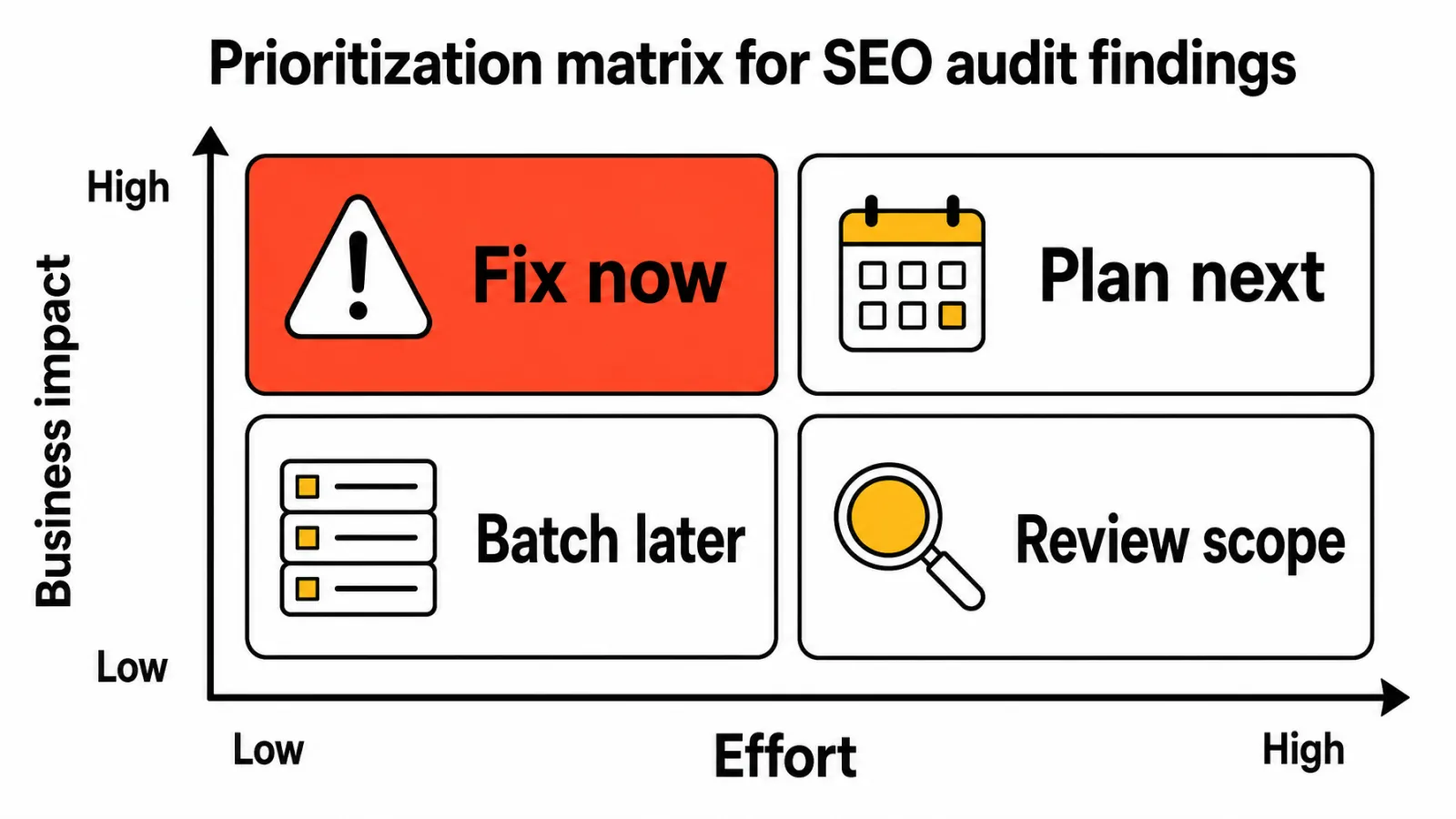
Prioritization is judgment, not machine-generated truth.
How do you turn an SEO audit into a client-ready report?
Your SEO audit template should keep the technical worksheet internal and give the client a report built on it. Use plain language at the top and keep technical detail in the finding table.
Executive summary and client context
Open with scope, audit date, business context, key risks, and the top priorities. If you deliver white-label SEO reporting, meaning a client-facing report under your agency's branding, you still own the interpretation and the recommendations.
Finding table with evidence and recommended action
Each row should include the issue, affected URL or template, evidence, why it matters, recommendation, priority, owner, status, dependency, and verification step. Add a "decision requested" field too, so the client sees whether you need approval, access, budget, or developer time.
Every material finding should link to a crawl export, a GSC view, a screenshot, or an approved task record.
Roadmap, owners, success metrics, and review date
Close with an implementation roadmap, success metrics tied to the client's goals, and the next review date. Good client SEO reporting makes the next step obvious without promising outcomes you can't control.
How agencies can automate recurring SEO audits with Keytomic
Keytomic is the company publishing this guide, so evaluate the platform against your agency's workflow and approval requirements. I'm describing what the official pages say, not promising results.
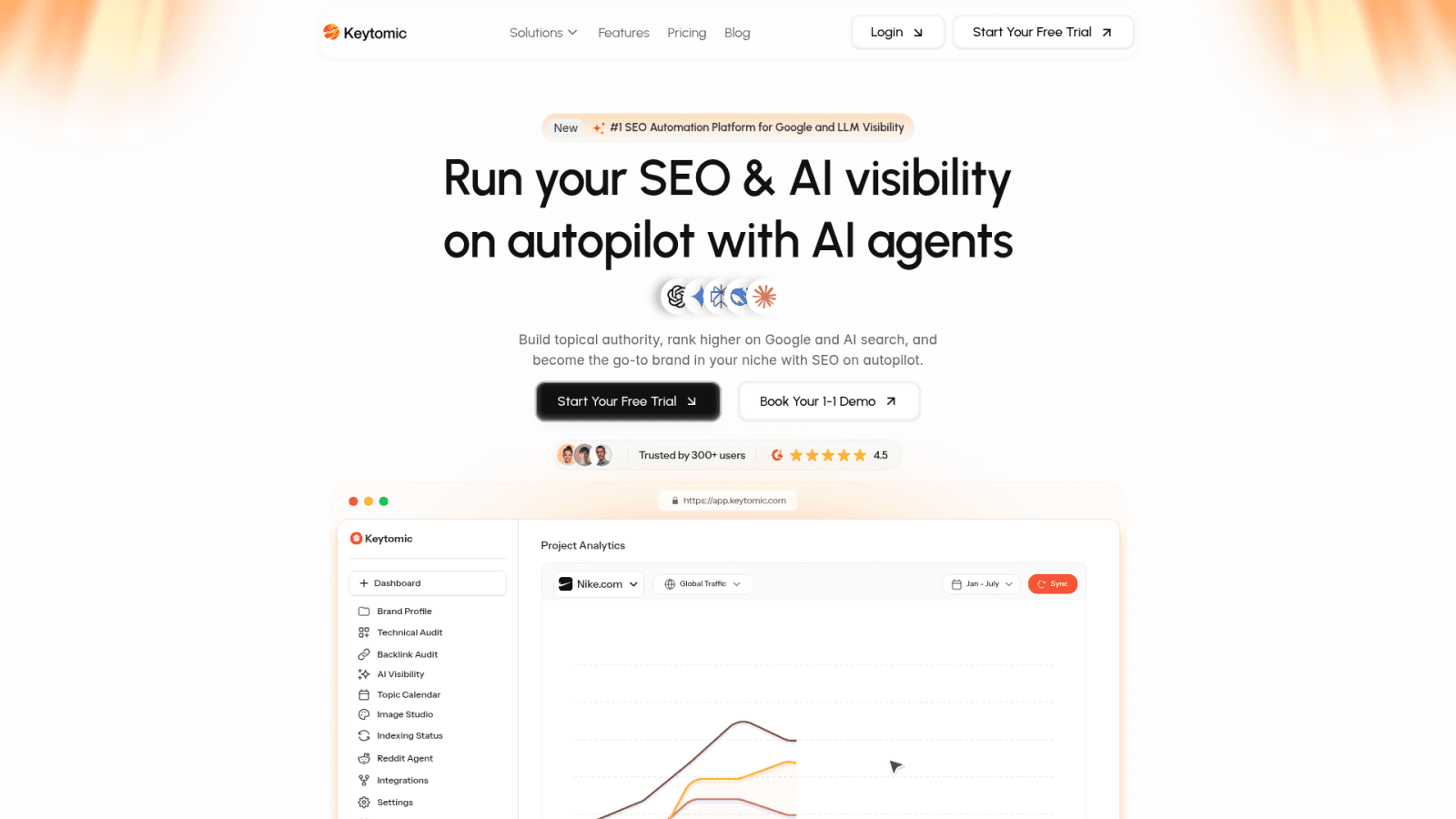
Where automation can reduce repetitive audit work
The official page for the Keytomic technical SEO audit workflow describes crawl-level checks across indexability, Core Web Vitals, mobile usability, broken links, orphaned pages, metadata, schema, and rendering, with severity-ranked findings and specific fixes. It also recommends running audits after major changes and periodically, which fits the trigger-based cadence described above.
The agency page for SEO automation software for agencies describes a connected workflow covering client research, content, technical audits, white-label reporting, AI visibility tracking, approvals, publishing, indexing, and reporting. That's useful when repeated copying between tools is your bottleneck.
Here's how I'd draw the automation boundary:
Can support: collecting crawl evidence, sorting findings by severity, rerunning checks, and preparing report material
Needs human judgment: scope, business impact, priority, recommendations, client communication, and approval
Evidence required: affected URLs, exports, and screenshots, confirmed in GSC where relevant
Where human review still matters
Automated output is an input, not a verdict. Someone has to confirm the evidence, decide whether a flagged issue matters to this client, and own the conversation.
AI visibility tracking is a monitoring layer too. It isn't a guaranteed ranking factor or a promise of citations.
When Keytomic is not the right fit
Agencies that need highly bespoke technical consulting, server-log analysis, advanced migrations, legal or compliance review, or full developer implementation may need specialist human support beyond an automated audit workflow. If your work is mostly repeatable audits and reporting, compare the workflow against your own approval process before you commit.
SEO audit template for agencies: copy-ready fields
Paste these fields into Sheets, Airtable, Notion, or your project system. This SEO audit template uses recommended workflow fields, not legal or platform requirements.
Block | Fields to copy as columns | Use it for |
|---|---|---|
Audit setup | Client, website, audit type, scope, target market, priority services, audit owner, reviewer, audit date, previous audit date, data sources, access status, major site changes, exclusions | One record per audit |
Finding record | Finding ID, category, issue, affected URL or template, evidence source, evidence link or screenshot, business impact, SEO risk, priority, effort, dependency, owner, recommendation, status, target date, verification step | One row per finding |
Client report | Executive summary, top three priorities, quick wins, strategic work, blocked items, client decisions needed, success metrics, next review date | One per client deliverable |
Audit setup record
Fill this in before any crawling starts. The reviewer and exclusions fields stop scope creep and make sure a second person checks the work.
Finding record
This is the internal worksheet layer. The evidence and verification columns are what let you close a finding with proof instead of opinion.
Client report and implementation record
This is the client-facing layer. "Client decisions needed" and "blocked items" keep approvals moving.
Frequently asked questions about agency SEO audits
Scope and cadence questions
What is an SEO audit template for agencies?
A reusable framework for collecting audit inputs, recording evidence, prioritizing findings, and preparing client actions across different websites.
What should an agency SEO audit checklist include?
Technical, on-page, content, internal-link, off-page, measurement, and reporting checks, scoped to the client's site and goals.
How is an SEO audit checklist different from an SEO audit report?
The checklist guides investigation; the report explains verified findings and the decisions the client needs to make.
How often should agencies run SEO audits?
It depends on migrations, releases, traffic changes, site size, and retainer scope. Run focused audits after major changes instead of following a fixed schedule.
Should an SEO audit include backlinks?
Yes, when relevance, link context, referring domains, and anchor text can be reviewed with reliable data and policy-safe actions.
Reporting and white-label questions
What evidence should an SEO audit finding contain?
The affected URL or template, reproducible evidence, why it matters, a recommendation, an owner, and a verification step.
How do agencies prioritize SEO audit findings?
Weigh business impact, organic visibility risk, affected scope, effort, urgency, and dependencies, then apply judgment.
What is a white-label SEO audit report?
A client-facing audit delivered under the agency's branding. The agency stays responsible for interpretation, communication, and recommendations.
Automation and human-review questions
Can SEO audit reporting be automated?
Partly. Software can support data collection, recurring checks, sorting, and monitoring, but scope, business judgment, and final recommendations still need human review.
When should an agency use a specialist instead of an automated audit workflow?
For complex migrations, server-log analysis, custom infrastructure, legal or compliance-sensitive work, or implementation needing advanced development expertise.
Closing decision guidance
Before you run the next audit, work through this checklist:
Confirm the audit scope and the client's business priority.
Collect access and baseline evidence.
Run the relevant technical, on-page, content, and off-page checks.
Record affected URLs and proof for every material finding.
Prioritize by impact, effort, urgency, ownership, and dependency.
Convert the findings into a client-readable report.
Set the verification step and the next review date.
Decide whether recurring audit work stays manual, becomes partly automated, or is supported by Keytomic.
Start with scope, then let the evidence decide what reaches the client. A reusable SEO audit template keeps that process consistent while you stay in charge of the judgment calls.
When you're ready to see how recurring audits and client reporting could fit your workflow, book a Keytomic demo.