A Google Search Console MCP server connects an MCP-compatible AI assistant to Google Search Console (GSC) data through an implementation that calls the Google Search Console API. Self-hosted setups usually need a Google Cloud project, OAuth credentials, and property access, while hosted connectors may use their own account-based authorization. Start read-only, then verify the property with a small date-bounded query.
You want to ask an assistant which pages lost clicks last month without exporting yet another CSV. You also don't want to hand an unreviewed server broad access to your Google account.
A Google Search Console MCP setup can solve the first problem and quietly create the second if you rush it. MCP is only the connection layer. It isn't a universal GSC server, and it doesn't make SEO decisions for you.
I'll walk through the two setup paths, the permission checks that trip people up, a test you can verify, and the failure points worth checking first. Keytomic, the SEO automation platform behind this blog, also documents a hosted route, which I'll cover after the neutral steps.
What does a Google Search Console MCP server actually do?
The Model Context Protocol (MCP) is an open standard for connecting AI applications to external systems, as described in the official MCP documentation. Your assistant is the host, it talks through an MCP client to an MCP server, and that server calls the Google Search Console API on your behalf.
So a Google Search Console MCP server is a translator with a tool list. It can only do what its author chose to expose, and only for properties your authorized account can reach. Keytomic has a separate walkthrough of broader MCP workflows for SEO if you want the wider picture.

The data underneath is Search Analytics: clicks, impressions, CTR, and average position, grouped by dimensions such as query, page, country, and device. Row counts matter here. The Search Analytics query reference lets you request up to 25,000 rows per call, with a default of 1,000, so a server that never pages can look complete when it isn't.
Which tasks can it support, and which depend on the server?
Query reporting is the common baseline. Some servers add URL Inspection data or sitemap tools, but that is a server decision, not a guarantee.
Read the tool list before you connect, and note which tools only read and which can write. What the GSC API can do and what a given server exposes are two different lists.
What GSC MCP does not mean
It helps to be blunt about the boundaries:
It isn't the GSC web interface, and it doesn't replace it.
It isn't the Google Search Console API itself, only a layer that may call it.
It isn't GA4. Google Analytics is a separate product with separate data.
It isn't a ranking guarantee. Connecting an assistant doesn't improve rankings by itself.
I'm also not assuming any community server is endorsed by Google. A repository README is implementation evidence, nothing more.
Which Google Search Console MCP setup path should you choose?
There are two broad routes, and either can work for a Google Search Console MCP deployment:
Self-hosted: you run the server, manage the Google Cloud project and OAuth credentials, and keep the runtime updated.
Hosted: a provider runs the server, you authorize through that provider's account flow, and you trust the provider with the access you grant.
Here's the thing most setup guides skip: the decision is about credential custody and permission boundaries, not setup speed. Ask who holds the tokens, who can revoke them, and which tools the assistant can call. Keytomic's official docs describe its own hosted route, which isn't a generic GSC server.
When a self-hosted server is appropriate
Self-hosting gives you local control and puts operations on you. That means patching, credential storage, and watching for upstream changes.
I'd never claim it's more secure by default. Before installing anything, review repository activity, package ownership, the code, the scopes it requests, and its release notes.
When a hosted connector is appropriate
A hosted connector avoids local runtime work, and the trade-off is trusting a provider to operate the service. Inspect the authorization flow, data retention, revocation options, available tools, and provider terms before you connect.
What do you need before connecting Google Search Console to MCP?
Gather these first:
A verified GSC property you can access, either a domain or URL-prefix property.
A Google account with a role on that property.
For self-hosted routes, a Google Cloud project in Google Cloud Console with the API enabled and the OAuth 2.0 credentials the server documents.
An MCP-compatible AI client.
A local or hosted runtime for the server.
Google's Search Console API authorization guide says OAuth 2.0 is required for user data. It documents webmasters.readonly as read-only and webmasters as read/write. A scope doesn't grant property access on its own, because Search Console user roles documentation governs that separately.
If you're using Keytomic, the Keytomic Google Search Console connection guide covers the platform-specific GSC authorization steps.
Layer | What it controls | How to check |
|---|---|---|
Google OAuth scope | Whether the token can read ( | The server's docs and the consent screen |
GSC property role | Which properties the signed-in account can reach | Users and permissions in Search Console |
MCP server tools | Which actions the assistant can call | The server's tool list |
Client approval | Whether the AI client asks before running a tool | The client's MCP settings |

Minimum access for a read-only test
Start with the narrowest read-only scope and no write tools. Verify that your chosen server actually requests webmasters.readonly, because I wouldn't assume it does. Then confirm the signed-in Google account can open the target property in Search Console.
When service accounts are supported
Service accounts are implementation-specific. Use one only if the server's own documentation supports it, and follow its instructions for granting the service-account identity access to each property and which role it needs. If the docs don't say, skip this branch instead of guessing.
How do you set up and verify a Google Search Console MCP server?
This is a documentation-based procedure, not a recorded test of one named server. Commands, environment variables, and config files differ by project, so I'm keeping them generic. Follow the selected server's current README, and never paste secrets into a chat window.
Here's the order I'd work in:
Choose and inspect one maintained server: activity, ownership, code, release notes, and requested scopes.
Confirm it supports your AI client and transport, using the client's official MCP docs.
Create or select a Google Cloud project, if that server requires one.
Enable the Google Search Console API in that project.
Configure the OAuth consent screen and create the credential type the server documents.
Install the server with its own current command and add its documented config to your client.
Complete the Google sign-in and select the right property.
Restart or reload the client if the server's docs call for it.
Run a small read-only test before anything else.
Self-hosted connection steps
Before you copy any config, find three facts in the server's docs: the OAuth scope it requests, the tools it exposes, and the transport it uses. If it asks for webmasters read/write access and you only need reports, I'd look for a different server or configuration. Don't reuse environment variable names from another repo.
Hosted connector steps
Hosted routes skip the local runtime, but they aren't permissionless. For Keytomic, the Keytomic MCP setup documentation describes connecting with a Keytomic account through OAuth, with no Google API key needed. Check the current account requirements, supported clients, tools, and limitations there before you connect. I checked these details against official Keytomic pages in October 2026, so recheck if you're reading this much later.
How to confirm the connection
A saved config isn't proof of anything. Treat the test below as your acceptance gate, and record the tool name and property you used. Don't trust output you can't reproduce in the GSC interface.
Ask the assistant to list the properties it can access.
Select the exact domain or URL-prefix property.
Request a small date-bounded aggregate, clicks and impressions only.
Compare it with the Performance report using the same dates, filters, and dimensions.

What are useful first queries to test with GSC MCP?
These are example prompts, not recorded output. Swap the placeholders for your own property and dates, and check each result against the interface.
Aggregate: Return total clicks and impressions for [property] from [start date] to [end date]. Check: totals match the Performance report for the same dates.
Pages: Group clicks and impressions by page for the same range, top 20 by clicks. Check: URLs match the Pages view.
Queries and devices: Group by query and device. Check: rows match the same filters in the interface.
Period comparison: Compare [period A] with [period B] by country. Check: the assistant states the property, dates, filters, and dimensions it used.
Honesty clause: Tell me about any row limit or freshness caveat, and say when a field can't be retrieved.
Start with aggregate, then add one dimension
One variable at a time makes permission, date, and query errors much easier to isolate. The API requires a date range and returns grouped rows according to the dimensions you request. Add page first, then query, then country or device.
Interpret metrics without overstating them
Clicks are visits from Google Search results, impressions count how often your result appeared, and CTR is clicks divided by impressions. Average position is an aggregate, so it can hide a lot of variation. Recent data may be preliminary, and rows can be limited or omitted.

None of these fields tell you search volume, competitor rankings, backlinks, or GA4 engagement. Don't let an assistant infer those from GSC alone.
What SEO workflows can GSC MCP support, and what are the limits?
Once the test passes, these are the workflows I'd try first:
Content refresh discovery: pages whose clicks fell between two stated periods.
Keyword opportunity analysis: existing queries with high impressions and low CTR, or positions just below page one.
Page performance monitoring: regular page-level changes in clicks and impressions.
Indexing investigation: URL Inspection results for specific URLs, where the server supports them.
Automated reporting: recurring summaries that state property, dates, and filters.
The limits are real. These workflows analyze your authorized property, not competitors' private GSC data. Treat output as hypotheses: GSC numbers are measured, but the diagnosis is generated, so a human should review it before anything changes on a site. Tool availability varies by server, and row limits and preliminary data affect every analysis.
Separate GSC data from GA4 data
GA4 is a different product with its own data and API. Sessions, engagement, and conversions come from Google Analytics, not GSC. Unless the server's docs say it includes Google Analytics, assume it doesn't. For a full picture, you'll want to connect Google Analytics via MCP separately alongside your GSC connection.
Separate URL inspection and sitemap submission from indexing guarantees
Reading URL Inspection data, submitting a sitemap, and requesting indexing are different operations. A sitemap submission doesn't guarantee crawling or indexing. Google's Indexing API eligibility rules limit it to pages with qualifying job posting content or livestream video markup, so don't treat it as a general recrawl path.
How do you troubleshoot a failed GSC MCP connection?
Start by classifying the failure: authentication, property authorization, or a valid query that returned no rows. Check the server logs and docs before touching permissions. Empty data isn't an API outage by default.
Symptom | Likely cause | What to check |
|---|---|---|
Server doesn't appear in the client | Config path, transport, or runtime problem | Client MCP config, server logs, client restart |
Authorization fails | Consent screen or credential type mismatch | Server docs, OAuth client type, consent settings |
Empty property list | Signed-in account has no GSC access | Account used at sign-in, property role |
Permission denied | Wrong property identifier or role | Domain versus URL-prefix format, role |
Expired or invalid token | Token expired or access revoked | Re-authorize and review stored credentials |
Quota exceeded | Too many requests | Fewer, narrower queries and the official limits |
Empty results | Dates, filters, property, or data limits | Widen dates, remove filters, compare with the interface |
Malformed or unsupported request | Invalid dimension, date, or filter | Request fields against the API reference |
Check the property and permissions before changing credentials
Use the exact property identifier the API or server expects. Confirm the signed-in account and its role on that property. Please don't broaden access as your first troubleshooting step.
Reduce query complexity and inspect limits
Try a shorter date range and fewer dimensions first. Then check Google's current Search Console API usage limits, since quota details can change.
How Keytomic fits into Google Search Console automation
Disclosure: Keytomic publishes this blog, and I'm its Product & Growth Lead, so read this as one documented hosted option, not a neutral ranking.
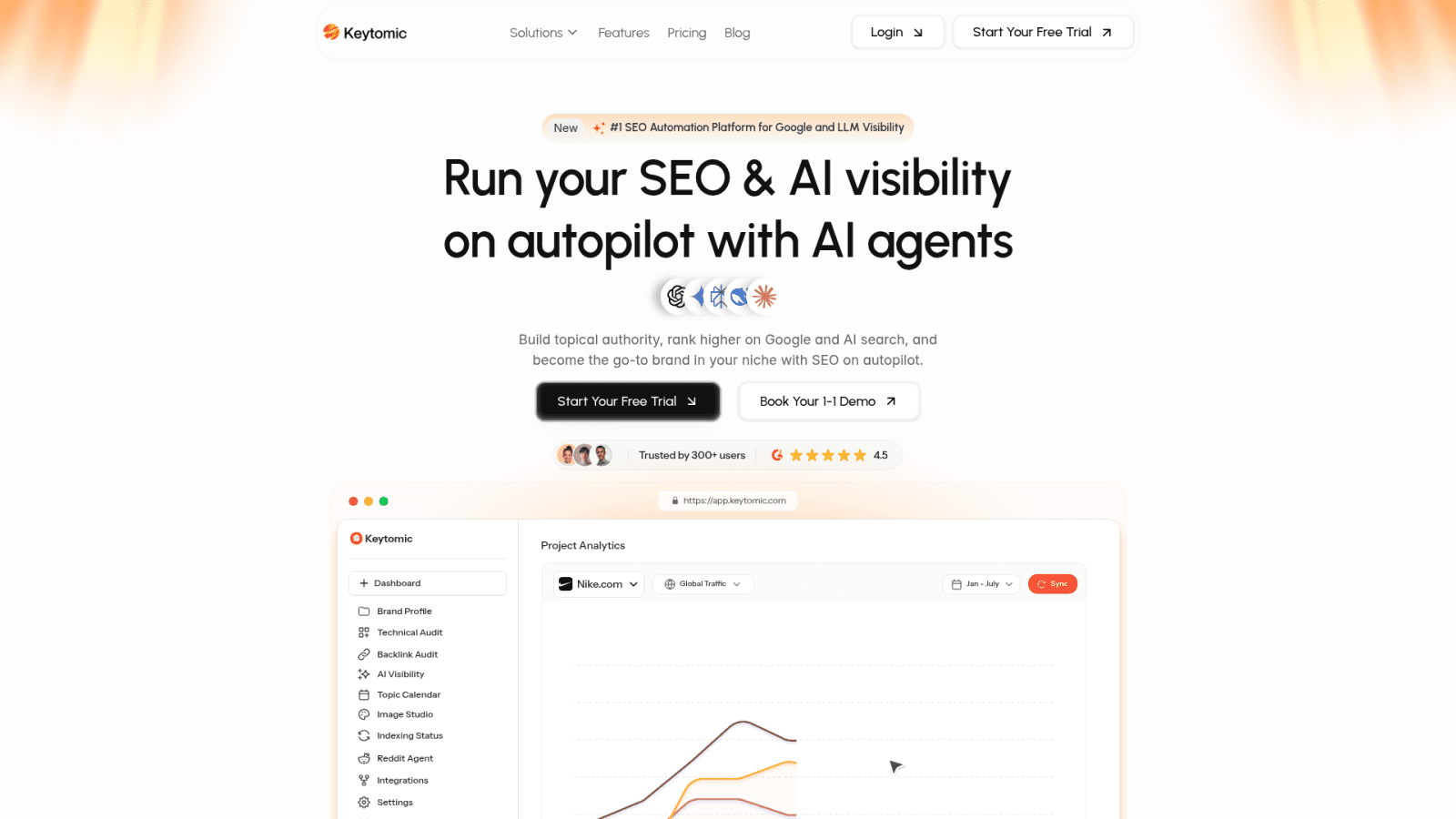
Current Keytomic materials describe a hosted MCP connection that reads Search Console data connected through a Keytomic project. The docs say it can read GSC data and submit sitemaps when you ask. Exact tools, authorization, account requirements, and write actions depend on the current release, and I checked these claims against official Keytomic pages in October 2026.
It isn't a generic Google Search Console MCP server, it isn't a self-hosted Google API setup, and it doesn't change your website content on its own. Where it helps is tying GSC insights to keyword research, content planning, technical audits, publishing, and visibility tracking in one approval-based workflow. Strategic decisions still need human judgment.
If you want to see the hosted route, start with the Keytomic MCP overview.
When a hosted Keytomic route may fit
It may suit you if you prefer a documented hosted workflow and already use Keytomic projects. Confirm current account and plan requirements on the official pages, and use the docs for client-specific steps rather than copying change-prone instructions from a blog.
When this is not the right fit
If you need independent self-hosting, a custom code path, or a server outside the Keytomic platform, evaluate a separately maintained implementation. Inspect its scopes, code, support, and runtime requirements first. I'm not claiming other tools are deficient, only that they're a different custody model.
Related reading in this series
If you're building out your MCP SEO stack, these guides cover the same cluster of topics:
Best SEO MCP Servers (Ranked and Compared) — full comparison of every major SEO MCP server
ChatGPT MCP Server for SEO — setup and prompts for running this workflow in ChatGPT
Claude MCP for SEO — how to connect and use Claude for SEO MCP workflows
Google Analytics MCP — connect GA4 to Claude alongside your GSC setup
How to Use MCP Servers with ChatGPT — a plain-English intro to MCP server setup
Frequently asked questions about Google Search Console MCP
What is a Google Search Console MCP server?
It's an MCP server implementation that exposes selected GSC tools to a compatible AI client. It calls the Google Search Console API, so access depends on authorization and property permissions.
Is MCP the same as the Google Search Console API?
No. MCP is the connection protocol, while the Google Search Console API is the data interface. A server may call the API, but tools and limits differ by implementation.
Do I need a Google Cloud project and API credentials?
It depends on the server. Self-hosted implementations may require a Cloud project and OAuth credentials, while hosted connectors can handle Google authorization differently. Check the provider's current documentation.
Which permission should I use for read-only Search Console data?
Google documents webmasters.readonly as the read-only scope. The account still needs property access, and the server must actually request that scope, so verify both.
Can an MCP server use a service account?
Some implementations document service-account support; others don't. Check the repository or provider docs for the required property role, and don't assume it works like OAuth user consent.
Can a GSC MCP server request indexing for any page?
Not reliably. Sitemap submission, URL inspection, and Google's Indexing API are separate, and the Indexing API is limited to eligible job posting and livestream content.
Does the Google Search Console API cost money?
Google states Search Console API use is free of charge, subject to Search Console API pricing and quota terms. MCP clients, hosted servers, AI plans, and hosting may carry separate fees, so verify each.
Does MCP replace the Search Console interface?
No. MCP gives an assistant another way to call supported tools. Keep using the GSC interface to confirm property access, settings, and results.
Can an MCP assistant see all Search Console data?
Not necessarily. Access depends on the signed-in account, property permissions, requested scope, server tools, query parameters, and Google's data limits.
Google Search Console MCP Security and Maintenance Checklist
Before you connect an assistant to real property data, run through this list:
Choose hosted or self-hosted based on credential custody and who maintains the server.
Confirm the server's current client support and the OAuth scope it actually requests.
Grant only the property access your tasks need.
Store credentials in a secrets manager or protected environment, never in prompts, repos, or screenshots.
Test one small read-only query and compare it with the GSC interface.
Add write-capable tools, such as sitemap submission, only after a deliberate review.
Review property users and connected apps on a schedule, and revoke tokens when a person or project leaves.
Log which tool ran against which property, and watch API usage against quotas.
Keep a human review step before any AI suggestion becomes a content or technical change.
Document the workflow, the server release, and the date you last checked it.
Connecting MCP doesn't guarantee indexing, rankings, or traffic. It shortens the path from a question to your own data, and that's worth doing carefully. If you'd rather use a hosted workflow, the Keytomic documentation linked above covers current connection details.