
ChatGPT got useful for SEO the moment it could connect to live data. Before MCP, every workflow started with a manual export — pull the CSV from Search Console, paste it into the chat, hope you included the right date range. MCP removes that step. Connect a server and ChatGPT can pull the data itself, reason over it, and tell you what to do next.
This guide covers exactly how to do it: what plan you need, the two connection paths, which SEO tools connect to ChatGPT via MCP, what to ask once you're set up, and how this compares to the same workflow in Claude.
What Is an MCP Server for ChatGPT SEO?
MCP stands for Model Context Protocol — an open standard originally published by Anthropic that lets AI assistants connect to outside tools and data sources. OpenAI adopted it in October 2025 and it is now the shared interface across ChatGPT, Claude, Cursor, and every major AI client.
Once you connect an MCP server to ChatGPT, it can call that server like a tool mid-conversation — query your Search Console data, pull keyword metrics from Semrush, run a backlink lookup in Ahrefs — all in natural language, without you touching a dashboard.
Before MCP, ChatGPT could only work with data you manually supplied. With MCP, it retrieves live data on demand from approved sources. This is what makes AI SEO automation practical at the task level rather than just in theory.
For SEO this means:
No more exporting CSVs and uploading them
No more copy-pasting keyword data between tools
Multi-step workflows — keyword research → gap analysis → brief — in one conversation
Your actual site data, not ChatGPT's training knowledge
Which ChatGPT Plans Support MCP Servers?
This is where most guides are outdated or wrong. Developer Mode launched on Plus and Pro in September 2025, then the rollout shifted. Here is the current state:
Plan | MCP support | What you get |
|---|---|---|
Free | Apps Directory only | Pre-built app connections; no custom MCP server URLs |
Plus / Pro | Apps Directory + Developer Mode | Custom MCP connections via Developer Mode (web only) |
Business | Full + admin publishing | Admins publish MCP apps org-wide; write actions available |
Enterprise / Edu | Full + role-based controls | Everything in Business plus compliance logging and per-app action controls |
Key things to know:
Custom MCP server URLs require Plus or higher — Free accounts get the Apps Directory only
Developer Mode is web only — iOS, Android, and the desktop app do not support it
Write actions (anything that changes live data) require Business or Enterprise by default on Plus/Pro, you get read/fetch access only
On free plans, built-in directory apps like Semrush and Ahrefs are still available where listed
OpenAI's developer documentation covers how MCP works in ChatGPT, including transport requirements and authentication options, if you need the technical detail.
Two Ways to Connect an MCP Server to ChatGPT
ChatGPT has two distinct connection paths. Which one to use depends on whether your tool is in the Apps Directory.
Path 1: ChatGPT Apps Directory (Easiest)
The Apps Directory (renamed the Plugin Directory in July 2026) contains pre-built MCP connections to popular tools. For SEO, this includes Semrush and Ahrefs. One click connects them.
How to connect:
Open ChatGPT on the web
Click + in the chat input and select More, or go to Settings → Apps
Search for the tool (e.g. "Semrush" or "Ahrefs")
Click Connect, sign in to your account when prompted
Approve the permission request
The app is now available in every conversation. Start a new chat, click +, select the tool to activate it.
SEO tools in the ChatGPT directory:
Semrush — keyword research, domain analytics, competitive intelligence, backlinks. See the Semrush MCP page for full tool list.
Ahrefs — backlink analysis, keyword data, competitor traffic. See the Ahrefs SEO MCP page for capabilities and plan requirements.
Firecrawl — web scraping and content extraction from any URL
Pros: No developer setup, works on all paid plans, one-click OAuth Cons: Limited to what's in the directory; Keytomic, SE Ranking, and DataForSEO are not listed here
Path 2: Developer Mode — Custom MCP Server URL
For SEO tools not in the directory — including Keytomic, SE Ranking, and DataForSEO — you connect via Developer Mode with the server's endpoint URL.
Step 1 — Enable Developer Mode:
Plus / Pro: Go to Settings → Security and login → toggle Developer Mode on
Business / Enterprise: An admin enables it under Settings → Apps → Advanced settings, then grants access to members
Step 2 — Add the server:
Go to chatgpt.com/plugins or Settings → Apps → click + → Create app
Select MCP Server as the type
Enter the name and the server's
/mcpendpoint URLClick Save
Step 3 — Authorize:
ChatGPT opens the server's OAuth flow
Sign in and approve access
Step 4 — Activate in a conversation:
Click + in the input bar, select your tool
MCP server URLs for common SEO tools:
Tool | MCP URL |
|---|---|
Keytomic |
|
Semrush |
|
SE Ranking | Via their MCP setup docs |
DataForSEO |
|
Ahrefs |
|
Community GSC MCP | Varies by deployment |
Which SEO MCP Servers Work Best with ChatGPT?
The same MCP servers that work with Claude work with ChatGPT — they share the same open protocol. Here is how each maps to common SEO tasks. For a full comparison of every server, see the best SEO MCP servers guide.
Keytomic MCP — Best for Your Own Site Data
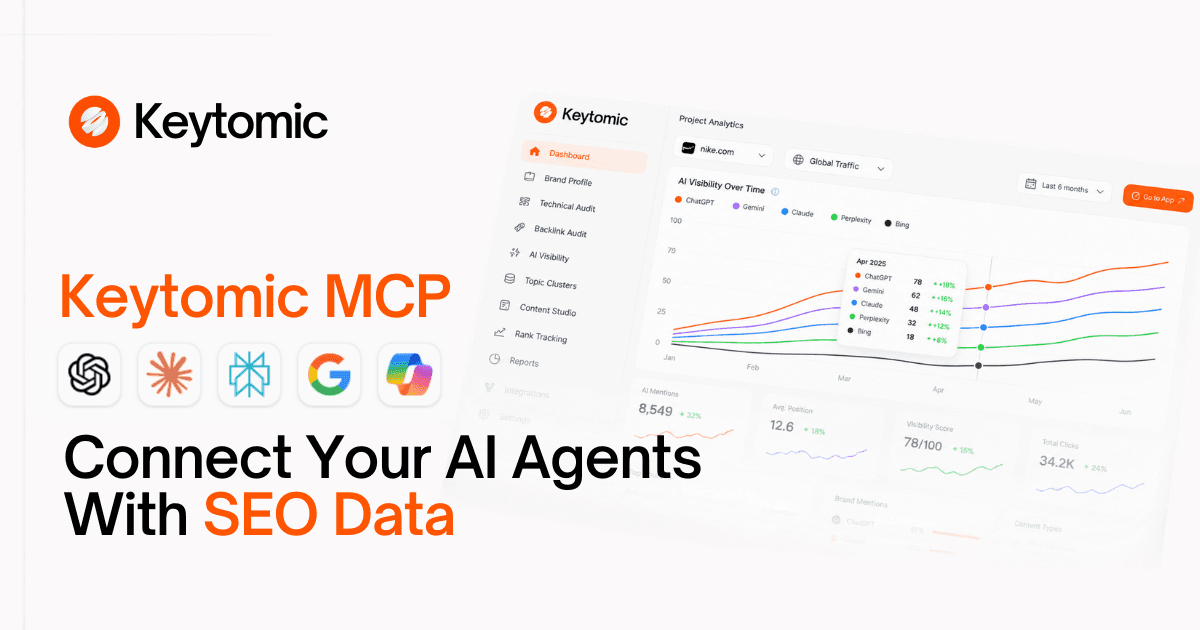
What it gives ChatGPT: Your real Search Console clicks, impressions, and positions; a live technical SEO audit of your whole site; indexing status; Core Web Vitals; broken links; orphan pages; schema errors. Not estimates — your actual numbers.
Setup: Paste https://app.keytomic.com/mcp into Developer Mode. Sign in to Keytomic. Approve. Done in under a minute — no API key, no Node.js, no local process to maintain.
What you can ask ChatGPT:
Quick-win keywords closest to page 1
Pages losing traffic vs. the prior period, ranked by clicks lost
CTR gaps — pages getting impressions but not earning clicks
Keyword cannibalization — two URLs competing for the same query
Full site crawl with a prioritized issue list
Index coverage — why pages aren't indexed and what to fix
The Keytomic Google Search Console integration is what makes this work — it's your live property data, not a modeled estimate. For agencies managing multiple client sites, one Keytomic connection covers every project on your account.
Semrush — Best for Keyword Research and Competitive Intel
What it gives ChatGPT: Full Semrush data — keyword volume, difficulty, intent, domain traffic, competitive gaps, backlinks, trends. Available in the Apps Directory (one click). Requires a subscription with API access.
What you can ask:
Top 20 keywords a competitor ranks for that you don't
Keyword gaps between your domain and multiple competitors
Backlink profile analysis
Domain traffic trends over 12 months
Ahrefs — Best for Backlink Research
What it gives ChatGPT: The deepest backlink index in the industry — 35+ trillion backlinks. Keyword data, competitor traffic estimates, content gap analysis. Available in the Apps Directory. Requires Lite ($129/mo) or higher.
What you can ask:
Sites that link to a competitor but not to you
Top pages driving a competitor's organic traffic
Keyword opportunities competitors rank for that you're missing
DataForSEO — Best for Raw SERP Data at Scale
What it gives ChatGPT: Pay-as-you-go access to SERP results, keyword metrics, on-page data, and backlinks across multiple search engines. Best for agencies running large-scale pipelines. Full setup guide for ChatGPT available in their help center.
Firecrawl — Best for Competitor Page Content
What it gives ChatGPT: Clean markdown from any web page — JavaScript-rendered or not. Useful for content gap analysis, competitive teardowns, and pulling SERP content for brief generation. Available in the ChatGPT Apps Directory. Free tier available.
Ready-to-Use Prompts for ChatGPT + SEO MCP
These prompts work once the relevant server is active in your conversation (click + to activate it before prompting). Each is labeled by which tool to activate.
Quick Wins from Search Console — Keytomic
Expected output: a table of 5–15 queries with page, position, and a concrete next action.
Decaying Pages — Keytomic
Full Site Audit — Keytomic
Keyword Gap Analysis — Semrush
Competitor Traffic Analysis — Ahrefs
Link Gap Analysis — Ahrefs
Competitor Page Teardown — Firecrawl
Index Coverage Check — Keytomic
ChatGPT vs Claude for SEO MCP: Honest Comparison
Both platforms support the same MCP servers, but work differently in practice. Here is what matters for SEO:
Factor | ChatGPT | Claude |
|---|---|---|
Context window | 128K tokens (GPT-4o) | 200K tokens |
MCP on free plan | Apps Directory only | One custom connector |
Setup for custom servers | Developer Mode, web only | Settings → Connectors, all surfaces |
Write actions | Business/Enterprise gated | Available where the server supports them |
Same URL across surfaces | No — web only | Yes — Claude.ai, Desktop, Code, all use the same URL |
Agentic workflows | Codex | Claude Code |
Best for | Research sessions, directory tools | Repeatable multi-step SEO pipelines |
Practical takeaway: ChatGPT is the right choice when your team is already there and you want one-off research or competitive analysis. Claude's advantage is the larger context window, consistent tool-calling, and Claude Code for building repeatable SEO automation workflows. Most teams end up using both — the same Keytomic or Semrush MCP server works in either. For the full side-by-side, see the Claude MCP for SEO guide.
What ChatGPT MCP Can and Cannot Do for SEO
Can do:
Pull live keyword data, backlink profiles, and domain metrics from connected tools
Query your real Search Console data via Keytomic or a GSC server
Run a full technical site audit and return a prioritized fix list
Chain multiple research steps — keyword research, gap analysis, brief — in one conversation
Draft content briefs from retrieved SERP and keyword data
Cannot do:
Improve your Google rankings directly — MCP is a data interface, not a ranking signal
Guarantee data accuracy — validate a sample against the source before acting
Replace editorial judgment — topic priorities, brand voice, and people-first quality need human review
Take write actions on Plus/Pro — these require Business or Enterprise
See data the server doesn't expose — it only works with what's behind the connected tool
Frequently Asked Questions
Does ChatGPT support MCP servers?
Yes. ChatGPT supports MCP through the Apps Directory (pre-built connections) and Developer Mode (custom server URLs). Both require a paid plan. See OpenAI's documentation for technical requirements.
What plan do I need to connect a custom MCP server to ChatGPT?
Plus or higher. Free accounts can use apps from the directory but cannot add custom MCP server URLs. Developer Mode is web-only.
How do I connect a custom MCP server to ChatGPT?
Enable Developer Mode in Settings, then go to Settings → Apps → Create app → MCP Server. Enter the server name and URL. Complete the OAuth flow. Then activate the tool in a new conversation by clicking +.
Which SEO tools are in the ChatGPT Apps Directory?
Semrush and Ahrefs are confirmed directory apps. Firecrawl is also available. Keytomic, SE Ranking, and DataForSEO connect via Developer Mode with a custom URL.
What is the easiest SEO MCP to connect to ChatGPT?
Semrush and Ahrefs are one-click installs from the Apps Directory. For your own site data, Keytomic MCP requires no API key — paste the URL into Developer Mode, sign in to Keytomic, done.
Can ChatGPT access my Google Search Console data via MCP?
Yes, via the Keytomic MCP (https://app.keytomic.com/mcp), which connects to your live Google Search Console data. Community GSC MCP servers are also available but require local setup.
Is ChatGPT or Claude better for SEO MCP workflows?
Different strengths. ChatGPT has Semrush and Ahrefs in its Apps Directory, which is frictionless. Claude has a 200K context window, better consistency for long-running tasks, and Claude Code for agentic SEO workflows. Most teams use both and connect the same MCP servers to each.
Do I need coding skills to connect a custom MCP server to ChatGPT?
Both connection paths are no-code — you paste a URL and complete an OAuth flow.
What write actions can ChatGPT MCP take for SEO?
By default, Plus/Pro users get read-only access. Business and Enterprise admins can enable write actions per app. With Keytomic, this includes submitting and syncing sitemaps. CMS publishing and metadata changes depend on which CMS integration your Keytomic account is connected to.
Summary
Connecting an MCP server to ChatGPT turns it from a research assistant that works from pasted data into one that retrieves live SEO data on demand. The setup takes minutes; the workflow gain is significant.
The short version:
Apps Directory first — Semrush and Ahrefs are one-click installs, no Developer Mode needed
Developer Mode for custom servers — Keytomic, SE Ranking, DataForSEO all work via URL
Keytomic MCP is the fastest path to your real Search Console data and a full site audit from ChatGPT
Plus/Pro for research (read-only); Business/Enterprise for write actions
Web only — Developer Mode does not work on mobile
For the full breakdown of every SEO MCP server, see the best SEO MCP servers comparison. To run the same workflow in Claude, read the Claude MCP for SEO guide. Or start a Keytomic free trial to connect your site today.


