
Claude MCP is the reason Claude went from a clever writing assistant to an operational SEO tool. Once you connect an MCP server, Claude stops guessing from training data and starts working from your actual rankings, your real Search Console numbers, your live site crawl.
This guide covers exactly how that works: what MCP is, how to connect it in Claude.ai, Claude Desktop, and Claude Code, which SEO servers are worth connecting, what you can ask once you're set up, and what Claude still cannot do for you.
What Is Claude MCP and Why Does It Matter for SEO?
MCP stands for Model Context Protocol — an open standard that lets AI assistants connect to external tools and data sources through a standardized interface. Anthropic originally published it, and it has since been adopted by every major AI client.
For SEO, the difference it makes is straightforward.
Without MCP, Claude answers from training data. Ask it for your top declining pages and it will either refuse or make something up. Ask it what your CTR is for a query and it has no idea.
With MCP connected, Claude can call a tool that reads your actual Search Console data, returns your real clicks and positions, and then reason about what to do with them — all in the same conversation, without you exporting a single CSV.
This is what makes AI SEO automation practical at the task level rather than just at the strategy level.
MCP vs Claude Skills: What's the Difference?
Before going further, one distinction that most guides skip:
Claude Skills are reusable instruction sets — think of them as saved workflows or prompt templates loaded into a project. They tell Claude how to approach a task.
MCP servers give Claude access to live data and tools. They answer the question "what can Claude reach?"
You often want both: a skill that defines the SEO workflow, and an MCP server that provides the live data to feed it. The Keytomic MCP, for example, gives Claude access to your Search Console and site audit data. Claude SEO skills give Claude a repeatable process to work through it.
How to Connect an MCP Server to Claude (by Client Type)
The setup varies depending on which Claude surface you are using. Here are the three main paths.
Claude.ai (Web and Mobile) — Connectors
Claude.ai uses the Connectors directory — a curated list of verified remote MCP servers you can connect in a few clicks.
To add a connector:
Open Claude.ai and go to Settings → Connectors
Search for the tool you want (Keytomic, Semrush, Ahrefs, etc.)
Click Connect, sign in with your account, and approve access
For tools not in the directory, you can add a custom remote MCP server:
Go to Settings → Connectors → Add custom connector
Enter a name and paste the server URL (e.g.
https://app.keytomic.com/mcp)Click Connect and follow the OAuth sign-in
Once connected, Claude automatically has access to the server's tools in every new conversation. You do not need to mention the connector by name — Claude calls the right tool based on your question.
Note: MCP connector access requires a paid Claude plan (Pro, Team, or Enterprise).
Claude Desktop — Config File
Claude Desktop uses a JSON config file to register MCP servers. This works for both remote (hosted) servers and local servers running on your machine.
For a remote server:
Open the config file at:
macOS:
~/Library/Application Support/Claude/claude_desktop_config.jsonWindows:
%APPDATA%\Claude\claude_desktop_config.json
Add your server:
Save and restart Claude Desktop. The server appears under Settings → Developer when connected.
For a local server (e.g. community GSC MCP):
Claude Code — Terminal Commands
Claude Code has the simplest MCP setup of the three — one command in your terminal.
For a remote HTTP server:
For Semrush:
For DataForSEO (with credentials):
After adding, verify with:
You should see your server listed as connected with a tool count.
Which SEO MCP Servers to Connect to Claude
The right set depends on the job. Here is how the main options map to common SEO tasks.
Task | Best server to connect |
|---|---|
Quick wins from your own Search Console | Keytomic MCP |
Full site technical audit from chat | Keytomic MCP |
Keyword research and competitor intel | Semrush MCP or SE Ranking MCP |
Backlink analysis | Ahrefs MCP |
Raw SERP data at scale | DataForSEO MCP |
Free GSC data (local setup) | Community GSC MCP |
Scraping competitor page content | Firecrawl MCP |
For most SEO teams the practical starting stack is:
Keytomic MCP — your own site data, zero setup, immediate insight
Semrush or SE Ranking — market and competitor data
Firecrawl — content research when you need live page text
For the full breakdown of every server, see the best SEO MCP servers guide.
The Keytomic MCP: What It Gives Claude
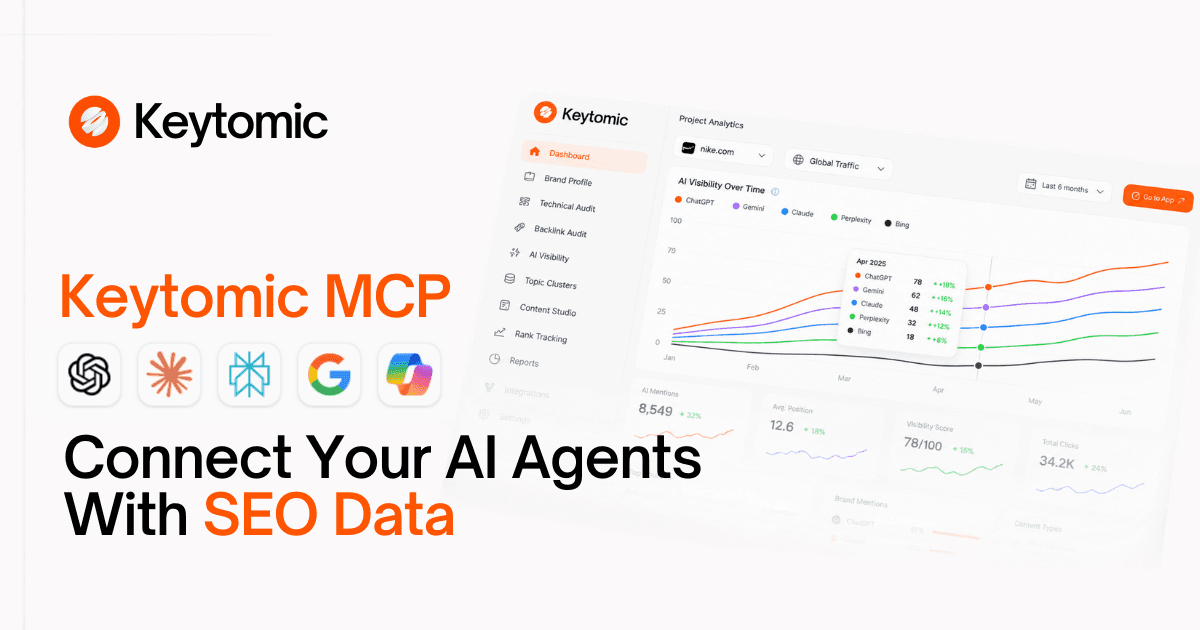
The Keytomic MCP is the fastest path from "Claude connected" to "Claude doing useful SEO work" because it connects to your own data — not a keyword estimate, not a modeled average. Your real clicks. Your real positions. Your real crawl.
Once connected, Claude can:
Find quick-win keywords (positions 5–20 with real impressions) and tell you what to fix on each page
Identify pages losing traffic vs. the prior period, ranked by clicks lost
Spot CTR gaps — pages getting impressions but not earning clicks
Flag keyword cannibalization — two URLs competing for the same query
Run a full technical SEO audit — status codes, redirects, canonicals, Core Web Vitals, schema, broken links, orphan pages
Check indexing status and submit or sync sitemaps
It works in Claude.ai, Claude Desktop, Claude Code, ChatGPT, Cursor, Codex, Gemini CLI, and Windsurf. Setup is one URL and one sign-in — no Node.js, no API keys, no local process to maintain.
What to Ask Claude Once MCP Is Connected
Here are ready-to-use prompts organized by SEO task. These work once Keytomic MCP or a GSC-connected server is active.
Quick Wins (Weekly)
Expected output: a table of 5–15 queries with page, position, and a concrete recommendation for each.
Decaying Pages (Every Two Weeks)
CTR Gaps (Monthly)
Full Site Audit (After Every Release)
Rank Movement (Monthly)
Cannibalization Check (Monthly)
Index Coverage (Every Two Weeks)
What Claude MCP Can and Cannot Do for SEO
Most guides oversell the "can" side. Here is an honest breakdown.
What Claude can do with MCP
Pull and reason about your real Search Console data — queries, pages, CTR, positions, impressions, by device, country, and date range
Run a full technical audit of your site and return a prioritized fix list
Identify quick wins, decaying pages, CTR gaps, and cannibalization from your own data
Submit sitemaps and sync sitemap lists (where the server supports write actions, like Keytomic's)
Research keywords, competitor gaps, and backlink profiles via commercial data servers (Semrush, Ahrefs, SE Ranking)
Scrape competitor page content for gap analysis (Firecrawl)
Chain multiple steps in one conversation without you switching tabs
What Claude cannot do
Improve your rankings directly. MCP gives Claude data access, not Google ranking signals. Analysis and recommendations need to be implemented and then indexed before anything changes in search.
Guarantee accuracy. Claude reasons from what the server returns. If the data is stale, sampled, or incomplete, the recommendations reflect that. Always validate a sample against the source.
Replace editorial judgment. Topic priorities, brand voice, and people-first quality need human owners. Claude can draft; you decide what ships.
Take write actions safely without review. Submitting sitemaps and editing metadata are write operations. Most servers are read-only. Even where write actions exist, require human approval before anything fires.
See data the server doesn't expose. Claude can only work with what's behind the connected server. If a source isn't connected, Claude doesn't have it.
Claude MCP vs ChatGPT MCP for SEO: What's Different?
Both Claude and ChatGPT now support MCP servers, but there are practical differences.
Claude advantages for SEO:
200K token context window — Claude can hold a full site's worth of data in one session
Native MCP support across Claude.ai, Claude Desktop, and Claude Code from a single URL
Claude Code is purpose-built for agentic workflows — multi-step SEO pipelines, file writes, scripting
Strong at structured analysis and table output
ChatGPT advantages:
Larger connector marketplace and wider third-party integrations
Deep Research mode for multi-source web research
Broader general user base for team adoption
For pure SEO agent work — running repeatable workflows against live site data — Claude is the stronger choice. For one-off research and writing tasks where conversational polish matters more, either works.
The SEO Workflow Where Claude MCP Makes the Most Difference
The biggest return comes not from a single prompt but from building a weekly rhythm:
Monday: Quick-win prompt → identify 3–5 pages to improve this week Mid-week: Implement changes on the prioritized pages End of week: Check rank movement prompt → confirm what moved
Layer in the full site audit monthly (or after every release), the decaying-page check every two weeks, and the cannibalization check monthly.
If you want to go further and connect this into a full SEO automation setup — topical map planning, AI blog writing, auto-publishing, AI Visibility Tracker — that is what the Keytomic platform wraps around the MCP layer. The MCP connector is the data access point; the platform handles the production workflow.
Frequently Asked Questions
What is Claude MCP for SEO?
Claude MCP for SEO means using the Model Context Protocol to connect Claude to live SEO data — Search Console, site audits, keyword databases, and more. Once connected, Claude can pull real data and work with it in the same conversation, without manual exports.
How do I add an MCP server to Claude?
In Claude.ai: go to Settings → Connectors and add from the directory or paste a custom URL. In Claude Desktop: edit the config JSON file and restart. In Claude Code: run claude mcp add [name] --transport http [url] in your terminal.
Does Claude MCP work on the free plan?
MCP connector access in Claude.ai requires a paid plan (Pro, Team, or Enterprise). Claude Code requires a paid subscription. Claude Desktop with local MCP servers can work with a free account in some configurations, but remote servers typically require a paid plan.
What MCP servers work with Claude for SEO?
Verified connectors in Claude.ai include Keytomic, Semrush, Ahrefs, SE Ranking, and Firecrawl. For Claude Code and Claude Desktop, you can add any remote MCP server by URL, including DataForSEO and the community Google Search Console MCP.
What is the easiest SEO MCP to connect to Claude?
The Keytomic MCP requires no API key, no local setup, and no Node.js. Paste one URL, sign in to Keytomic, approve — done. Setup takes under a minute and works in Claude.ai, Claude Code, and Claude Desktop.
Can Claude read my Google Search Console data?
Yes, when a supported MCP server or connector has authorized access. The Keytomic MCP includes Search Console access. The community mcp-gsc server provides free GSC access via a local setup. Keytomic's connection requires a Keytomic account; the community server requires Google Cloud credentials.
Is Claude MCP safe for SEO data?
The safety depends on the server, permissions, and your approval controls. Best practices: use read-only access first, grant only the narrowest scope the workflow needs, never paste API keys into prompts, treat all tool outputs as data to verify, and require human approval for any write action.
Claude MCP vs Claude skills — which do I need?
You usually want both. MCP servers give Claude access to live data; Claude skills give Claude a repeatable process to work through it. Connect the Keytomic MCP for data, then use SEO prompts or skills to run consistent workflows against it.
Does Claude MCP replace a traditional SEO tool?
Claude MCP is an interface layer — it lets Claude read data from your existing tools. You still need the underlying data source (a Search Console connection, a Keytomic account, a Semrush subscription). What MCP removes is the manual export-and-paste step, and it adds the ability to chain multiple queries in one conversation.
Summary
Claude MCP is the upgrade that makes Claude operationally useful for SEO — not just for writing, but for diagnosis, analysis, and prioritization against your actual site data.
The short version:
Connect Keytomic MCP first — it is the fastest path to real Search Console data and a full site audit from Claude, with no setup complexity
Add Semrush or SE Ranking for keyword and competitor research
Use Claude Code for agentic workflows — multi-step pipelines, scripted outputs, repeatable tasks
Keep humans in the loop for any write action and all editorial decisions
If you want to go further — from MCP data access to a full production SEO workflow — read the guide to building an SEO AI agent, see the best SEO MCP servers comparison, or start a Keytomic free trial to connect your site today.


