
Google Search Console holds the most valuable SEO data you own: your real clicks, positions, and queries. Google Search Console MCP is how you connect that data to Claude, ChatGPT, or Cursor so your AI assistant can actually work with it, instead of guessing from training data.
This guide covers what GSC MCP is, the server options available (from zero-setup hosted to self-hosted open source), step-by-step setup for each path, API limits you need to know, and the prompts worth running once you're connected.
What Is Google Search Console MCP?
A Google Search Console MCP server is an MCP server that exposes your Google Search Console data to an AI assistant through the Model Context Protocol, the open standard that lets AI clients connect to outside tools.
Once connected, your assistant can query your real Search Console data in natural language: which queries you rank for, which pages are losing clicks, what your CTR looks like by page, what the index coverage issues are. No CSV export. No manual copy-paste. One prompt.
What GSC MCP gives your AI assistant:
Search Analytics: clicks, impressions, CTR, average position by query, page, country, device, date
URL Inspection: index status, live inspection, crawlability for individual URLs (on servers that support it)
Sitemaps: submitted sitemaps and their status
Indexing actions: on servers that support write access
What it does not do:
There is no official Google GSC MCP server as of 2027; all available servers are third-party
It cannot improve your rankings or guarantee indexing
Row limits mean you may not get every query or page back (more on this below)
It is a data interface, not a strategy engine; human review still applies
GSC MCP Server Options: Which Path to Take
There are three broad paths, with different tradeoffs on setup complexity, ownership, and features.
Option | Setup effort | Requires Google Cloud? | Best for |
|---|---|---|---|
Keytomic MCP | Zero: one URL, one sign-in | No | Teams who want GSC data + full site audit + no setup |
Hosted GSC MCPs (mcpsearchconsole.com, DigestSEO) | Low: OAuth sign-in only | No | Teams who want dedicated GSC access without local setup |
Open-source local (AminForou/mcp-gsc) | Medium: Python + Google Cloud | Yes | Developers who want full control and no third-party |
Option 1: Keytomic MCP (Zero Setup, Recommended)
The Keytomic MCP is the fastest path to your Search Console data inside an AI assistant. It connects Claude, ChatGPT, Cursor, Claude Code, Codex, Gemini CLI, and Windsurf to your live Search Console data through a single URL, with no Google Cloud project, no credentials file, and no Python install required.
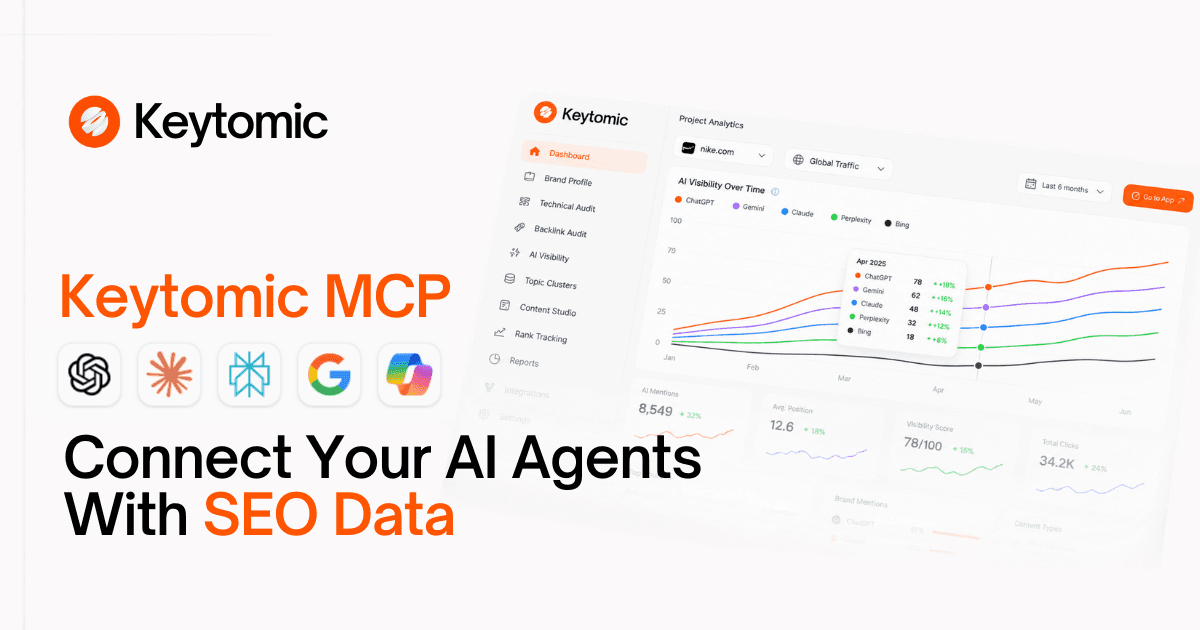
MCP URL: https://app.keytomic.com/mcp
Setup:
In Claude.ai: Settings → Connectors → Add custom connector → paste the URL → Connect → sign in to Keytomic → approve
In Claude Code:
claude mcp add keytomic --transport http https://app.keytomic.com/mcpIn ChatGPT: Developer Mode → Create app → MCP Server → paste URL
Keytomic's Google Search Console integration is what powers it. Keytomic connects your Search Console property, and the MCP server exposes it to your AI assistant.
What it gives your assistant beyond raw GSC data:
Quick wins: queries ranked 5-20 with real impressions, with the recommended fix
Decaying pages: clicks lost vs. the prior period, ranked
CTR gaps: pages with high impressions and weak click-through
Keyword cannibalization: two URLs competing for the same query
Full technical SEO audit: crawl errors, Core Web Vitals, broken links, indexing issues
Sitemap submission and sync
Pricing: Included in all paid Keytomic plans. See pricing.
Option 2: Hosted GSC MCP Servers (Low Setup)
Several hosted servers give you GSC access via OAuth sign-in, without a Google Cloud project. These are read-only and connect in minutes.
mcpsearchconsole.com: hosted, read-only, works with Claude, ChatGPT, Cursor, Claude Code. Connect by pasting https://mcpsearchconsole.com/mcp into your client and signing in with Google.
DigestSEO GSC MCP (mcp-gsc.digestseo.com): open-source, self-hostable on Cloudflare Workers. Also available as a hosted endpoint. 17 tools including search analytics, URL inspection, sitemap management, and some write tools. MIT licensed. Connect with:
SearchConsole.ai: free, read-only, 16 tools. Works with Claude, ChatGPT, Cursor, Claude Code. Paste https://searchconsole.ai/mcp into any MCP client.
Setup for all hosted options:
Paste the server URL into your MCP client (Settings → Connectors in Claude.ai, or Developer Mode in ChatGPT)
Complete the Google OAuth sign-in flow
Grant Search Console read permissions when prompted
Test with one query in a new conversation
Option 3: Open-Source Local Server (Full Control)
AminForou/mcp-gsc is the most popular open-source GSC MCP server: 900+ GitHub stars, Python-based, MIT licensed. It exposes search analytics, URL inspection, and sitemap tools, and supports both OAuth and service account authentication.
Prerequisites:
Python 3.11+
Node.js (for some clients)
A Google Cloud project with the Search Console API enabled
OAuth credentials or a service account JSON
Step 1: Create Google Cloud credentials
Go to Google Cloud Console and create or select a project
Enable the Search Console API
Go to Credentials → Create Credentials → choose OAuth client ID (for desktop use) or Service Account (for server use)
For service account: add the service account email to your GSC property as a user with at least restricted access
Step 2: Install the server
Step 3: Configure Claude Desktop
Open ~/Library/Application Support/Claude/claude_desktop_config.json (macOS) or %APPDATA%\Claude\claude_desktop_config.json (Windows) and add:
For service account auth, swap to:
Step 4: Connect Claude Code
Restart Claude Desktop, or run /mcp in Claude Code to verify the server appears as connected.
Note on Python SDK compatibility: As of September 2026, installs using Python MCP SDK 2.0+ may error. The project fixed this in v0.4.1; use the latest version.
Google Search Console API Limits You Need to Know
Understanding the API's limits prevents you from misreading results. These apply to every GSC MCP server because they all call the same underlying Search Console API.
Row limits
The rowLimit parameter accepts values from 1 to 25,000. However, Google returns the top rows within that ceiling, meaning low-volume, long-tail queries are often missing even at the maximum. For most sites, the top 25,000 rows cover the bulk of meaningful traffic.
Practical implication: if you're looking for very specific long-tail queries, GSC MCP may not surface them. Check the Search Console UI directly.
Date freshness
Data is typically available for the last 16 months
The most recent 2-3 days are preliminary and subject to change
All dates are in Pacific Time, which matters for sites with heavy traffic near midnight
Request quotas
Google applies quotas to the Search Console API. Heavy prompts that trigger many API calls (e.g. inspecting hundreds of URLs) can hit per-minute or per-day limits. For bulk URL inspection, the limit is significantly lower than for search analytics queries.
Practical implication: avoid asking your assistant to inspect every page on your site in one prompt. Break large tasks into batches.
Aggregation quirks
Grouping by property counts a result once regardless of which page served it
Grouping by page counts each URL separately
This means property-level CTR and page-level CTR can differ for the same query
Ready-to-Use Prompts for GSC MCP
These work once any GSC MCP server is connected. For Keytomic, use the "Using Keytomic" framing; for other GSC servers, ask directly.
Quick Wins (Weekly)
Decaying Pages (Every 2 Weeks)
CTR Gap Finder (Monthly)
Cannibalization Check (Monthly)
Rank Movement Report (Monthly)
Index Coverage (Every 2 Weeks)
Sitemap Health Check
GSC MCP vs Direct Search Console API: Which Should You Use?
Factor | GSC MCP | Direct API |
|---|---|---|
Who it's for | SEO teams, analysts, non-developers | Developers building pipelines |
Setup | Minutes (hosted) to 30 mins (local) | Hours: you write the integration |
Interface | Natural language prompts | Code-written API calls |
Flexibility | Limited to what the server exposes | Full query control |
Repeatable pipelines | Not ideal: answers vary with prompts | Yes: deterministic and scheduleable |
Human oversight | Natural (you review each answer) | Requires explicit logging |
Use GSC MCP when you want fast, conversational access to your data for analysis. Use the direct API when you're building a data pipeline, a dashboard, or a scheduled automated export that needs to run the same way every time.
For the wider picture on how MCP fits into SEO automation, see the best SEO MCP servers guide.
What Google Search Console MCP Cannot Do
A few things worth being explicit about:
It cannot improve your rankings. Google states that third-party tools cannot guarantee ranking success. GSC MCP reads your data; it doesn't influence your positions.
It cannot show you data Search Console doesn't hold. If a query doesn't appear in your Search Console, it won't appear in MCP results either.
Long-tail queries are often missing. Row limits mean the API returns top performers, not every query.
It cannot replace editorial judgment. Whether to refresh a page, merge two articles, or pursue a keyword gap are strategy decisions that need human owners.
There is no official Google GSC MCP server. Every available server is community-built or third-party. Verify any server's code, OAuth scopes requested, and data policy before connecting.
Frequently Asked Questions
Is there an official Google Search Console MCP server?
As of 2027, Google has not published an official Search Console MCP server. All available options are third-party: community open-source projects or hosted services. Recheck Google's developer resources periodically as this may change.
What is the easiest way to connect Search Console to Claude?
The easiest path is Keytomic MCP: one URL, one sign-in, no Google Cloud project required. The Keytomic platform handles the Search Console connection and exposes it through MCP. For a dedicated GSC-only server without any platform, mcpsearchconsole.com or SearchConsole.ai are similarly low-friction.
Can I use GSC MCP for free?
Yes. AminForou/mcp-gsc is MIT licensed and free to run yourself. Hosted options like SearchConsole.ai offer free tiers. Keytomic requires a paid plan; it includes a free trial with full MCP access.
Does GSC MCP work with ChatGPT?
Yes, with a paid plan. Paste the server URL into ChatGPT's Developer Mode (Settings → Apps → Create app → MCP Server). The OAuth sign-in flow completes authorization. See the ChatGPT MCP for SEO guide for full steps.
What Search Console data can MCP access?
Clicks, impressions, CTR, and average position by query, page, country, device, and date. URL inspection (index status, crawlability) on servers that support it. Sitemaps. The specific tools available vary by server.
Can GSC MCP submit or sync sitemaps?
Yes, on servers that include write tools. Keytomic's MCP can submit and sync sitemaps. The DigestSEO server also includes write tools. Read-only servers like SearchConsole.ai and mcpsearchconsole.com cannot.
How do I set up GSC MCP with Claude Code?
For Keytomic: claude mcp add keytomic --transport http https://app.keytomic.com/mcp For AminForou/mcp-gsc: claude mcp add gsc --transport stdio uvx mcp-search-console Run /mcp inside a Claude Code session to verify connection and see available tools.
Why am I missing long-tail queries in GSC MCP results?
The Search Console API returns the top rows up to your rowLimit (maximum 25,000). Very low-volume queries are often excluded even at the maximum. This is an API limitation, not an MCP limitation. Check the Search Console UI directly for specific long-tail queries.
Is it safe to connect my GSC data via MCP?
It depends on the server and its OAuth scope. Request read-only access (webmasters.readonly scope) wherever the server allows it. For hosted servers, review their data policy and revocation process. For open-source servers, review the code before running it. Never paste credentials into prompts.
Summary
Google Search Console MCP connects your real SEO data (clicks, positions, queries, indexing) to the AI assistant you already use. The setup ranges from one minute (Keytomic, hosted GSC servers) to 30 minutes (open-source local).
The short version:
Zero setup: Keytomic MCP - GSC data + full site audit, one URL, included in paid plans
Dedicated GSC, no Google Cloud: mcpsearchconsole.com or SearchConsole.ai - free, read-only, minutes to connect
Full control: AminForou/mcp-gsc - open-source, Python, requires Google Cloud credentials
Row limit: 25,000 max, top rows only - long-tail queries may be missing
No official Google server - all options are third-party
For the broader picture on which SEO MCP servers to combine with your GSC connection, see the best SEO MCP servers guide. To connect this into a full SEO automation workflow covering keyword research, content, publishing, and AI visibility tracking, read the guide to building an SEO AI agent, or start a Keytomic free trial.


