A white label SEO audit tool crawls a client's website and presents the findings under your agency's brand, but the branded surface can be a PDF, a shared link, a client portal, or a full custom interface. Before you buy, verify the crawl evidence, branding depth, client access, repeat-audit workflow, and total cost at your client count. Treat every audit as diagnostic evidence, not a promise of rankings or indexing.
Your account manager needs a client-ready audit by Friday. The crawl finished hours ago, but someone still has to explain whether the client gets a branded PDF, a login to a branded workspace, or a link that quietly shows the vendor's name.
Here's the thing: white-label describes the wrapper, not the audit. Coverage, evidence, and reporting are separate capabilities, and a polished cover page says nothing about whether the findings hold up. If you're shopping for a white label SEO audit tool, you need to test both layers.
This guide stays vendor-neutral. You'll get a buyer test, a blank scorecard, vendor questions, and a plain limitations section.
What does a white-label SEO audit tool actually white-label?
In practice, it white-labels the deliverable, not the engine. The audit software still crawls and checks the site; white-labeling decides how much of the vendor disappears from what your client sees. Vendors use the term differently, so judge the exact output on the exact plan you'd buy.
The table below is a practical framework for white label SEO audit reports, not an industry standard. It makes demos easier to compare.
Client-facing layer | What the client sees | What to verify |
|---|---|---|
Branded report | A PDF or shared link with your logo, colors, and copy | Vendor name in the file, URL, footer, and sender email |
Client portal | An access-controlled login where clients view their own audits | Read-only permissions, separation between clients, and the login URL |
Fully branded interface | The software itself under your name, possibly on a custom domain | Which plan includes it, domain setup, help pages, and browser tab titles |
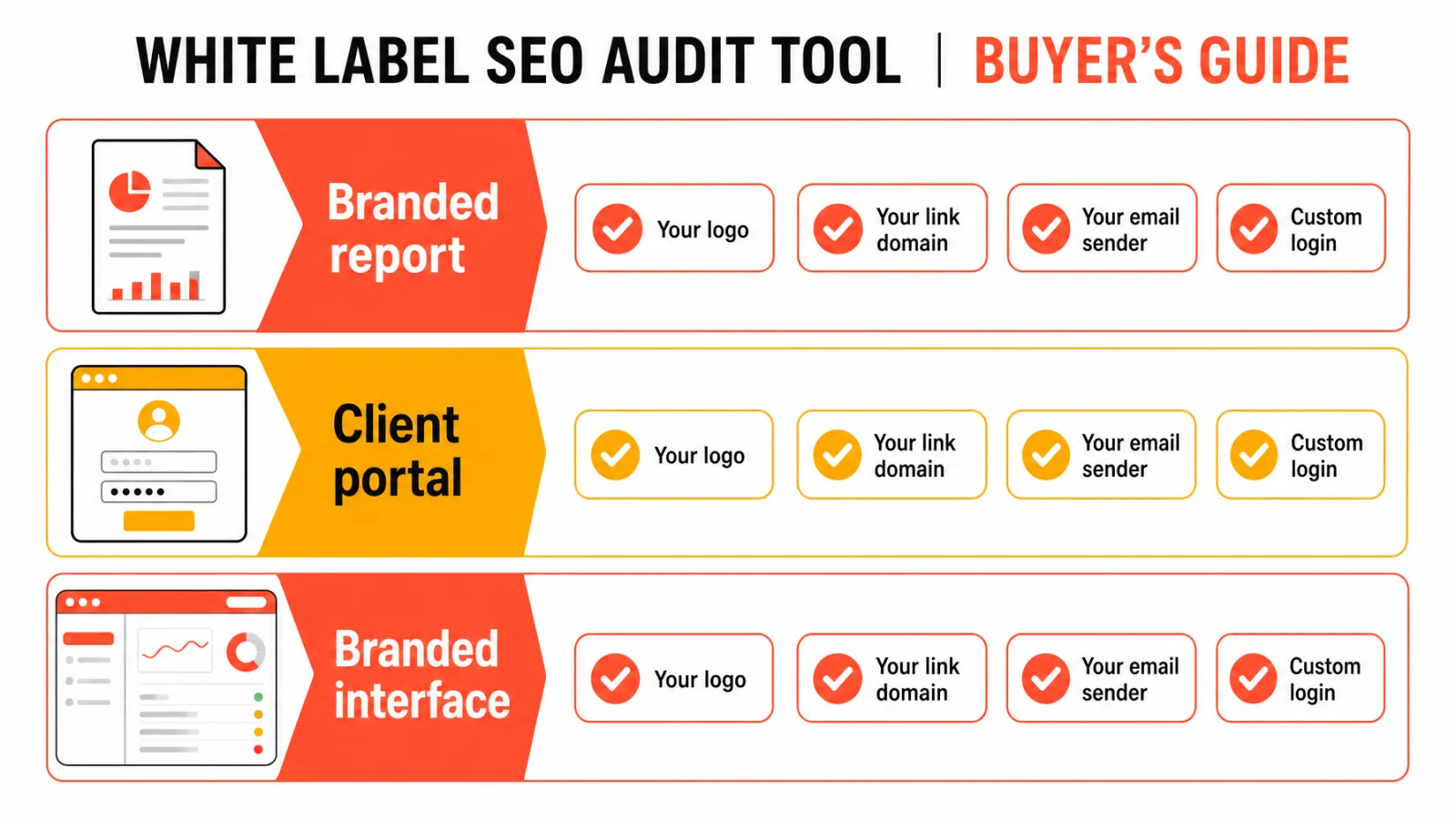
Brand, link domain, email sender, login, and interface are five different surfaces. A tool can brand one and leave the others untouched, which is why the phrase white label SEO software on a pricing page tells you very little.
A branded report is not the same as a client portal
A PDF or shared link is a document. A client portal is a workspace where someone signs in and sees their own data.
Ask whether the vendor's name shows up in the file, the report URL, the login page, notification emails, help pages, or the browser tab. Check the documentation and a live demo rather than taking the pricing page at its word.
If you want a wider view of the category, our guide to broader white-label SEO software options for agencies covers the levels of white-labeling in more detail.
Separate audit software from SEO reporting dashboards
Audit software crawls pages and diagnoses technical issues. A reporting dashboard pulls in ongoing metrics from connected services. Some products do both, and some do only one.
Ask which job you're buying. If a tool connects to Google Search Console, confirm in the vendor's own docs which data it pulls, because a connection doesn't mean every data type comes along. For the ongoing side, see our overview of agency SEO reporting tools.
Which audit features should an agency check before buying?
More features don't make a better tool. Group your checks into three buckets (audit quality, client delivery, and agency operations), then test each one on a site you know well.
Check crawl scope, technical coverage, and evidence
Start with what the crawler actually saw. Ask these questions:
Which URLs and page templates were crawled, and which were excluded?
Are pages behind a login left out?
Is JavaScript rendering covered? Google documents how JavaScript affects crawling and indexing, so rendering gaps matter on some sites.
Does the tool report performance signals such as Core Web Vitals?
Every material finding should name the affected URL or scope, the evidence observed, why it matters, and a suggested next action. A tool's checklist isn't proof that it catches every issue.
Verify branding, access, and delivery separately
Walk the whole client path and check each item:
Logo and colors
Vendor mentions in the file, footer, and help pages
Report URL and domain
PDF or export formats
Sender identity on scheduled emails
Client login and read-only permissions
Approval step before anything reaches a client
Mark each one as confirmed, absent, or not documented during your trial. Don't call any option fully white-label until you've seen the entire path.
Confirm integrations, limits, and data handling
Get exact integration behavior and plan limits from official docs. Ask about per-site or per-client caps, crawl frequency, history retention, exports, and data deletion.
Treat WordPress as a client CMS you should test against, not an assumed integration. And don't call a vendor secure or compliant without its own security and contract documentation.
How can an agency test whether an SEO audit is accurate?
One caveat first: a test shows how a tool behaves on your sample, not that it's accurate everywhere. Google also says meeting its technical requirements doesn't guarantee indexing, and a clean audit is no different.
That's why a white label SEO audit tool should earn trust through evidence you can reproduce. Our SEO audit template for agencies is a handy companion for recording what you find.
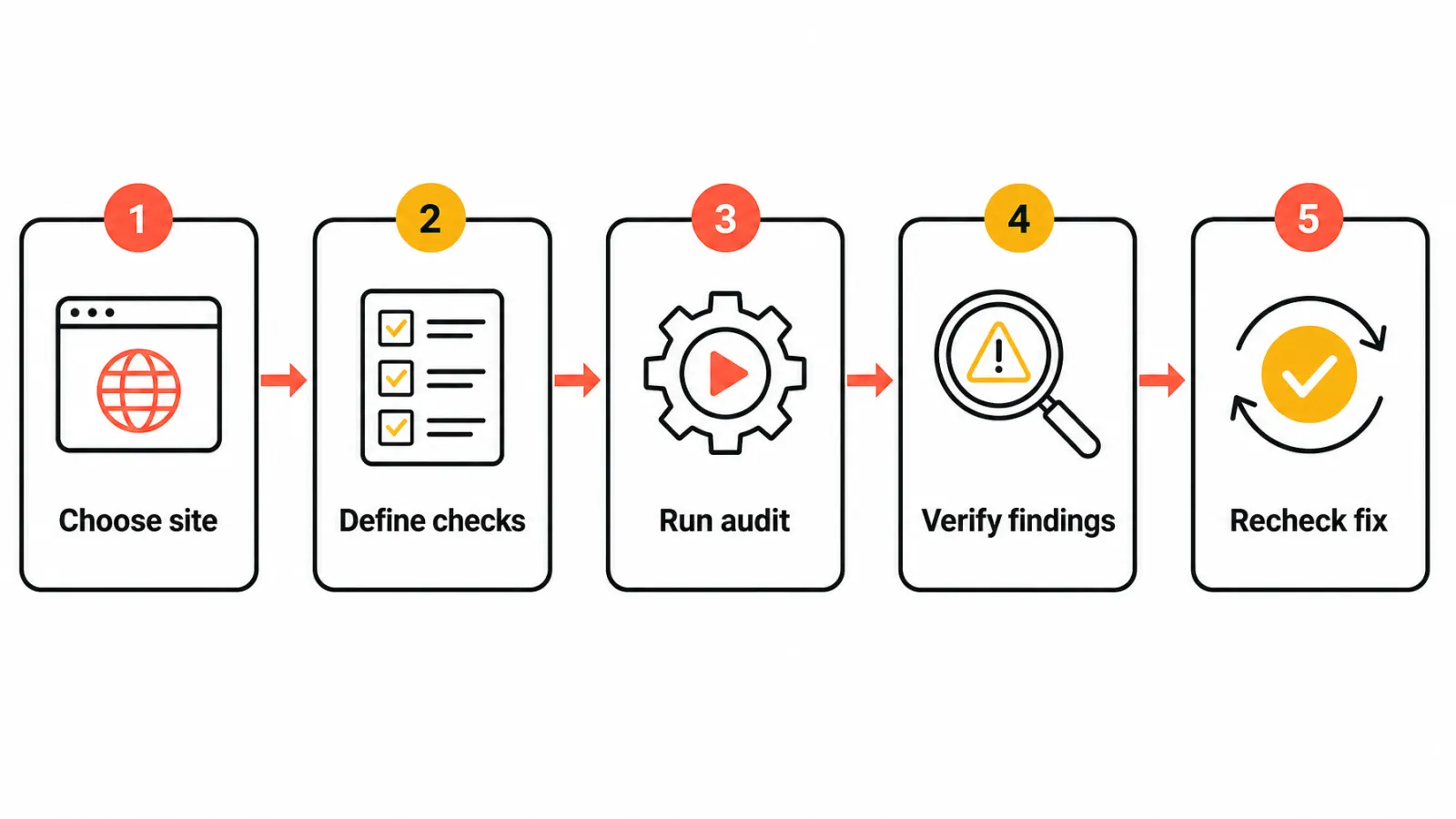
Use a consistent five-step buyer test
Choose a site and pages you have permission to assess.
Define the page types and known technical conditions you expect the tool to check.
Run the tool with documented settings, and save the output, timestamp, and plan tier.
Verify material findings against page behavior and first-party evidence, recording false positives and missed items.
Make or simulate an authorized change, then check whether the tool shows the result or explains its verification limits.
Keep in mind that crawling, indexing, and serving are separate stages in Google Search. Search Console can supply useful first-party evidence, but its presence doesn't prove every audit finding is correct. And don't publish anything about a client's site without their permission.
Use a scorecard without pretending to have tested vendors
Use this blank worksheet for your own trial and score each criterion from 1 to 5. It's a buyer worksheet, not a comparative test.
Criterion | What to check | Your score (1-5) |
|---|---|---|
Crawl scope | Page types covered, exclusions, rendering | __ |
Evidence quality | Affected URL, observation, reproducible proof | __ |
Clarity of recommendations | Can a client or developer act on it? | __ |
Priority usefulness | Is the ranking of issues defensible? | __ |
Branding depth | Report, link, email, login, interface | __ |
Client permissions | Read-only access, data separation | __ |
Exports | Formats, audit history, ownership | __ |
Repeatability | Can you re-run and compare after a fix? | __ |
Workflow fit | Scheduling, approvals, team handoffs | __ |
Total cost | Cost at today's and next-stage client counts | __ |
How should agencies compare white-label SEO audit costs and tradeoffs?
There's no honest universal price for this category, so compare spend at your own numbers. Check whether billing runs by seat, site, client, report, usage, or add-on. Read the official pricing page or get a written quote, and note the date you checked it.
Model cost at the agency's real client volume
Use this formula: recurring plan and add-ons, plus usage or overage charges, plus staff time for review, client explanation, and export cleanup. Staff time is your own estimate, not a vendor price.
Run it for today's client count and a realistic next-stage count. A cheap entry plan can look very different once you add the sites you'll actually audit.
Recognize what automation does not decide
Automated findings still need a practitioner to judge business impact, implementation risk, and priority. An issue count or health score can't supply that context.
Human review isn't a guarantee of accuracy, but it's a sensible agency control before any report reaches a client.
What questions should an agency ask a white-label audit vendor?
Verbal answers from a sales call aren't enough. When you're evaluating a white label SEO audit tool, ask for written replies or official documents, and send legal or compliance questions to qualified advisers.
Ask about the client-facing experience
What does the client see at every step?
Which plan includes each branded surface?
Is the client login read-only, and can a client see only their own site's data?
What are the report URL, sender email, and vendor mentions?
Ask for a live demo rather than a screenshot. A static image can't verify a workflow.
Ask about data, limits, and support
What does the crawl omit, and which limits apply?
Where can I read the official data-handling terms?
Can I export audit history?
What happens to my data after cancellation?
How does support handle reproducible false positives?
When is a white-label SEO audit tool not the right fit?
It isn't the right fit in a few cases. If you need a deep custom crawl, migration analysis, server-log work, or specialist development support, a dedicated crawler or manual review may serve you better.
If you need a full marketing dashboard, a reporting platform fits better. And if clients don't need your branding at all, you'd pay for a layer you won't use. Plenty of agencies end up combining tools based on the documented need.
How Keytomic fits into an agency SEO audit workflow
Keytomic is our product. We describe only capabilities verified in its official product documentation. Keytomic feature details checked November 2026.
What Keytomic's audit workflow covers
The official Keytomic technical SEO audit workflow page describes checks across indexability, Core Web Vitals, mobile usability, links, orphaned pages, metadata, schema, and rendering. It also describes severity-ranked findings with suggested fixes, which maps well onto the evidence-and-priority approach above.
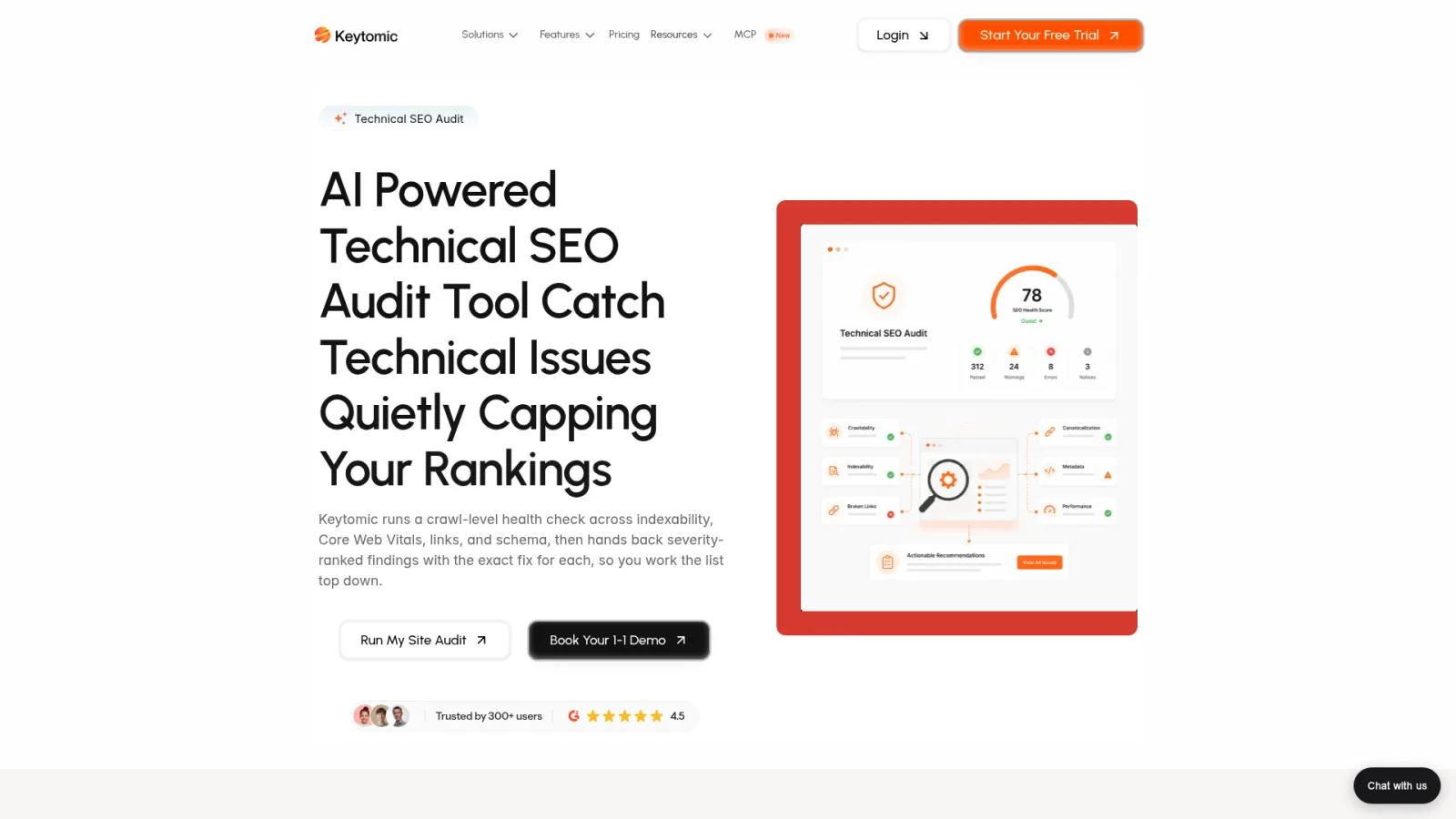
Here's the catch: the official sources reviewed don't confirm white-label reports, a client portal, custom-domain reporting, or client permissions. If your agency needs a white label SEO audit tool with those surfaces, verify them with Keytomic in current official documentation before choosing it.
Even then, a human reviewer still needs to judge priority and implementation risk.
Check Keytomic's current plan details
If a technical audit workflow is part of your stack, review the feature page above and check Keytomic pricing and plan details for current terms. Don't assume a plan includes anything beyond what the official pages state.
Frequently asked questions
What is a white-label SEO audit tool?
A white label SEO audit tool audits a website and lets an agency deliver findings under its own brand. Output may be a report, link, or portal; verify which.
What is the difference between a white-label audit report and a client portal?
A report is a document or shared result; a client portal is an access-controlled workspace. A branded PDF doesn't prove a portal exists.
Does white-label mean the vendor is completely hidden?
Not necessarily. The vendor may still appear in URLs, login screens, emails, help pages, or plan restrictions, so inspect the complete client path.
What should an agency check in an SEO audit tool?
Check crawl scope, finding evidence, prioritization, client delivery, permissions, exports, and plan limits. Test them on a site you know rather than trusting a headline score.
How can an agency test whether an audit is accurate?
Run a documented test on a site you may assess and compare findings with known conditions and first-party evidence. One sample can't prove universal accuracy.
Can a white-label audit tool connect to Google Search Console?
Some products may document a connection, but don't assume every tool or plan does. Check the vendor's official integration documentation and which data it uses.
How much does white-label SEO audit software cost?
There's no single category price. Billing can vary by site, client, user, report, usage, or add-on, so check current vendor pricing for your plan and region.
Can an automated SEO audit replace an SEO specialist?
No, not for every decision. Software surfaces checks, but an experienced reviewer still needs to judge context, implementation risk, and priority.
Is an SEO audit tool the same as SEO reporting software?
Not always. Audit tools check site conditions, while reporting software aggregates ongoing metrics. Some products combine both, so verify what yours does.
Your decision checklist before you buy
Name the client experience you need: branded report, client portal, or fully branded interface.
Test crawl scope and evidence on a representative, authorized site.
Confirm the selected plan's client access, limits, exports, and data terms in writing.
Calculate total cost at your real client volume and review workload.
Choose a specialist audit tool, a reporting platform, a combined stack, or a broader workflow product based on the verified need.
Do that, and picking a white label SEO audit tool becomes a verification exercise instead of a guess. If you also need a technical audit workflow, Keytomic is worth a look, but confirm any white-label requirement with the team first. No tool can guarantee search performance.