Table of Contents

Share Article

How to Do Keyword Research for a Shopify Store (2026)

How to Do Keyword Research for a Shopify Store (2026)

How to Do Keyword Research for a Shopify Store (2026)

Salam

Salam Qafir

Product & Marketing Lead

Shopify Keyword research

Learn how to find, validate, map, and prioritize Shopify SEO keywords for product pages, collections, and blog content.

Most Shopify store owners approach keyword research backwards. They open a tool, type in their product name, get a list of two hundred keywords, and have no idea what to do with any of them.

That's not really keyword research, it's keyword collecting. Actual keyword research is about understanding the specific words a real person types into Google right before they're ready to buy what you sell, and then making sure your store speaks that exact language back to them.

I'm Salam Qadir, Product & Growth Lead at Keytomic, and I've done this work for over seven years across SaaS products, service businesses, and more than 150 Shopify stores. This guide covers the whole process: finding keywords, prioritizing them, and, importantly, where to actually place them once you've found them, since that last part is where I see most stores fall short even after doing the research correctly.

If you haven't already, our Shopify SEO Guide covers the broader picture this fits into. Keyword research is the input; everything else in Shopify SEO is what you do with it.

TL;DR

  • Keyword research for Shopify means figuring out the exact words your customers type before they buy, and matching those words to the right page: product, collection, or blog post.

  • The two biggest mistakes are targeting keywords with the wrong intent, and never looking past your own product names to see how customers actually describe what they want.

  • Your best keyword source usually isn't a paid tool, it's your own product reviews, support tickets, and customer emails.

  • Where you place a keyword (title, header, URL, alt text) matters almost as much as which keyword you picked.

What Ecommerce Keyword Research Actually Means

Keyword research is the process of finding out what words and phrases people type into Google, or increasingly ask an AI assistant, when they're looking for something you sell, and then organizing your store's content around those exact words instead of the words that feel natural to you as the person who built the product.
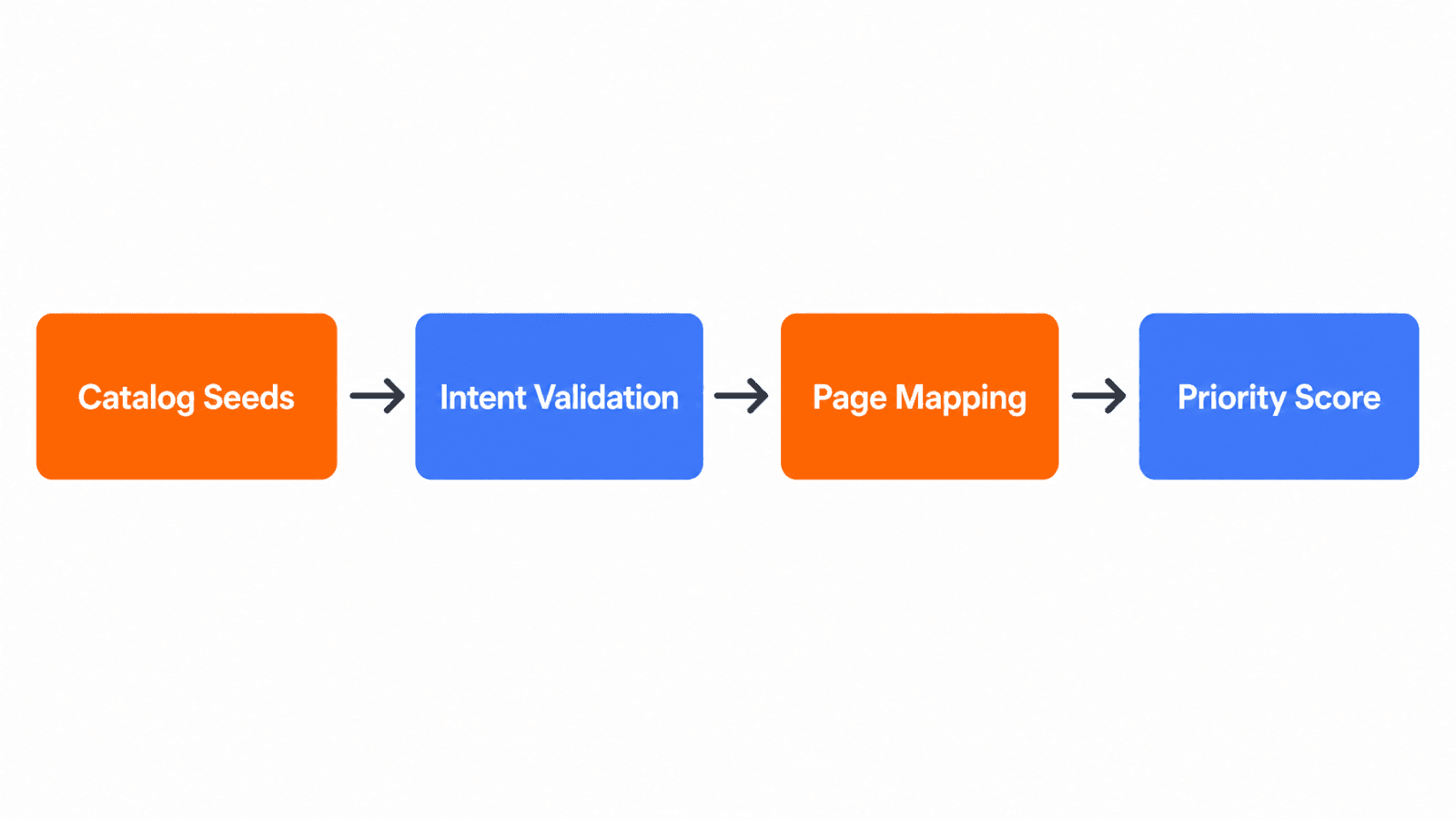
Shopify keyword research four-step workflow diagram

This distinction matters more than it sounds. If you make hand-poured candles, you might naturally call them "artisan soy candles." Your customer might just search "candle that smells like a bakery" or "long-lasting candle for anxiety." Neither of you is wrong, but only one of those phrases is what's actually typed into the search bar, and that's the one your page needs to speak in.

Why Keyword Research Matters for Your Store

Keyword research isn't a box to check before launch. Done properly, it changes five specific things about how your store performs.

It Drives High-Intent Traffic

There's a real difference between someone searching "hospital bed" and someone searching "home hospital bed for elderly with arthritis." The first could be a student researching a school project. The second is very likely a caregiver close to buying. Targeting the second kind of phrase brings fewer visitors, but far more of them are ready to purchase.

It Improves Product Visibility

If you sell eco-friendly water bottles, optimizing around "BPA-free water bottle" or "reusable gym bottle with straw" gets you found for the specific, relevant searches people actually run, rather than competing only for a broad term like "water bottle" against every retailer on the internet.

It Guides Your Content Strategy

Keyword data tells you what to write about next. Consistent search volume around "running shoes for flat feet" points directly to three possible pieces of content: a comparison post, a buying guide, or an optimized collection page featuring your relevant products.

It Reveals Market Demand

A rising number of searches for a specific product feature or use case is often the earliest signal of where demand is heading, sometimes before it shows up anywhere else in your sales data. A spike in "collagen supplements for skin" searches, for example, signals growing category interest worth reacting to early.

It Reduces Wasted Ad Spend

If you're running paid ads alongside organic search, keyword research tells you which specific phrases actually convert rather than just which ones bring clicks. Long-tail terms like "noise-cancelling headphones under $200" tend to convert better than broad terms like "headphones," which attract a lot of window shoppers along with real buyers.

The Core Concepts to Understand First

A few underlying ideas show up constantly once you start researching. Understanding them upfront saves you from picking the wrong keywords for the wrong pages later.

Search Intent

Every search falls into roughly one of four categories, and matching your page to the right one is the single most important thing in this guide.


Search Intent

What the Person Wants

Example Search

Best Page Type

Informational

To learn something

"how does merino wool regulate temperature"

Blog post or guide

Navigational

A specific website or brand

"[brand] running shoes"

Homepage or brand page

Commercial investigation

To compare options before deciding

"best waterproof hiking boots 2026"

Collection page or comparison article

Transactional

To buy, right now

"buy waterproof hiking boots size 10"

Product page

Build a product page for a search that actually wants a comparison article, and it usually won't rank, no matter how well it's written, because it's answering a different question than the one being asked.

Seed Keywords vs. Long-Tail Keywords

A seed keyword is short, broad, and high-volume. A long-tail keyword is longer, more specific, and far lower volume, but converts noticeably better because the intent behind it is unmistakable.


Seed Keyword

Long-Tail Keyword

Example

"running shoes"

"waterproof trail running shoes for wide feet"

Monthly volume

High

Low to moderate

Competition

Very high

Low to moderate

Buyer intent

Unclear

Clear

Best used for

Collection pages

Product pages, blog posts

For a newer or smaller store, long-tail keywords are usually where to spend your early effort. Seed keywords are better suited to collection pages, where you're capturing a broader category rather than a single specific need.

Keyword Metrics: Volume and Difficulty

Search volume estimates how many people search a term each month. Difficulty (sometimes shown as "KD") estimates how hard it would be to rank for it, based on how strong the currently-ranking pages are.

The instinct is to chase high-volume, low-difficulty keywords, and when you genuinely find one, that's great. But this pairing alone isn't enough on its own. A keyword can look perfect on paper and still be useless if it doesn't match what you sell or the intent doesn't fit your page, so always check relevance and intent before volume and difficulty, not after.

Keyword Categories

Most ecommerce keywords fall into one of four buckets, and knowing which one you're looking at tells you almost immediately which page type it belongs on.


Category

Example

Typically Belongs On

Product keyword

"Sony WH-1000XM5 headphones"

Product page

Category keyword

"noise cancelling headphones"

Collection page

Brand keyword

"[your brand] headphones" or "Bose alternatives"

Homepage, brand page, comparison post

Problem/solution keyword

"quietest headphones for open offices"

Blog post or product page


You have a product catalog, a set of collection names, and a rough idea of what your customers search for. What you probably don't have is a reliable method for deciding which query belongs on which URL, or which terms are worth pursuing at all. That gap is where most Shopify SEO efforts stall.

The biggest mistake I see store owners make is building a large keyword spreadsheet before settling the intent question. A 2,000-row export from a keyword tool means nothing if you haven't decided whether the searcher needs a product page, a collection page, or an educational blog post. Building that list first wastes time and often leads to the wrong pages targeting the wrong terms.

This guide will take you from catalog entities to seed terms, through validation and page mapping, and into a prioritization framework you can use immediately. For the broader technical context around Shopify SEO, the Shopify SEO guide for store owners is worth reading alongside this one.

Product Keywords Versus Collection Keywords

Product keywords name a specific item, model, variant, or attribute: "navy blue canvas tote bag," "size 10 wide hiking boot," or "stainless steel French press 8 cup." These belong on individual product pages because the searcher has a specific item in mind.

Collection keywords describe a category or product class: "canvas tote bags," "hiking boots for wide feet," or "French press coffee makers." These belong on collection pages because the searcher is still evaluating options across the range.

The common mistake is assigning a category-level term to a single product page. If your store sells twelve different canvas tote bags, a collection page targeting "canvas tote bags" has far more supporting content and product evidence than any single product page could provide.

Common Shopify Keyword Research Mistakes

In my experience, these are the mistakes that show up repeatedly:

  • Targeting broad head terms like "shoes" or "furniture" without a realistic assessment of domain authority or catalog depth.

  • Duplicate targeting where two product pages and one collection page all aim at the same query, splitting authority and confusing Google about the intended URL.

  • Unsupported modifiers such as "wholesale" or "near me" when the store doesn't offer wholesale pricing or local pickup.

  • Volume-first selection where a term is added because it shows 10,000 monthly searches, not because the store can satisfy the intent with real products.

  • Ignoring cannibalization between blog posts and collection pages when both use similar informational framing for the same term.

These problems are covered in more detail in the guide on common Shopify SEO issues.

Build a Seed Keyword List From Your Shopify Catalog

The most reliable starting point for Shopify keyword research isn't a keyword tool. It's your catalog. Before opening Google Keyword Planner or any third-party platform, map the language already embedded in your products, collections, attributes, and customer reviews.

Here's a practical process:

  1. List every product type, product name, and collection name.

  2. Add product attributes: material, size, color, finish, compatibility, and audience.

  3. Add use cases: what is the product used for, by whom, and in what context?

  4. Add customer language from reviews, support tickets, and social comments.

  5. Add buying questions: comparisons, care instructions, compatibility, and cost.

Start With Products and Collections

Imagine a store selling outdoor kitchenware (illustrative example only). Seed terms from the catalog might include: "cast iron skillet," "outdoor cooking pan," "camping cookware set," "lightweight backpacking pot," "portable camp stove," and "10-inch cast iron skillet."

The collection structure adds broader seeds: "camp cookware," "outdoor cooking gear," and "backpacking kitchen essentials." Each of these is a candidate for a collection page, not a product page, because each implies category browsing rather than a specific item purchase.

Apply a catalog eligibility gate: keep a term only when your store has a relevant product, collection, or genuinely useful educational answer. If your store doesn't sell backpacking stoves, remove "backpacking stove" from the working list regardless of its search volume.

Add Customer Problem and Use-Case Queries

Customers rarely search for the product name alone. They search for what they're trying to do:

  • "what pan to use on a campfire"

  • "cast iron vs non-stick for camping"

  • "how to season a cast iron skillet"

  • "best cookware for solo backpacking"

These queries expand the seed list with problems, comparisons, and educational needs. The first two may belong on a blog post that links to the collection. The last one may belong on a collection page or a dedicated comparison blog post, depending on the SERP results and the catalog's depth.

Include Commercial Modifiers Only When They Fit

Modifiers like "best," "affordable," "reviews," "wholesale," "alternatives," and "near me" each carry a specific expectation. "Best cast iron skillet" implies a comparison or curated list, not a single product page. "Wholesale cast iron cookware" implies volume pricing and trade accounts.

I would warn against adding modifiers just because they increase search volume estimates. Every modifier requires matching content, an offer, or evidence. If your store doesn't have a comparison editorial or a best-of collection, don't target "best" queries until that page exists.

Find and Validate Shopify SEO Keywords

Once you have a seed list, the next step is validation. Validation checks three things: does the term have real demand, does the SERP confirm your intended intent, and does your catalog support the page you'd need to create?

Tool

Primary role

Key limitation

Google Keyword Planner

Demand estimates, related ideas

Broad ranges for low-volume terms

Google Trends

Seasonal patterns, relative interest

Not absolute sales demand

Google Search Console

Existing query and page data

Only available for established stores

Semrush / Ahrefs

Broader discovery, competitor gaps

Paid plans for full data

No single keyword tool can replace intent review and catalog verification.

Use Google Keyword Planner and Google Trends

Google Keyword Planner is a discovery and forecasting tool, not a precision ranking predictor. It provides monthly search ranges, related terms, and geographic breakdowns, all of which are useful for validating demand and uncovering related seed terms.

Google Trends adds a dimension Keyword Planner can't show: relative interest over time. A product category that spikes every November requires a different publishing calendar than one with steady year-round demand. Use Trends to identify seasonal patterns and regional demand shifts, but don't treat it as an absolute measure of buying intent.

The practical limitation: Keyword Planner shows broader ranges for lower-volume terms, which matters for long-tail Shopify keywords where the actual volume may be 50, not 500.

Analyze Search Results and Competitor Pages

Searching your candidate keyword and reviewing the first page of results is the fastest intent check available. Look at the page types that rank: are they product pages, collection pages, blog posts, or third-party comparison articles? The dominant page type tells you what Google believes the searcher wants.

Also check the titles, headings, and product attributes visible in ranking pages. If competitors consistently show filters, price ranges, and material options in their collection pages, that's a signal your collection page needs similar decision-support content. If the top results are all editorial comparisons, a product page won't satisfy that intent.

Review Google Search Console Data

For stores with existing traffic, Google Search Console's Performance report is the most valuable and most underused keyword research tool available. It shows which queries are already generating impressions and clicks, which pages those queries land on, and the average position for each query-page pair.


Google Search Console Performance report documentation

I've found that stores regularly discover high-impression, low-CTR queries in Search Console that reveal strong keyword opportunities. A query generating 800 monthly impressions at position 11 with a 1% CTR is a realistic candidate for optimization. A query generating impressions for a page that doesn't match its intent is a candidate for a new page or a content revision.

How Do You Match Shopify Keywords to the Right Page?

Keyword mapping assigns one primary query to one Shopify URL. Supporting variants can share that URL only when they share intent. Two pages targeting overlapping queries will compete with each other, which Shopify's keyword guidance identifies as a structural problem affecting both ranking and content quality.

Here's a practical mapping table (illustrative URL patterns only):

Query

Intent

Shopify page type

Example URL pattern

"cast iron skillet"

Transactional

Product page

/products/cast-iron-skillet

"cast iron cookware"

Commercial

Collection page

/collections/cast-iron-cookware

"best pan for campfire cooking"

Commercial

Blog post

/blogs/guides/best-pan-campfire

"how to season a cast iron skillet"

Informational

Blog post

/blogs/guides/season-cast-iron


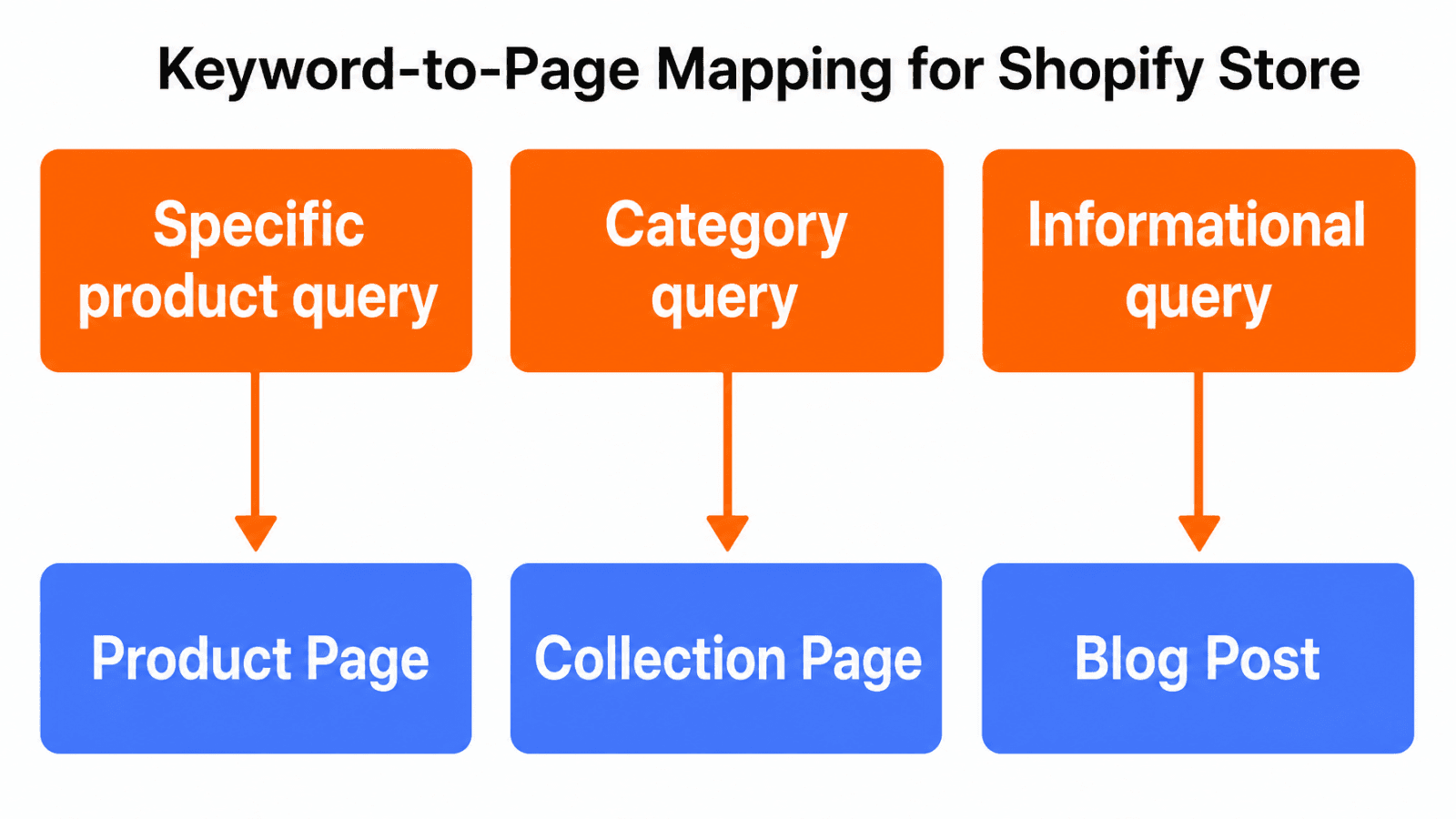
Shopify keyword to page type mapping decision diagram

One primary query should have one clear Shopify URL owner.

Which Shopify Keywords Belong on Product Pages?

Product pages should target queries that name a specific item, include specific attributes, or signal purchase readiness: "buy," "price," a specific model, or a size-and-material combination. The test is simple: would a searcher using this query be satisfied by landing on a single product, or would they expect to browse?

A warning I'd add here: avoid assigning a category-level query to a product page just because that product is your best-seller. If "cast iron cookware" generates 2,000 monthly searches, your 10-inch skillet product page won't satisfy that breadth of intent as well as a collection page covering your full cast iron range.

When Should a Collection Page Target a Broader Keyword?

A collection page earns the right to target a category-level keyword when it has enough relevant products to give the searcher a genuine selection, and when the SERP shows that other collection pages rank for that term. Depth matters: a collection with two products targeting "outdoor cooking gear" is harder to justify than a collection with twenty.

Collection pages can also carry commercial content, filters, buying guides, and internal links to related collections and product pages, all of which increase their relevance signals for broader queries. Review Shopify's SEO overview for guidance on editable metadata and canonical tag behavior for collection pages.

Use Blog Content for Informational Searches

Blog posts should handle queries where the searcher needs information, a comparison, care guidance, or education before (or instead of) buying. A post titled "How to Choose a Camping Cookware Set" can rank for an informational query, link internally to the camping cookware collection, and support product pages for specific items mentioned in the post.

The cannibalization risk: a blog post targeting "best cast iron skillet" competes directly with a collection or product page targeting the same term. When both pages exist, search engines may rank the blog post for a commercial query that a product or collection page should own. Before publishing informational content, run a cannibalization check by searching the target query and identifying every internal URL that could compete.

Prioritize Keywords for an Ecommerce Content Plan

Not every validated keyword deserves equal publishing priority. A scoring model keeps decisions transparent and prevents the common mistake of prioritizing by volume alone.


Shopify keyword priority scoring framework illustration

Score each candidate from 1 to 5 across these factors:

  • Business relevance: Does this term connect to products you actually sell?

  • Search intent match: Does the intent align with the page type you can build?

  • Demand: Is there enough search interest to justify the effort?

  • Competition opportunity: Is the SERP dominated by authority domains, or are there attainable positions?

  • Conversion potential: If this page ranks, how likely is it to drive a product view or purchase?

  • Catalog fit: Does your store have the products, variants, or information to satisfy this query fully?

  • Evidence quality: Can you support the page with accurate specs, reviews, comparisons, or buying information?

This scoring approach is an editorial framework, not an industry standard. Its value is that it forces you to assess catalog fit and evidence quality explicitly, two factors that generic guides skip in favor of volume and difficulty alone.

Evaluate Business Relevance and Conversion Potential

A term with 5,000 monthly searches that attracts visitors who never buy from your category is less valuable than a term with 300 monthly searches that lands buyers at the moment they're ready to purchase. Prioritize terms connected to products with good margin, clear availability, and a realistic conversion path.

For a prioritization model aligned with a publishing calendar, the 30-day AI search optimization roadmap shows how to sequence content creation against keyword priorities across a structured timeframe.

Balance Competitive and Low-Competition Terms

Keyword difficulty scores from tools like Semrush and Ahrefs are useful directional signals, not absolute predictions. A term with a difficulty score of 45 might be entirely attainable for a store with strong topical authority in its category, and very hard for a store without it.

A practical balance: identify a set of long-tail, specific-intent terms your store can realistically rank for within 60 to 90 days (low competition, clear catalog fit), then add a smaller set of broader category terms to build toward over 6 to 12 months. Working only on easy terms keeps you in the margins. Working only on competitive head terms produces no early wins.

Organize Keywords Into Topic Clusters

Group related product, category, comparison, and informational terms around a shared entity. For a camping cookware store, the "cast iron" cluster might include the collection page as the hub, product pages for individual items as supporting pages, and blog posts covering care, comparison, and recipe topics as satellite content.

This cluster structure supports internal linking, which passes authority between pages and helps Google understand the topical relationships across your store. For guidance on choosing the right planning tools to support this work, the resource on how to choose SEO automation tools is a useful next step.

How Keytomic Supports Shopify Keyword Planning

Disclosure: Keytomic publishes this guide and its workflow is discussed as an example. Shopify publishing and product workflow references were checked against official Keytomic pages in August 2026. Recheck current capabilities before acting on product-specific details.

Keytomic SEO automation platform homepage

Once keyword research is complete, the gap between a validated keyword list and published, indexed content is where most Shopify stores lose momentum. Research ends in a spreadsheet. Content planning happens in another tool. Publishing happens in Shopify's editor. Measurement happens in Google Search Console. None of these steps talk to each other.

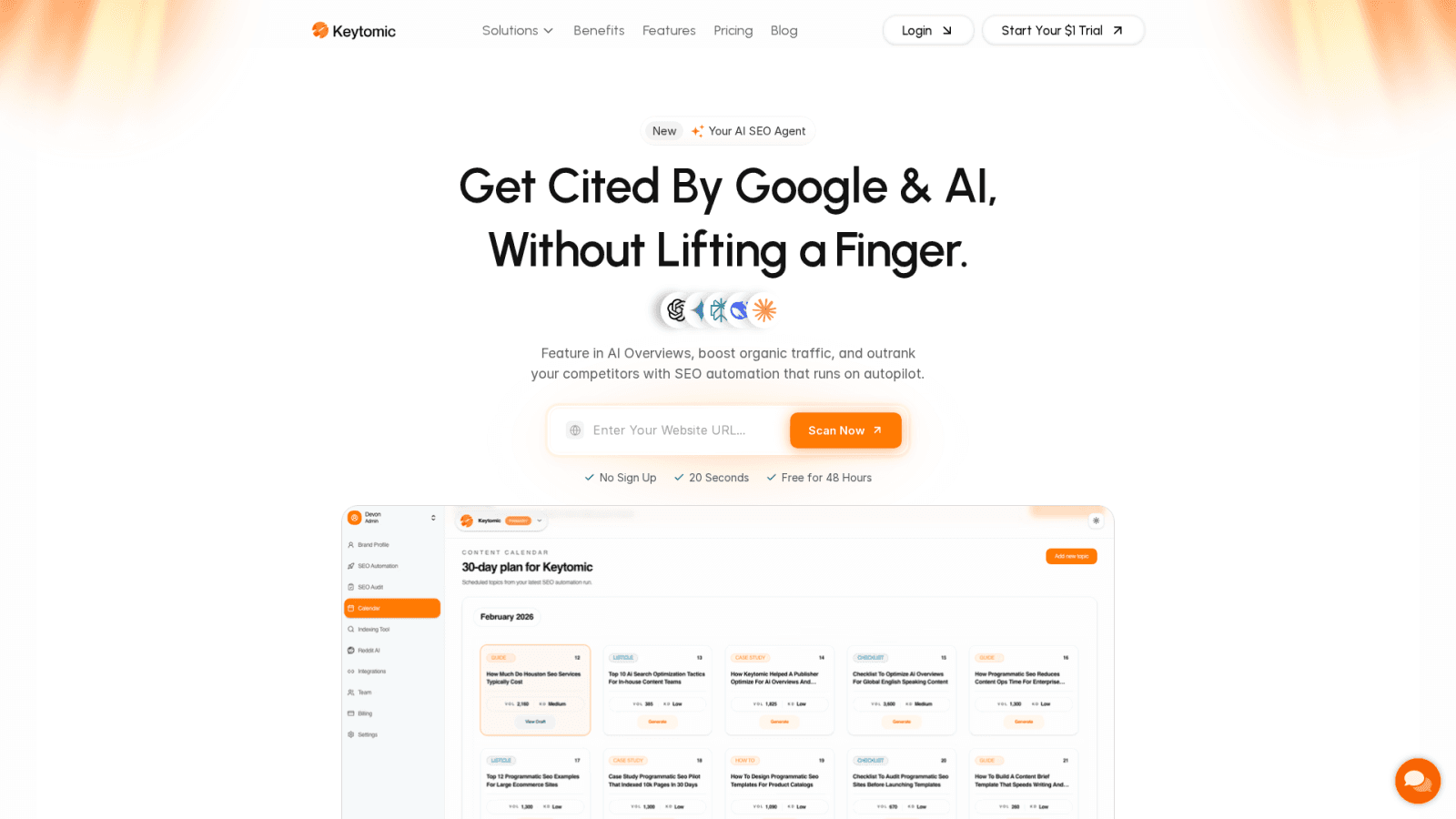
The Keytomic SEO automation platform is designed to close that operational gap for Shopify stores. The documented workflow connects keyword discovery, content planning, content generation, publishing, and visibility monitoring into a single process rather than a handoff chain between disconnected tools.

Move From Keyword Discovery to a Content Roadmap

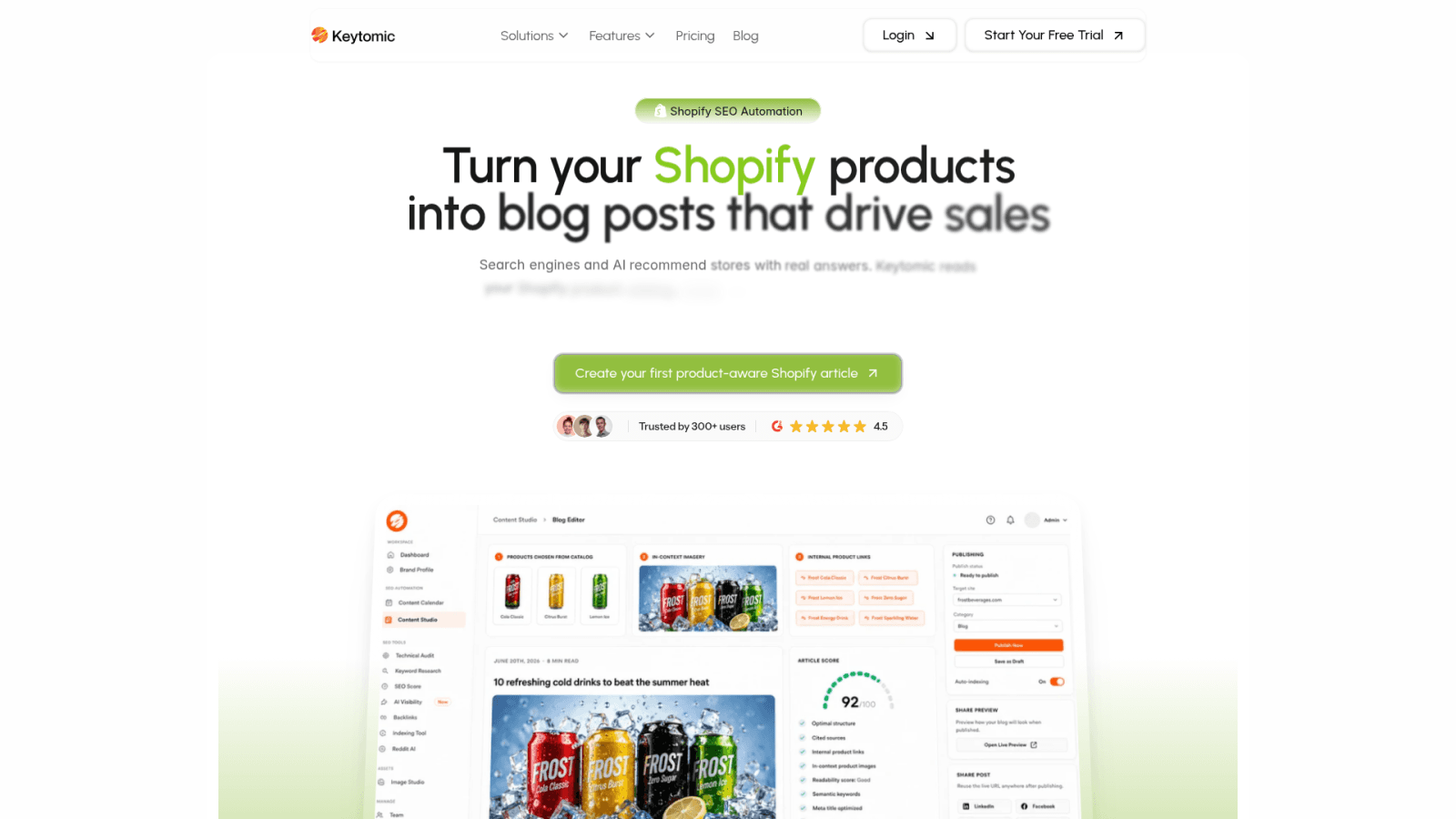
The Keytomic Shopify SEO workflow connects catalog inputs, keyword research, intent and page mapping, and content planning, then outputs a 30-day content calendar that assigns topics to publishing slots. That structure removes the manual step of transferring research findings from a keyword tool into a separate content brief or planning document.

Keytomic Shopify SEO workflow page

This doesn't replace the strategic decisions covered in this guide: which terms to prioritize, which page type each term belongs on, and whether the catalog can actually support the content. Those decisions still require human judgment about product availability, margin, and business direction.

Connect Keyword Priorities to Publishing Workflows

Once a topic is approved in the content calendar, Keytomic generates a draft and publishes it directly to the Shopify blog via its Keytomic CMS integrations. Human review before publication is not optional here. Product facts, pricing, inventory status, brand voice, and any claim requiring verification need editorial approval before a post goes live.
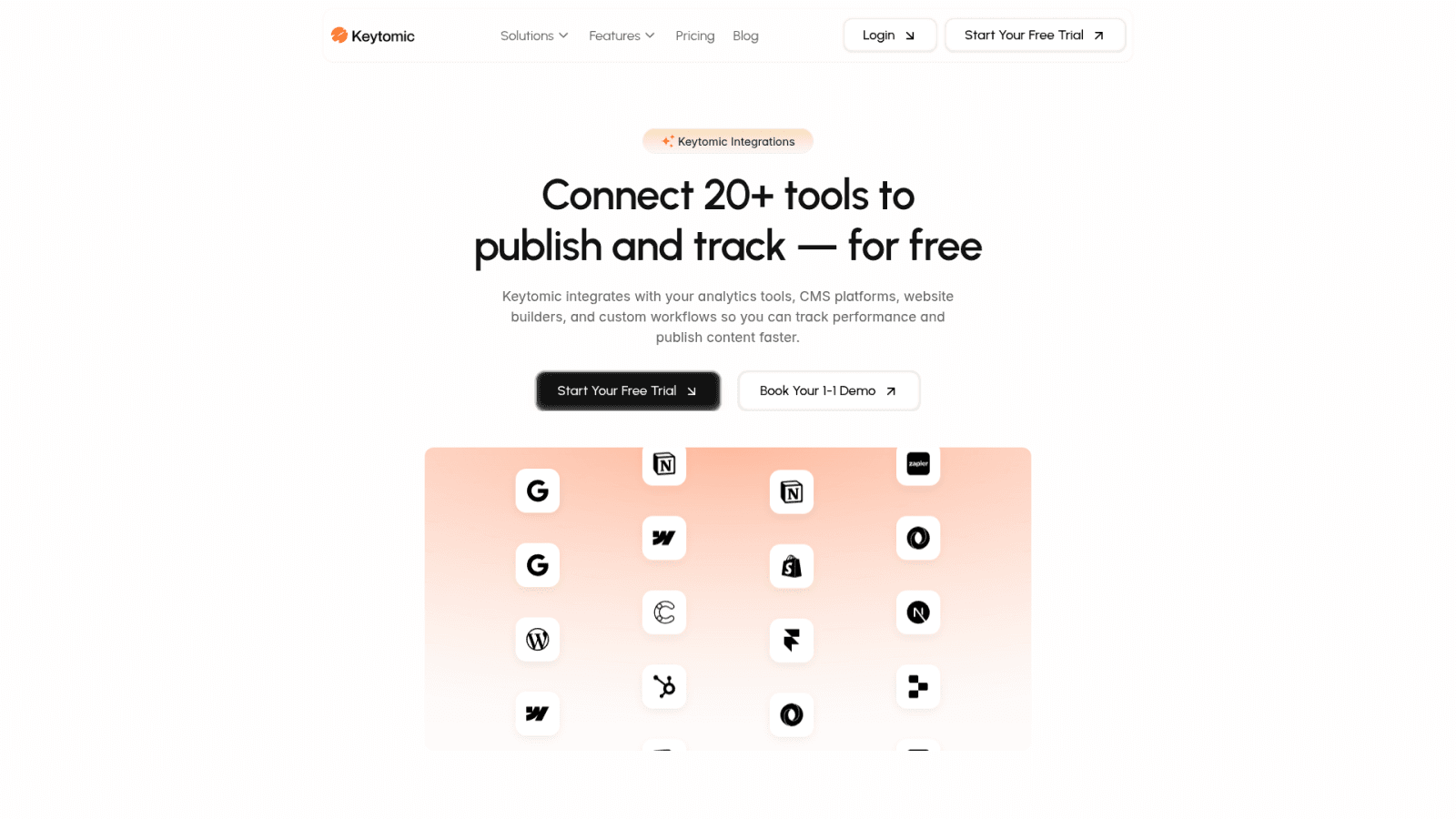

Keytomic CMS integrations including Shopify

Keytomic can support research and publishing workflows, but it does not replace product strategy, merchandising judgment, editorial review, or a guarantee of rankings or AI citations.

Monitor Traditional and AI Search Visibility

Google Search Console remains the authoritative source for measuring Google search performance: impressions, clicks, CTR, average position, and the specific queries and pages driving traffic. For Shopify stores, Search Console also helps identify cannibalization between collection and blog pages competing for the same queries.

AI search visibility, such as whether your store is cited in ChatGPT or Perplexity responses, is a directional observation rather than a conventional ranking metric. As Google Search Central notes, foundational SEO remains relevant to AI features, but AI feature links and citations can vary. The Google AI Overviews visibility framework explains the content and structural factors that improve your chances of being cited. For a broader view of AI answer engine visibility, the resource on brand visibility in AI answer engines covers the measurement and content requirements in more detail.

View Keytomic pricing and plan details to understand which workflow features are available at each tier, or book a Keytomic workflow demo to see how the catalog-to-publishing sequence works in practice.

Shopify Keyword Research Checklist

Use these three checklists as a repeatable process gate before publishing any new Shopify SEO content.

Keyword Discovery Checklist

  • Extract all product names, collection names, and product attributes from the catalog

  • Add use-case, problem, comparison, and care queries sourced from customer language

  • Add relevant commercial modifiers only when the store's offer and page type support them

  • Run seed terms through Google Keyword Planner for demand estimates and related ideas

  • Check Google Trends for seasonal and regional interest patterns

  • Review Search Console for existing impressions and missed query opportunities

  • Apply the catalog eligibility gate: remove terms the store cannot support with real products or content

  • Record the source and check date for each validated term

Keyword Mapping Checklist

  • Assign one primary keyword to one URL (product page, collection page, blog post, or homepage)

  • Confirm the SERP page type matches your intended URL type

  • List supporting variants that share the same intent as the primary keyword

  • Check for competing internal URLs that target the same or overlapping queries

  • Record the URL owner, page type, and primary intent in a mapping document

  • Confirm that blog posts do not target transactional terms owned by product or collection pages

  • Plan internal links from satellite blog posts to relevant collection and product pages

Measurement Checklist

  • Track impressions, clicks, CTR, and average position in Google Search Console

  • Monitor which queries and pages are driving indexed coverage

  • Measure organic conversions and assisted conversions in your analytics platform

  • Check for new cannibalization signals (competing internal pages appearing for the same query)

  • Review internal link click data to see whether content supports collection and product page visits

  • Note AI visibility observations (engine name, prompt, sample date, methodology) separately from Google metrics

  • Set a next-review trigger tied to catalog changes, seasonal shifts, or significant performance changes

Frequently Asked Questions About Shopify Keyword Research

How many keywords should a Shopify product page target?

A product page should have one primary keyword and a small set of closely related variants that describe the same specific item. Targeting five to ten disconnected terms on a single product page dilutes the page's intent signal and rarely improves rankings.

What is the best keyword research tool for Shopify?

No single tool wins for every store. Google Keyword Planner works for demand estimates and discovery. Google Search Console is essential for stores with existing traffic. Semrush and Ahrefs add competitor gap analysis and broader keyword discovery. The right combination depends on your store's size and budget.

Can I do Shopify keyword research for free?

Yes, partially. Google Keyword Planner requires a Google Ads account but is accessible without active ad spend. Google Search Console and Google Trends are free. Third-party tools like Semrush and Ahrefs offer limited free queries before requiring a paid plan.

Should Shopify collections target broader keywords?

Yes, when the collection has enough relevant products to satisfy a category-level search and the SERP confirms that collection-style pages rank for that term. A collection with two products targeting a broad category keyword will struggle to compete with deeper competitors.

How do I find low-competition Shopify keywords?

Focus on long-tail, attribute-specific terms that combine product type, material, use case, or audience. Review Search Console for queries already generating impressions at positions 11 to 30. Examine competitor collection and blog pages for terms they rank for but treat shallowly.

How do I use Google Search Console for Shopify keyword research?

Open the Performance report, filter by a date range of at least 90 days, and sort by impressions. Identify queries with high impressions but low CTR or poor average position. Cross-reference those queries with the pages they're triggering to confirm intent alignment.

How often should Shopify keyword research be updated?

Update research when products are launched or discontinued, when collections change significantly, when Search Console shows new queries appearing for existing pages, or when seasonal interest shifts based on Trends data. A calendar-based schedule is less useful than a trigger-based one tied to actual catalog and performance changes.

Should Shopify blog posts target product keywords?

Only when the blog post's role is to support a buying decision without competing with the product or collection page that owns the transactional intent. A blog post covering "how to choose a cast iron skillet" can mention specific products and link to them without targeting the same transactional query those product pages own.

How do I prevent keyword cannibalization in Shopify?

Maintain a keyword mapping document that records which URL owns each primary query. Before publishing new content, search the target query in Google and check which of your internal pages currently appears. If an existing page ranks for that query, optimize that page rather than creating a new one.

What should I measure after publishing Shopify SEO content?

Track indexing status first, then monitor impressions, clicks, CTR, and average position in Google Search Console at 14, 30, 60, and 90 days. Measure organic conversions and internal link clicks to relevant product and collection pages. Note whether the ranking query matches the intent you targeted when you published.

Decision guidance before you start:

  • If your store has no existing query data, begin with catalog seeds and SERP review before opening a keyword tool.

  • If your store already has Search Console impressions, start there and look for high-impression, low-CTR opportunities first.

  • If several of your internal URLs compete for the same intent, consolidate the mapping before creating new content.

  • If research is complete but publishing is inconsistent, evaluate a connected workflow that handles planning, review, publishing, and measurement in one place.

Ready to connect keyword priorities to a publishing workflow? Start a Keytomic trial and see how your Shopify catalog maps to a content roadmap.

Most Shopify store owners approach keyword research backwards. They open a tool, type in their product name, get a list of two hundred keywords, and have no idea what to do with any of them.

That's not really keyword research, it's keyword collecting. Actual keyword research is about understanding the specific words a real person types into Google right before they're ready to buy what you sell, and then making sure your store speaks that exact language back to them.

I'm Salam Qadir, Product & Growth Lead at Keytomic, and I've done this work for over seven years across SaaS products, service businesses, and more than 150 Shopify stores. This guide covers the whole process: finding keywords, prioritizing them, and, importantly, where to actually place them once you've found them, since that last part is where I see most stores fall short even after doing the research correctly.

If you haven't already, our Shopify SEO Guide covers the broader picture this fits into. Keyword research is the input; everything else in Shopify SEO is what you do with it.

TL;DR

  • Keyword research for Shopify means figuring out the exact words your customers type before they buy, and matching those words to the right page: product, collection, or blog post.

  • The two biggest mistakes are targeting keywords with the wrong intent, and never looking past your own product names to see how customers actually describe what they want.

  • Your best keyword source usually isn't a paid tool, it's your own product reviews, support tickets, and customer emails.

  • Where you place a keyword (title, header, URL, alt text) matters almost as much as which keyword you picked.

What Ecommerce Keyword Research Actually Means

Keyword research is the process of finding out what words and phrases people type into Google, or increasingly ask an AI assistant, when they're looking for something you sell, and then organizing your store's content around those exact words instead of the words that feel natural to you as the person who built the product.

Shopify keyword research four-step workflow diagram

This distinction matters more than it sounds. If you make hand-poured candles, you might naturally call them "artisan soy candles." Your customer might just search "candle that smells like a bakery" or "long-lasting candle for anxiety." Neither of you is wrong, but only one of those phrases is what's actually typed into the search bar, and that's the one your page needs to speak in.

Why Keyword Research Matters for Your Store

Keyword research isn't a box to check before launch. Done properly, it changes five specific things about how your store performs.

It Drives High-Intent Traffic

There's a real difference between someone searching "hospital bed" and someone searching "home hospital bed for elderly with arthritis." The first could be a student researching a school project. The second is very likely a caregiver close to buying. Targeting the second kind of phrase brings fewer visitors, but far more of them are ready to purchase.

It Improves Product Visibility

If you sell eco-friendly water bottles, optimizing around "BPA-free water bottle" or "reusable gym bottle with straw" gets you found for the specific, relevant searches people actually run, rather than competing only for a broad term like "water bottle" against every retailer on the internet.

It Guides Your Content Strategy

Keyword data tells you what to write about next. Consistent search volume around "running shoes for flat feet" points directly to three possible pieces of content: a comparison post, a buying guide, or an optimized collection page featuring your relevant products.

It Reveals Market Demand

A rising number of searches for a specific product feature or use case is often the earliest signal of where demand is heading, sometimes before it shows up anywhere else in your sales data. A spike in "collagen supplements for skin" searches, for example, signals growing category interest worth reacting to early.

It Reduces Wasted Ad Spend

If you're running paid ads alongside organic search, keyword research tells you which specific phrases actually convert rather than just which ones bring clicks. Long-tail terms like "noise-cancelling headphones under $200" tend to convert better than broad terms like "headphones," which attract a lot of window shoppers along with real buyers.

The Core Concepts to Understand First

A few underlying ideas show up constantly once you start researching. Understanding them upfront saves you from picking the wrong keywords for the wrong pages later.

Search Intent

Every search falls into roughly one of four categories, and matching your page to the right one is the single most important thing in this guide.


Search Intent

What the Person Wants

Example Search

Best Page Type

Informational

To learn something

"how does merino wool regulate temperature"

Blog post or guide

Navigational

A specific website or brand

"[brand] running shoes"

Homepage or brand page

Commercial investigation

To compare options before deciding

"best waterproof hiking boots 2026"

Collection page or comparison article

Transactional

To buy, right now

"buy waterproof hiking boots size 10"

Product page

Build a product page for a search that actually wants a comparison article, and it usually won't rank, no matter how well it's written, because it's answering a different question than the one being asked.

Seed Keywords vs. Long-Tail Keywords

A seed keyword is short, broad, and high-volume. A long-tail keyword is longer, more specific, and far lower volume, but converts noticeably better because the intent behind it is unmistakable.


Seed Keyword

Long-Tail Keyword

Example

"running shoes"

"waterproof trail running shoes for wide feet"

Monthly volume

High

Low to moderate

Competition

Very high

Low to moderate

Buyer intent

Unclear

Clear

Best used for

Collection pages

Product pages, blog posts

For a newer or smaller store, long-tail keywords are usually where to spend your early effort. Seed keywords are better suited to collection pages, where you're capturing a broader category rather than a single specific need.

Keyword Metrics: Volume and Difficulty

Search volume estimates how many people search a term each month. Difficulty (sometimes shown as "KD") estimates how hard it would be to rank for it, based on how strong the currently-ranking pages are.

The instinct is to chase high-volume, low-difficulty keywords, and when you genuinely find one, that's great. But this pairing alone isn't enough on its own. A keyword can look perfect on paper and still be useless if it doesn't match what you sell or the intent doesn't fit your page, so always check relevance and intent before volume and difficulty, not after.

Keyword Categories

Most ecommerce keywords fall into one of four buckets, and knowing which one you're looking at tells you almost immediately which page type it belongs on.


Category

Example

Typically Belongs On

Product keyword

"Sony WH-1000XM5 headphones"

Product page

Category keyword

"noise cancelling headphones"

Collection page

Brand keyword

"[your brand] headphones" or "Bose alternatives"

Homepage, brand page, comparison post

Problem/solution keyword

"quietest headphones for open offices"

Blog post or product page


You have a product catalog, a set of collection names, and a rough idea of what your customers search for. What you probably don't have is a reliable method for deciding which query belongs on which URL, or which terms are worth pursuing at all. That gap is where most Shopify SEO efforts stall.

The biggest mistake I see store owners make is building a large keyword spreadsheet before settling the intent question. A 2,000-row export from a keyword tool means nothing if you haven't decided whether the searcher needs a product page, a collection page, or an educational blog post. Building that list first wastes time and often leads to the wrong pages targeting the wrong terms.

This guide will take you from catalog entities to seed terms, through validation and page mapping, and into a prioritization framework you can use immediately. For the broader technical context around Shopify SEO, the Shopify SEO guide for store owners is worth reading alongside this one.

Product Keywords Versus Collection Keywords

Product keywords name a specific item, model, variant, or attribute: "navy blue canvas tote bag," "size 10 wide hiking boot," or "stainless steel French press 8 cup." These belong on individual product pages because the searcher has a specific item in mind.

Collection keywords describe a category or product class: "canvas tote bags," "hiking boots for wide feet," or "French press coffee makers." These belong on collection pages because the searcher is still evaluating options across the range.

The common mistake is assigning a category-level term to a single product page. If your store sells twelve different canvas tote bags, a collection page targeting "canvas tote bags" has far more supporting content and product evidence than any single product page could provide.

Common Shopify Keyword Research Mistakes

In my experience, these are the mistakes that show up repeatedly:

  • Targeting broad head terms like "shoes" or "furniture" without a realistic assessment of domain authority or catalog depth.

  • Duplicate targeting where two product pages and one collection page all aim at the same query, splitting authority and confusing Google about the intended URL.

  • Unsupported modifiers such as "wholesale" or "near me" when the store doesn't offer wholesale pricing or local pickup.

  • Volume-first selection where a term is added because it shows 10,000 monthly searches, not because the store can satisfy the intent with real products.

  • Ignoring cannibalization between blog posts and collection pages when both use similar informational framing for the same term.

These problems are covered in more detail in the guide on common Shopify SEO issues.

Build a Seed Keyword List From Your Shopify Catalog

The most reliable starting point for Shopify keyword research isn't a keyword tool. It's your catalog. Before opening Google Keyword Planner or any third-party platform, map the language already embedded in your products, collections, attributes, and customer reviews.

Here's a practical process:

  1. List every product type, product name, and collection name.

  2. Add product attributes: material, size, color, finish, compatibility, and audience.

  3. Add use cases: what is the product used for, by whom, and in what context?

  4. Add customer language from reviews, support tickets, and social comments.

  5. Add buying questions: comparisons, care instructions, compatibility, and cost.

Start With Products and Collections

Imagine a store selling outdoor kitchenware (illustrative example only). Seed terms from the catalog might include: "cast iron skillet," "outdoor cooking pan," "camping cookware set," "lightweight backpacking pot," "portable camp stove," and "10-inch cast iron skillet."

The collection structure adds broader seeds: "camp cookware," "outdoor cooking gear," and "backpacking kitchen essentials." Each of these is a candidate for a collection page, not a product page, because each implies category browsing rather than a specific item purchase.

Apply a catalog eligibility gate: keep a term only when your store has a relevant product, collection, or genuinely useful educational answer. If your store doesn't sell backpacking stoves, remove "backpacking stove" from the working list regardless of its search volume.

Add Customer Problem and Use-Case Queries

Customers rarely search for the product name alone. They search for what they're trying to do:

  • "what pan to use on a campfire"

  • "cast iron vs non-stick for camping"

  • "how to season a cast iron skillet"

  • "best cookware for solo backpacking"

These queries expand the seed list with problems, comparisons, and educational needs. The first two may belong on a blog post that links to the collection. The last one may belong on a collection page or a dedicated comparison blog post, depending on the SERP results and the catalog's depth.

Include Commercial Modifiers Only When They Fit

Modifiers like "best," "affordable," "reviews," "wholesale," "alternatives," and "near me" each carry a specific expectation. "Best cast iron skillet" implies a comparison or curated list, not a single product page. "Wholesale cast iron cookware" implies volume pricing and trade accounts.

I would warn against adding modifiers just because they increase search volume estimates. Every modifier requires matching content, an offer, or evidence. If your store doesn't have a comparison editorial or a best-of collection, don't target "best" queries until that page exists.

Find and Validate Shopify SEO Keywords

Once you have a seed list, the next step is validation. Validation checks three things: does the term have real demand, does the SERP confirm your intended intent, and does your catalog support the page you'd need to create?

Tool

Primary role

Key limitation

Google Keyword Planner

Demand estimates, related ideas

Broad ranges for low-volume terms

Google Trends

Seasonal patterns, relative interest

Not absolute sales demand

Google Search Console

Existing query and page data

Only available for established stores

Semrush / Ahrefs

Broader discovery, competitor gaps

Paid plans for full data

No single keyword tool can replace intent review and catalog verification.

Use Google Keyword Planner and Google Trends

Google Keyword Planner is a discovery and forecasting tool, not a precision ranking predictor. It provides monthly search ranges, related terms, and geographic breakdowns, all of which are useful for validating demand and uncovering related seed terms.

Google Trends adds a dimension Keyword Planner can't show: relative interest over time. A product category that spikes every November requires a different publishing calendar than one with steady year-round demand. Use Trends to identify seasonal patterns and regional demand shifts, but don't treat it as an absolute measure of buying intent.

The practical limitation: Keyword Planner shows broader ranges for lower-volume terms, which matters for long-tail Shopify keywords where the actual volume may be 50, not 500.

Analyze Search Results and Competitor Pages

Searching your candidate keyword and reviewing the first page of results is the fastest intent check available. Look at the page types that rank: are they product pages, collection pages, blog posts, or third-party comparison articles? The dominant page type tells you what Google believes the searcher wants.

Also check the titles, headings, and product attributes visible in ranking pages. If competitors consistently show filters, price ranges, and material options in their collection pages, that's a signal your collection page needs similar decision-support content. If the top results are all editorial comparisons, a product page won't satisfy that intent.

Review Google Search Console Data

For stores with existing traffic, Google Search Console's Performance report is the most valuable and most underused keyword research tool available. It shows which queries are already generating impressions and clicks, which pages those queries land on, and the average position for each query-page pair.


Google Search Console Performance report documentation

I've found that stores regularly discover high-impression, low-CTR queries in Search Console that reveal strong keyword opportunities. A query generating 800 monthly impressions at position 11 with a 1% CTR is a realistic candidate for optimization. A query generating impressions for a page that doesn't match its intent is a candidate for a new page or a content revision.

How Do You Match Shopify Keywords to the Right Page?

Keyword mapping assigns one primary query to one Shopify URL. Supporting variants can share that URL only when they share intent. Two pages targeting overlapping queries will compete with each other, which Shopify's keyword guidance identifies as a structural problem affecting both ranking and content quality.

Here's a practical mapping table (illustrative URL patterns only):

Query

Intent

Shopify page type

Example URL pattern

"cast iron skillet"

Transactional

Product page

/products/cast-iron-skillet

"cast iron cookware"

Commercial

Collection page

/collections/cast-iron-cookware

"best pan for campfire cooking"

Commercial

Blog post

/blogs/guides/best-pan-campfire

"how to season a cast iron skillet"

Informational

Blog post

/blogs/guides/season-cast-iron


Shopify keyword to page type mapping decision diagram

One primary query should have one clear Shopify URL owner.

Which Shopify Keywords Belong on Product Pages?

Product pages should target queries that name a specific item, include specific attributes, or signal purchase readiness: "buy," "price," a specific model, or a size-and-material combination. The test is simple: would a searcher using this query be satisfied by landing on a single product, or would they expect to browse?

A warning I'd add here: avoid assigning a category-level query to a product page just because that product is your best-seller. If "cast iron cookware" generates 2,000 monthly searches, your 10-inch skillet product page won't satisfy that breadth of intent as well as a collection page covering your full cast iron range.

When Should a Collection Page Target a Broader Keyword?

A collection page earns the right to target a category-level keyword when it has enough relevant products to give the searcher a genuine selection, and when the SERP shows that other collection pages rank for that term. Depth matters: a collection with two products targeting "outdoor cooking gear" is harder to justify than a collection with twenty.

Collection pages can also carry commercial content, filters, buying guides, and internal links to related collections and product pages, all of which increase their relevance signals for broader queries. Review Shopify's SEO overview for guidance on editable metadata and canonical tag behavior for collection pages.

Use Blog Content for Informational Searches

Blog posts should handle queries where the searcher needs information, a comparison, care guidance, or education before (or instead of) buying. A post titled "How to Choose a Camping Cookware Set" can rank for an informational query, link internally to the camping cookware collection, and support product pages for specific items mentioned in the post.

The cannibalization risk: a blog post targeting "best cast iron skillet" competes directly with a collection or product page targeting the same term. When both pages exist, search engines may rank the blog post for a commercial query that a product or collection page should own. Before publishing informational content, run a cannibalization check by searching the target query and identifying every internal URL that could compete.

Prioritize Keywords for an Ecommerce Content Plan

Not every validated keyword deserves equal publishing priority. A scoring model keeps decisions transparent and prevents the common mistake of prioritizing by volume alone.


Shopify keyword priority scoring framework illustration

Score each candidate from 1 to 5 across these factors:

  • Business relevance: Does this term connect to products you actually sell?

  • Search intent match: Does the intent align with the page type you can build?

  • Demand: Is there enough search interest to justify the effort?

  • Competition opportunity: Is the SERP dominated by authority domains, or are there attainable positions?

  • Conversion potential: If this page ranks, how likely is it to drive a product view or purchase?

  • Catalog fit: Does your store have the products, variants, or information to satisfy this query fully?

  • Evidence quality: Can you support the page with accurate specs, reviews, comparisons, or buying information?

This scoring approach is an editorial framework, not an industry standard. Its value is that it forces you to assess catalog fit and evidence quality explicitly, two factors that generic guides skip in favor of volume and difficulty alone.

Evaluate Business Relevance and Conversion Potential

A term with 5,000 monthly searches that attracts visitors who never buy from your category is less valuable than a term with 300 monthly searches that lands buyers at the moment they're ready to purchase. Prioritize terms connected to products with good margin, clear availability, and a realistic conversion path.

For a prioritization model aligned with a publishing calendar, the 30-day AI search optimization roadmap shows how to sequence content creation against keyword priorities across a structured timeframe.

Balance Competitive and Low-Competition Terms

Keyword difficulty scores from tools like Semrush and Ahrefs are useful directional signals, not absolute predictions. A term with a difficulty score of 45 might be entirely attainable for a store with strong topical authority in its category, and very hard for a store without it.

A practical balance: identify a set of long-tail, specific-intent terms your store can realistically rank for within 60 to 90 days (low competition, clear catalog fit), then add a smaller set of broader category terms to build toward over 6 to 12 months. Working only on easy terms keeps you in the margins. Working only on competitive head terms produces no early wins.

Organize Keywords Into Topic Clusters

Group related product, category, comparison, and informational terms around a shared entity. For a camping cookware store, the "cast iron" cluster might include the collection page as the hub, product pages for individual items as supporting pages, and blog posts covering care, comparison, and recipe topics as satellite content.

This cluster structure supports internal linking, which passes authority between pages and helps Google understand the topical relationships across your store. For guidance on choosing the right planning tools to support this work, the resource on how to choose SEO automation tools is a useful next step.

How Keytomic Supports Shopify Keyword Planning

Disclosure: Keytomic publishes this guide and its workflow is discussed as an example. Shopify publishing and product workflow references were checked against official Keytomic pages in August 2026. Recheck current capabilities before acting on product-specific details.


Keytomic SEO automation platform homepage

Once keyword research is complete, the gap between a validated keyword list and published, indexed content is where most Shopify stores lose momentum. Research ends in a spreadsheet. Content planning happens in another tool. Publishing happens in Shopify's editor. Measurement happens in Google Search Console. None of these steps talk to each other.

The Keytomic SEO automation platform is designed to close that operational gap for Shopify stores. The documented workflow connects keyword discovery, content planning, content generation, publishing, and visibility monitoring into a single process rather than a handoff chain between disconnected tools.

Move From Keyword Discovery to a Content Roadmap

The Keytomic Shopify SEO workflow connects catalog inputs, keyword research, intent and page mapping, and content planning, then outputs a 30-day content calendar that assigns topics to publishing slots. That structure removes the manual step of transferring research findings from a keyword tool into a separate content brief or planning document.


Keytomic Shopify SEO workflow page

This doesn't replace the strategic decisions covered in this guide: which terms to prioritize, which page type each term belongs on, and whether the catalog can actually support the content. Those decisions still require human judgment about product availability, margin, and business direction.

Connect Keyword Priorities to Publishing Workflows

Once a topic is approved in the content calendar, Keytomic generates a draft and publishes it directly to the Shopify blog via its Keytomic CMS integrations. Human review before publication is not optional here. Product facts, pricing, inventory status, brand voice, and any claim requiring verification need editorial approval before a post goes live.


Keytomic CMS integrations including Shopify

Keytomic can support research and publishing workflows, but it does not replace product strategy, merchandising judgment, editorial review, or a guarantee of rankings or AI citations.

Monitor Traditional and AI Search Visibility

Google Search Console remains the authoritative source for measuring Google search performance: impressions, clicks, CTR, average position, and the specific queries and pages driving traffic. For Shopify stores, Search Console also helps identify cannibalization between collection and blog pages competing for the same queries.

AI search visibility, such as whether your store is cited in ChatGPT or Perplexity responses, is a directional observation rather than a conventional ranking metric. As Google Search Central notes, foundational SEO remains relevant to AI features, but AI feature links and citations can vary. The Google AI Overviews visibility framework explains the content and structural factors that improve your chances of being cited. For a broader view of AI answer engine visibility, the resource on brand visibility in AI answer engines covers the measurement and content requirements in more detail.

View Keytomic pricing and plan details to understand which workflow features are available at each tier, or book a Keytomic workflow demo to see how the catalog-to-publishing sequence works in practice.

Shopify Keyword Research Checklist

Use these three checklists as a repeatable process gate before publishing any new Shopify SEO content.

Keyword Discovery Checklist

  • Extract all product names, collection names, and product attributes from the catalog

  • Add use-case, problem, comparison, and care queries sourced from customer language

  • Add relevant commercial modifiers only when the store's offer and page type support them

  • Run seed terms through Google Keyword Planner for demand estimates and related ideas

  • Check Google Trends for seasonal and regional interest patterns

  • Review Search Console for existing impressions and missed query opportunities

  • Apply the catalog eligibility gate: remove terms the store cannot support with real products or content

  • Record the source and check date for each validated term

Keyword Mapping Checklist

  • Assign one primary keyword to one URL (product page, collection page, blog post, or homepage)

  • Confirm the SERP page type matches your intended URL type

  • List supporting variants that share the same intent as the primary keyword

  • Check for competing internal URLs that target the same or overlapping queries

  • Record the URL owner, page type, and primary intent in a mapping document

  • Confirm that blog posts do not target transactional terms owned by product or collection pages

  • Plan internal links from satellite blog posts to relevant collection and product pages

Measurement Checklist

  • Track impressions, clicks, CTR, and average position in Google Search Console

  • Monitor which queries and pages are driving indexed coverage

  • Measure organic conversions and assisted conversions in your analytics platform

  • Check for new cannibalization signals (competing internal pages appearing for the same query)

  • Review internal link click data to see whether content supports collection and product page visits

  • Note AI visibility observations (engine name, prompt, sample date, methodology) separately from Google metrics

  • Set a next-review trigger tied to catalog changes, seasonal shifts, or significant performance changes

Frequently Asked Questions About Shopify Keyword Research

How many keywords should a Shopify product page target?

A product page should have one primary keyword and a small set of closely related variants that describe the same specific item. Targeting five to ten disconnected terms on a single product page dilutes the page's intent signal and rarely improves rankings.

What is the best keyword research tool for Shopify?

No single tool wins for every store. Google Keyword Planner works for demand estimates and discovery. Google Search Console is essential for stores with existing traffic. Semrush and Ahrefs add competitor gap analysis and broader keyword discovery. The right combination depends on your store's size and budget.

Can I do Shopify keyword research for free?

Yes, partially. Google Keyword Planner requires a Google Ads account but is accessible without active ad spend. Google Search Console and Google Trends are free. Third-party tools like Semrush and Ahrefs offer limited free queries before requiring a paid plan.

Should Shopify collections target broader keywords?

Yes, when the collection has enough relevant products to satisfy a category-level search and the SERP confirms that collection-style pages rank for that term. A collection with two products targeting a broad category keyword will struggle to compete with deeper competitors.

How do I find low-competition Shopify keywords?

Focus on long-tail, attribute-specific terms that combine product type, material, use case, or audience. Review Search Console for queries already generating impressions at positions 11 to 30. Examine competitor collection and blog pages for terms they rank for but treat shallowly.

How do I use Google Search Console for Shopify keyword research?

Open the Performance report, filter by a date range of at least 90 days, and sort by impressions. Identify queries with high impressions but low CTR or poor average position. Cross-reference those queries with the pages they're triggering to confirm intent alignment.

How often should Shopify keyword research be updated?

Update research when products are launched or discontinued, when collections change significantly, when Search Console shows new queries appearing for existing pages, or when seasonal interest shifts based on Trends data. A calendar-based schedule is less useful than a trigger-based one tied to actual catalog and performance changes.

Should Shopify blog posts target product keywords?

Only when the blog post's role is to support a buying decision without competing with the product or collection page that owns the transactional intent. A blog post covering "how to choose a cast iron skillet" can mention specific products and link to them without targeting the same transactional query those product pages own.

How do I prevent keyword cannibalization in Shopify?

Maintain a keyword mapping document that records which URL owns each primary query. Before publishing new content, search the target query in Google and check which of your internal pages currently appears. If an existing page ranks for that query, optimize that page rather than creating a new one.

What should I measure after publishing Shopify SEO content?

Track indexing status first, then monitor impressions, clicks, CTR, and average position in Google Search Console at 14, 30, 60, and 90 days. Measure organic conversions and internal link clicks to relevant product and collection pages. Note whether the ranking query matches the intent you targeted when you published.

Decision guidance before you start:

  • If your store has no existing query data, begin with catalog seeds and SERP review before opening a keyword tool.

  • If your store already has Search Console impressions, start there and look for high-impression, low-CTR opportunities first.

  • If several of your internal URLs compete for the same intent, consolidate the mapping before creating new content.

  • If research is complete but publishing is inconsistent, evaluate a connected workflow that handles planning, review, publishing, and measurement in one place.

Ready to connect keyword priorities to a publishing workflow? Start a Keytomic trial and see how your Shopify catalog maps to a content roadmap.

Salam
Salam Qafir
Salam Qadir

Product & Marketing Lead

Product & Marketing Lead

Salam Qadir is a Product and Growth Lead at Keytomic, an AI SEO automation platform. He has worked in SEO and digital marketing for over seven years across SaaS products, service businesses, and content operations.

Salam Qadir is a Product and Growth Lead at Keytomic, an AI SEO automation platform. He has worked in SEO and digital marketing for over seven years across SaaS products, service businesses, and content operations.

FREE AI Visibility Audit

free-AI-visibility-scan

Is Your Brand Visible in AI Searches?

Free AI Visibility Audit → See where you appear (and where competitors appear).

No Sign Up
20 Seconds
Free for 48 Hours

Read More From Our Blog...

Start Getting Cited By Google
and AI Searches on Auto-Pilot

AI SEO agents research keywords, write & publish ranking content, track AI citations, and grow your brand visibility — while you focus on the business.

Trusted by 300+ users
4.5

Start Getting Cited By Google
and AI Searches on Auto-Pilot

Automate your SEO to rank faster, and showing up in AI search, without the guesswork.

Trusted by 300+ users
4.5

Start Getting Cited By Google
and AI Searches on Auto-Pilot

AI SEO agents research keywords, write & publish ranking content, track AI citations, and grow your brand visibility — while you focus on the business.

Trusted by 300+ users
4.5