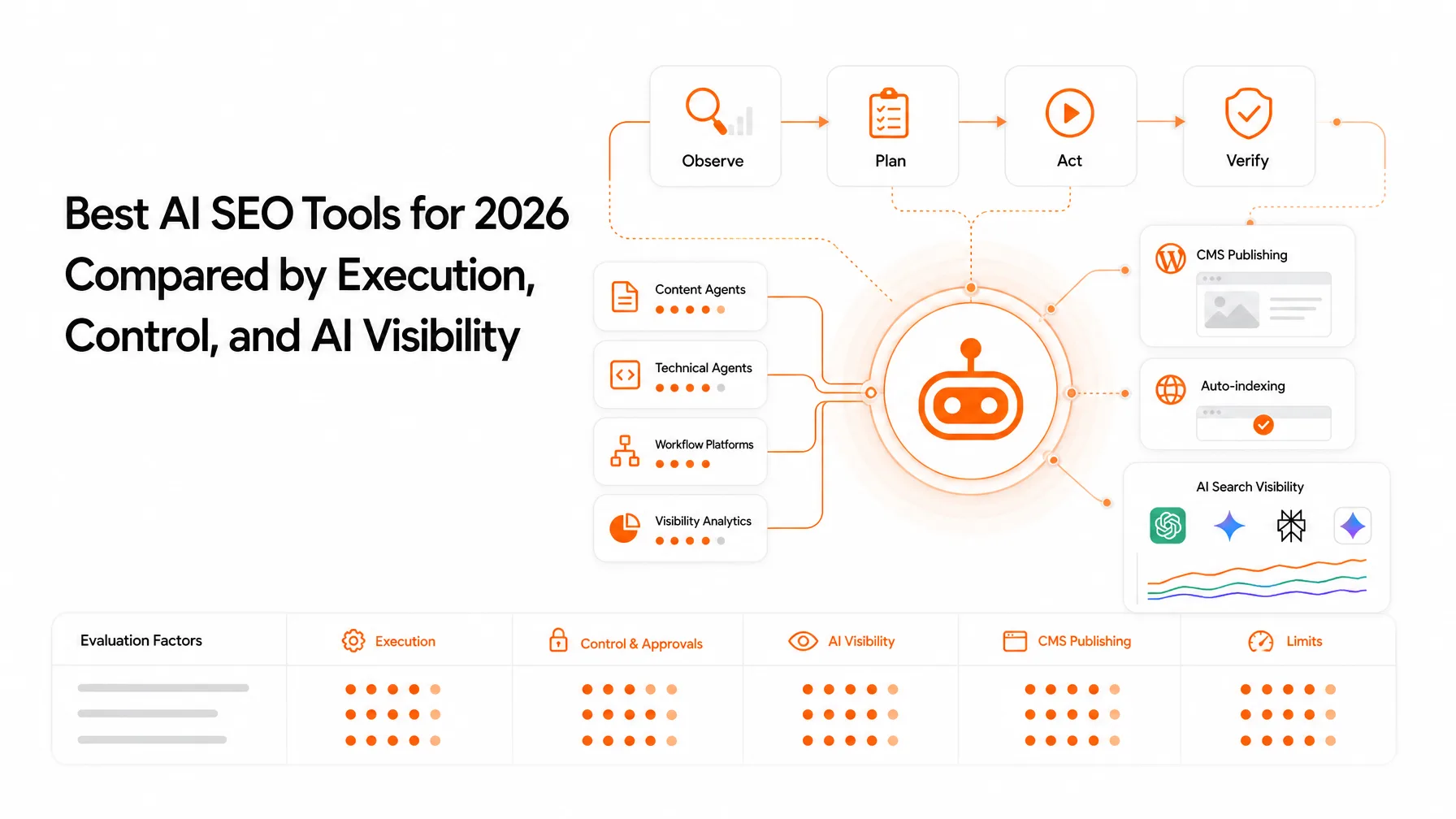
SEO automation connects repeatable tasks like keyword capture, brief creation, draft routing, technical alerts, visibility checks, and reporting through triggers, data steps, and review states. To automate SEO safely, automate the handoffs and keep strategy, fact checking, brand judgment, and high-impact publishing with a person. Use Zapier for simpler app-to-app flows and n8n for custom logic, APIs, or self-hosting.
You've got keyword data in one tab, briefs in another, drafts in a CMS, and a monthly report you build by copy-paste. Every handoff between those tools is a place where work stalls or data gets lost.
You're probably not asking whether automation exists. You're asking which workflow is safe to automate, whether n8n or Zapier fits, how to actually build it, and where a human has to sign off.
Here's the plan: seven workflows with a build spec for each, a tool-fit comparison, approval rules, failure handling, and a checklist you can use this week.
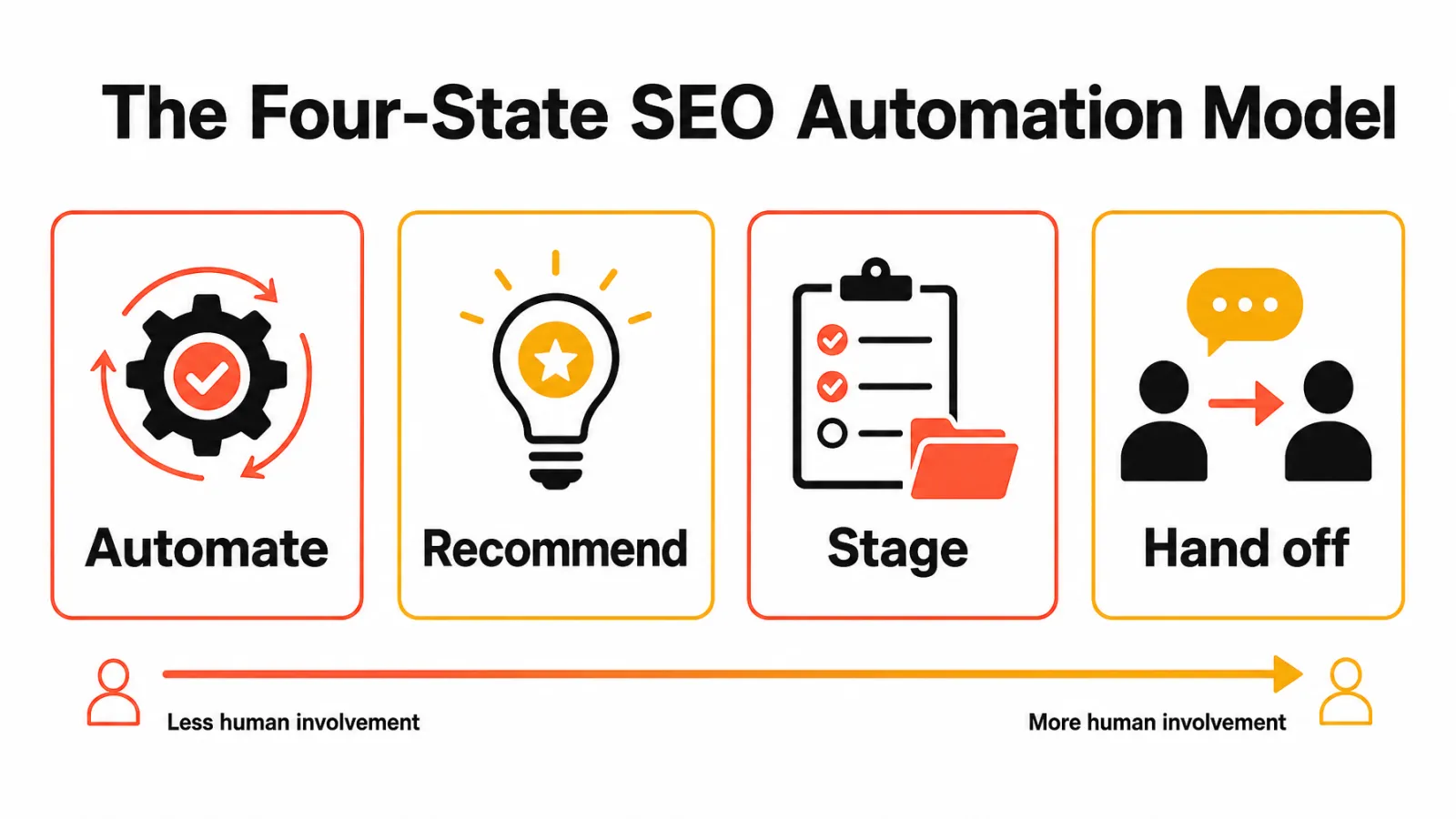
How to automate SEO: the four-state model
SEO automation is a workflow, not a single AI feature
A useful setup is a chain of triggers, transformations, actions, and review states. n8n and Zapier move data through webhooks and APIs. They don't decide what your business should rank for.
The safest first targets are repeatable and reversible
I score candidates on repeatability, reversibility, observability, review burden, and integration stability. That's my editorial framework, not a vendor metric. A weekly report scores high; a live redirect change doesn't.
Google's people-first content guidance says content should help people, and it warns against scaled content made mainly to manipulate rankings. Automation that skips review drifts toward exactly that.
So I use four states for every task: automate, recommend, stage, or hand off. Each workflow below gets one of those labels, and the full decision table appears later in the article.
Before you build: map your SEO workflow and set guardrails
Define the trigger, inputs, output, owner, and failure state
Write a data contract before you open a builder. Every workflow should pass the same fields between tools:
Field | What it does |
|---|---|
Trigger and source | Starts the run and records where the data came from |
URL, keyword, entity | Acts as a unique ID that prevents duplicate rows and drafts |
Validation | Rejects empty, malformed, or off-topic inputs |
Owner and approval status | Shows who decides and what is cleared |
Failure state and retry rule | Defines alerts, retries, and who gets notified |
Protect credentials and separate read access from write access
Keep workflows read-only wherever you can. Put write access (CMS, robots files) behind a separate credential and an approval step. If you self-host n8n, n8n's security audit documentation is worth running.
Set approval points for facts, strategy, publishing, and public communication
Add a human checkpoint for anything factual or public. Then define failure: retry timeouts, alert on authentication errors, and name an owner. n8n's official documentation covers error workflows and execution logs, and Zapier offers filters and paths for branching.
A note on the build specs below: node and step names describe a typical setup. App catalogs change, so confirm the current node or connector in each tool before you build.
Research and planning workflows that remove repetitive handoffs
Workflow 1: capture and qualify new keyword opportunities
Trigger on a schedule, a new Google Sheets row, or a Google Search Console (GSC) query pull. Filter for relevance, intent, business value, existing page match, and cannibalization risk. Never pick a keyword on volume alone.
Mind the data limits. The Search Analytics query reference shows the API needs authorization, returns 1,000 rows by default, and caps a request at 25,000 rows, and it doesn't guarantee every row. Paginate, and output a scored row for a person to approve.
Build spec | Workflow 1 |
|---|---|
State | Automate capture, recommend selection |
Best fit | n8n (pagination loop and scoring logic) |
Trigger | Schedule Trigger, weekly |
Steps | HTTP Request to the GSC Search Analytics API, Loop Over Items for pagination, Code node to score relevance and intent, Remove Duplicates on query + URL |
Output | New Google Sheets row with score and status "needs approval" |
Human checkpoint | SEO lead changes status to "approved" or "rejected" |
Workflow 2: turn approved keywords into content briefs
Trigger when a keyword flips to approved. The workflow groups related terms, classifies intent, pulls SERP inputs, and drafts an outline with entities and internal-link candidates. A topical map helps here because it tells the workflow which cluster each keyword belongs to. An OpenAI step can draft the outline, but the editor owns the angle and the sources.
Build spec | Workflow 2 |
|---|---|
State | Recommend |
Best fit | Either; n8n if you add custom clustering code |
Trigger | Google Sheets row updated, status = "approved" |
Steps | Filter on status, OpenAI step to draft outline and intent label, Formatter or Code step to build the brief template |
Output | Brief document in Google Docs or Notion, linked back to the sheet row |
Human checkpoint | Editor confirms angle, sources, and evidence status |
What the workflow should log before a writer sees the brief
Source keyword, cluster, and intent label
SERP inputs and the date they were pulled
Evidence status per claim: verified, needs research, attributed opinion, or remove
Internal-link candidates, approver, and timestamp
If a field is empty, the brief shouldn't reach the writer.
Production and maintenance workflows for content and technical SEO
Workflow 3: route content drafts through review and publishing
Keep four things separate: draft creation, editorial review, CMS staging, and live publishing. The workflow passes title, slug, body, metadata, author, source notes, and approval status to WordPress, Shopify, Webflow, or another CMS as a draft.
Verify each CMS's official API and permissions before you build. A webhook or HTTP request isn't automatically a native integration.
Build spec | Workflow 3 |
|---|---|
State | Stage |
Best fit | Zapier for standard CMS apps; n8n for custom or headless CMS APIs |
Trigger | Draft marked "ready for review" in your doc tool or sheet |
Steps | Filter on approval status, map fields (title, slug, body, meta, author), create CMS post with status "draft" |
Output | Staged CMS draft plus a Slack message to the editor with the preview link |
Human checkpoint | Editor publishes manually, or flips a recorded approval field that triggers publishing |
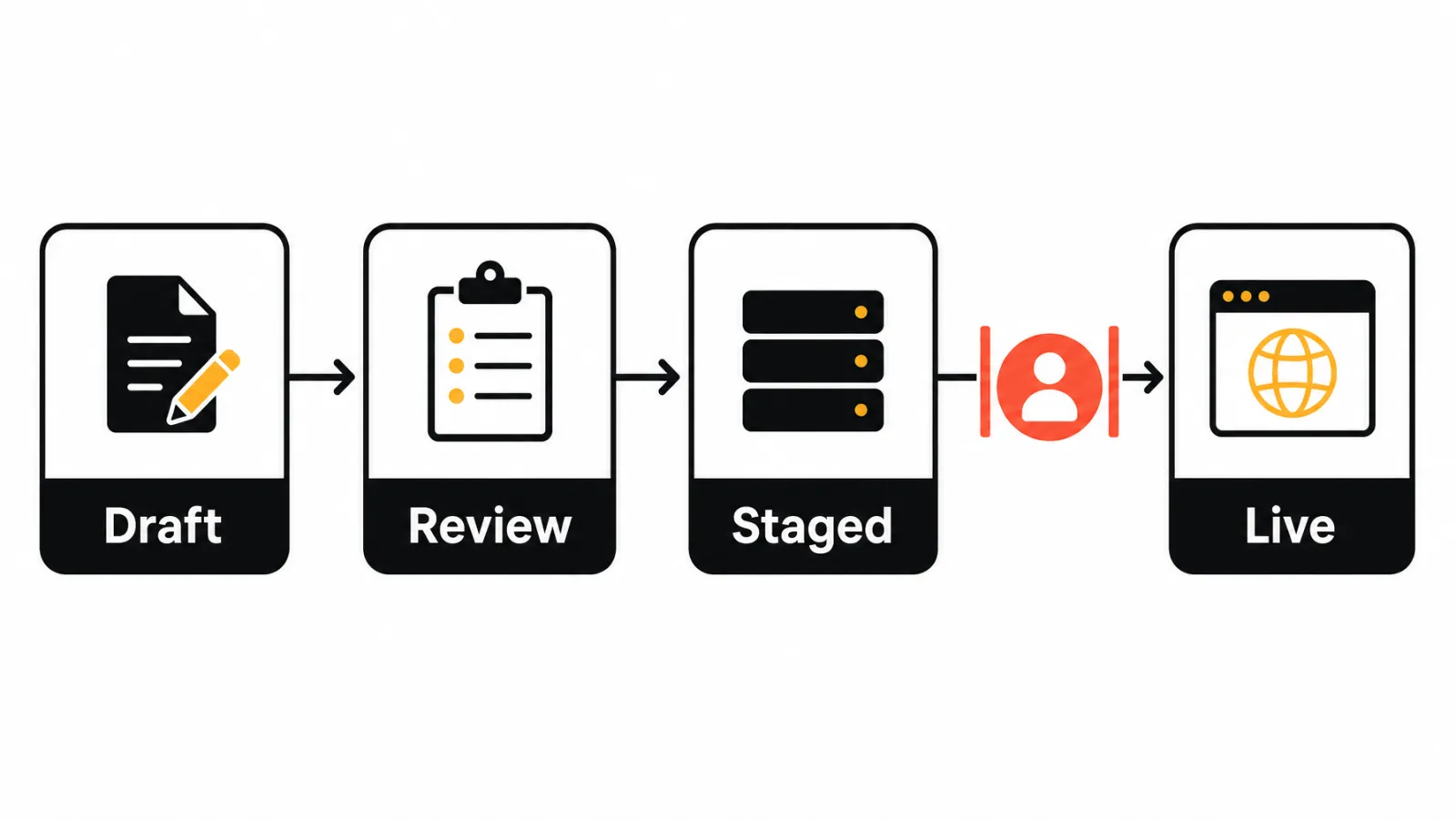
Going live should require a recorded approval. For the limits of unattended publishing, read how AI SEO agents handle the same tradeoff.
Workflow 4: automate internal linking and content updates
Trigger on a new published page or a monthly scan. The workflow finds related pages, proposes contextual anchors, and flags pages that look outdated, which is often an early sign of content decay. Everything lands with an editor as a suggestion. Don't auto-insert exact-match anchors, and don't refresh a page just because traffic dipped.
Build spec | Workflow 4 |
|---|---|
State | Recommend |
Best fit | n8n (sitemap parsing and comparison logic) |
Trigger | Schedule Trigger, monthly, or a webhook when a page is published |
Steps | HTTP Request to fetch the sitemap, parse URLs, compare titles and topics, pull 90-day GSC clicks per URL, flag declines |
Output | Sheet of link suggestions (source, target, anchor idea) and refresh candidates |
Human checkpoint | Editor accepts or rejects each suggestion |
Workflow 5: monitor technical SEO issues and create tasks
Monitor changes, not warnings. Schedule checks for broken links, metadata, canonical, noindex, and sitemap changes, plus a technical SEO audit after each release. Group issues by template and assign one task per group.
Score reversibility here too: draft routing is low risk, title suggestions are medium, and redirects or robots changes are high. The workflow should recommend those last two, never apply them.
Build spec | Workflow 5 |
|---|---|
State | Automate alerts, recommend fixes |
Best fit | n8n for crawling logic; Zapier to route results into a task tool |
Trigger | Schedule Trigger, daily, plus a webhook from your deploy pipeline |
Steps | Fetch key templates, check status code, canonical, robots meta, and title; compare against last run; group changes by template |
Output | One task per issue group in your project tool, plus a Slack alert for noindex or 5xx changes |
Human checkpoint | Developer or SEO lead decides on redirects, canonicals, and robots changes |
Measurement workflows for Google and AI search visibility
Workflow 6: track Google and AI search visibility
Define a fixed prompt set, the answer engines you track, a date range, and the fields to record: URL, mention status, citation status, competitors named, and a review action. Pair that with indexed pages and GSC performance, or use a dedicated AI visibility tracker if you don't want to maintain the prompt runs yourself.
This is measurement, not control. External platforms decide what appears, and answers vary between runs, so treat results as directional.
Build spec | Workflow 6 |
|---|---|
State | Automate collection, hand off interpretation |
Best fit | n8n (looping prompts across engines) |
Trigger | Schedule Trigger, weekly |
Steps | Loop over the prompt set, call each answer engine's API, Code node to detect brand mention and cited URLs |
Output | Dated rows in a sheet: prompt, engine, mentioned (yes/no), cited URL, competitors named |
Human checkpoint | Strategist reviews trends monthly, not single runs |
Workflow 7: automate SEO reporting without losing context
Build the report schema first: clicks, impressions, CTR, and average position from GSC, outcomes from Google Analytics 4 (GA4), completed work, unresolved issues, affected page groups, and next actions. A client report template is a useful starting point. Label any sample values as illustrative.
That structure turns automated SEO reports into something a stakeholder can act on.
Build spec | Workflow 7 |
|---|---|
State | Automate assembly, hand off commentary |
Best fit | Zapier for simple scheduled reports; n8n for multi-client merges |
Trigger | Schedule, first business day of the month |
Steps | Pull GSC and GA4 data, pull completed and open tasks, merge by page group, fill the report template |
Output | Draft report sent to the account owner, not the client |
Human checkpoint | Owner writes two or three sentences of interpretation, then sends |
What an automated report must explain that a metric export cannot
An export says clicks fell. A report says which page group fell, what changed on the site that week, which task is open, and what happens next. Let the workflow assemble the facts, then have a person write the interpretation.
n8n vs Zapier for SEO automation: which fits complex workflows?
This is a documentation-based comparison, not a hands-on test. Vendor features and pricing models were checked October 2026, and vendor statements are vendor positioning.
Where Zapier fits
Zapier suits simple app-to-app workflows and teams that want managed infrastructure. Its broad app catalog covers alerts, reporting, and content routing, its webhook integration options handle custom calls, and usage is task-based.
Where n8n fits
n8n supports self-hosting, and its pricing and plan details describe execution-based usage. That can matter when a workflow loops through many items, but compare equivalent usage before assuming savings. It fits custom logic and API-heavy pipelines if someone can maintain it.
When a hybrid setup is more practical than either-or thinking
Use Zapier for low-complexity connector work owned by marketing, and n8n for custom data pipelines owned by someone technical. That's an editorial recommendation, not a vendor fact. If you're weighing build versus buy, see how to choose SEO automation software.
Comparison table: complexity, integrations, logic, hosting, maintenance, and cost model
Factor | Zapier | n8n |
|---|---|---|
Complexity | Simple to moderate flows | Moderate to complex flows |
Integrations | Broad app catalog | Native nodes plus API and webhook calls |
Logic | Filters and paths | Branching, loops, code steps |
Hosting | Managed cloud | Cloud or self-hosted |
Maintenance | You maintain your Zaps | You maintain workflows, plus the server if self-hosted |
Cost model | Task-based | Execution-based |
Best SEO workflows | 3, 7 (and routing for 5) | 1, 4, 5, 6 |
Which SEO tasks are safe to automate?
Automate when a task is repetitive, rules-based, reversible, observable, and easy to review. Hand off strategy, factual claims, regulated or sensitive content, brand voice, redirects, canonicals, robots rules, and public replies. AI-generated drafts can be staged automatically, but a person should approve them before they go live. For a fuller breakdown, see automated SEO vs manual SEO.
Decision table: automate, recommend, stage, or hand off
State | What it means | SEO tasks |
|---|---|---|
Automate | Runs without review | Keyword capture, scheduled data pulls, formatting, alerts, report assembly |
Recommend | Workflow suggests, person decides | Brief outlines, internal-link suggestions, refresh flags, title ideas |
Stage | Prepared and parked until approved | CMS drafts, metadata changes |
Hand off | Person owns it end to end | Strategy, fact validation, brand judgment, redirects, robots rules, public communication |
How Keytomic supports an approval-based SEO workflow
This article is published by Keytomic, and this section describes Keytomic's own platform rather than an independent product review.

From keyword research and topical planning to content production
The Keytomic SEO automation platform combines keyword research, topical planning, and AI-assisted content creation in one flow. Every step has a review point, so research and drafts don't move forward on their own.
From CMS publishing and technical audits to visibility monitoring
The same platform covers CMS publishing, technical audits, backlink opportunities, indexing workflows, and visibility tracking across Google and AI answer engines. It doesn't guarantee rankings, control AI answer engines, or remove the need for human review.
When Keytomic is not the right fit
If you want a deeply custom, self-hosted workflow builder or a single isolated API task, n8n or Zapier is the better fit. If your work keeps splitting across research, content, publishing, and tracking, check Keytomic pricing and plan details.
Common SEO automation mistakes to avoid
Building the happy path without failure handling
Without unique IDs, duplicate inputs create duplicate rows and drafts. Without retries and alerts, a broken authentication can silently stop a pipeline for weeks. Add both, plus a named owner.
Publishing before validation and approval
Uncontrolled publishing produces duplicate content, thin pages, and unsupported claims. Stage drafts instead, and don't assume an integration exists just because a webhook does.
Measuring activity instead of outcomes
Counting runs and drafts shows the machine is busy, not that it works. Track indexed pages, clicks, and qualified conversions, and review every workflow monthly. Automation doesn't replace strategy, and too many tools add their own maintenance cost.
SEO automation workflow checklist for 2026
Start with one low-risk workflow
Pick reporting or technical alerts first
Baseline the current manual effort
Define what success looks like
Test normal runs, duplicate inputs, missing data, and API failures
Connect tools with least-privilege access
Run a normal case, a duplicate, a missing field, and a forced API failure
Mark each pass or fail before launch
Document ownership, thresholds, approvals, and rollback steps
Record the owner, thresholds, and approval step
Write the rollback plan
Review results after one operating cycle
Frequently asked questions about SEO automation
What is SEO automation?
SEO automation is connecting repeatable SEO tasks through triggers, data processing, actions, and review states, so tools move information and people approve decisions.
How do you automate SEO?
Start by mapping one repeatable task, define its trigger, inputs, output, and owner, then build it in a tool like n8n or Zapier with an approval step before anything goes live. Reporting and technical alerts are the safest first workflows.
Can SEO be fully automated?
Research, drafting, monitoring, and reporting can be automated to varying degrees, but strategy, facts, brand judgment, and high-risk changes need human ownership.
Does SEO automation guarantee rankings or AI citations?
Automation improves process consistency, but search engines and answer engines control results, and tracking visibility doesn't create citations.
Is n8n better than Zapier for SEO?
It depends on complexity, technical capacity, hosting needs, integrations, and usage model. Zapier suits simpler flows; n8n suits custom, API-heavy ones.
Can Zapier or n8n connect to Google Search Console?
Verify the current connector or API method first. Either way, authorization is required and the API doesn't guarantee every data row.
Can AI-generated SEO content be published without human review?
The safer model is automated drafting and staging, with human review before going live, especially for factual, regulated, or brand-sensitive content.
How do you automate SEO reporting?
Combine Search Console, analytics, completed work, open issues, and next actions in one scheduled report rather than exporting metrics alone, and have a person add interpretation before it's sent.
When should a team use a dedicated SEO automation platform?
When research, planning, content, publishing, technical checks, and tracking keep splitting across tools, and you want one approval-based layer, such as Keytomic.
Choose your first workflow and define the next handoff
Pick the starting point that matches your situation:
New to automation? Start with scheduled reporting or technical issue alerts.
Clean keyword data and an editor? Build brief generation next.
Stable review and CMS permissions? Add draft routing and staged publishing.
No owner for failures? Don't automate live publishing yet.
The pattern is the same each time: move data automatically, put a person at every irreversible step, and review the workflow monthly. For broader SEO automation workflow examples, see the pillar guide.
If you'd rather evaluate a connected, approval-based workflow than build one yourself, Keytomic is a reasonable place to start.