
The right keyword research tools depend on the job. Google Keyword Planner covers keyword ideas and ad forecasts, Google Search Console shows queries already reaching your site, and paid platforms like Ahrefs, Semrush, Moz, and KWFinder add broader discovery plus SERP and competitor research. Free add-ons such as Google Trends, AnswerThePublic, and Keywords Everywhere fill specific gaps, and Keytomic suits teams that want research connected to topical maps and content planning. Treat volume and difficulty as estimates, then check the live SERP.
You've got a seed keyword, three tools, and three different volume numbers. Now you need to know which number should change what you publish next, and whether a big suite is worth the invoice.
Choosing keyword research tools well comes down to jobs, not feature counts. This guide starts with a selection framework, profiles six core tools with one limitation each, then covers the free specialist add-ons.
Disclosure: Keytomic publishes this article and is included in the list. This is a desk-research roundup based on official documentation, not a hands-on product test, and prices are left out because plans change often.
How to choose a keyword research tool
Before you compare keyword research tools on price, separate five jobs: idea generation, market estimates, your own site's performance, competitor analysis, and content planning. No single metric picks a target for you.
What data you need
Related ideas and questions around your seed term
Search volume and trend estimates (provider-specific, never exact)
Keyword difficulty, with a method you can read
A SERP view so you can judge intent
Grouping or page mapping if you publish at volume
Whether you need discovery or site-specific evidence
Google describes Keyword Planner as a way to find keyword ideas for Search campaigns, and basic access needs Google Ads account setup. Search Console is different: it reports queries and performance for a property you've verified, not the whole market. One helps you find new ideas; the other shows what's already working for you.
How to judge workflow and cost
Ask where the research goes next. If it ends in a spreadsheet nobody maps to a page, the tool isn't saving you time. Here's an illustrative example for the query "keyword research software for agencies":
Intent: commercial comparison
SERP format: roundups and comparison pages
Existing page: none yet
Business relevance: high for an agency-focused product
Next action: plan a comparison page and check Search Console later

Keyword research tools compared at a glance
The table uses fit labels, not scores. No tool is ranked first to last.
Tool | Best-fit use case | Useful research workflow | Free access | Notable limitation |
|---|---|---|---|---|
Keytomic | Teams linking research to content planning | Keyword research, topical maps, content planning | Trial available | Broader than a quick seed lookup needs |
Google Keyword Planner | Keyword ideas and ad forecasts | Idea discovery for Search campaigns | Free with a Google Ads account | Ads competition is not organic difficulty |
Ahrefs Keywords Explorer | Competitor and SERP research | Keyword metrics plus SERP review | Limited free tools | More suite than a small team may use |
Semrush Keyword Magic Tool | Expanding and organizing large idea lists | Filters and keyword grouping | Limited free searches | Daily lookup caps on lower tiers |
Moz Keyword Explorer | Guided prioritization | Suggestions, difficulty, and organic CTR | Limited free queries | Smaller database than the biggest suites |
KWFinder by Mangools | Focused keyword and SERP lookups | Keyword search with difficulty and SERP view | Limited free lookups | Lookup limits vary by plan |
Google Search Console | Your own site's query data | Queries, clicks, impressions, position | Free for verified properties | Not a market-wide database |
Google Trends, AnswerThePublic, Keywords Everywhere | Trend, question, and in-SERP data | Specialist add-ons | Free or freemium | Not full research suites |
1. Keytomic for keyword research connected to content planning
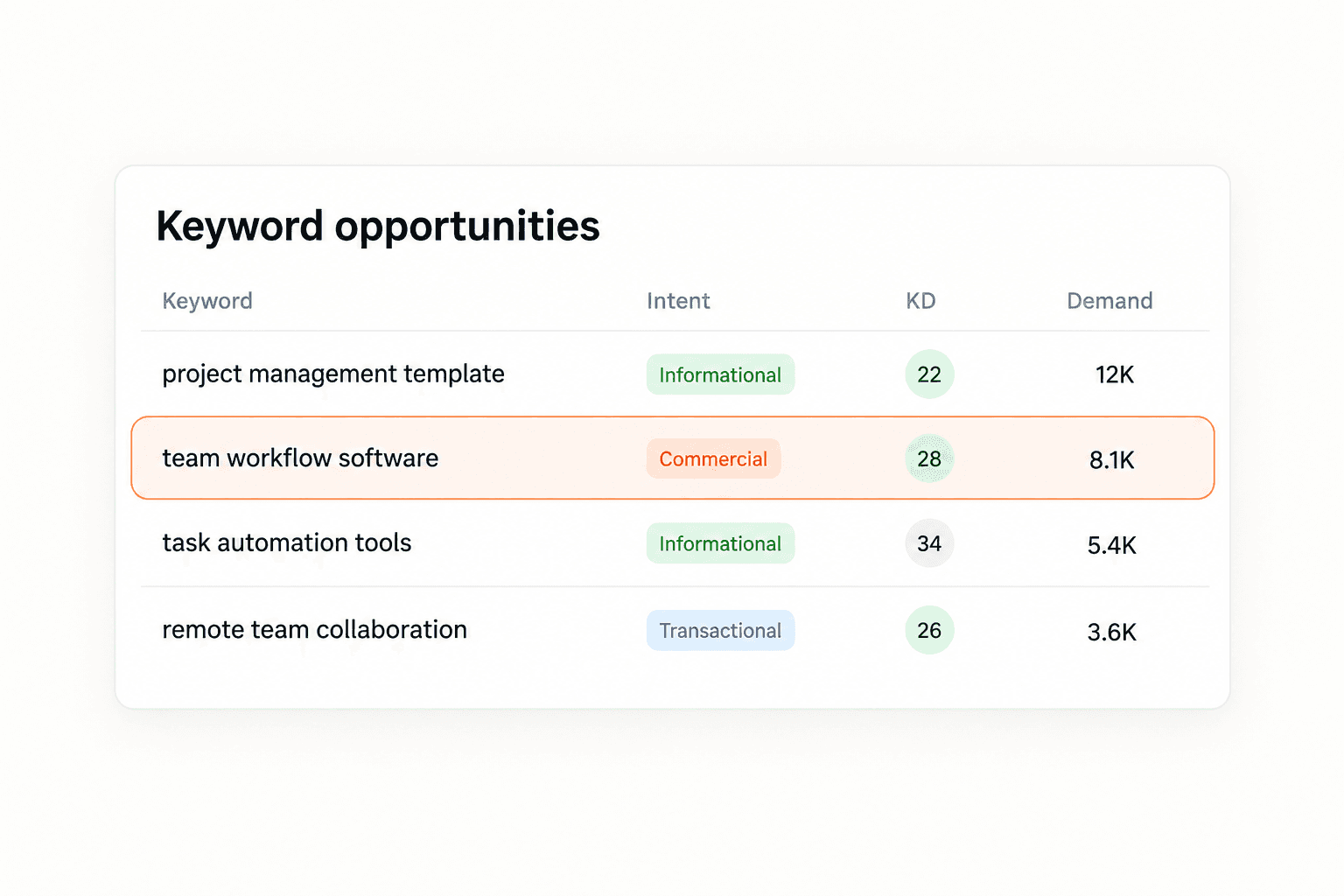
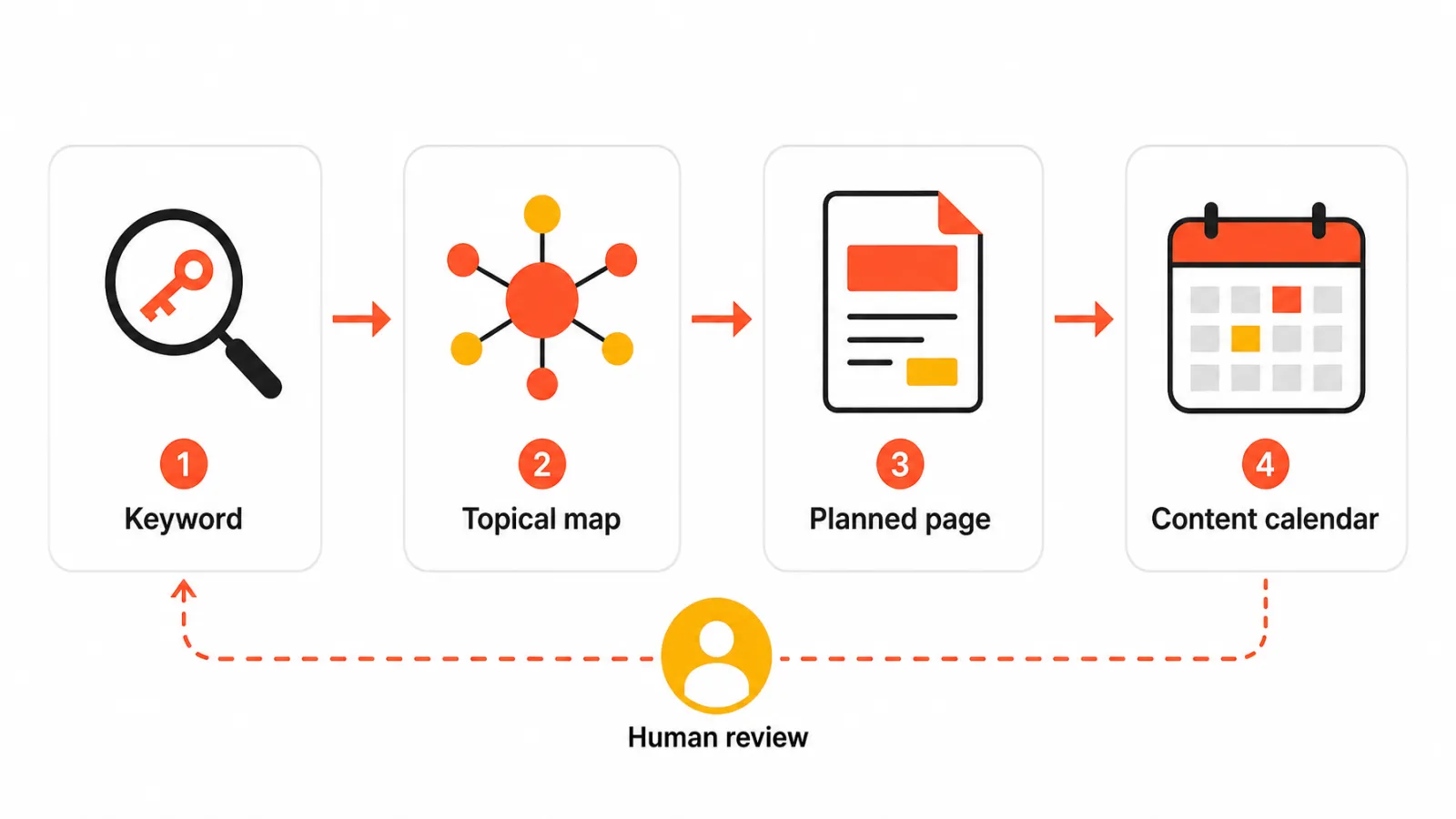
Keytomic is an AI-powered SEO automation platform that combines keyword research, topical planning, and AI-assisted content creation in one approval-based workflow.
AI keyword research handles discovery and intent labelling.
The topical map generator organizes related terms into a structure, which is how you build topical authority.
Planned topics move into a content calendar and through approval before CMS publishing.
Who may prefer it: founders, small marketing teams, and agencies tired of moving exports between separate tools.
Limitation: if you only need a few seed ideas, Google's free tools may be enough, and strategy still needs human judgment.
2. Google Keyword Planner for keyword ideas and ad forecasts
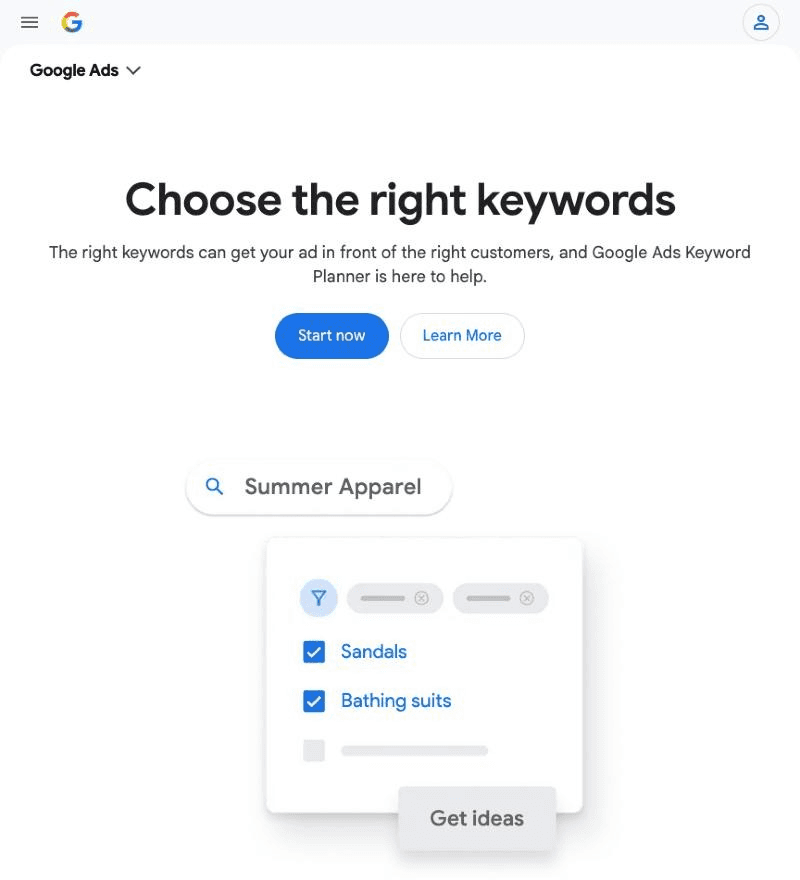
Keyword Planner surfaces related keyword ideas and campaign-oriented estimates. It's a sensible first stop when you want a quick idea list from a seed term.
The competition field reflects advertising activity, so don't read it as organic keyword difficulty. A term can look quiet in ads and still be hard to rank for. Best for: beginners and advertisers.
3. Ahrefs Keywords Explorer for competitor and SERP research
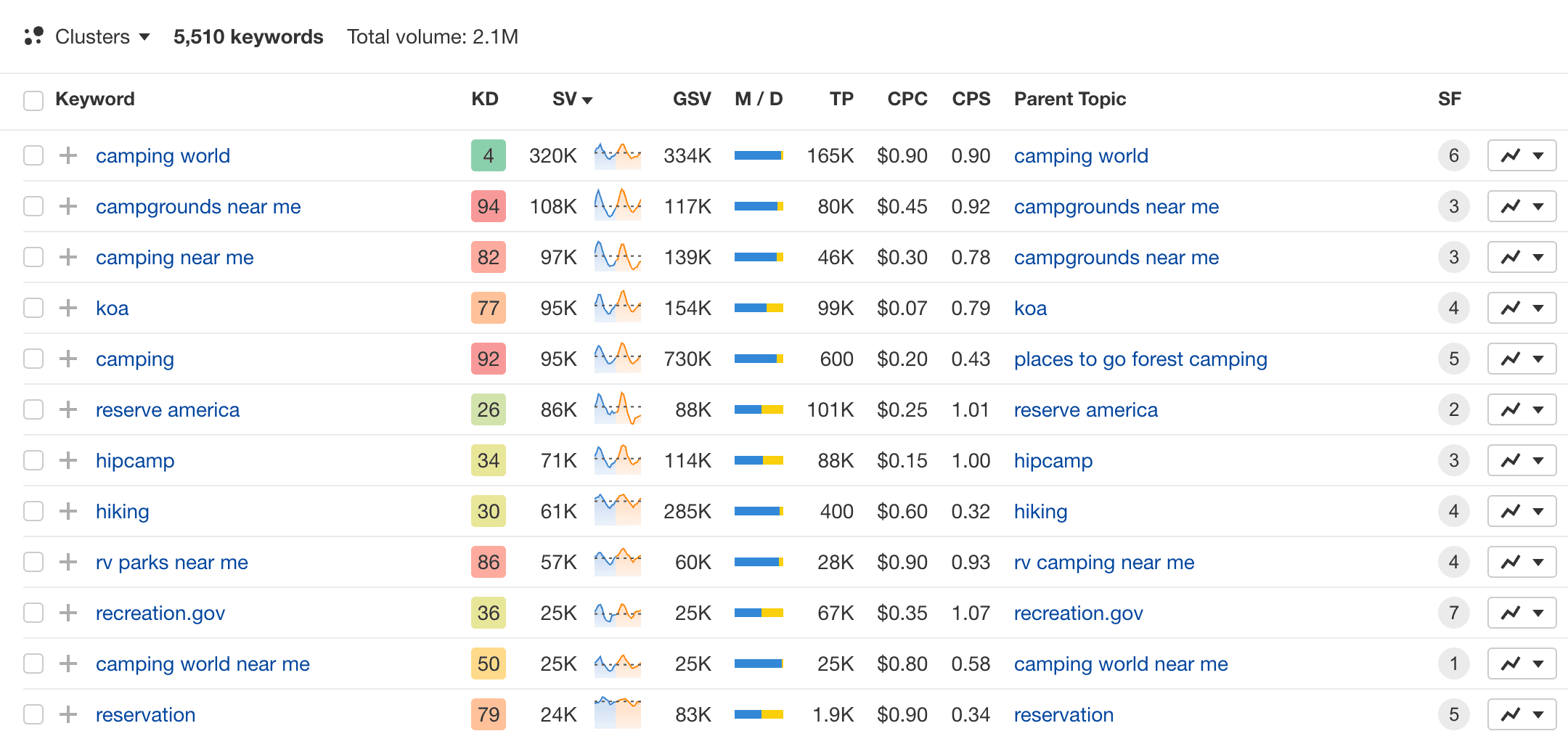
Keywords Explorer shows volume, difficulty, traffic potential, related terms, and the SERP for each keyword, and Ahrefs publishes how its difficulty score is built. Best for: SEO specialists who compare competitor pages often.
A small team may use only a slice of the suite. See how it compares in Ahrefs vs KWFinder, Ahrefs vs Ubersuggest, and Keytomic vs Ahrefs.
4. Semrush Keyword Magic Tool for expanding and organizing ideas
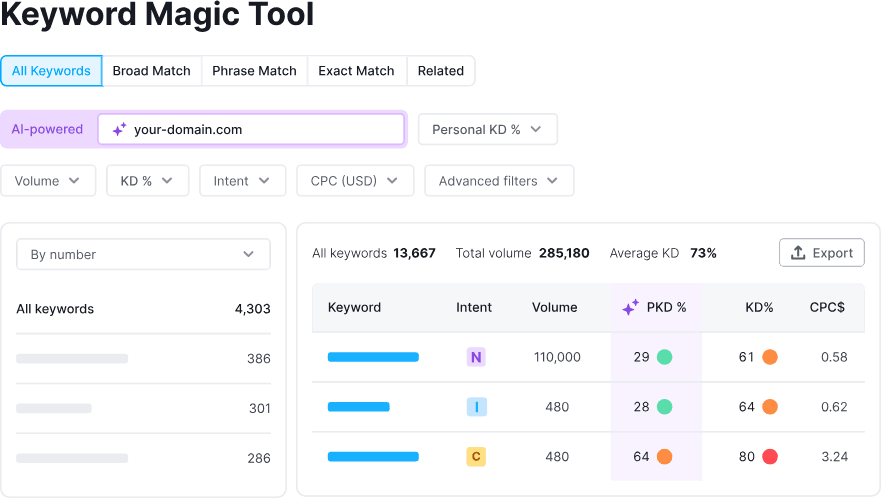
The draw is expanding one seed into a large list, then narrowing it with filters, intent labels, and grouping. That suits teams planning many pages at once, especially if you already work in the wider Semrush suite.
Large lists can overwhelm a small team without a clear page-mapping step. For the bigger picture, see Semrush vs Ahrefs vs Moz and our list of Semrush alternatives.
5. Moz Keyword Explorer for guided prioritization
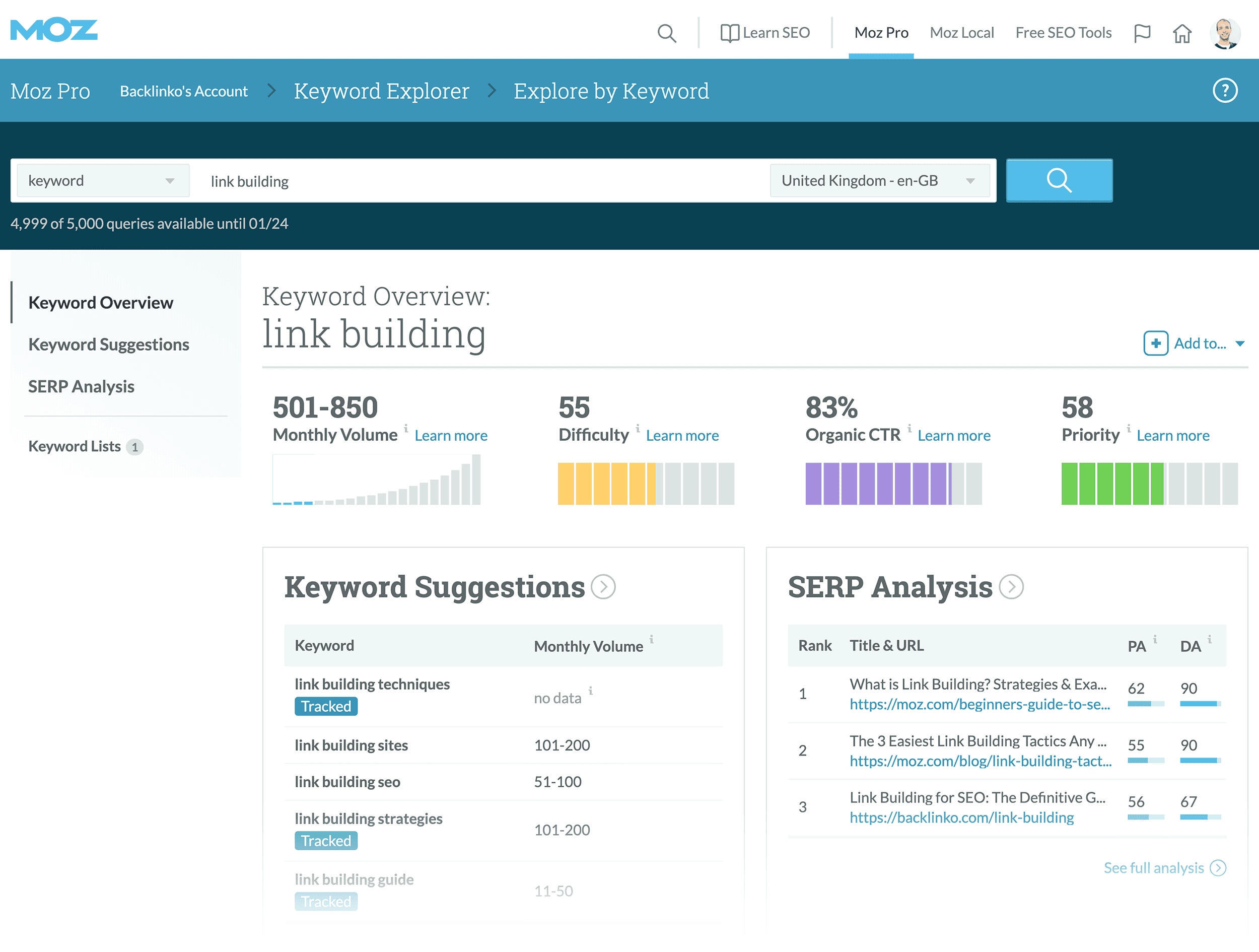
Moz Keyword Explorer pairs keyword suggestions with difficulty, organic CTR, and a priority score, which suits readers who want guidance on what to chase first. Its free account includes a small number of monthly queries. Best for: marketers who want a guided shortlist more than a deep competitor workbench.
6. KWFinder by Mangools for focused keyword discovery
KWFinder is built around a focused loop: search a term, review difficulty and volume estimates, then inspect the SERP. It's a lighter alternative to the broader suites, and lookup limits vary by plan. Best for: bloggers, freelancers, and small teams that want fast lookups without a large platform.
Free specialist keyword tools worth adding
These don't replace a research suite, but each answers a question the big tools handle less well.

Google Trends: shows relative interest over time and by region, so you can spot seasonality or a rising term before volume estimates catch up.
AnswerThePublic: visualizes the questions and prepositions people attach to a seed term, which is useful for FAQ sections and supporting articles.
Keywords Everywhere: a browser extension that shows volume and related terms directly on Google results, handy for quick checks while you browse the SERP.
For more no-cost options, see our roundup of free AI SEO tools and Keytomic's free SEO tools.
Which free keyword research tools are worth using?
Free option | Best for | What it can't reveal |
|---|---|---|
Google Keyword Planner | Keyword ideas and ad context | Organic difficulty or intent |
Google Search Console | Queries your site already earns impressions for | Demand for terms you don't yet appear for |
Google Trends | Seasonality and relative interest | Absolute search volume |
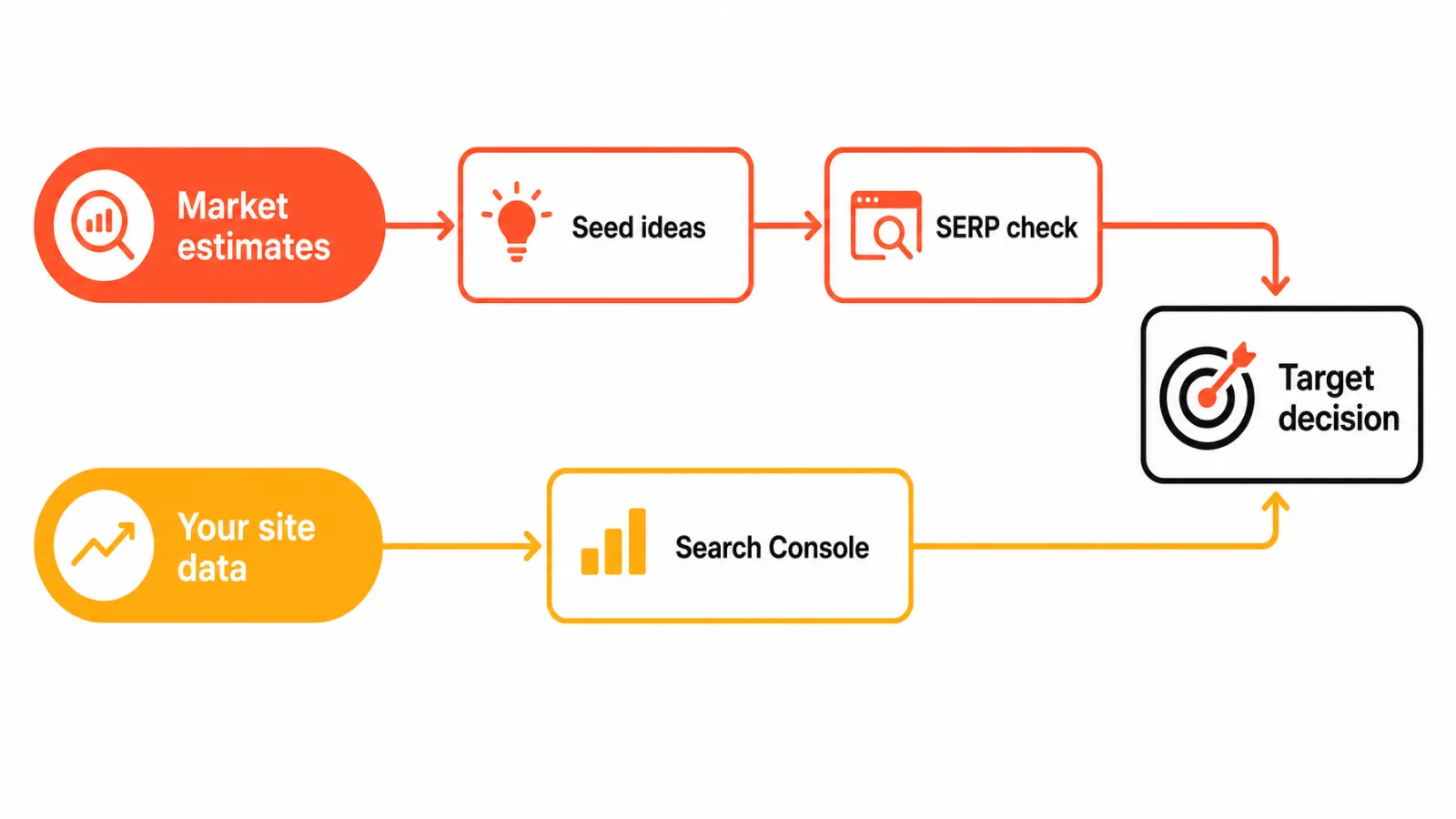
A minimal free workflow: brainstorm in Keyword Planner, check seasonality in Trends, look at Search Console, inspect the SERP, then decide whether you need wider research. You can connect Search Console to Keytomic to keep that query data next to your plan. Paid tools earn their place when you need competitor discovery or broad coverage, and no database lists every query; even the top Google searches shift month to month.
How should you validate keyword data before choosing a target?
Even good keyword research tools disagree with each other, so these four checks matter more than any single score.
Match intent to the live SERP
Search the term and note the result types: guides, product pages, roundups, or videos. If your planned page doesn't match the dominant format, the volume number won't save it.
Compare estimates within one provider
Two tools can rate the same term differently because each uses its own inputs and scale. A 40 in one tool and a 60 in another say nothing about each other. Read how keyword difficulty scores should be interpreted and compare terms inside one tool only.
Check your own Search Console evidence
See whether an existing page already earns impressions for the query. If it does, improving that page may beat publishing a competing one, especially if it's indexed but not ranking. A search engine position report helps you track the result.
Prioritize business value and page fit
Ask who searches it, whether they'd convert, and what page would serve them. Use volume as a directional signal, not a forecast.
Frequently asked questions about keyword research tools
What is the best keyword research tool for SEO?
It depends on the job. Keyword Planner suits ideas, Search Console suits your own queries, and paid suites suit broader discovery and competitor research.
Are free keyword research tools enough for a small business?
Often for starting out. Pair Keyword Planner ideas with Search Console data, Google Trends, and a live SERP check, then add paid research when gaps appear.
Is Google Keyword Planner free to use for SEO research?
Yes, but access requires a Google Ads account with billing information set up, and accounts without active campaigns see volume ranges rather than exact figures.
How accurate are keyword search-volume estimates?
They're directional estimates, not exact counts. Providers use different data and models, so compare them against Search Console and the live SERP.
Why do keyword difficulty scores differ between tools?
Each provider uses its own inputs and scale, so scores aren't interchangeable. Compare keywords inside one tool and read its methodology.
Can Google Search Console be used for keyword research?
Yes, for queries your site already appears for. It reports a verified property's performance, so it won't reveal new market demand.
Should I choose Ahrefs or Semrush for keyword research?
Both are strong; Ahrefs leans toward SERP and link context, Semrush toward list building and grouping. Our Ahrefs vs SpyFu vs Semrush comparison covers the differences.
How do I know whether a keyword is worth targeting?
Confirm intent matches the SERP, no existing page covers it, volume is meaningful, and it connects to a business goal.
Choose the tool that fits your next decision
If you need a free starting point: use Keyword Planner for ideas, Trends for seasonality, and Search Console for your own queries.
If you need broader competitive research: shortlist Ahrefs or Semrush and compare their lookup limits against your volume.
If you need research connected to a content workflow: pick a tool that carries keywords into a map and a calendar, not just an export.


