
For most small businesses, start with Google Search Console and Google Business Profile for free first-party data, then add one tool for your biggest bottleneck: Semrush, Ahrefs, or Moz Pro for research; Screaming Frog SEO Spider for technical crawling; BrightLocal for local SEO; or Keytomic when planning, content, publishing, and tracking are scattered. No single product fits every business, so match plan limits to your workload before you buy.
You don't have time to babysit five dashboards, and you probably don't have an SEO hire either. You just want more of the right people finding your site, and software that helps instead of becoming another chore.
The right pick depends on the work that keeps slipping: research, technical fixes, local search, publishing, or measurement. Free first-party tools are a sensible starting point, so they're pick one, not an afterthought. If you're early, our list of startup SEO mistakes is worth a skim before you buy anything.
Disclosure: Keytomic publishes this article and is one of the seven picks. The list is based on each vendor's public documentation and plan pages as of October 2026, and the order is by category rather than a performance ranking.
How should a small business evaluate SEO software?
Start with the constraint, not the feature list. If you can't realistically open a tool every week, its extra modules are wasted money.
Start with the SEO work you need to complete
Map your main job to a tool category. Finding a problem and fixing it are different tasks: a crawler can flag a broken page, but someone still has to repair it.
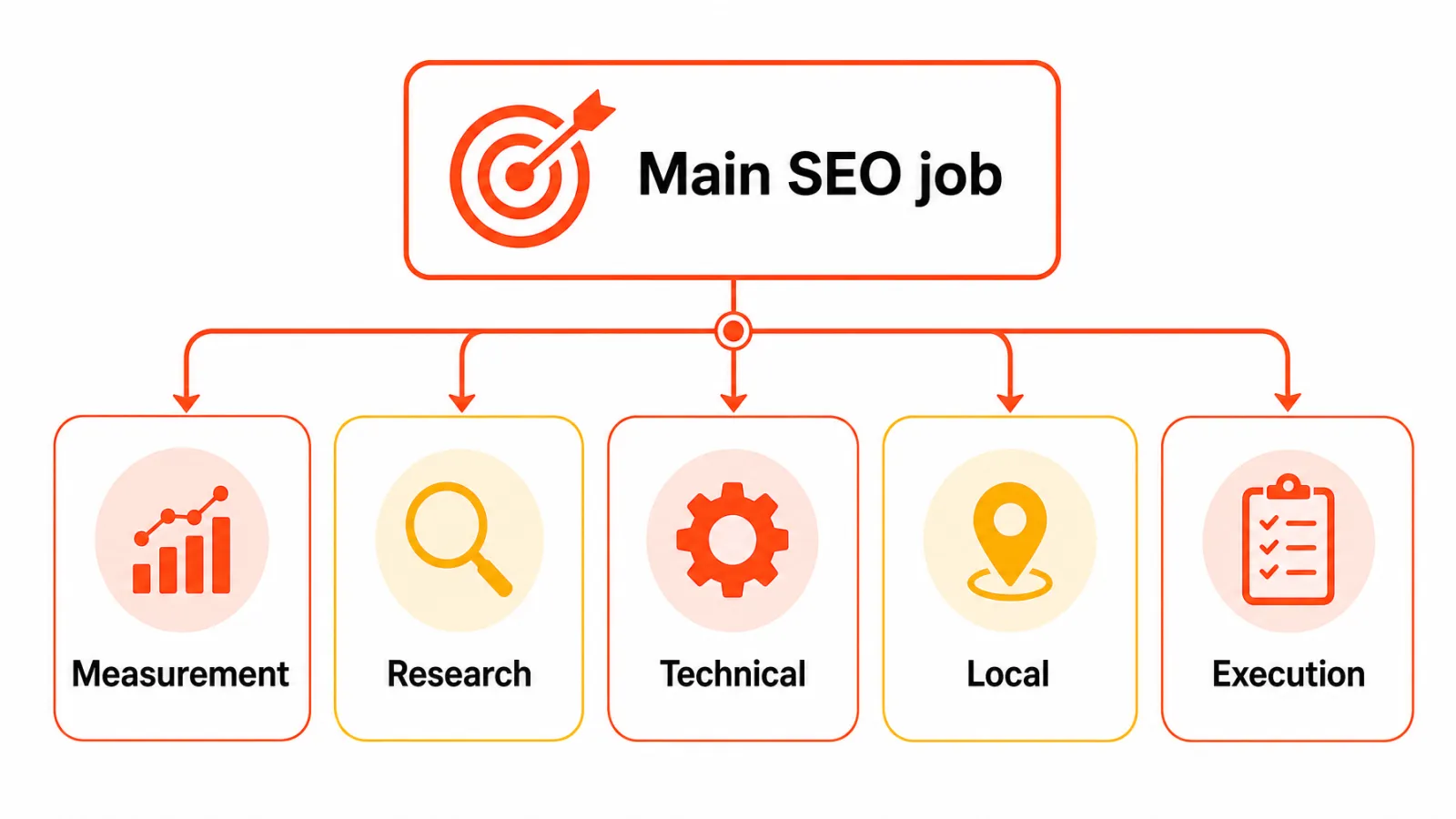
Measurement: How is my site performing in Google Search?
Research: Which keywords and competitors matter?
Technical diagnosis: What's broken or hard to crawl?
Local presence: How visible am I in maps and local results?
Execution: Who plans, writes, and publishes the content?
Weigh budget, learning curve, and plan limits
Compare total workflow cost, not the headline price. Sites, users, tracked keywords, crawl limits, locations, content credits, add-ons, and billing interval all change the real fit of small business SEO tools. Our SEO software pricing comparison shows how those units add up.
Learning curve matters too. A powerful suite you open twice a quarter loses to a simpler tool you use weekly.
Make sure the tool fits your CMS and reporting setup
If you run WordPress or Shopify, look for support for the exact action you need, such as publishing, not just a logo on the vendor's site. Our roundups of SEO tools for WordPress and Shopify SEO apps cover platform-specific options.
Reporting needs a clear split as well. Google explains that Search Console and Analytics answer different questions: one covers search performance before the visit, the other covers activity after it.
Best SEO software for small businesses: 7 picks by use case
Here's the quick view of the best SEO software for small businesses, grouped by the job each tool does. A crawler, a local tool, a research suite, and a workflow platform aren't interchangeable, so the limitation column matters as much as the capabilities.
Product | Best-fit job | Capabilities | Limitation | Pricing approach |
|---|---|---|---|---|
Google Search Console, Analytics and Business Profile | Free measurement and local foundation | Queries, impressions, and clicks; on-site activity; local listing management | No competitor research, crawling, or content workflow | Free Google services |
Semrush | Broad SEO research suite | Keyword research, competitor research, position tracking, site auditing | Keyword and project caps on lower tiers | Tiered subscription |
Ahrefs | Keyword and backlink research | Keyword and backlink research, site audit | Usage credits and add-ons; not a publishing tool | Tiered subscription |
Moz Pro | Research and tracking suite | Keyword research and rank tracking | Smaller keyword database than Semrush or Ahrefs | Tiered subscription |
Screaming Frog SEO Spider | Technical crawling | Site crawling and inspection | Free version caps crawls at 500 URLs; no keyword or content tools | Free version plus paid licence |
BrightLocal | Local SEO | Local rank tracking, listings, and reporting | Not a broad SEO suite | Scales with location count |
Keytomic | Workflow coordination | Research, topical planning, AI-assisted content, audits, CMS publishing, visibility monitoring | Pro plan covers one site and up to three seats | Pro at $99 per month, billed monthly (October 2026) |
Google Search Console, Analytics and Business Profile for a free foundation
Search Console is a free Google service that reports how your site performs in Google Search, including queries, impressions, and clicks, as Google's Search Console documentation describes. Analytics picks up after the visit, showing what people do on your site. If you serve customers locally, Google Business Profile is the third free piece, because it controls how you show up in Maps and the local pack.
None of these replaces competitor research, a full crawler, or a content workflow. If you have time to act on what you see, this is the stack to set up before paying anyone, and you can connect Search Console to Keytomic later without losing history. Want more no-cost starting points? Browse these free SEO tools.
Best for: owners just starting out who can act on the data themselves.
Semrush for a broad SEO research suite
Semrush is a research suite. Its capabilities relevant to a small business include keyword research, competitor research, position tracking, and site auditing.
The catch is breadth: more modules mean more screens, and keyword and project caps apply on lower tiers. Match those caps to your real workload.
Best for: small teams who want one research suite and will use several of its modules.
Ahrefs for keyword and backlink research
Ahrefs centers on keyword and backlink research. It fits when you want to see which queries competitors target and who links to them. Before you lean on its scores, it helps to understand how keyword difficulty works.
It isn't a publishing or CMS tool, and usage credits and add-ons depend on the plan. Note whether a listed price is monthly or an annual equivalent.
Best for: teams where link and keyword research is the clearest gap.
Moz Pro for research and rank tracking
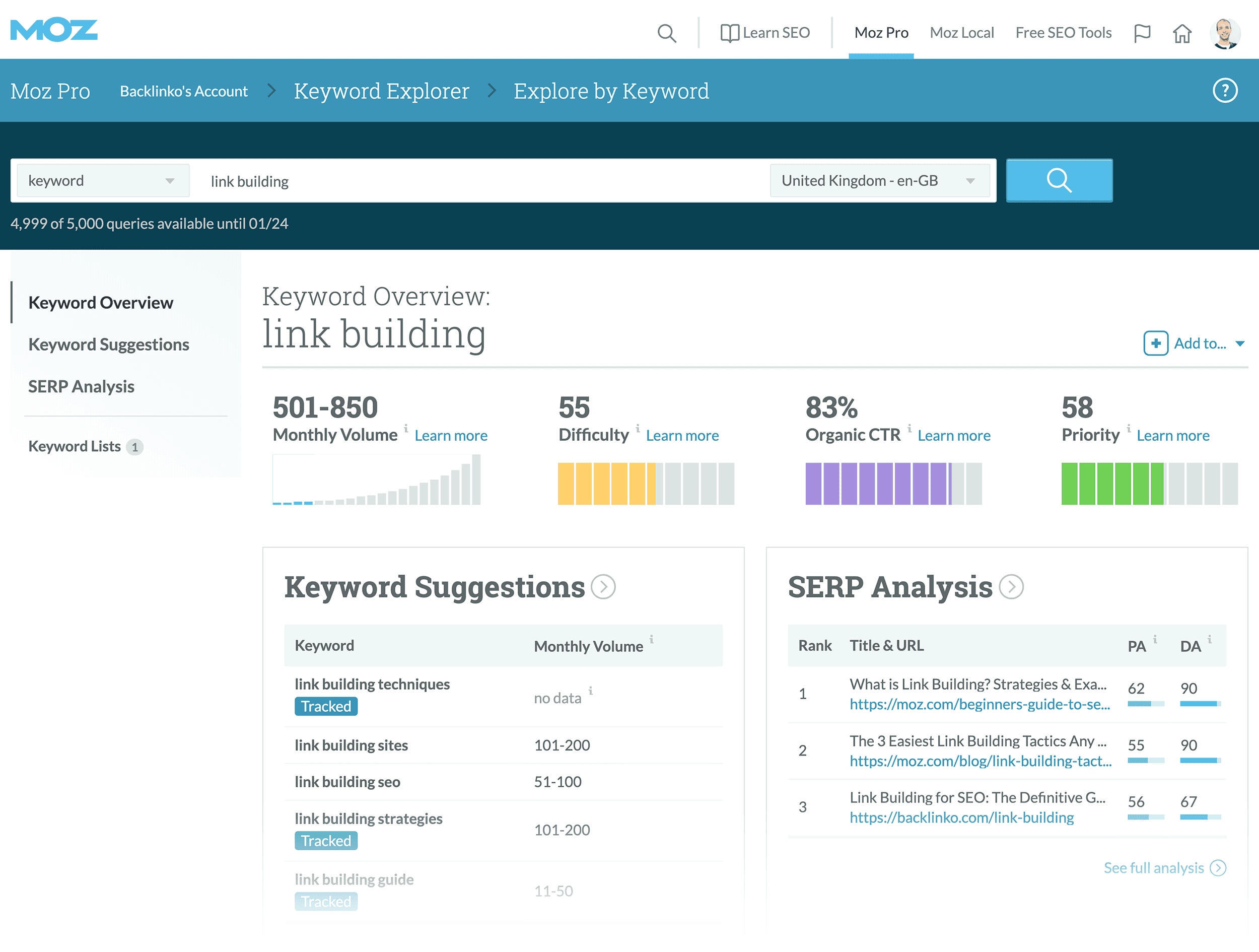
Moz Pro is an SEO suite with keyword research, rank tracking, and site crawl tools. Its fit overlaps with Semrush and Ahrefs, so don't choose among them on feature names alone; our Semrush vs Ahrefs vs Moz comparison lays out the differences.
Best for: small teams who want a simpler research and tracking suite.
Screaming Frog SEO Spider for technical crawling

Screaming Frog SEO Spider is a desktop crawler for inspecting your site's technical health: broken links, redirects, missing titles, and duplicate content. It won't plan keywords, write content, or manage local listings. For a quick one-off scan, a free broken link checker may be enough; for a wider view, see our roundup of SEO audit tools.
The free version crawls up to 500 URLs, which covers most small business sites.
Best for: sites that need a periodic technical review, with someone ready to fix what turns up.
BrightLocal for local SEO workflows
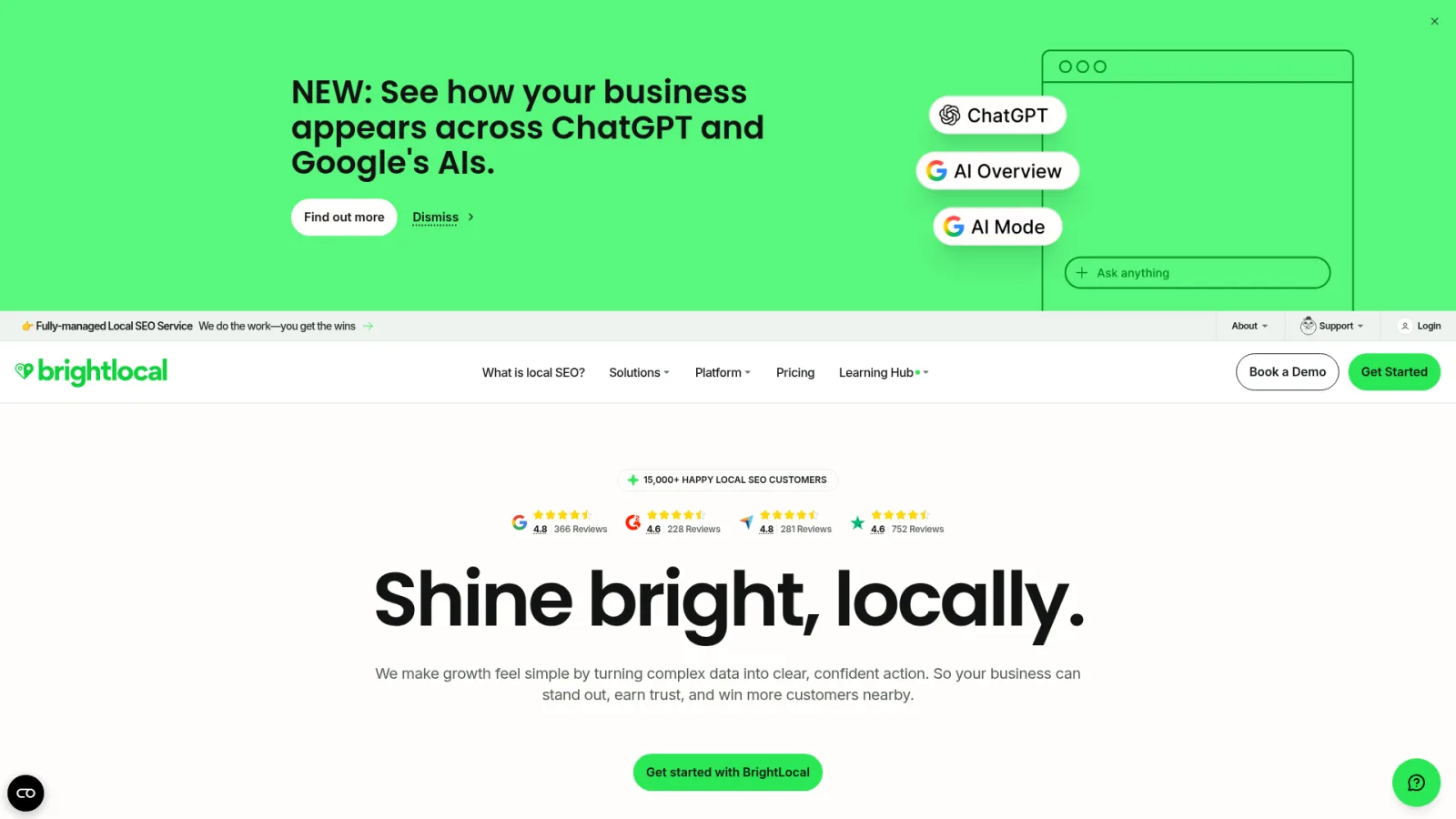
BrightLocal covers local rank tracking, listing management, and location-based reporting, with pricing that scales with the number of locations. It isn't a broad SEO suite, and no tool guarantees local rankings. More options are in our list of local SEO tools.
Best for: businesses with one or a few physical locations.
Keytomic for coordinating small-business SEO workflows
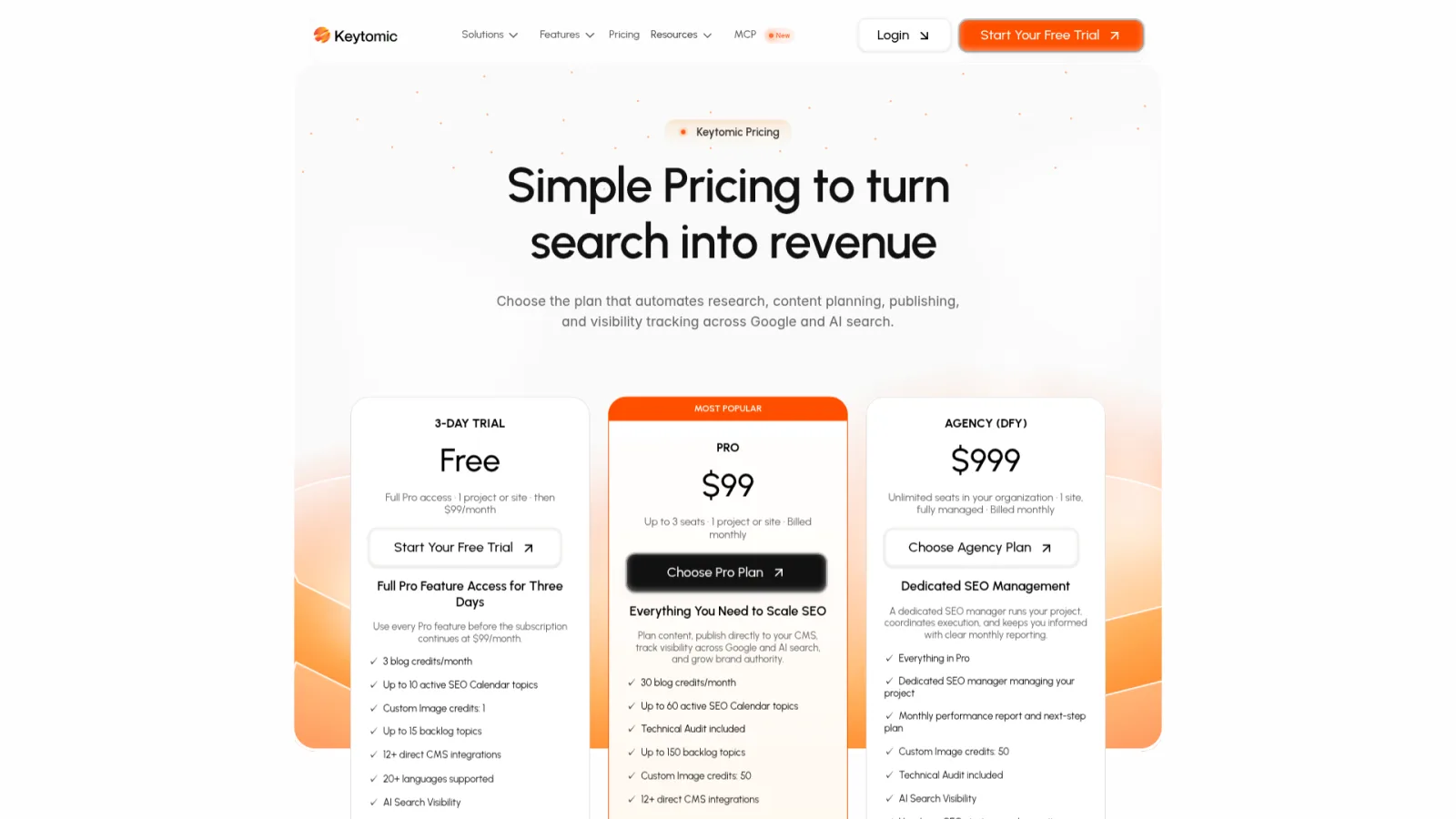
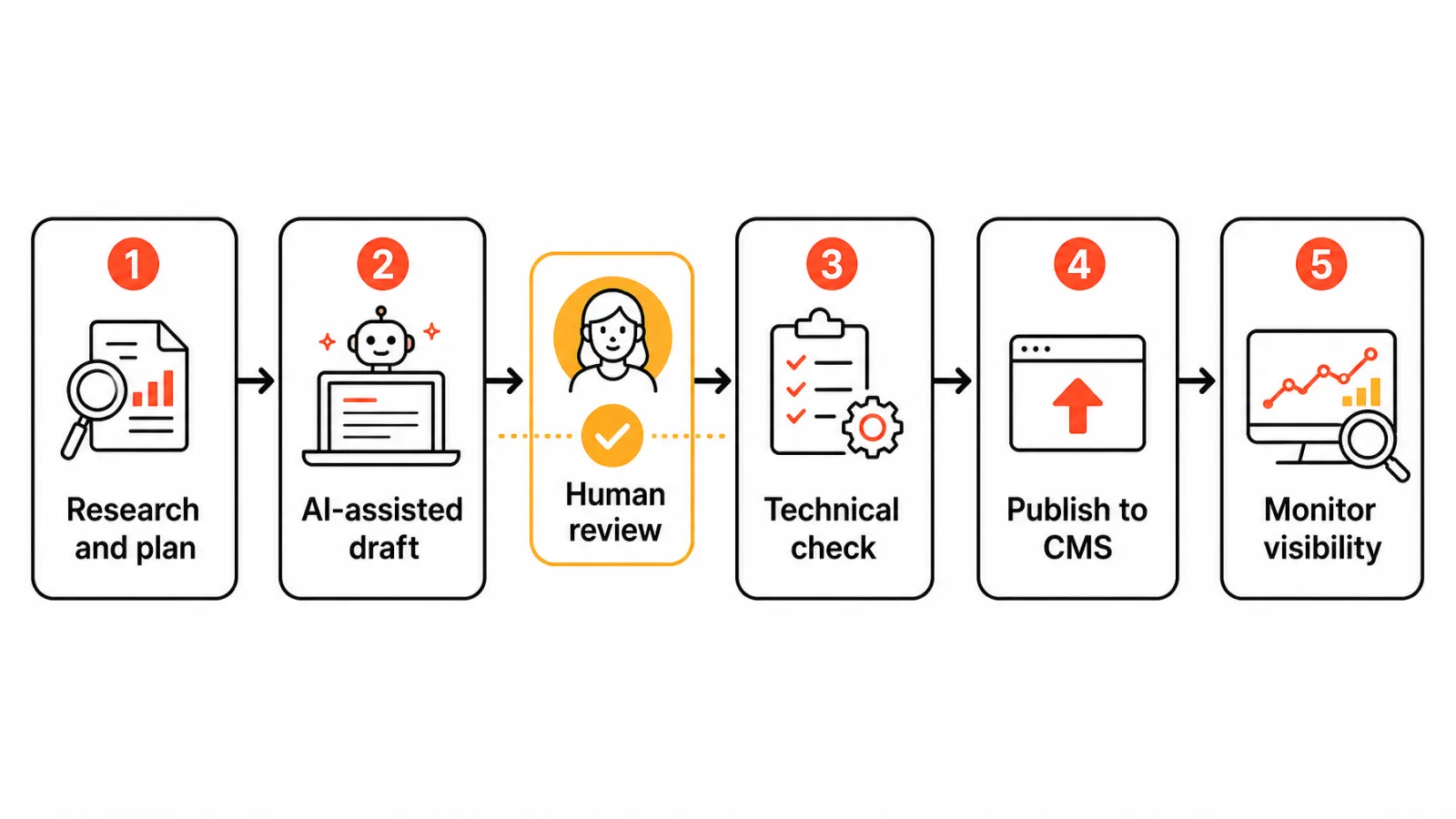
Keytomic coordinates keyword research, topical planning, AI-assisted content, technical audits, CMS publishing, and visibility monitoring in one approval-based workflow, built for small businesses and founders without an SEO hire.
The limitation is scope per plan. Current Keytomic plans list the Pro plan at $99 per month, billed monthly, with one site and up to three seats (October 2026). If you manage several sites, the Agency plan is the better fit.
Not the right fit when: you only need free Search Console data, a single technical crawl, a focused local task, or more sites than the plan covers.
Best for: lean teams whose work stalls between planning and publishing.
Which SEO software fits your business needs?
A small stack is often enough, and a single platform isn't automatically right. If you have little budget and time to act, you may not need a new paid tool yet.
Your situation | Start with | Add only if |
|---|---|---|
Little budget, some time | Search Console, Analytics, Business Profile | Findings need competitor data |
Broad research need | Semrush, Ahrefs, or Moz Pro | You'll use more than one module |
Technical crawl need | Screaming Frog SEO Spider | Your site outgrows the 500-URL free limit |
Local visibility need | BrightLocal | Your plan covers your locations |
Work stuck between planning and publishing | Keytomic | One site and three seats suffice |
If budget is the deciding factor, our price-focused comparison of SEO tools under $100 is the better read.
If work gets stuck between planning and publishing
Topics sit in a spreadsheet, drafts wait for formatting, and publishing slips. That's an execution problem, not a data problem. Automation can coordinate those tasks, but strategy, fact-checking, and approval stay with you. Our guide to SEO automation workflows covers which tasks to hand off, and automated vs manual SEO covers what to keep.
Does a small business need AI visibility tracking?
Not on day one. If customers already ask ChatGPT or Google's AI Mode for recommendations in your category, it's worth knowing whether you're mentioned, and AI visibility for local businesses explains where to start. Otherwise, get the Search Console basics right first, then add an AI visibility tracker once you're publishing consistently. Google's guidance on AI search features says regular SEO best practices still apply.
What should a small business look at before paying for SEO software?
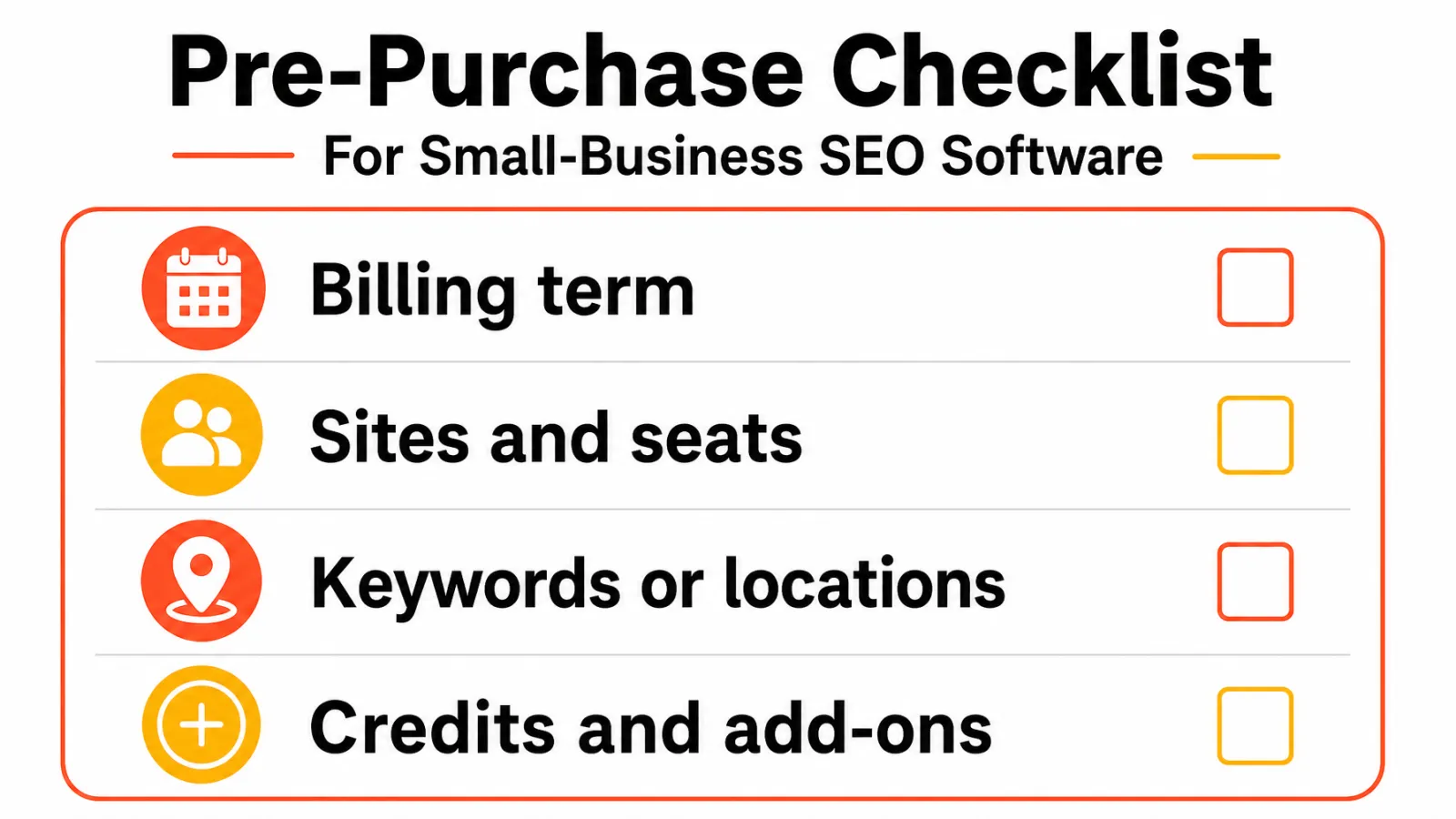
Headline prices hide usage units. Two plans at similar prices can differ a lot in sites, seats, and tracked items, so compare the units, not the sticker.
Billing interval and currency
Sites or projects, and seats
Tracked keywords, crawl limits, or locations
Content credits and paid add-ons
Export options, trial conversion, and cancellation terms
Don't assume an integration is native or automatic just because a logo appears, and if a tool tracks AI search visibility, ask which engines, prompts, and locations it measures.
Frequently asked questions about small-business SEO software
What is the best SEO software for a small business?
It depends on your main SEO job, skills, budget, and workflow. Use the category table above instead of chasing a universal winner.
Is Google Search Console enough for a small business?
Sometimes. Search Console reports queries, impressions, and clicks in Google Search, but it doesn't crawl your whole site, research competitors, or publish content.
Can a small business do SEO without paid software?
Yes, if free first-party tools cover your needs and you have time to act on the findings.
Which SEO software is best for a local business?
Start with Google Business Profile, then add a local tool such as BrightLocal, whose pricing scales with your number of locations.
Do I need more than one SEO tool?
Not necessarily. Many businesses pair a free measurement source with one specialist or workflow tool, depending on their bottleneck.
Can an all-in-one platform replace specialist SEO tools?
Not always. It can consolidate common workflows, but may not replace every specialist feature, data source, or local task.
Can AI SEO software publish content without human review?
Publishing capability doesn't remove the need for review. Google's guidance on AI-generated content stresses accuracy, so fact-check and approve first.
Does SEO software guarantee higher rankings?
No. Software can help you research, diagnose, publish, and monitor, but nobody can promise rankings, traffic, or AI citations.
Pick the smallest stack that covers your gap
Choosing SEO software for small business teams comes down to three steps:
Name the SEO task you're currently missing or delaying.
Choose the smallest tool or stack that covers that task, within its plan limits.
Make sure the tool is actually being used and a person owns the work before adding another subscription.


