Table of Contents
Share Article
Best SEO Plugin for WordPress in 2026: 12 Tools Compared
Best SEO Plugin for WordPress in 2026: 12 Tools Compared
Best SEO Plugin for WordPress in 2026: 12 Tools Compared

Salam Qadir
Product & Growth Lead
The right WordPress SEO plugin controls how search engines read your content, how fast your pages load, and whether your site surfaces in AI-powered search results. Rank Math is the best free SEO plugin for WordPress in 2026, followed by Yoast for beginners and AIOSEO for WooCommerce stores. If you need keyword research, content generation, auto-publishing, and AI visibility in one workflow, a platform like Keytomic works as the SEO layer above your plugin.
Quick answer: Rank Math is the best free SEO plugin for WordPress in 2026 — it packs more into its free tier than any competitor. Yoast SEO is best for total beginners who want guided, hand-holding setup. AIOSEO is best for WooCommerce stores and teams that want AI features (metadata generation, LLMs.txt) built into the plugin itself. None of the three track whether your brand is actually being cited in ChatGPT or AI Overviews — that requires a separate layer.
Update log: Last reviewed August 2026. Pricing, active install counts, and feature sets checked directly against each plugin's official pricing page this month. AIOSEO's AI Assistant, LLMs.txt Generator, and MCP integration were added to this comparison following their July 2026 feature rollout.
I have been doing SEO for over seven years.
WordPress has been my default publishing environment for almost all of that time, across client sites, SaaS products, and my own experiments. And for most of those years, the first thing I installed on any new WordPress site was Yoast SEO. No deliberation, no comparison. Just Yoast.
That changed gradually as I started running more complex content operations and realised that configuring an SEO plugin is not the same as having an SEO strategy. The plugin handles settings. The strategy, the content velocity, the internal linking, the indexing, the AI visibility- that all happens somewhere else, or not at all.
As a product lead of Keytomic, an AI SEO automation platform, I use and recommend traditional SEO plugins daily, and I will tell you exactly where they are strong, where they are not, and how to match the right tools to your situation.
According to website market share data tracked by W3Techs, WordPress powers over 41% of all websites worldwide. And based on WordPress plugin usage statistics compiled by WPCoupons, approximately 35% of WordPress blogs use a dedicated SEO plugin. That is a massive install base, which means there is no shortage of options, conflicting advice, or affiliate-heavy reviews pushing you toward whatever earns the highest commission.
I am trying to write the guide I wish existed when I was figuring this out.
What the Best SEO Plugin for WordPress Actually Means
There is no single best plugin. There is the best plugin for your specific situation, your team size, your publishing volume, your technical comfort level, and whether you are optimising for traditional search, AI search, or both.
Before I get into individual tools, here is the honest framework: a classic SEO plugin manages the technical settings layer inside WordPress. It handles meta titles, XML sitemaps, canonical tags, schema output, and redirects. It is infrastructure. It does not research keywords, write content, build topical authority, submit pages for indexing, or track whether your brand shows up in ChatGPT.
That distinction matters more in 2026 than it did three years ago, and I will come back to it.

How I Ranked These Plugins
I evaluated each plugin against four criteria, weighted by what actually affects a site's search and AI visibility rather than what looks impressive in a features list:
Free-tier depth (30%): How much a site owner can accomplish before hitting a paywall: schema types, redirect management, GSC integration, and keyword coverage.
Technical footprint (25%): Page-speed and Core Web Vitals impact, based on load-time behavior I've observed running these plugins across client and personal sites, cross-checked against independent benchmark data where cited.
AI and LLM readiness (25%): Whether the plugin supports llms.txt generation, structured schema that AI Overviews and answer engines can parse, and any native AI content or metadata tooling.
Pricing transparency and value (20%): Whether the paid tier's cost matches the functionality gap versus free, and how pricing scales across multiple sites.
None of this replaces hands-on testing before you commit to a plugin on your own site; your theme, hosting, and existing plugin stack will always be the deciding factor. This framework is meant to narrow the field, not replace your own trial.
Quick Comparison: 12 WordPress SEO Tools
Tool | Type | Active Installs | Free Tier | Paid From | Best For |
|---|---|---|---|---|---|
Rank Math | All-in-one SEO | 3M+ | Generous | $59/yr | Most sites, power users |
Yoast SEO | All-in-one SEO | 13M+ | Basic | $99/site/yr | Beginners, guided workflow |
AIOSEO | All-in-one SEO | 3M+ | Limited | $49.50/yr | WooCommerce, agencies |
Keytomic | AI SEO workflow | Growing | $1 trial | $99/mo | Content growth, AI visibility |
SEOPress | All-in-one SEO | 300K+ | Solid | $49/yr unlimited | Agencies, multi-site |
The SEO Framework | Lightweight SEO | 200K+ | Full | Extensions | Minimal, distraction-free |
Schema Pro | Schema only | 50K+ | No | $79/yr | Complex schema needs |
Link Whisper | Internal linking | 50K+ | Limited | $69.99 one-time | Internal link automation |
Internal Link Juicer | Internal linking | 60K+ | Yes | Pro available | Free link automation |
WP Rocket | Performance | 2M+ | No | $59/yr | Site speed, Core Web Vitals |
Redirection | Redirects only | 2M+ | Yes | Free | 301 redirect management |
MonsterInsights | Analytics | 3M+ | Limited | $99.50/yr | GA4 inside WordPress |
1. Rank Math
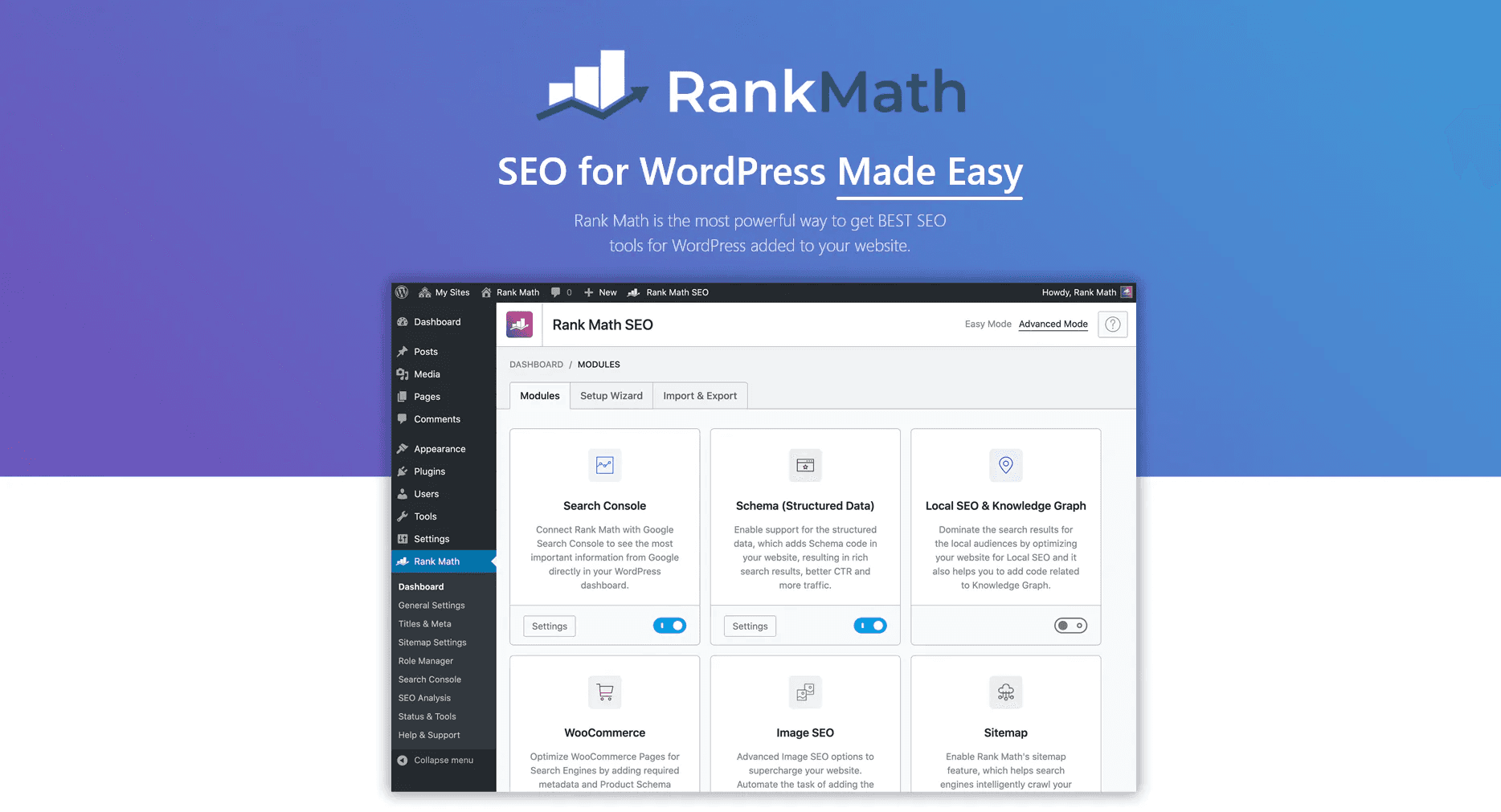
Active installs: 3M+ | Free tier: Yes | Paid from: $59/year
Rank Math is my current recommendation for most WordPress sites.
When it launched, it made a strategic decision to put features in the free tier that competitors were charging for, and that value proposition has held up. Based on WordPress SEO plugin comparison data from Searchlab, Rank Math is the best all-in-one SEO plugin for 2026 for most users.
What works: The free version includes a redirect manager, 404 monitoring, Google Search Console integration inside WordPress, 18+ schema types, unlimited focus keywords per post, and llms.txt support (which helps AI crawlers understand your site structure). The modular setup means you only activate what you need. No page bloat from features you are not using.
What does not: The settings panel can be overwhelming for complete beginners. There are a lot of options, and the setup wizard helps but does not remove the complexity entirely. Some users have also noted that the premium upsells become more visible as you explore the dashboard.
Pricing: Free tier covers most needs. Pro starts at $59/year for unlimited personal sites, which is the best value in this category.
Read More: Why Your Brand Is Invisible in ChatGPT and What Reddit AI Automation Actually Does About It
2. Yoast SEO
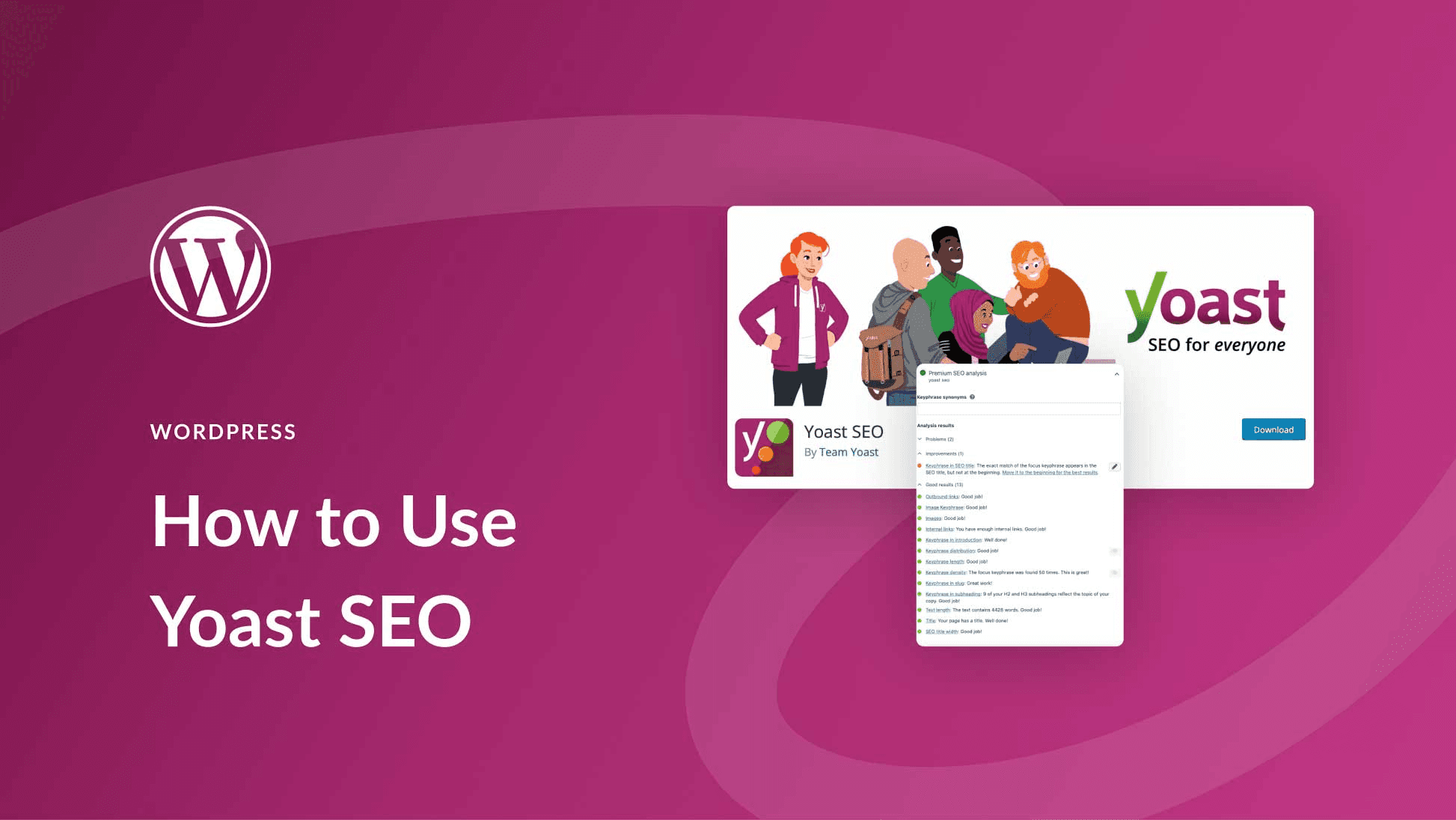
Active installs: 13M+ | Free tier: Yes | Paid: $99/site/year
I have a soft spot for Yoast because it genuinely taught me SEO.
The traffic light readability system, the focus keyphrase analysis, the structured setup process, it is a well-designed product for people who are learning. As reported in Yoast's plugin listing on WordPress.org, it has been running since 2008 and has helped millions of sites manage on-page optimisation.
What works: The readability checker is genuinely useful. It catches passive voice overuse, long sentences, and poor heading distribution in a way that improves writing quality alongside SEO. The interface is the most familiar of all the plugins. If you have a team and need everyone to use the same tool without training, Yoast is the path of least resistance.
What does not: The pricing model is the main issue. At $99 per site per year, managing five sites costs $495. Rank Math gives you comparable features on unlimited personal sites for $59 total. Redirect management requires the premium upgrade. Schema depth in the free tier is limited. As noted in an honest Yoast SEO review published on WPSchool, the Premium version is harder to justify in 2026 when competitors offer comparable features at lower prices or for free.
Pricing: Free tier is strong. Premium at $99/site/year adds up fast for multi-site managers.
3. All in One SEO (AIOSEO)
Active installs: 3M+ | Free tier: Limited | Paid from: $49.50/year
AIOSEO is one of the original WordPress SEO plugins, predating Yoast. According to the AIOSEO review published by FatLab Web Support, it launched in 2007 as "All in One SEO Pack" and was substantially rebuilt in 2020 by Awesome Motive. The modern version is essentially a new product under an established name.
What works: The setup wizard is the best onboarding experience in this category. New users go from install to configured in under 10 minutes. The TruSEO score gives a more granular 0 to 100 assessment than Yoast's traffic lights. WooCommerce product SEO is included without a separate add-on, which Yoast gates behind a premium upgrade. Schema support covers 40+ types. The Link Assistant for internal linking is functional, though it requires manual approval. AIOSEO has also expanded aggressively into AI tooling: an AI Assistant for bulk-generating titles, descriptions, and alt text; a free LLMs.txt Generator to help ChatGPT and Perplexity understand your site; and an MCP integration that lets you connect Claude, ChatGPT, or Cursor directly to your WordPress site to run SEO tasks like fixing meta descriptions from a chat interface. Their REST API is also now free on every plan, including Lite. That said, these are still settings-layer AI features — they generate metadata and connect an agent to your existing site, rather than researching topics, planning content, or tracking whether you're actually being cited across AI answer engines.
What it does not: The free tier is notably more limited than Rank Math's. Across G2 reviews for AIOSEO, the most frequent complaints are around the cost of paid plans and the number of features locked behind paywalls. Some users have also raised concerns about upsell banners inside the dashboard. As flagged in an AIOSEO technical review by TheStacc, six security vulnerabilities were disclosed in 2025 alone, though all were patched. And the performance impact is heavier than Rank Math or The SEO Framework.
Pricing: Pro starts at $49.50/year for one site, $199.50/year for 10 sites. If Rank Math is not your preference, AIOSEO is a strong second.
4. Keytomic
Installs: Growing | Trial: $1 for 3 days | Paid: $99/month
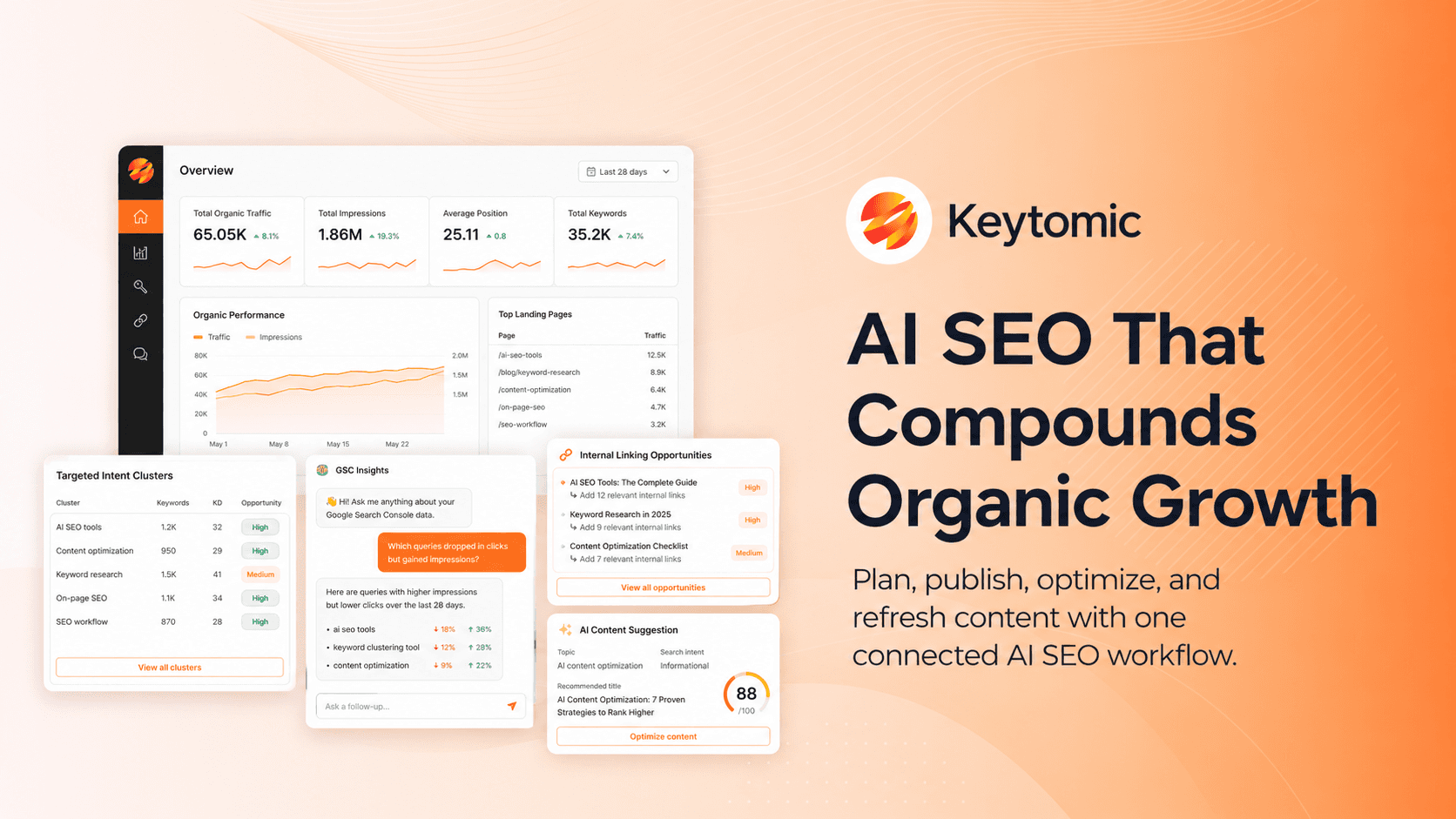
Keytomic is an AI SEO automation platform built for teams that want to grow organic visibility without managing keyword research, content planning, writing, publishing, indexing, and AI visibility tracking across separate tools. Instead of only helping you edit meta titles inside WordPress, Keytomic helps you plan and execute the full SEO workflow from idea to published content.
The Keytomic WordPress plugin is the publishing bridge between Keytomic and your WordPress site. Once your article is created inside Keytomic, you can send it to WordPress in one click as a draft or published post, along with the slug, SEO meta description, featured image, and content structure. Keytomic also supports publishing workflows beyond WordPress, including Shopify, Framer, Webflow, and webhooks, which makes it useful for teams managing SEO across different CMS platforms.
The platform itself handles the work that usually happens before and after publishing: keyword research, competitor gap analysis, intent-based content planning, 30-day SEO calendars, brand awareness content generation, internal linking suggestions, indexing support, backlink opportunity discovery, technical SEO audits, keyword cannibalization checks, and AI visibility tracking across ChatGPT, Gemini, and Perplexity. For teams exploring this category more deeply, the guide on SEO automation software explains where tools like Keytomic fit in a modern SEO stack.
What works:
For SaaS founders, content marketers, ecommerce teams, and SEO agencies, Keytomic is strongest when you need more than a traditional WordPress plugin. It helps turn SEO into a repeatable workflow: find the right topics, build a content calendar, create optimized drafts, publish to your CMS, and monitor visibility. Keytomic also offers free tools like the FAQ Schema Generator, Article Schema Generator, canonical URL checker, broken link checker, and AI visibility tracker, which are useful even if you are not using the full platform yet.
What it does not:
Keytomic is younger than Yoast, Rank Math, and AIOSEO, so it does not have the same decade long plugin history, massive community documentation, or marketplace footprint. It is also not the cheapest option if you only need basic meta titles, XML sitemaps, and schema settings inside WordPress. At $99/month, it makes the most sense for teams that are serious about publishing consistently, improving organic visibility, and building presence in both Google and AI search.
Keytomic works alongside your existing SEO plugin, not instead of it. You can still use Rank Math, Yoast, AIOSEO, or SEOPress for the technical SEO layer inside WordPress, while Keytomic handles the growth workflow around keyword research, content production, publishing, indexing, and AI visibility.
Keytomic also integrates directly with WordPress via its official plugin, so you can generate content inside the platform and publish it as drafts or live posts with meta, images, and structure already applied. Teams managing both WordPress and Shopify stores and other CMS integrations can use the same workflow across both platforms.
5. SEOPress
Active installs: 300K+ | Free tier: Solid | Paid: $49/year unlimited sites
SEOPress has a loyal following among developers and agencies, and the reason is straightforward. As covered in the SEOPress honest review by FatLab Web Support, it shows no ads or upsell banners in your WordPress dashboard even in the free version, which is genuinely refreshing after using Yoast and Rank Math. It is built by an independent French company focused exclusively on this plugin.
What works: Clean dashboard, no dashboard clutter, white-label mode for agencies, and competitive pricing. At $49/year for unlimited sites, it is dramatically more affordable than Yoast for anyone managing more than two or three installations. The free tier covers meta tags, sitemaps, breadcrumbs, content analysis, and Google Analytics integration. Pro adds redirect management, advanced schema, and 404 monitoring.
What it does not: Smaller community and less third-party documentation means you will sometimes find fewer tutorials when you run into an issue. Schema depth is not as wide as Rank Math's free tier. Some users have reported plugin compatibility conflicts. Support response times have drawn mixed reviews.
Pricing: Pro at $49/year for unlimited sites is one of the best agency deals in the market.
6. The SEO Framework
Active installs: 200K+ | Free tier: Full | Paid: Extensions only
The SEO Framework is the plugin for people who want SEO done quietly, without a dashboard full of suggestions, scores, and upsells. The philosophy is sensible defaults that work without constant configuration. It auto-generates meta titles and descriptions from your content templates, handles canonical tags cleanly, and generates sitemaps without requiring manual setup.
What works: It is the lightest option in this list by a significant margin. According to WordPress SEO plugin performance benchmarks from Linkbot's plugin guide, The SEO Framework and SEOPress consistently come in lightest in load-time tests. There are no ads, no upsell popups, and no traffic light scores nagging you. For technical users who want clean infrastructure without noise, this is a strong choice.
What it does not: There is no internal link tooling. Schema breadth is more limited than Rank Math's free tier. Community documentation is thinner than the major plugins. If you need guidance or hand-holding through SEO decisions, this is the wrong fit.
Pricing: Free version is genuinely complete for most sites. Premium extensions available separately for local SEO, AMP, and advanced features.
7. Schema Pro
Active installs: 50K+ | Free tier: No | Paid: $79/year
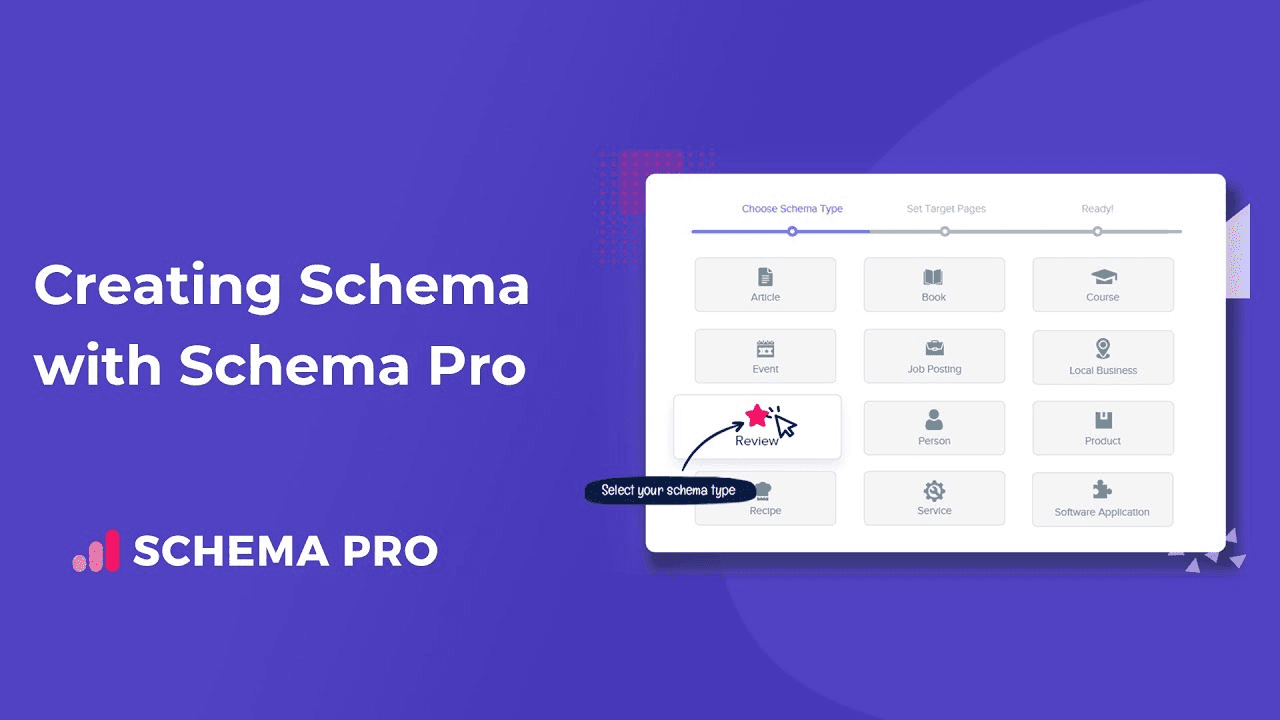
Schema Pro is a dedicated schema plugin. It does one thing and does it well: structured data markup across a wide range of schema types including Article, FAQ, Product, Review, Event, Recipe, HowTo, Local Business, Course, and more. It works alongside your primary SEO plugin rather than replacing it.
What works: If your site depends on rich results and you need more schema depth than Rank Math's free tier provides, Schema Pro is worth the $79. The configuration is straightforward and the output is clean JSON-LD. It is particularly useful for sites in high-schema categories like ecommerce, local services, and recipe blogs.
What it does not: At $79/year with no free tier, it is an additional cost on top of your primary SEO plugin. For most standard content sites, Rank Math's free schema support is sufficient and adding Schema Pro is unnecessary.
8. Link Whisper
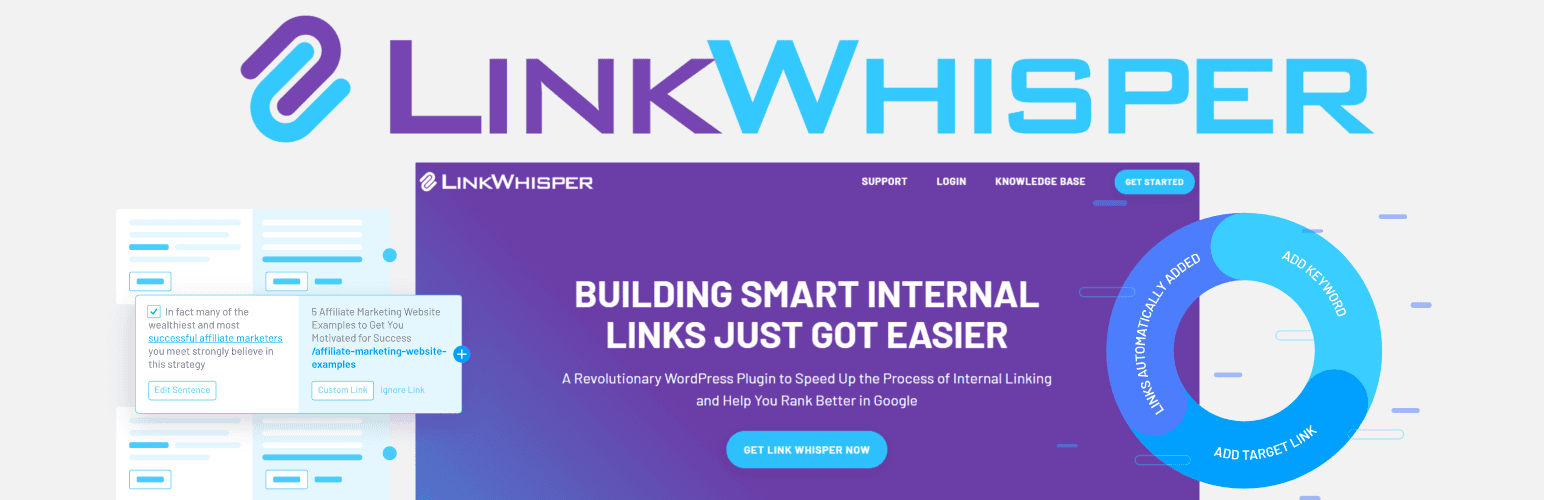
Active installs: 50K+ | Free tier: Limited (ad-supported) | Paid: $69.99 one-time
Internal linking is consistently the most underused SEO lever I see across sites. Pages with zero internal links pointing at them effectively do not exist in your site's authority structure. Link Whisper automates the process by analysing your content and suggesting relevant internal links as you write inside the WordPress editor.
What works: The visual reports showing which posts have few or no internal links are genuinely useful for identifying buried content. The one-time pricing model is rare in this space and appreciated. For sites with 50+ posts, the ROI on finding and fixing orphaned content is real.
What it does not: As noted in the Link Whisper section of Blogging Wizard's SEO plugin guide, the free version is more of an advertisement for the paid version than a functional tool. It runs ads in the dashboard and is very limited in actual suggestion capability. You need the paid version to get meaningful value.
9. Internal Link Juicer
Active installs: 60K+ | Free tier: Yes | Paid: Pro available
Internal Link Juicer takes a different approach to Link Whisper. It automates internal linking based on keyword rules you configure, adding links automatically when those keywords appear in new posts. It is less hands-on than Link Whisper and more set-and-forget.
What works: The free version is functional, which puts it ahead of Link Whisper in the entry-level tier. For smaller sites that want basic internal linking automation without ongoing manual effort, it covers the essentials.
What it does not: The keyword-rule approach can over-link or under-link depending on how carefully you configure it. Large sites with complex content structures need more intelligent suggestions than keyword matching alone provides.
10. WP Rocket
Active installs: 2M+ | Free tier: No | Paid: $59/year
WP Rocket is the most widely recommended WordPress caching and performance plugin. This is slightly outside the traditional SEO plugin category, but it belongs in this comparison because as covered in Google's Core Web Vitals documentation, page speed is a direct ranking factor, and WP Rocket directly affects your Lighthouse scores and Core Web Vitals metrics.
What works: Page caching, browser caching, CSS/JS minification, lazy loading images, and database optimization in one plugin. It works without requiring deep technical knowledge, which is the main reason it justifies the $59 price tag when free alternatives like W3 Total Cache require significant configuration. If you are on managed WordPress hosting, check whether caching is already handled at the server level before buying.
What it does not: There is no free tier. If your hosting already provides server-level caching and CDN integration, WP Rocket adds less marginal value.
11. Redirection
Active installs: 2M+ | Free tier: Yes | Paid: Free
Redirection is a single-purpose plugin that manages 301 redirects and 404 monitoring. It is one of the most downloaded WordPress plugins for a reason: clean, reliable, and free. If you are on Rank Math, the redirect manager in the free tier covers most of what Redirection does. If you are on Yoast or SEOPress free, Redirection fills that gap without cost.
What works: Dead simple to use, actively maintained, and reliable at scale. Conditional redirects based on login status, browser type, and referrer URL add flexibility for edge cases.
What does not: If you are already using Rank Math or SEOPress Pro, you do not need this. It is a gap-filler rather than a primary tool.
12. MonsterInsights
Active installs: 3M+ | Free tier: Limited | Paid from: $99.50/year
MonsterInsights connects Google Analytics 4 to your WordPress dashboard, so you can see traffic data, page performance, and source breakdowns without leaving WordPress. It does not do SEO directly, but having GSC and GA4 data visible in the same environment where you manage content speeds up decision-making.
What works: The setup process is genuinely simple compared to setting up GA4 natively. Real-time stats, top post/page reporting, and conversion tracking are accessible from the WordPress dashboard. For non-technical site owners who want analytics without JavaScript implementation work, it earns its place.
What it does not: The free version gives you enough to want the paid version but not enough to make meaningful decisions from. At $99.50/year for one site, the cost adds up if you are already paying for Yoast or another premium plugin. Alternative: Rank Math Pro includes GSC integration, and Google's Site Kit plugin brings GA4 data into WordPress for free.
Do Not Install Two All-in-One SEO Plugins at the Same Time
This deserves its own section because the question comes up constantly. Running Rank Math and Yoast simultaneously, or any two all-in-one SEO plugins, causes duplicate meta tags, conflicting XML sitemaps, and schema output errors. It is one of the cleanest ways to create technical SEO problems that are painful to diagnose and fix.
Dedicated plugins like Schema Pro, Link Whisper, WP Rocket, and Redirection can run alongside your primary SEO plugin without conflict. Keytomic also runs alongside your existing SEO plugin because it is a content and publishing layer, not a metadata plugin.
What Features Actually Matter in 2026
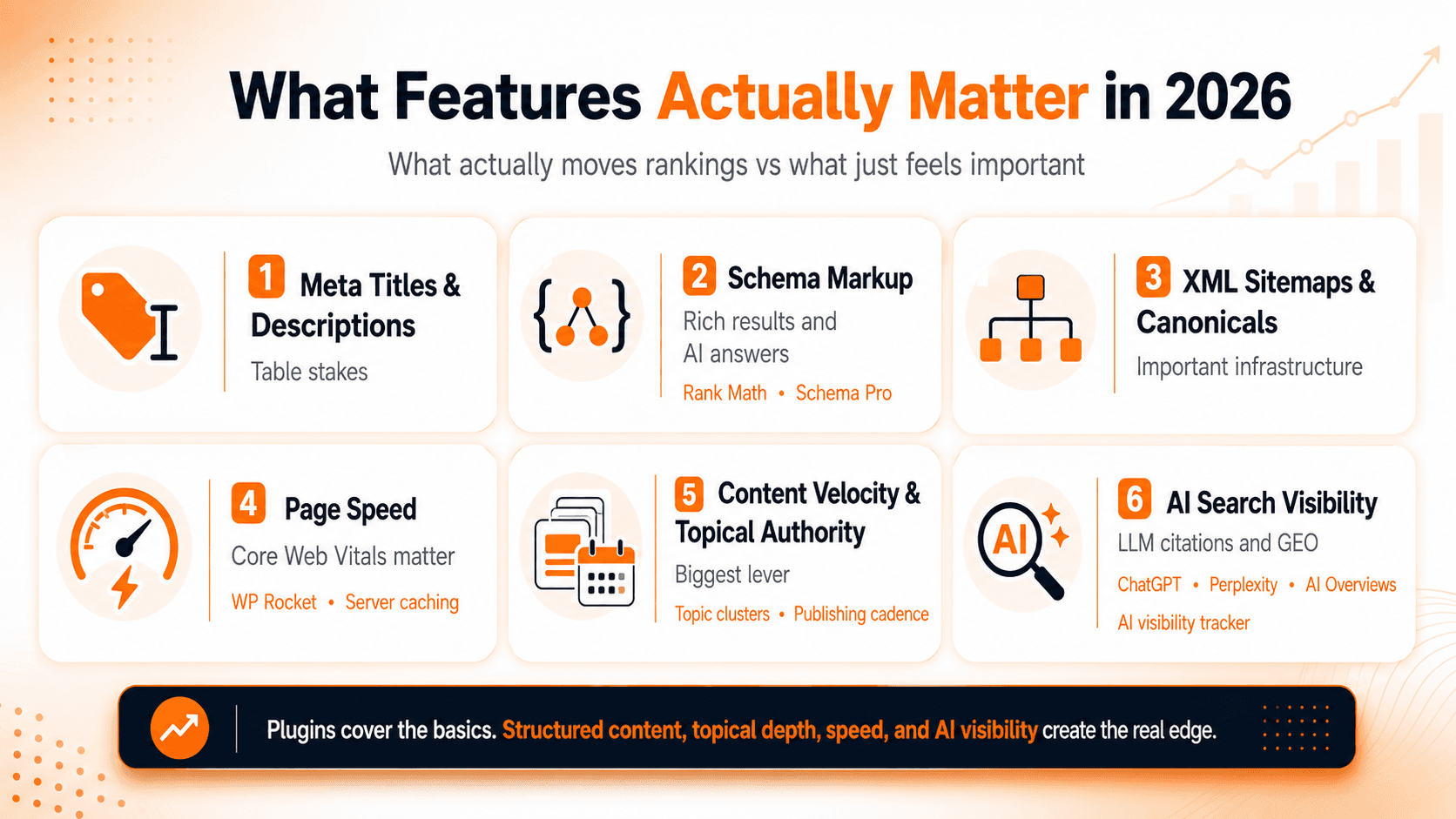
After seven years of running SEO across dozens of sites, here is my honest assessment of what moves rankings versus what feels important but does not.
Meta titles and descriptions: Table stakes. Every plugin covers this. Not a differentiator.
Schema markup: Genuinely matters for rich results and AI-generated answers. Rank Math's free tier is strong enough for most sites. If you run a recipe blog, review site, or local services business, go deeper with Schema Pro.
XML sitemaps and canonical tags: Important infrastructure. Every plugin in this list handles them. Choose based on other criteria.
Page speed: According to organic search traffic data cited by Searchlab, organic search generates an average of 53% of all website traffic, and Core Web Vitals directly affect whether you maintain that traffic. WP Rocket or server-level caching is worth the investment if your scores are poor.
Content velocity and topical authority: The single biggest lever that no plugin addresses. Publishing consistently on semantically related topics compounds over time. A plugin cannot write content, plan a content cluster, or map intent to a publishing calendar.
AI search visibility: Getting your brand cited in ChatGPT, Perplexity, and Google AI Overviews is increasingly driven by structured content, entity coverage, and topical depth. None of the classic plugins in this list track or support AI visibility. Understanding how generative engine optimization works to earn LLM citations and using tools like an AI visibility tracker are where this matters most.
How to Choose the Right SEO Plugin
How to Choose as a Beginner
If you are building your first WordPress site and do not have an SEO background, start with Yoast SEO free. The guided setup, the traffic light feedback system, and the readability analysis will teach you the fundamentals while setting up your technical baseline. When you outgrow the free tier, compare Rank Math Pro against Yoast Premium before renewing. You will almost certainly find Rank Math gives you more for less.
How to Choose as a Blogger or Content Creator
Rank Math free is your best starting point. The unlimited focus keywords per post, the schema support, and the GSC integration inside WordPress cover everything a blogger needs without paying anything. When your post count grows past 50 and internal linking becomes harder to manage manually, add Internal Link Juicer on the free tier or invest in Link Whisper.
How to Choose as a SaaS Founder
Your time is expensive. Rank Math handles the technical SEO settings quickly, but the real constraint is content. If you are not consistently publishing, your SEO will not compound regardless of how well your plugin is configured. This is where the question shifts from which plugin to whether you need SEO automation software to handle the content and publishing workflow you cannot keep up with manually. A well-configured Rank Math plus a content automation layer is a more sustainable setup than any single plugin alone.
How to Choose as an Agency
For multi-client environments, SEOPress Pro at $49/year for unlimited sites is the best value available. White-label mode removes SEOPress branding from client dashboards. AIOSEO's agency pricing tier at $299.50/year for 100 sites is also competitive depending on your client volume. If you are scaling content delivery across clients, AI SEO tools for agencies become relevant because per-client content production at scale requires a different infrastructure than single-site plugins.
How to Choose for WooCommerce
Rank Math or AIOSEO. Rank Math's free WooCommerce module covers product schema, breadcrumbs, and sitemap configuration cleanly. AIOSEO's WooCommerce integration is more purpose-built with dedicated product SEO fields and is included without a separate add-on. If your store has recurring SEO problems beyond plugin configuration, the most common WooCommerce SEO issues guide is worth reading before you attribute performance problems to your plugin choice.
How to Choose for AI Search Visibility
This is the category where all traditional plugins fall short. None of them track AI citations, help you understand why you are or are not appearing in ChatGPT responses, or generate content formatted for LLM consumption. If ranking in AI Overviews and getting cited in conversational AI responses matters to your business, the LLM citations checklist is a useful starting point, and standalone tools like the AI visibility tracker cover the monitoring layer that plugins do not touch. The best AI visibility tools comparison also has a breakdown of what exists in this category.
Frequently Asked Questions
What is the best SEO plugin for WordPress in 2026?
For most WordPress sites, Rank Math is the best overall choice. It offers the most features in its free tier, including schema, redirect management, and GSC integration. Yoast is better for beginners who want guided on-page feedback. AIOSEO suits WooCommerce stores and teams that prefer a cleaner interface.
Is Rank Math better than Yoast SEO?
For most new sites starting fresh, yes. Rank Math gives you more features for free and has simpler pricing for multi-site managers. The redirect manager, 404 monitoring, and deep schema support are free in Rank Math but require a paid upgrade in Yoast. If your team already knows Yoast well, switching is not necessary unless the per-site pricing becomes a problem.
Can I use two SEO plugins at the same time on WordPress?
No, not two all-in-one SEO plugins. Running Rank Math and Yoast simultaneously causes duplicate metadata and schema conflicts. Dedicated single-purpose plugins like Link Whisper, WP Rocket, Schema Pro, and Redirection can safely run alongside your primary SEO plugin.
Do I need an SEO plugin if WordPress already handles SEO?
Yes. WordPress does not natively output editable meta titles and descriptions, structured schema markup, or cleanly formatted XML sitemaps. Without a plugin, you have no control over how your pages appear in search results or how search engines crawl your site structure.
What is the best AI SEO plugin for WordPress?
Traditional plugins like Rank Math and AIOSEO have added AI features for generating meta titles and descriptions, but they still operate at the settings layer inside WordPress. For a full AI SEO workflow covering keyword research, content generation, CMS publishing, indexing, and AI citation tracking, you need a platform layer separate from your metadata plugin. That is a different category of tool from a WordPress plugin.
Quick answer: Rank Math is the best free SEO plugin for WordPress in 2026 — it packs more into its free tier than any competitor. Yoast SEO is best for total beginners who want guided, hand-holding setup. AIOSEO is best for WooCommerce stores and teams that want AI features (metadata generation, LLMs.txt) built into the plugin itself. None of the three track whether your brand is actually being cited in ChatGPT or AI Overviews — that requires a separate layer.
Update log: Last reviewed August 2026. Pricing, active install counts, and feature sets checked directly against each plugin's official pricing page this month. AIOSEO's AI Assistant, LLMs.txt Generator, and MCP integration were added to this comparison following their July 2026 feature rollout.
I have been doing SEO for over seven years.
WordPress has been my default publishing environment for almost all of that time, across client sites, SaaS products, and my own experiments. And for most of those years, the first thing I installed on any new WordPress site was Yoast SEO. No deliberation, no comparison. Just Yoast.
That changed gradually as I started running more complex content operations and realised that configuring an SEO plugin is not the same as having an SEO strategy. The plugin handles settings. The strategy, the content velocity, the internal linking, the indexing, the AI visibility- that all happens somewhere else, or not at all.
As a product lead of Keytomic, an AI SEO automation platform, I use and recommend traditional SEO plugins daily, and I will tell you exactly where they are strong, where they are not, and how to match the right tools to your situation.
According to website market share data tracked by W3Techs, WordPress powers over 41% of all websites worldwide. And based on WordPress plugin usage statistics compiled by WPCoupons, approximately 35% of WordPress blogs use a dedicated SEO plugin. That is a massive install base, which means there is no shortage of options, conflicting advice, or affiliate-heavy reviews pushing you toward whatever earns the highest commission.
I am trying to write the guide I wish existed when I was figuring this out.
What the Best SEO Plugin for WordPress Actually Means
There is no single best plugin. There is the best plugin for your specific situation, your team size, your publishing volume, your technical comfort level, and whether you are optimising for traditional search, AI search, or both.
Before I get into individual tools, here is the honest framework: a classic SEO plugin manages the technical settings layer inside WordPress. It handles meta titles, XML sitemaps, canonical tags, schema output, and redirects. It is infrastructure. It does not research keywords, write content, build topical authority, submit pages for indexing, or track whether your brand shows up in ChatGPT.
That distinction matters more in 2026 than it did three years ago, and I will come back to it.
How I Ranked These Plugins
I evaluated each plugin against four criteria, weighted by what actually affects a site's search and AI visibility rather than what looks impressive in a features list:
Free-tier depth (30%): How much a site owner can accomplish before hitting a paywall: schema types, redirect management, GSC integration, and keyword coverage.
Technical footprint (25%): Page-speed and Core Web Vitals impact, based on load-time behavior I've observed running these plugins across client and personal sites, cross-checked against independent benchmark data where cited.
AI and LLM readiness (25%): Whether the plugin supports llms.txt generation, structured schema that AI Overviews and answer engines can parse, and any native AI content or metadata tooling.
Pricing transparency and value (20%): Whether the paid tier's cost matches the functionality gap versus free, and how pricing scales across multiple sites.
None of this replaces hands-on testing before you commit to a plugin on your own site; your theme, hosting, and existing plugin stack will always be the deciding factor. This framework is meant to narrow the field, not replace your own trial.
Quick Comparison: 12 WordPress SEO Tools
Tool | Type | Active Installs | Free Tier | Paid From | Best For |
|---|---|---|---|---|---|
Rank Math | All-in-one SEO | 3M+ | Generous | $59/yr | Most sites, power users |
Yoast SEO | All-in-one SEO | 13M+ | Basic | $99/site/yr | Beginners, guided workflow |
AIOSEO | All-in-one SEO | 3M+ | Limited | $49.50/yr | WooCommerce, agencies |
Keytomic | AI SEO workflow | Growing | $1 trial | $99/mo | Content growth, AI visibility |
SEOPress | All-in-one SEO | 300K+ | Solid | $49/yr unlimited | Agencies, multi-site |
The SEO Framework | Lightweight SEO | 200K+ | Full | Extensions | Minimal, distraction-free |
Schema Pro | Schema only | 50K+ | No | $79/yr | Complex schema needs |
Link Whisper | Internal linking | 50K+ | Limited | $69.99 one-time | Internal link automation |
Internal Link Juicer | Internal linking | 60K+ | Yes | Pro available | Free link automation |
WP Rocket | Performance | 2M+ | No | $59/yr | Site speed, Core Web Vitals |
Redirection | Redirects only | 2M+ | Yes | Free | 301 redirect management |
MonsterInsights | Analytics | 3M+ | Limited | $99.50/yr | GA4 inside WordPress |
1. Rank Math
Active installs: 3M+ | Free tier: Yes | Paid from: $59/year
Rank Math is my current recommendation for most WordPress sites.
When it launched, it made a strategic decision to put features in the free tier that competitors were charging for, and that value proposition has held up. Based on WordPress SEO plugin comparison data from Searchlab, Rank Math is the best all-in-one SEO plugin for 2026 for most users.
What works: The free version includes a redirect manager, 404 monitoring, Google Search Console integration inside WordPress, 18+ schema types, unlimited focus keywords per post, and llms.txt support (which helps AI crawlers understand your site structure). The modular setup means you only activate what you need. No page bloat from features you are not using.
What does not: The settings panel can be overwhelming for complete beginners. There are a lot of options, and the setup wizard helps but does not remove the complexity entirely. Some users have also noted that the premium upsells become more visible as you explore the dashboard.
Pricing: Free tier covers most needs. Pro starts at $59/year for unlimited personal sites, which is the best value in this category.
Read More: Why Your Brand Is Invisible in ChatGPT and What Reddit AI Automation Actually Does About It
2. Yoast SEO
Active installs: 13M+ | Free tier: Yes | Paid: $99/site/year
I have a soft spot for Yoast because it genuinely taught me SEO.
The traffic light readability system, the focus keyphrase analysis, the structured setup process, it is a well-designed product for people who are learning. As reported in Yoast's plugin listing on WordPress.org, it has been running since 2008 and has helped millions of sites manage on-page optimisation.
What works: The readability checker is genuinely useful. It catches passive voice overuse, long sentences, and poor heading distribution in a way that improves writing quality alongside SEO. The interface is the most familiar of all the plugins. If you have a team and need everyone to use the same tool without training, Yoast is the path of least resistance.
What does not: The pricing model is the main issue. At $99 per site per year, managing five sites costs $495. Rank Math gives you comparable features on unlimited personal sites for $59 total. Redirect management requires the premium upgrade. Schema depth in the free tier is limited. As noted in an honest Yoast SEO review published on WPSchool, the Premium version is harder to justify in 2026 when competitors offer comparable features at lower prices or for free.
Pricing: Free tier is strong. Premium at $99/site/year adds up fast for multi-site managers.
3. All in One SEO (AIOSEO)
Active installs: 3M+ | Free tier: Limited | Paid from: $49.50/year
AIOSEO is one of the original WordPress SEO plugins, predating Yoast. According to the AIOSEO review published by FatLab Web Support, it launched in 2007 as "All in One SEO Pack" and was substantially rebuilt in 2020 by Awesome Motive. The modern version is essentially a new product under an established name.
What works: The setup wizard is the best onboarding experience in this category. New users go from install to configured in under 10 minutes. The TruSEO score gives a more granular 0 to 100 assessment than Yoast's traffic lights. WooCommerce product SEO is included without a separate add-on, which Yoast gates behind a premium upgrade. Schema support covers 40+ types. The Link Assistant for internal linking is functional, though it requires manual approval. AIOSEO has also expanded aggressively into AI tooling: an AI Assistant for bulk-generating titles, descriptions, and alt text; a free LLMs.txt Generator to help ChatGPT and Perplexity understand your site; and an MCP integration that lets you connect Claude, ChatGPT, or Cursor directly to your WordPress site to run SEO tasks like fixing meta descriptions from a chat interface. Their REST API is also now free on every plan, including Lite. That said, these are still settings-layer AI features — they generate metadata and connect an agent to your existing site, rather than researching topics, planning content, or tracking whether you're actually being cited across AI answer engines.
What it does not: The free tier is notably more limited than Rank Math's. Across G2 reviews for AIOSEO, the most frequent complaints are around the cost of paid plans and the number of features locked behind paywalls. Some users have also raised concerns about upsell banners inside the dashboard. As flagged in an AIOSEO technical review by TheStacc, six security vulnerabilities were disclosed in 2025 alone, though all were patched. And the performance impact is heavier than Rank Math or The SEO Framework.
Pricing: Pro starts at $49.50/year for one site, $199.50/year for 10 sites. If Rank Math is not your preference, AIOSEO is a strong second.
4. Keytomic
Installs: Growing | Trial: $1 for 3 days | Paid: $99/month
Keytomic is an AI SEO automation platform built for teams that want to grow organic visibility without managing keyword research, content planning, writing, publishing, indexing, and AI visibility tracking across separate tools. Instead of only helping you edit meta titles inside WordPress, Keytomic helps you plan and execute the full SEO workflow from idea to published content.
The Keytomic WordPress plugin is the publishing bridge between Keytomic and your WordPress site. Once your article is created inside Keytomic, you can send it to WordPress in one click as a draft or published post, along with the slug, SEO meta description, featured image, and content structure. Keytomic also supports publishing workflows beyond WordPress, including Shopify, Framer, Webflow, and webhooks, which makes it useful for teams managing SEO across different CMS platforms.
The platform itself handles the work that usually happens before and after publishing: keyword research, competitor gap analysis, intent-based content planning, 30-day SEO calendars, brand awareness content generation, internal linking suggestions, indexing support, backlink opportunity discovery, technical SEO audits, keyword cannibalization checks, and AI visibility tracking across ChatGPT, Gemini, and Perplexity. For teams exploring this category more deeply, the guide on SEO automation software explains where tools like Keytomic fit in a modern SEO stack.
What works:
For SaaS founders, content marketers, ecommerce teams, and SEO agencies, Keytomic is strongest when you need more than a traditional WordPress plugin. It helps turn SEO into a repeatable workflow: find the right topics, build a content calendar, create optimized drafts, publish to your CMS, and monitor visibility. Keytomic also offers free tools like the FAQ Schema Generator, Article Schema Generator, canonical URL checker, broken link checker, and AI visibility tracker, which are useful even if you are not using the full platform yet.
What it does not:
Keytomic is younger than Yoast, Rank Math, and AIOSEO, so it does not have the same decade long plugin history, massive community documentation, or marketplace footprint. It is also not the cheapest option if you only need basic meta titles, XML sitemaps, and schema settings inside WordPress. At $99/month, it makes the most sense for teams that are serious about publishing consistently, improving organic visibility, and building presence in both Google and AI search.
Keytomic works alongside your existing SEO plugin, not instead of it. You can still use Rank Math, Yoast, AIOSEO, or SEOPress for the technical SEO layer inside WordPress, while Keytomic handles the growth workflow around keyword research, content production, publishing, indexing, and AI visibility.
Keytomic also integrates directly with WordPress via its official plugin, so you can generate content inside the platform and publish it as drafts or live posts with meta, images, and structure already applied. Teams managing both WordPress and Shopify stores and other CMS integrations can use the same workflow across both platforms.
5. SEOPress
Active installs: 300K+ | Free tier: Solid | Paid: $49/year unlimited sites
SEOPress has a loyal following among developers and agencies, and the reason is straightforward. As covered in the SEOPress honest review by FatLab Web Support, it shows no ads or upsell banners in your WordPress dashboard even in the free version, which is genuinely refreshing after using Yoast and Rank Math. It is built by an independent French company focused exclusively on this plugin.
What works: Clean dashboard, no dashboard clutter, white-label mode for agencies, and competitive pricing. At $49/year for unlimited sites, it is dramatically more affordable than Yoast for anyone managing more than two or three installations. The free tier covers meta tags, sitemaps, breadcrumbs, content analysis, and Google Analytics integration. Pro adds redirect management, advanced schema, and 404 monitoring.
What it does not: Smaller community and less third-party documentation means you will sometimes find fewer tutorials when you run into an issue. Schema depth is not as wide as Rank Math's free tier. Some users have reported plugin compatibility conflicts. Support response times have drawn mixed reviews.
Pricing: Pro at $49/year for unlimited sites is one of the best agency deals in the market.
6. The SEO Framework
Active installs: 200K+ | Free tier: Full | Paid: Extensions only
The SEO Framework is the plugin for people who want SEO done quietly, without a dashboard full of suggestions, scores, and upsells. The philosophy is sensible defaults that work without constant configuration. It auto-generates meta titles and descriptions from your content templates, handles canonical tags cleanly, and generates sitemaps without requiring manual setup.
What works: It is the lightest option in this list by a significant margin. According to WordPress SEO plugin performance benchmarks from Linkbot's plugin guide, The SEO Framework and SEOPress consistently come in lightest in load-time tests. There are no ads, no upsell popups, and no traffic light scores nagging you. For technical users who want clean infrastructure without noise, this is a strong choice.
What it does not: There is no internal link tooling. Schema breadth is more limited than Rank Math's free tier. Community documentation is thinner than the major plugins. If you need guidance or hand-holding through SEO decisions, this is the wrong fit.
Pricing: Free version is genuinely complete for most sites. Premium extensions available separately for local SEO, AMP, and advanced features.
7. Schema Pro
Active installs: 50K+ | Free tier: No | Paid: $79/year
Schema Pro is a dedicated schema plugin. It does one thing and does it well: structured data markup across a wide range of schema types including Article, FAQ, Product, Review, Event, Recipe, HowTo, Local Business, Course, and more. It works alongside your primary SEO plugin rather than replacing it.
What works: If your site depends on rich results and you need more schema depth than Rank Math's free tier provides, Schema Pro is worth the $79. The configuration is straightforward and the output is clean JSON-LD. It is particularly useful for sites in high-schema categories like ecommerce, local services, and recipe blogs.
What it does not: At $79/year with no free tier, it is an additional cost on top of your primary SEO plugin. For most standard content sites, Rank Math's free schema support is sufficient and adding Schema Pro is unnecessary.
8. Link Whisper
Active installs: 50K+ | Free tier: Limited (ad-supported) | Paid: $69.99 one-time
Internal linking is consistently the most underused SEO lever I see across sites. Pages with zero internal links pointing at them effectively do not exist in your site's authority structure. Link Whisper automates the process by analysing your content and suggesting relevant internal links as you write inside the WordPress editor.
What works: The visual reports showing which posts have few or no internal links are genuinely useful for identifying buried content. The one-time pricing model is rare in this space and appreciated. For sites with 50+ posts, the ROI on finding and fixing orphaned content is real.
What it does not: As noted in the Link Whisper section of Blogging Wizard's SEO plugin guide, the free version is more of an advertisement for the paid version than a functional tool. It runs ads in the dashboard and is very limited in actual suggestion capability. You need the paid version to get meaningful value.
9. Internal Link Juicer
Active installs: 60K+ | Free tier: Yes | Paid: Pro available
Internal Link Juicer takes a different approach to Link Whisper. It automates internal linking based on keyword rules you configure, adding links automatically when those keywords appear in new posts. It is less hands-on than Link Whisper and more set-and-forget.
What works: The free version is functional, which puts it ahead of Link Whisper in the entry-level tier. For smaller sites that want basic internal linking automation without ongoing manual effort, it covers the essentials.
What it does not: The keyword-rule approach can over-link or under-link depending on how carefully you configure it. Large sites with complex content structures need more intelligent suggestions than keyword matching alone provides.
10. WP Rocket
Active installs: 2M+ | Free tier: No | Paid: $59/year
WP Rocket is the most widely recommended WordPress caching and performance plugin. This is slightly outside the traditional SEO plugin category, but it belongs in this comparison because as covered in Google's Core Web Vitals documentation, page speed is a direct ranking factor, and WP Rocket directly affects your Lighthouse scores and Core Web Vitals metrics.
What works: Page caching, browser caching, CSS/JS minification, lazy loading images, and database optimization in one plugin. It works without requiring deep technical knowledge, which is the main reason it justifies the $59 price tag when free alternatives like W3 Total Cache require significant configuration. If you are on managed WordPress hosting, check whether caching is already handled at the server level before buying.
What it does not: There is no free tier. If your hosting already provides server-level caching and CDN integration, WP Rocket adds less marginal value.
11. Redirection
Active installs: 2M+ | Free tier: Yes | Paid: Free
Redirection is a single-purpose plugin that manages 301 redirects and 404 monitoring. It is one of the most downloaded WordPress plugins for a reason: clean, reliable, and free. If you are on Rank Math, the redirect manager in the free tier covers most of what Redirection does. If you are on Yoast or SEOPress free, Redirection fills that gap without cost.
What works: Dead simple to use, actively maintained, and reliable at scale. Conditional redirects based on login status, browser type, and referrer URL add flexibility for edge cases.
What does not: If you are already using Rank Math or SEOPress Pro, you do not need this. It is a gap-filler rather than a primary tool.
12. MonsterInsights
Active installs: 3M+ | Free tier: Limited | Paid from: $99.50/year
MonsterInsights connects Google Analytics 4 to your WordPress dashboard, so you can see traffic data, page performance, and source breakdowns without leaving WordPress. It does not do SEO directly, but having GSC and GA4 data visible in the same environment where you manage content speeds up decision-making.
What works: The setup process is genuinely simple compared to setting up GA4 natively. Real-time stats, top post/page reporting, and conversion tracking are accessible from the WordPress dashboard. For non-technical site owners who want analytics without JavaScript implementation work, it earns its place.
What it does not: The free version gives you enough to want the paid version but not enough to make meaningful decisions from. At $99.50/year for one site, the cost adds up if you are already paying for Yoast or another premium plugin. Alternative: Rank Math Pro includes GSC integration, and Google's Site Kit plugin brings GA4 data into WordPress for free.
Do Not Install Two All-in-One SEO Plugins at the Same Time
This deserves its own section because the question comes up constantly. Running Rank Math and Yoast simultaneously, or any two all-in-one SEO plugins, causes duplicate meta tags, conflicting XML sitemaps, and schema output errors. It is one of the cleanest ways to create technical SEO problems that are painful to diagnose and fix.
Dedicated plugins like Schema Pro, Link Whisper, WP Rocket, and Redirection can run alongside your primary SEO plugin without conflict. Keytomic also runs alongside your existing SEO plugin because it is a content and publishing layer, not a metadata plugin.
What Features Actually Matter in 2026
After seven years of running SEO across dozens of sites, here is my honest assessment of what moves rankings versus what feels important but does not.
Meta titles and descriptions: Table stakes. Every plugin covers this. Not a differentiator.
Schema markup: Genuinely matters for rich results and AI-generated answers. Rank Math's free tier is strong enough for most sites. If you run a recipe blog, review site, or local services business, go deeper with Schema Pro.
XML sitemaps and canonical tags: Important infrastructure. Every plugin in this list handles them. Choose based on other criteria.
Page speed: According to organic search traffic data cited by Searchlab, organic search generates an average of 53% of all website traffic, and Core Web Vitals directly affect whether you maintain that traffic. WP Rocket or server-level caching is worth the investment if your scores are poor.
Content velocity and topical authority: The single biggest lever that no plugin addresses. Publishing consistently on semantically related topics compounds over time. A plugin cannot write content, plan a content cluster, or map intent to a publishing calendar.
AI search visibility: Getting your brand cited in ChatGPT, Perplexity, and Google AI Overviews is increasingly driven by structured content, entity coverage, and topical depth. None of the classic plugins in this list track or support AI visibility. Understanding how generative engine optimization works to earn LLM citations and using tools like an AI visibility tracker are where this matters most.
How to Choose the Right SEO Plugin
How to Choose as a Beginner
If you are building your first WordPress site and do not have an SEO background, start with Yoast SEO free. The guided setup, the traffic light feedback system, and the readability analysis will teach you the fundamentals while setting up your technical baseline. When you outgrow the free tier, compare Rank Math Pro against Yoast Premium before renewing. You will almost certainly find Rank Math gives you more for less.
How to Choose as a Blogger or Content Creator
Rank Math free is your best starting point. The unlimited focus keywords per post, the schema support, and the GSC integration inside WordPress cover everything a blogger needs without paying anything. When your post count grows past 50 and internal linking becomes harder to manage manually, add Internal Link Juicer on the free tier or invest in Link Whisper.
How to Choose as a SaaS Founder
Your time is expensive. Rank Math handles the technical SEO settings quickly, but the real constraint is content. If you are not consistently publishing, your SEO will not compound regardless of how well your plugin is configured. This is where the question shifts from which plugin to whether you need SEO automation software to handle the content and publishing workflow you cannot keep up with manually. A well-configured Rank Math plus a content automation layer is a more sustainable setup than any single plugin alone.
How to Choose as an Agency
For multi-client environments, SEOPress Pro at $49/year for unlimited sites is the best value available. White-label mode removes SEOPress branding from client dashboards. AIOSEO's agency pricing tier at $299.50/year for 100 sites is also competitive depending on your client volume. If you are scaling content delivery across clients, AI SEO tools for agencies become relevant because per-client content production at scale requires a different infrastructure than single-site plugins.
How to Choose for WooCommerce
Rank Math or AIOSEO. Rank Math's free WooCommerce module covers product schema, breadcrumbs, and sitemap configuration cleanly. AIOSEO's WooCommerce integration is more purpose-built with dedicated product SEO fields and is included without a separate add-on. If your store has recurring SEO problems beyond plugin configuration, the most common WooCommerce SEO issues guide is worth reading before you attribute performance problems to your plugin choice.
How to Choose for AI Search Visibility
This is the category where all traditional plugins fall short. None of them track AI citations, help you understand why you are or are not appearing in ChatGPT responses, or generate content formatted for LLM consumption. If ranking in AI Overviews and getting cited in conversational AI responses matters to your business, the LLM citations checklist is a useful starting point, and standalone tools like the AI visibility tracker cover the monitoring layer that plugins do not touch. The best AI visibility tools comparison also has a breakdown of what exists in this category.
Frequently Asked Questions
What is the best SEO plugin for WordPress in 2026?
For most WordPress sites, Rank Math is the best overall choice. It offers the most features in its free tier, including schema, redirect management, and GSC integration. Yoast is better for beginners who want guided on-page feedback. AIOSEO suits WooCommerce stores and teams that prefer a cleaner interface.
Is Rank Math better than Yoast SEO?
For most new sites starting fresh, yes. Rank Math gives you more features for free and has simpler pricing for multi-site managers. The redirect manager, 404 monitoring, and deep schema support are free in Rank Math but require a paid upgrade in Yoast. If your team already knows Yoast well, switching is not necessary unless the per-site pricing becomes a problem.
Can I use two SEO plugins at the same time on WordPress?
No, not two all-in-one SEO plugins. Running Rank Math and Yoast simultaneously causes duplicate metadata and schema conflicts. Dedicated single-purpose plugins like Link Whisper, WP Rocket, Schema Pro, and Redirection can safely run alongside your primary SEO plugin.
Do I need an SEO plugin if WordPress already handles SEO?
Yes. WordPress does not natively output editable meta titles and descriptions, structured schema markup, or cleanly formatted XML sitemaps. Without a plugin, you have no control over how your pages appear in search results or how search engines crawl your site structure.
What is the best AI SEO plugin for WordPress?
Traditional plugins like Rank Math and AIOSEO have added AI features for generating meta titles and descriptions, but they still operate at the settings layer inside WordPress. For a full AI SEO workflow covering keyword research, content generation, CMS publishing, indexing, and AI citation tracking, you need a platform layer separate from your metadata plugin. That is a different category of tool from a WordPress plugin.
Salam Qadir
Product & Growth Lead
Product & Growth Lead
Salam Qadir is a Product and Growth Lead at Keytomic, an AI SEO automation platform. He has worked in SEO and digital marketing for over seven years across SaaS products, service businesses, and content operations.
Salam Qadir is a Product and Growth Lead at Keytomic, an AI SEO automation platform. He has worked in SEO and digital marketing for over seven years across SaaS products, service businesses, and content operations.
FREE AI Visibility Audit

Is Your Brand Visible in AI Searches?
Free AI Visibility Audit → See where you appear (and where competitors appear).
Read More From Our Blog...
Best AI Tools for Increasing Visibility in LLMs 2026

Peec AI vs Keytomic (2026): Which AI Visibility Platform Is Better?

Top 10 best AI SEO tools for content automation in 2026

Start Getting Cited By Google
and AI Searches on Auto-Pilot


AI SEO agents research keywords, write & publish ranking content, track AI citations, and grow your brand visibility — while you focus on the business.


Trusted by 300+ users

4.5
Start Getting Cited By Google
and AI Searches on Auto-Pilot
Automate your SEO to rank faster, and showing up in AI search, without the guesswork.
Trusted by 300+ users
4.5
Start Getting Cited By Google
and AI Searches on Auto-Pilot
AI SEO agents research keywords, write & publish ranking content, track AI citations, and grow your brand visibility — while you focus on the business.
Trusted by 300+ users